
In an era where mobile networks dominate communication, many homes still rely on traditional landline phones for clarity, reliability, or accessibility. However, copper-based landline infrastructure is being phased out in many regions, pushing users toward modern alternatives. The solution? Seamlessly connecting your existing landline phone to a mobile network—without replacing your trusted handset. This integration is not only possible but increasingly practical thanks to advancements in Voice over IP (VoIP), cellular gateways, and mobile tethering technologies.
Whether you're looking to maintain the familiarity of a corded phone during power outages, support elderly family members who prefer physical handsets, or simply eliminate your landline bill while keeping the hardware, this guide walks you through reliable methods to bridge your analog device with digital networks.
Understanding the Technology Behind the Transition
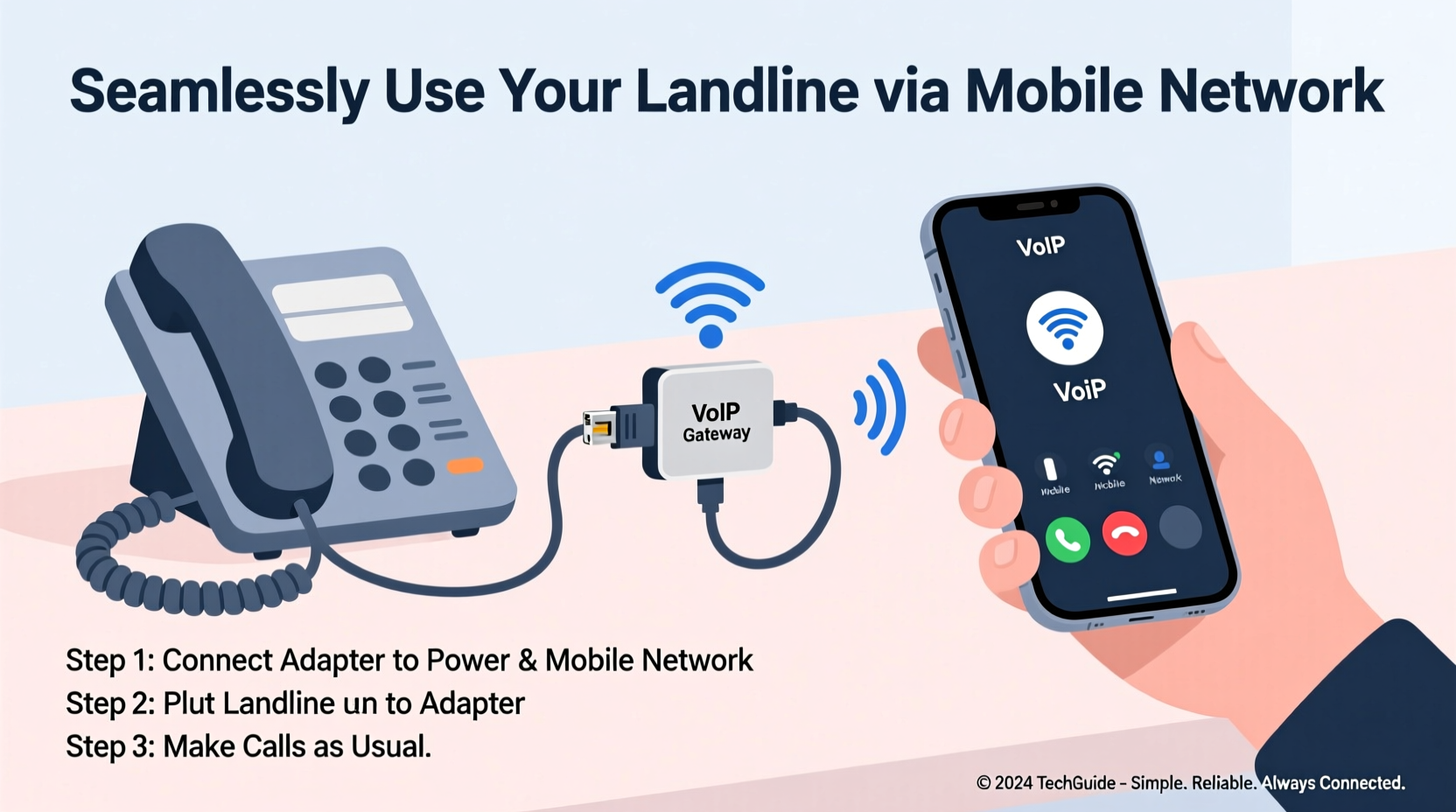
The key to connecting a landline phone to a mobile network lies in converting analog voice signals into digital data that can travel over cellular connections. This process relies on one of three primary technologies: VoIP adapters, cellular-to-analog gateways, or smartphone-based bridging via apps.
Voice over IP (VoIP) services transmit calls over the internet. When paired with a mobile hotspot or Wi-Fi connected to a cellular network, VoIP becomes a wireless landline alternative. Devices like Analog Telephone Adapters (ATAs) plug into your router and allow standard phones to make calls using a VoIP service provider.
Alternatively, dedicated cellular gateways such as the Invoxia LTE Smart Base or OBiTALK devices contain built-in SIM slots. These act as mini-cell towers in your home, routing calls directly through 4G/5G networks while providing standard RJ-11 ports for connecting legacy telephones.
“Modern telecom isn’t about replacing hardware—it’s about reimagining connectivity. With the right gateway, your old landline becomes part of a smarter, more resilient system.” — Rajiv Mehta, Senior Network Engineer at Telco Innovations Group
Step-by-Step Guide: Connecting Your Landline to a Mobile Network
Follow this structured approach to transition your landline phone to mobile network operation without sacrificing usability.
- Assess Your Needs: Determine whether you need nationwide calling, international dialing, or just local emergency access. Consider if multiple handsets will be used simultaneously.
- Choose Your Connection Method: Decide between VoIP + mobile hotspot, standalone cellular gateway, or app-based forwarding.
- Select Compatible Hardware: For VoIP, purchase an ATA (e.g., Grandstream HT801). For direct cellular use, opt for a SIM-enabled base station.
- Set Up Internet or Cellular Backhaul: Ensure strong Wi-Fi coverage or insert an active data SIM card into your gateway device.
- Configure the Device: Register your adapter with a VoIP provider (like Ooma, Vonage, or Google Voice) or activate service on a cellular gateway.
- Connect Your Landline Phone: Plug your existing phone into the FXS port (labeled “Phone” or “Tel”) on the adapter or gateway.
- Test Call Quality: Make test calls to verify audio clarity, ring functionality, and voicemail setup.
Comparison of Connection Methods
| Method | Pros | Cons | Best For |
|---|---|---|---|
| VoIP + Mobile Hotspot | Low cost; uses existing smartphone data; easy setup | Dependent on phone battery; inconsistent signal if hotspot moves | Temporary setups or travelers |
| Cellular Gateway (SIM-Based) | Standalone operation; supports multiple lines; no home broadband needed | Higher upfront cost; requires data plan | Permanent home replacement |
| Smartphone App Forwarding | Free or low-cost; integrates with contacts and messaging | Limited to one-way calling unless using Bluetooth handset | Elderly users needing simplicity |
| Dedicated VoIP Service with Home Internet | High call quality; advanced features (voicemail-to-email, etc.) | Requires stable broadband; fails during internet outages | Home offices or multi-user environments |
Real-World Example: Supporting Aging Parents Remotely
Mark from Portland wanted his 78-year-old mother to keep using her familiar Panasonic corded phone after their rural area lost landline service. He purchased an Invoxia LTE Smart Base, inserted a prepaid AT&T data SIM, and connected her existing phone. Within 20 minutes, she was receiving calls just as before—only now, they were routed over the 4G network. Mark also enabled call forwarding from her old number to the new line via Google Voice, ensuring continuity. She didn’t notice any difference, except that the phone worked better than it had in years.
This scenario highlights how seamless integration preserves user comfort while upgrading backend infrastructure—a crucial consideration for non-tech-savvy individuals.
Essential Checklist Before You Begin
- ✅ Confirm your mobile carrier allows VoIP or hotspot usage for voice calls
- ✅ Test cellular signal strength where the gateway will be installed
- ✅ Choose a VoIP provider compatible with your chosen hardware
- ✅ Backup your current landline number for portability
- ✅ Verify emergency calling (E911) support with your new setup
- ✅ Purchase necessary accessories: power adapters, Ethernet cables, surge protectors
Frequently Asked Questions
Can I keep my existing landline phone number?
Yes. Most VoIP providers and cellular gateway services support number porting. Initiate the transfer before disconnecting your old service to ensure uninterrupted communication.
Will my phone work during a power outage?
Only if your gateway device is connected to a UPS and your mobile network remains operational. Unlike traditional landlines, which often have central office backup power, most consumer-grade solutions require local battery support.
Are there monthly fees involved?
It depends on the method. Using a smartphone hotspot incurs no additional fee beyond your data plan. Standalone gateways may require a separate data subscription ($10–$25/month). VoIP services typically charge $10–$20/month for unlimited calling plans.
Optimizing Performance and Reliability
To ensure high-quality voice transmission, prioritize low-latency connections. If using VoIP over a mobile hotspot, enable Quality of Service (QoS) settings on your router or hotspot app to prioritize voice traffic. Limit bandwidth-heavy activities (like streaming) during calls.
For long-term reliability, choose a gateway with firmware updates and strong customer support. Devices like the Grandstream GXV3140 or Cisco SPA112 offer enterprise-grade stability even in residential settings.
Additionally, register your physical address with your VoIP provider for accurate E911 routing. Emergency responders must know your location, especially when disconnected from traditional phone lines.
Conclusion
Bridging a traditional landline phone with a mobile network is no longer a technical compromise—it's a smart evolution of home communication. With the right tools, you can preserve the ergonomics and reliability of physical handsets while leveraging the flexibility and resilience of modern cellular and internet-based telephony.
From retirees clinging to familiar technology to homeowners ditching outdated copper lines, this hybrid approach offers continuity, clarity, and cost savings. Evaluate your needs, select the appropriate method, and implement a setup that works today—and adapts for tomorrow.




 浙公网安备
33010002000092号
浙公网安备
33010002000092号 浙B2-20120091-4
Comments
No comments yet. Why don't you start the discussion?