
As smart homes grow more sophisticated, the ability to orchestrate multiple systems in harmony becomes not just convenient—but transformative. One of the most visually striking and emotionally resonant opportunities lies in aligning your holiday lighting display with the ambient color cues from your smart thermostat. Many modern thermostats, such as the Google Nest Learning Thermostat or Ecobee models with color displays, shift their interface hues based on temperature settings, time of day, or even seasonal modes. By syncing your Christmas lights to these subtle visual signals, you can create a cohesive, immersive experience that enhances both comfort and festivity.
This integration goes beyond aesthetics. When done thoughtfully, it supports energy efficiency, reduces manual control overhead, and deepens the sense of automation throughout your home. Whether you're using Philips Hue, LIFX, or another smart lighting ecosystem, this guide walks through the technical setup, design considerations, and real-world applications of coordinating your holiday lights with your thermostat’s dynamic color schedule.
Understanding Smart Thermostat Color Behavior
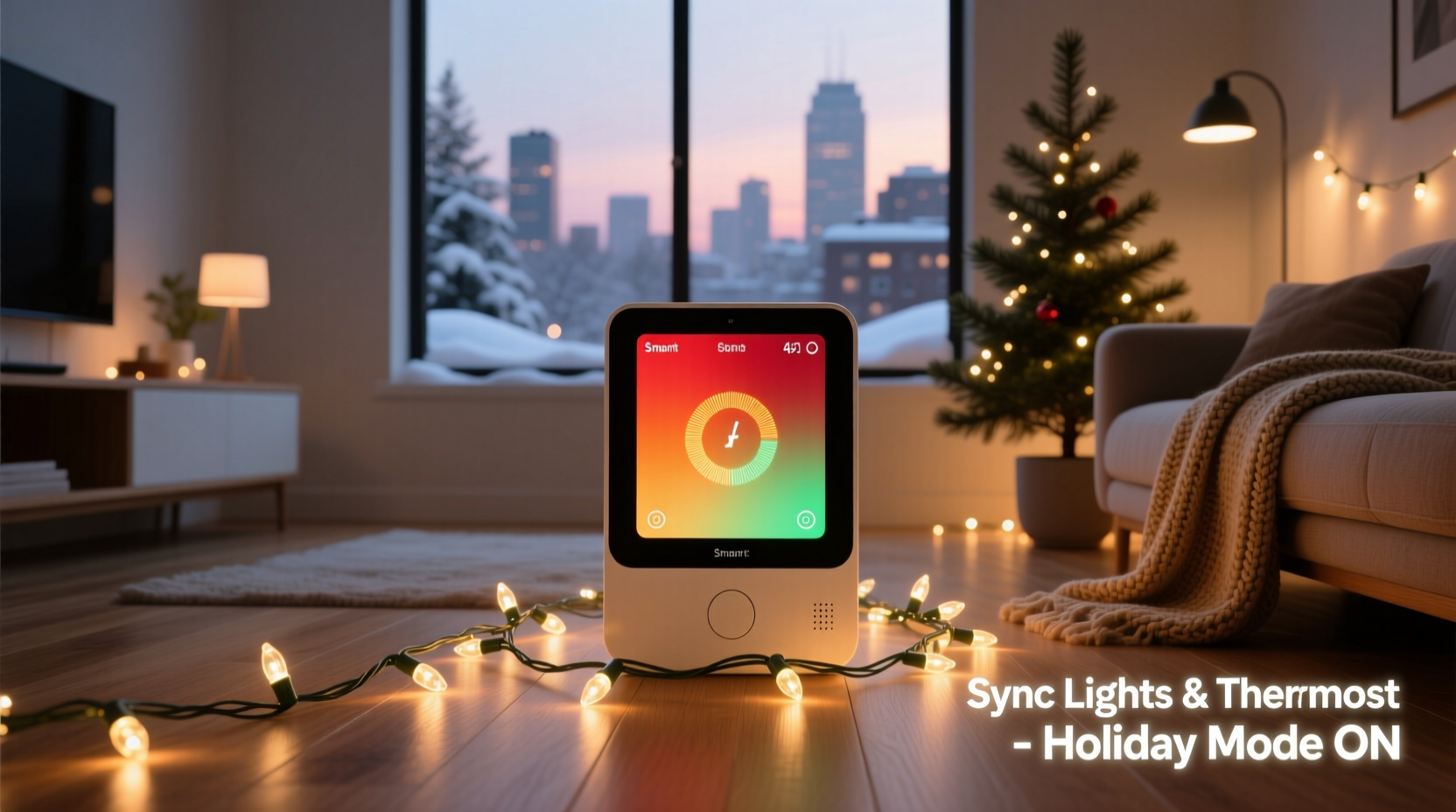
Modern smart thermostats don’t just regulate temperature—they communicate. Devices like the Nest Thermostat use a color gradient on their ring or screen to indicate heating (red), cooling (blue), or neutral/idle (green or gray) states. Some models even shift toward warm amber during evening hours or special occasions. This isn’t merely functional; it's an ambient signal that can be leveraged across other smart devices.
The key insight is that thermostat color changes are often tied to routines: morning wake-up, bedtime wind-down, or holiday-specific schedules. These routines represent predictable triggers. For example, if your thermostat shifts to a soft red glow at 5 PM during December, that could serve as a cue for your Christmas lights to gradually illuminate in complementary warm tones.
Step-by-Step Guide to Synchronization
Coordinating Christmas lights with your thermostat requires bridging two separate ecosystems: HVAC intelligence and lighting control. While no native integration exists between thermostats and light strips out-of-the-box, platforms like IFTTT (If This Then That), Home Assistant, or Apple Shortcuts make this possible through automation rules.
- Inventory Your Devices: Confirm compatibility. Ensure your thermostat (e.g., Nest, Ecobee) and lights (e.g., Hue, Nanoleaf, TP-Link Kasa) are connected to a central hub or cloud service.
- Choose an Automation Platform:
- IFTTT: Best for beginners; supports most consumer brands.
- Home Assistant: Ideal for advanced users wanting granular control.
- Apple Shortcuts: Works well within iOS/HomeKit environments.
- Create a Trigger Based on Thermostat State: In IFTTT, set up an applet where “If Nest detects heating mode,” then trigger a light action. You may need to define thresholds (e.g., heat activation above 68°F).
- Map Colors Strategically: Assign light colors that complement or mirror the thermostat’s display. For instance:
- Heating → Warm white or red-orange lights
- Cooling → Soft blue accent lighting
- Idle/Eco → Gentle green pulse or off
- Schedule for Seasonality: Use calendar-based conditions so the rule only activates between December 1 and January 5.
- Test and Refine: Run simulations at different times of day. Adjust brightness and transition speed to avoid jarring effects.
For deeper integration, Home Assistant allows direct MQTT access to thermostat sensors. You can write scripts that read the current display color value (if exposed via API) and push corresponding RGB values to your light controller.
Design Principles for Harmonious Lighting Transitions
Synchronization should enhance—not overwhelm—the environment. A sudden flash of red when the furnace kicks on may startle rather than delight. Consider these design principles when mapping interactions:
- Gradual Transitions: Lights should fade in over 10–30 seconds, mimicking the slow ramp of indoor temperature change.
- Zonal Coordination: Only activate lights in common areas (living room, entryway) where the thermostat is visible. Avoid triggering bedroom lights unless part of a wake-up routine.
- Color Psychology Alignment: Red for warmth and energy, blue for calm, green for eco-mode serenity—use hues intentionally.
- Energy Awareness: Pair light activation with thermostat occupancy detection. If no one is home, keep lights off even if heating is active.
| Thermostat State | Display Color | Recommended Light Response | Duration / Notes |
|---|---|---|---|
| Heating Active | Red/Amber | Warm white or crimson accent strip | Fade in over 15s; dim after 30 min idle |
| Cooling Active | Blue | Soft blue under-cabinet glow | Limited to kitchen or sunroom zones |
| Eco Mode | Green/Gray | Pulsed green LED tree ornament | Subtle pulse every 5 seconds |
| Off / Idle | Neutral Gray | All holiday lights off or standby | Except pre-scheduled evening display |
Mini Case Study: The Johnson Family Holiday Setup
The Johnsons in Minneapolis wanted their home to \"feel festive without feeling chaotic.\" They owned a second-generation Ecobee SmartThermostat with a color screen and a Philips Hue system controlling string lights along the mantel and staircase railing.
In November, they used IFTTT to create a seasonal applet: “When Ecobee enters ‘Home – Heating’ mode between Dec 1–Jan 5, turn on Hue lights to 70% brightness in ‘Candlelight’ preset.” They added a secondary rule: “At sunset, shift to ‘Fairy Light’ mode regardless of HVAC state.”
The result was elegant. As the house warmed in the late afternoon, the lights gently came alive in sync with rising temperatures. Guests noticed the warmth wasn’t just thermal—it was visual. During a cold snap, when the heater ran constantly, the lights remained softly lit, reinforcing a sense of cozy continuity.
One unexpected benefit? Their children began associating the glow of the stairs with “time to come downstairs,” reducing repeated calls of “Is it warm enough yet?” The lights became a behavioral cue, blending function and festivity.
Expert Insight: Bridging Climate and Ambiance
“We’re moving beyond isolated smart devices toward contextual awareness. When lighting responds to environmental cues like temperature or air quality, it stops being decorative and starts being intuitive.” — Dr. Lena Torres, Human-Computer Interaction Researcher, MIT Media Lab
Dr. Torres emphasizes that the future of smart homes lies in cross-system empathy—where one device understands the context of another. A thermostat doesn't just know the temperature; it knows it's December, someone is home, and it’s getting dark. Sharing that context with lights enables richer experiences.
Tips for Energy Efficiency and Longevity
While synchronized lighting adds charm, unchecked automation can lead to wasted energy. Follow these best practices to maintain sustainability:
- Leverage geofencing: Only enable Christmas light sync when household members are within 5 miles.
- Set maximum daily runtime (e.g., lights auto-off at 10 PM unless manually overridden).
- Use low-power LED strings; many consume less than 10 watts for 100 bulbs.
- Update firmware regularly—some thermostats now support “holiday mode” APIs that broadcast seasonal status.
Checklist: Coordinate Christmas Lights with Your Thermostat
- ✅ Verify both thermostat and lights are on compatible platforms
- ✅ Choose an automation tool (IFTTT, Home Assistant, etc.)
- ✅ Define color mappings between thermostat states and light outputs
- ✅ Set date range limits for holiday-only activation
- ✅ Test transition smoothness and brightness levels
- ✅ Add occupancy or motion-based overrides
- ✅ Monitor energy usage over first three days of operation
- ✅ Share settings with family via shared automation dashboard
FAQ
Can I sync lights to my thermostat if they’re from different brands?
Yes, as long as both devices are supported by a third-party automation platform like IFTTT or Home Assistant. Most major brands—including Nest, Ecobee, Hue, LIFX, and Wyze—are interoperable through these services.
Will this increase my electricity bill significantly?
Not if managed wisely. Modern LED Christmas lights use minimal power. However, leaving them on 24/7 due to constant heating cycles could add $5–$10 monthly. Use scheduling and motion controls to limit unnecessary runtime.
What if my thermostat doesn’t have a color display?
You can still automate based on operational state (heating/cooling/off). Use temperature thresholds as triggers—for example, “If indoor temp drops below 68°F, activate warm-toned lights.” The visual coordination won’t be direct, but the functional link remains valuable.
Conclusion: Create a Smarter, More Festive Home
Coordinating Christmas lights with your smart thermostat isn’t about adding another gadget—it’s about weaving together the threads of comfort, beauty, and intelligence already present in your home. When the rise of indoor warmth is mirrored by a gentle glow in the living room, the season feels more intentional, more lived-in. These small synchronicities accumulate into an environment that doesn’t just respond to you—it anticipates you.
The technology exists today. The tools are accessible. And the impact—on mood, energy use, and holiday joy—is measurable. This year, go beyond timers and remote controls. Build a home where the thermostat doesn’t just manage temperature, but helps tell the story of the season.




 浙公网安备
33010002000092号
浙公网安备
33010002000092号 浙B2-20120091-4
Comments
No comments yet. Why don't you start the discussion?