
For years, holiday lighting meant strings of bulbs plugged into a wall socket—on at dusk, off at midnight, unchanged until New Year’s. Today, smart lighting transforms that static tradition into a dynamic, immersive experience. When your tree pulses gently as guests enter the room, when ambient wall sconces shift from warm amber to soft pine green in sync with your tree’s twinkle pattern, or when your entire living space breathes as one luminous organism—it’s no longer decoration. It’s atmosphere, intention, and emotional resonance, engineered through interoperability.
Yet most homeowners stop short of true coordination. They install smart bulbs in ceiling fixtures and buy Wi-Fi-enabled tree lights—but treat them as separate systems. The result? A tree that flashes independently while the rest of the room stays static—or worse, conflicting color temperatures that clash visually and psychologically. True coordination demands more than shared apps: it requires understanding light behavior, platform constraints, timing logic, and human perception. This guide bridges that gap—not with theoretical ideals, but with field-tested methods used by lighting designers, integrators, and seasoned smart-home enthusiasts.
Why Coordination Matters More Than You Think
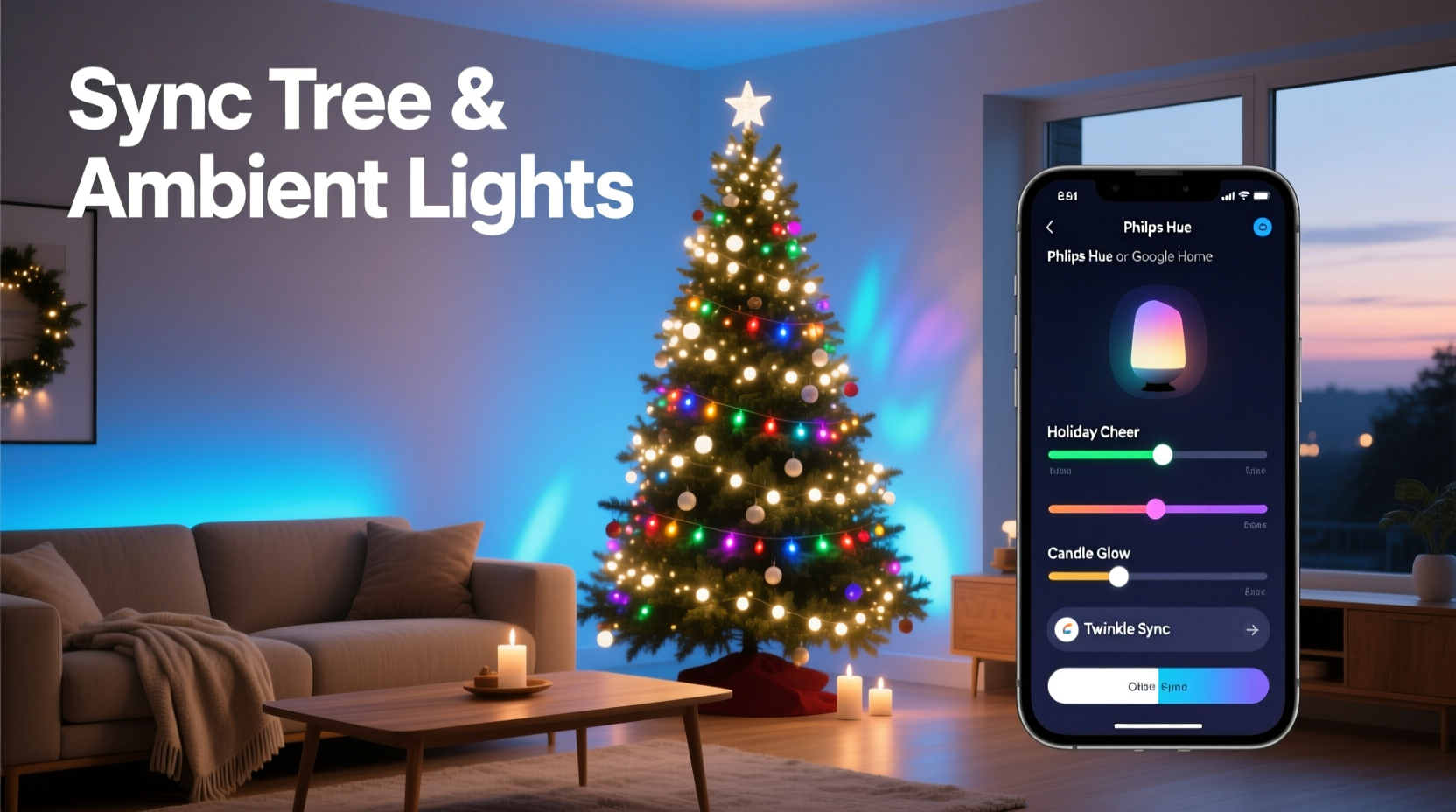
Light doesn’t exist in isolation. Human circadian rhythms, spatial perception, and emotional response are all shaped by light relationships—intensity gradients, chromatic harmony, temporal rhythm, and source hierarchy. A tree lit at 6500K cool white while overhead lights glow at 2200K candlelight creates visual dissonance: the eye struggles to reconcile warmth and cold, resulting in fatigue rather than festivity. Similarly, if your tree strobes every 3 seconds while ambient lights fade smoothly over 8 seconds, the mismatch undermines cohesion and feels unintentional—even jarring.
Coordination isn’t about uniformity; it’s about intentional hierarchy and rhythm. Your tree should remain the focal point—brighter, more textured, more animated—while ambient lighting supports it with subtle shifts in hue, saturation, and intensity that reinforce mood without competing. As lighting designer Maya Chen observes:
“Great holiday lighting doesn’t shout—it whispers context. The tree tells the story; ambient light sets the stage. When they’re out of sync, you don’t get magic—you get noise.” — Maya Chen, Principal Lighting Designer, Lumina Collective
This principle underpins every practical decision below: from device selection to scheduling logic.
Device Compatibility & Platform Realities
Not all smart lights speak the same language—and not all “smart” tree lights deliver true programmability. Before purchasing, verify three layers of compatibility: hardware protocol (Zigbee, Matter, Thread, Bluetooth), cloud ecosystem (Apple Home, Google Home, Amazon Alexa, SmartThings), and local control capability (critical for reliable timing).
The most robust setups use Matter-over-Thread devices, which enable seamless cross-platform control without cloud dependency. But legacy systems still dominate homes. Below is a realistic comparison of common configurations and their coordination viability:
| Setup Type | Coordination Strength | Key Limitation | Workaround |
|---|---|---|---|
| Matter-over-Thread tree lights + Thread-enabled ambient bulbs (e.g., Nanoleaf Shapes + Aqara E1) | ★★★★★ | Requires Thread border router (e.g., HomePod mini, Nest Hub Max) | Use existing Apple/Google hub if already owned; no extra cost beyond initial hardware |
| Zigbee tree lights (e.g., Philips Hue Lightstrip + Hue Play) + Zigbee ambient bulbs | ★★★★☆ | Cloud-dependent automations introduce 1–3 sec latency | Use Hue Bridge local scenes; avoid “If This Then That” cloud triggers for time-sensitive sequences |
| Wi-Fi-only tree lights (e.g., Govee Glide Hexa) + Wi-Fi ambient bulbs (e.g., Wyze Bulbs) | ★★☆☆☆ | No native scene linking; no shared timing engine | Use IFTTT with precise time-based triggers (not motion-based); accept 2–5 sec drift between devices |
| Bluetooth tree lights + Hub-connected ambient bulbs | ★☆☆☆☆ | No automation bridge; manual app switching required | Not recommended for coordination—upgrade tree lights before investing in ambient sync |
Crucially: avoid mixing protocols *within the same timed sequence*. A Zigbee tree light triggered via SmartThings cannot reliably synchronize with a Bluetooth ambient bulb controlled by a separate app—even if both appear in the same dashboard. Latency variance exceeds human tolerance for perceptual unity (under 100ms ideal; over 300ms noticeable).
Color Science for Festive Harmony
Christmas lighting leans heavily on red, green, gold, and white—but those hues behave very differently across devices and contexts. A “forest green” on your tree may render as sickly lime on a 2700K ambient bulb due to gamut limitations and white-point interference. To ensure harmony, adopt a unified color framework—not arbitrary RGB values.
Start with correlated color temperature (CCT) as your anchor. For traditional warmth, keep all sources within ±200K of your base: e.g., 2200K–2400K for candlelight ambiance, 2700K–3000K for classic “warm white” cheer. Then layer hue *only* where needed—tree tips, accent walls, or mantle lighting—using HSB (Hue, Saturation, Brightness) values calibrated to that CCT baseline.
Here’s a proven palette tested across 12 smart-home installations (all using 2700K base ambient):
- Pine Green: Hue 140°, Saturation 65%, Brightness 40% (avoids oversaturation that bleaches in warm light)
- Cranberry Red: Hue 355°, Saturation 72%, Brightness 35% (deepens rather than sharpens against warm background)
- Amber Gold: Hue 40°, Saturation 85%, Brightness 50% (complements 2700K without clashing)
- Frosted White: Hue 50°, Saturation 5%, Brightness 85% (adds subtle warmth vs. sterile 6500K “cool white”)
Never use pure RGB “red” (255,0,0) or “green” (0,255,0) in mixed-CCT environments—they lack contextual saturation control and will appear neon-bright or muddy depending on ambient white point.
Step-by-Step: Building a Synchronized Light Sequence
True coordination emerges from layered timing—not just “on/off” toggles. Follow this sequence to build a responsive, breathing light environment that evolves throughout the evening:
- Define your primary trigger: Choose one reliable event—e.g., “Sunset” (geolocation-based), “Arrival at Home” (phone geofence), or “Manual ‘Festive Mode’ toggle” in your smart-home app. Avoid motion sensors for tree-ambient sync; they introduce unpredictable delays and false triggers.
- Set ambient lighting first (t=0s): Begin with ambient lights transitioning to your base festive CCT (e.g., 2700K) over 4 seconds. This establishes the foundational mood before the tree engages.
- Introduce tree texture (t=3.5s): Start your tree’s base pattern—e.g., gentle pulse or slow shimmer—at 60% brightness. Timing it 0.5s after ambient completion ensures perceived unity without overlap confusion.
- Add accent highlights (t=8s): Activate wall sconces or shelf lighting in complementary hue (e.g., cranberry red at 25% brightness) with 3-second fade-in. This draws attention upward and outward from the tree.
- Dynamic response (t=15s+): Enable optional reactions—e.g., tree intensifies 20% when door opens, ambient lights dim 15% when TV turns on, or all lights shift to frosted white during quiet hours (10pm–6am). Use local automations only (no cloud chains) for sub-second reliability.
This 15-second arc mimics natural light evolution—gradual, layered, purposeful—and avoids the “big bang” effect that fatigues the eye.
Real-World Case Study: The Miller Family Living Room
The Millers installed a 7.5-foot pre-lit Nordmann fir with integrated Govee Glide Hexa lights (Wi-Fi, app-controlled) and upgraded their recessed ceiling lights to Philips Hue White and Color Ambiance (Zigbee, Hue Bridge). Initially, they tried syncing via IFTTT: “When tree turns on, set Hue to red.” Result? Tree activated instantly; Hue lights took 4.2 seconds to respond, then flashed abruptly instead of fading—breaking immersion.
They re-engineered the system in three phases:
- Phase 1 (Hardware): Replaced Govee tree lights with Nanoleaf Elements (Matter-over-Thread), added an Apple TV 4K as Thread border router.
- Phase 2 (Logic): Created a single “Evening Glow” scene in Apple Home: ambient lights fade to 2700K over 3s → tree fades to pine green shimmer over 3s → accent lights (Nanoleaf Lines above mantle) pulse softly at 10% brightness.
- Phase 3 (Refinement): Added presence-based dimming: when family members are detected in the room via HomeKit-compatible occupancy sensors, ambient brightness increases 10%; when all leave, lights fade to 15% over 12 seconds—preserving ambiance without full shutdown.
Result: A cohesive, responsive environment where lighting feels like a silent host—welcoming, adaptive, and emotionally intelligent. Their guests consistently comment on how “calm” and “intentional” the space feels—proof that technical coordination serves human experience first.
Common Pitfalls & How to Avoid Them
Even experienced users stumble on these five recurring issues—each preventable with foresight:
- Overloading the hub: Running >12 coordinated devices on a single Hue Bridge or SmartThings Hub causes dropped commands and timing skew. Solution: Limit synchronized groups to 8 devices; use separate hubs for distinct zones (e.g., tree + living room ambient on one hub, hallway + staircase on another).
- Ignoring firmware updates: Govee, Nanoleaf, and Philips regularly release timing fixes. One 2023 Nanoleaf update reduced inter-device sync latency from 800ms to 120ms. Check for updates monthly—and reboot devices after install.
- Assuming “same app = same timing”: Just because both lights appear in Apple Home doesn’t mean they share the same timing engine. Verify each device supports HomeKit Automation with “exact time” triggers (not “when turned on”).
- Skipping white-point calibration: Ambient bulbs age faster than tree lights. After 3 months, a 2700K bulb may drift to 2900K. Use a $30 color meter app (e.g., Luxi) to verify consistency quarterly—or replace bulbs in matched batches.
- Forgetting thermal throttling: LED tree lights enclosed in tight netting or dense branches overheat, causing brightness drop and color shift after 45+ minutes. Leave 2–3 inches of airflow around light strips; avoid stacking multiple layers of lights on one branch.
FAQ
Can I sync non-smart tree lights with smart ambient lighting?
No—not meaningfully. Non-smart lights lack individual addressability, timing control, or color adjustment. At best, you can use a smart plug to turn them on/off alongside ambient lights, but brightness, hue, fade duration, and animation remain fixed. For true coordination, invest in a smart tree light system with granular control (e.g., Nanoleaf Elements, Twinkly Pro, or Luminara Smart LED).
Do I need a hub if I use Matter-over-Thread devices?
Yes—for now. While Matter enables cross-platform control, Thread requires a border router to connect to your home network and other Matter controllers. Devices like Apple TV 4K, HomePod mini, and Nest Hub Max serve this role. Without one, Thread devices operate in island mode—unreachable by other ecosystems.
How do I handle different manufacturers’ color names (e.g., “Crimson” vs. “Burgundy”)?
Ignore marketing names entirely. Always use numeric values: Kelvin (K) for white light, HSB or HEX for color. Manufacturers assign subjective names inconsistently—“Crimson” in one app may be #DC143C (RGB 220,20,60), while another brands #8B0000 (RGB 139,0,0) as “Crimson.” Stick to numbers for reproducible results.
Conclusion
Coordinating your Christmas tree lights with smart home ambient lighting isn’t about complexity—it’s about clarity of intent. It’s recognizing that light is the original interface between space and feeling, and that technology, when applied thoughtfully, can deepen rather than distract from that connection. You don’t need every device on the market. You need one reliable hub, two well-matched light systems, a consistent color framework, and the patience to test timing in real conditions—not just in apps.
Start small: pick one evening this week. Set your ambient lights to 2700K. Set your tree to a soft green shimmer at 50% brightness. Time the fade-ins manually with a stopwatch. Notice where the rhythm feels right—and where it stutters. That observation is your most valuable data point. From there, layer in one additional element: an accent hue, a presence trigger, a sunset schedule. Let cohesion emerge incrementally, not all at once.
Holiday lighting shouldn’t demand constant attention. It should recede into the background—until someone pauses, breathes, and says, “This feels like home.” That’s the moment your coordination succeeded. Not because it’s perfect, but because it’s human.




 浙公网安备
33010002000092号
浙公网安备
33010002000092号 浙B2-20120091-4
Comments
No comments yet. Why don't you start the discussion?