
As the holiday season approaches, many homeowners are turning to smart lighting not just for convenience, but for aesthetic harmony. With Apple HomeKit, you can synchronize your entire home’s lighting environment—from ambient hallway strips to living room lamps—and now, your Christmas tree. The key lies not in simply plugging in colored bulbs, but in creating a cohesive, dynamic atmosphere where your tree becomes an extension of your smart home’s personality.
Modern LED tree lights, when paired with HomeKit-compatible controllers, allow precise control over hue, brightness, and timing. When integrated thoughtfully, they respond to scenes, automations, and even voice commands through Siri. This guide walks you through the technical setup, design principles, and advanced techniques to make your tree lights complement—not clash with—your existing smart lighting ecosystem.
Understanding HomeKit Lighting Ecosystems
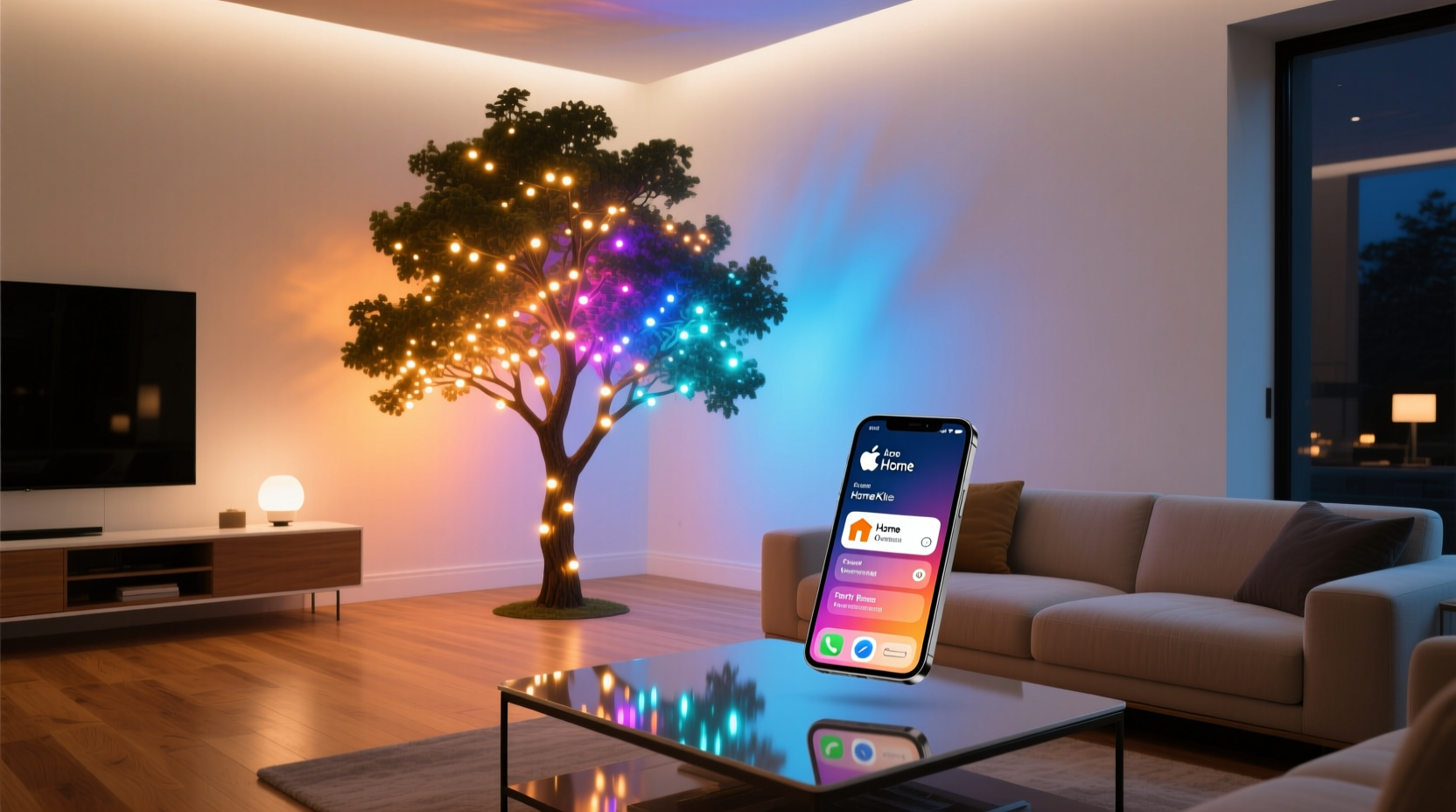
Apple HomeKit operates on a philosophy of centralization and consistency. Devices must be certified under Apple’s HomeKit Secure Responder program or use Matter over Thread/Wi-Fi to ensure compatibility. For lighting, this means choosing bulbs, strips, or controllers that support HomeKit natively or via a bridge (like Philips Hue Bridge or Nanoleaf).
Tree lights themselves aren’t typically standalone HomeKit devices. Instead, they connect through smart plugs or addressable LED controllers. For full color control, opt for RGBW or tunable white LEDs. These can shift from warm amber to cool daylight, matching your interior lighting palette across seasons.
The real power comes from grouping devices into “Rooms” and assigning them to “Scenes.” A scene like “Evening Wind Down” might dim overhead lights to 30% warm white while setting the tree to a soft gold pulse. Another, “Holiday Gathering,” could brighten all lights to vibrant red and green with synchronized transitions.
Step-by-Step: Integrating Tree Lights into Your HomeKit Setup
- Choose the right hardware: Use a HomeKit-compatible smart plug if your tree lights are white-only. For color-changing effects, select an addressable LED strip kit with a HomeKit-enabled controller (e.g., Govee, LIFX Z Strip, or Eve Light Strip).
- Install and test: Plug in the lights and follow the manufacturer’s pairing instructions. Open the Home app, tap the + icon, and add the accessory using the eight-digit HomeKit code.
- Name and categorize: Assign a clear name like “Christmas Tree – Top Half” or “Tree Base Lights.” Place it in the correct room within the Home app.
- Create zones (if applicable): If using multiple light segments (top, middle, base), label them distinctly so you can animate them independently later.
- Test basic controls: Manually adjust brightness and color in the Home app to confirm responsiveness. Ensure delays are minimal—laggy responses disrupt ambiance.
Once integrated, your tree lights appear alongside other HomeKit accessories. You can control them via the Home app, Control Center widgets, or Siri. Saying “Hey Siri, set the tree to blue” works instantly, provided your device is on the same network and awake.
Design Principles: Matching Tree Lights to Your Interior Scheme
A common mistake is treating the tree as a standalone decoration. In reality, it should reflect the emotional tone of the space. If your living room uses warm whites (2700K–3000K) and walnut finishes, a neon purple tree will feel jarring—even festive.
Instead, align your tree’s palette with your room’s dominant undertones. Use the Home app’s color wheel to sample hues from existing lamps or accent lights. For example, if your sidelights emit a golden glow, set the tree to a deep amber or copper shimmer rather than pure red.
| Interior Style | Recommended Tree Light Palette | Avoid |
|---|---|---|
| Modern Minimalist (Cool Grays, White) | Soft blue-white fade, silver sparkle | Bright red/green combos |
| Warm Scandinavian (Wood Tones, Cream) | Warm white twinkle, honey gold pulses | Cyan or electric blue |
| Rustic Farmhouse (Beige, Natural Textures) | Amber flicker, vintage filament effect | RGB rainbow cycles |
| Luxury Urban (Black Accents, Brass) | Champagne shimmer, deep burgundy slow fade | Overly animated patterns |
Consider seasonal transitions. You may want the tree to shift from subtle pre-holiday warmth to full festive brilliance only during December evenings. Automations can handle this gracefully.
“Lighting continuity builds subconscious comfort. A tree that echoes the room’s warmth feels inviting, not distracting.” — Daniel Ruiz, Smart Home Lighting Designer & Architect
Advanced Coordination: Scenes and Automations
True integration happens when your tree lights react intelligently. Using the Home app, create scenes that involve multiple devices—including your tree—for unified effects.
Example Scene: “Festive Evening”
- Living Room Lamp → Warm white, 40%
- Hallway Strip → Soft gold, 25%
- Christmas Tree → Red-green alternating fade, 70% brightness
- Fireplace Insert (if smart) → Flicker animation on
Trigger this scene manually or automate it based on time or location. For instance: “When sunset occurs, activate Festive Evening.” Or: “When anyone arrives home after 5 PM in December, turn on Festive Evening.”
Dynamic Transitions During Events
For holiday parties, create a sequence:
- Welcome Mode: Tree glows steady white as guests arrive.
- Dinner Time: Shifts to warm amber, syncing with dining lights.
- Dessert & Celebration: Activates gentle red-green pulse across all lights.
- Wind Down: Returns to soft white with gradual dimming.
To execute this, set up individual automations tied to specific times or manual triggers. You can also use Shortcuts for one-tap transitions during gatherings.
Mini Case Study: The Cohesive Holiday Home
Sophie, a designer in Portland, wanted her mid-century modern apartment to feel festive without sacrificing style. Her living room featured matte black sconces and warm oak flooring. She used two Eve Light Strips wrapped around her tree trunk and lower branches, keeping the top decorated with clear glass ornaments and non-lit string lights.
In the Home app, she created a “December Ambiance” scene: sconces dimmed to 35%, emitting a 2800K glow, while the tree pulsed slowly between deep evergreen and muted cranberry—colors pulled from her sofa pillows. She automated this to activate daily at dusk and deactivate at 10:30 PM.
The result? Guests assumed the tree had traditional warm bulbs. Only upon close inspection did they notice the subtle shifts in tone. “It felt luxurious, not kitschy,” Sophie said. “Like the tree was breathing with the room.”
Troubleshooting and Best Practices
Even with careful planning, issues arise. Here’s how to prevent common problems:
WiFi Congestion
During holidays, networks often carry more traffic. If your tree lights lag or disconnect, assign them to a 2.4 GHz band (most smart lights don’t support 5 GHz). Consider a mesh router system to maintain signal strength near the tree.
Battery-Powered Controllers
Avoid battery-operated smart controllers for tree lights. They may sleep to conserve power, causing delays. Use mains-powered hubs or strips instead.
Firmware Updates
Check for updates before the season begins. Some brands push holiday-specific modes (e.g., “Snowfall Effect”) via firmware.
Physical Placement
Ensure the controller is accessible. If hidden inside the tree, wrap it in a ventilated fabric pouch to prevent overheating. Avoid placing near heat sources like radiators.
Backup Plan
Always have a manual override. Label the circuit breaker or outlet powering the tree. If automation fails, you can still enjoy the lights manually.
Checklist: Pre-Season Tree Light Readiness
- ✅ Verify all smart tree lights are powered and connected to Wi-Fi/Thread
- ✅ Test responsiveness in the Home app and via Siri
- ✅ Group tree lights under the correct room (e.g., “Living Room”)
- ✅ Create at least two holiday scenes (e.g., “Cozy Night,” “Party Mode”)
- ✅ Set up one automation (e.g., “Turn on tree at sunset in December”)
- ✅ Confirm color harmony with surrounding lights using the Home app picker
- ✅ Document device names and locations for quick troubleshooting
FAQ
Can I sync my tree lights to music using HomeKit?
Direct audio-reactive syncing isn’t native to Apple HomeKit. However, third-party apps like Hue Sync (for Philips Hue) or Govee’s app can create beat-responsive effects. You can then trigger those modes manually or via shortcuts, though not in real-time through Siri.
What if my tree lights aren’t HomeKit-compatible?
You can use a HomeKit-compatible smart plug to control on/off scheduling for non-smart RGB lights. Full color control requires a bridge device or upgrade to a HomeKit-native strip. Alternatively, consider Matter-certified devices—they work across ecosystems and are future-proof.
How do I prevent my tree lights from clashing with other decorations?
Limit your palette to 2–3 colors max. Use the Home app to preview combinations before finalizing. If you have physical ornaments in red and gold, mirror those tones in the lights. Avoid rapid flashing unless it’s a brief effect; steady or slow-pulsing light feels more elegant.
Conclusion
Coordinating your tree lights with your Apple HomeKit color scheme transforms holiday decorating from a seasonal chore into an expression of intentional design. It’s not about more lights—it’s about better ones. When your tree breathes in rhythm with the rest of your home, glowing softly in alignment with your evening routine or brightening joyfully when guests arrive, it becomes part of the living environment.
The technology exists. The tools are intuitive. Now it’s about applying thoughtful design and smart automation to create moments of quiet wonder. Whether you’re hosting a grand gathering or enjoying a quiet night by the fire, let your tree reflect the soul of your space—not just the season.




 浙公网安备
33010002000092号
浙公网安备
33010002000092号 浙B2-20120091-4
Comments
No comments yet. Why don't you start the discussion?