
In the world of Minecraft, creativity knows no bounds. One of the most exciting builds fans can create is a functional Ben 10 Omnitrix clock — not just a static model, but a working timepiece that mimics the iconic device from the animated series. This project combines redstone mechanics, command block logic, and aesthetic design to bring a beloved pop culture item into your survival or creative world. Whether you're building a hero-themed base or simply want an interactive centerpiece, this guide walks you through constructing a fully operational Omnitrix clock with glowing effects, sound cues, and time-tracking functionality.
Understanding the Concept: What Makes It Functional?
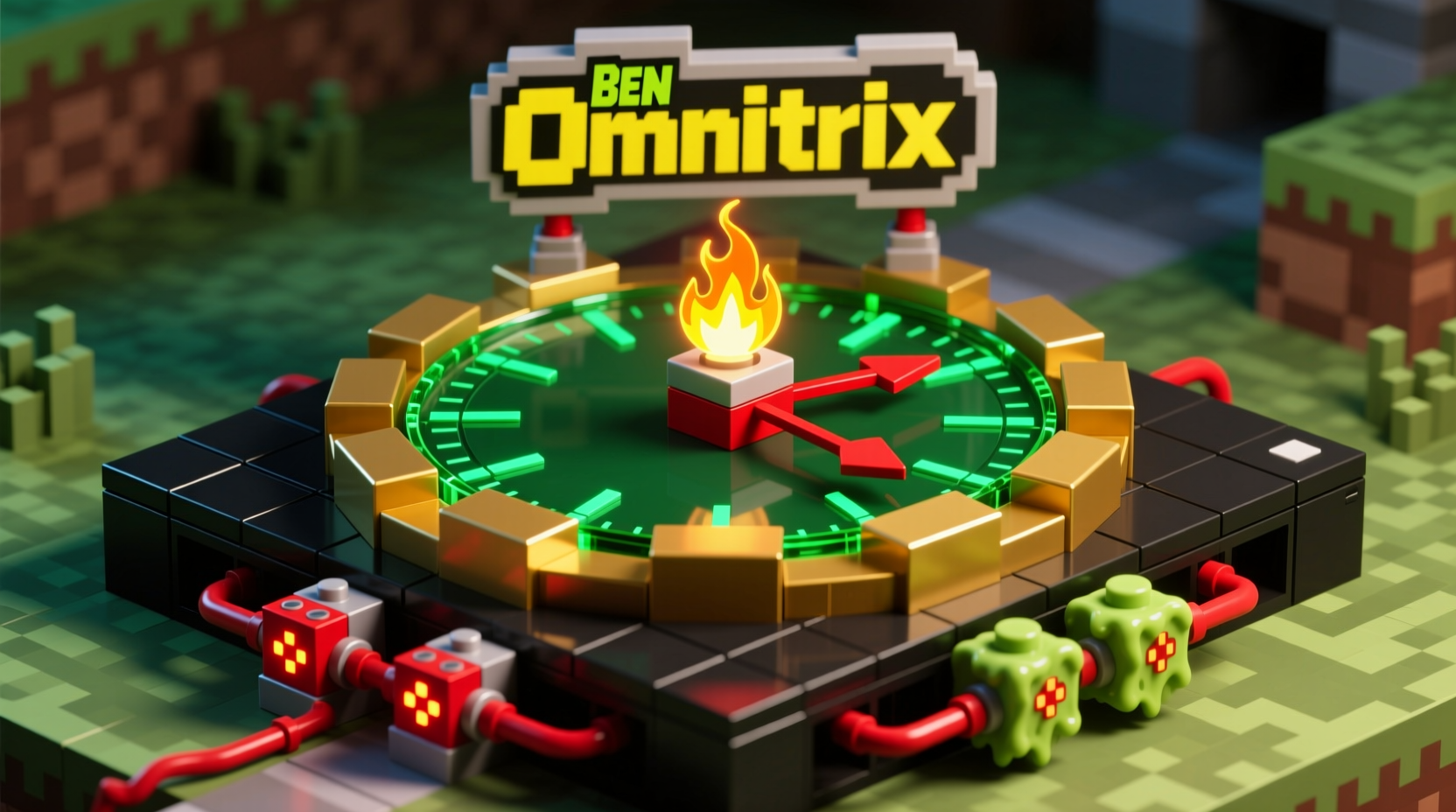
A true Omnitrix clock doesn’t just look like the original; it behaves like one too. In the show, the Omnitrix features a glowing faceplate, alien symbols, and a sense of technological sophistication. To replicate this in Minecraft, we go beyond decoration by integrating real-time tracking via the game’s internal clock system, visual feedback using light levels or beacons, and even activation sounds when interacting with it.
The key components include:
- A central display area representing the Omnitrix face
- Redstone circuits for visual pulsing effects
- Command blocks to read and respond to in-game time
- Custom textures (optional) or symbolic block arrangements to mimic alien glyphs
- Sound triggers to emulate the classic activation chime
“Functional builds elevate Minecraft from construction to storytelling. When a device responds to its environment, it becomes part of the world.” — Lucas Reed, Redstone Engineer & Mod Creator
Materials and Setup Requirements
Before diving into construction, gather all necessary materials. The complexity depends on whether you're playing in Creative or Survival mode. For best results, use a superflat world or dedicated build area to avoid interference.
| Component | Item Needed | Quantity (Est.) | Purpose |
|---|---|---|---|
| Core Structure | Smooth Stone / Black Concrete | 30–50 blocks | Main body and casing |
| Face Display | Glowstone, Sea Lantern, Beacon | 1–3 units | Central glowing element |
| Redstone Logic | Redstone Dust, Repeaters, Comparators | 20–40 units | Timing pulses and control signals |
| Command System | Command Blocks (Impulse, Repeat, Chain) | 3–5 | Time reading and output actions |
| Sound Effects | Command Blocks with /playsound | 1–2 | Omnitrix activation audio |
| Decorative Elements | Colored Wool, Stained Glass, Slime Blocks | 15–25 | Alien symbol replication |
Step-by-Step Construction Guide
- Design the Base Shape
Create a circular or hexagonal platform (5x5 to 7x7) using black concrete or obsidian. This forms the outer rim of the Omnitrix. Add raised edges to give it dimension. - Build the Central Dial
In the center, place a 3x3 section made of glass or iron bars. Inside this, position a beacon pyramid (bedrock base optional) topped with a nether star. Surround it with colored stained glass in triangular patterns to simulate the Omnitrix’s alien insignia. - Integrate Lighting Effects
Beneath the central display, install glowstone or sea lanterns connected to a slow redstone clock (using repeaters set to 4 ticks). This creates a subtle pulse effect, mimicking the device’s power core. - Set Up Time Detection
Place a repeating command block buried beneath the structure. Set it to always active and input:/execute if entity @a[distance=..5] run schedule function omnitrix/time_check 1t
This checks player proximity every tick. - Create the Time Function
In your data pack or function folder, create a function called time_check.mcfunction. Include commands like:execute store result score $hour omni runs time query daytimeexecute if score $hour omni matches 0..5000 run say [Omnitrix] Good morning, Earth.
You can customize messages based on time ranges. - Add Activation Sound
Link a chain command block after the time check with:/playsound entity.experience_orb.pickup master @a[distance=..5] ~ ~ ~ 1 1.5
This emulates the high-pitched Omnitrix chirp when activated. - Optional: Alien Form Selection
Use buttons or pressure plates around the base to trigger different “alien modes” via command blocks that change armor stands, particle effects, or player abilities temporarily.
Mini Case Study: The Fan-Built Omnitrix Tower
In a private server hosted by fan community “Block Heroes,” a builder named Jax created a life-sized Omnitrix tower standing over 15 blocks tall. Integrated with a custom datapack, the device displayed real-time greetings, played character voice lines using note blocks tuned to pitch sequences, and activated a fireworks show at dawn. Players could “scan” themselves using a button, triggering a transformation animation. The project took three weeks but became the centerpiece of their interdimensional adventure map, inspiring similar builds across forums.
Optimization and Troubleshooting Tips
Even well-designed systems can lag or fail without proper optimization. Here are proven strategies to keep your Omnitrix clock running smoothly.
- Limit player detection range to prevent unnecessary processing.
- Use scoreboard tags instead of constant entity queries.
- Test redstone timing in a separate world before final installation.
- If using resource packs for texture overlays, ensure they’re lightweight and widely compatible.
Do’s and Don’ts of Functional Builds
| Action | Do | Don't |
|---|---|---|
| Redstone Timing | Use comparator clocks for precise intervals | Overload circuits with rapid pulses |
| Command Blocks | Chain them logically with delays | Stack too many always-active blocks |
| Player Interaction | Provide clear activation indicators | Make functions unclear or unresponsive |
| Design Aesthetic | Mimic symmetry and color contrast from the show | Clutter the faceplate with unrelated blocks |
Frequently Asked Questions
Can I build this in Survival Mode?
Yes, though obtaining command blocks requires cheats enabled. You can still achieve visual effects using redstone and daylight sensors without commands, but full functionality (like time announcements) needs command access.
How do I make the Omnitrix react to night vs day?
Use the time query daytime command to capture the current tick (0 = sunrise, 6000 = noon, 12000 = sunset, 18000 = midnight). Then compare values in a scoreboard to trigger events like dimming lights at night or playing a sleep message.
Is there a way to add alien transformations?
With command blocks and permission to modify gameplay, yes. You can apply potion effects (e.g., Strength II for Four Arms), summon temporary armor stands with custom skins, or teleport players to themed arenas upon interaction.
Final Checklist Before Activation
- 🔲 Build structurally sound base
- Ensure stability and alignment with reference images.
- 🔲 Install lighting and visual elements
- Test glow patterns during nighttime cycles.
- 🔲 Program command block sequence
- Verify syntax and test proximity triggers.
- 🔲 Optimize performance
- Minimize tick usage and redundant operations.
- 🔲 Add finishing touches
- Incorporate engraved signs, railings, or pedestal details.
Bring Your Hero Vision to Life
Crafting a functional Ben 10 Omnitrix clock in Minecraft blends engineering, artistry, and fandom into a single immersive experience. More than just a clock, it becomes a symbol of adventure — ticking in sync with your world, responding to your presence, and echoing the spirit of a childhood hero. With careful planning and attention to detail, this build can serve as both a practical timekeeper and a tribute to one of animation’s most enduring icons.




 浙公网安备
33010002000092号
浙公网安备
33010002000092号 浙B2-20120091-4
Comments
No comments yet. Why don't you start the discussion?