
Transform your holiday decor with a modern twist by creating custom pixel art Christmas lights using programmable LED grids. Unlike traditional string lights, these dynamic displays allow you to animate festive icons—snowmen, reindeer, or even scrolling messages—with precision and color control. This guide walks you through the materials, coding basics, assembly techniques, and creative strategies to build your own pixel-perfect light show at home.
Understanding LED Grids and Pixel Art Basics
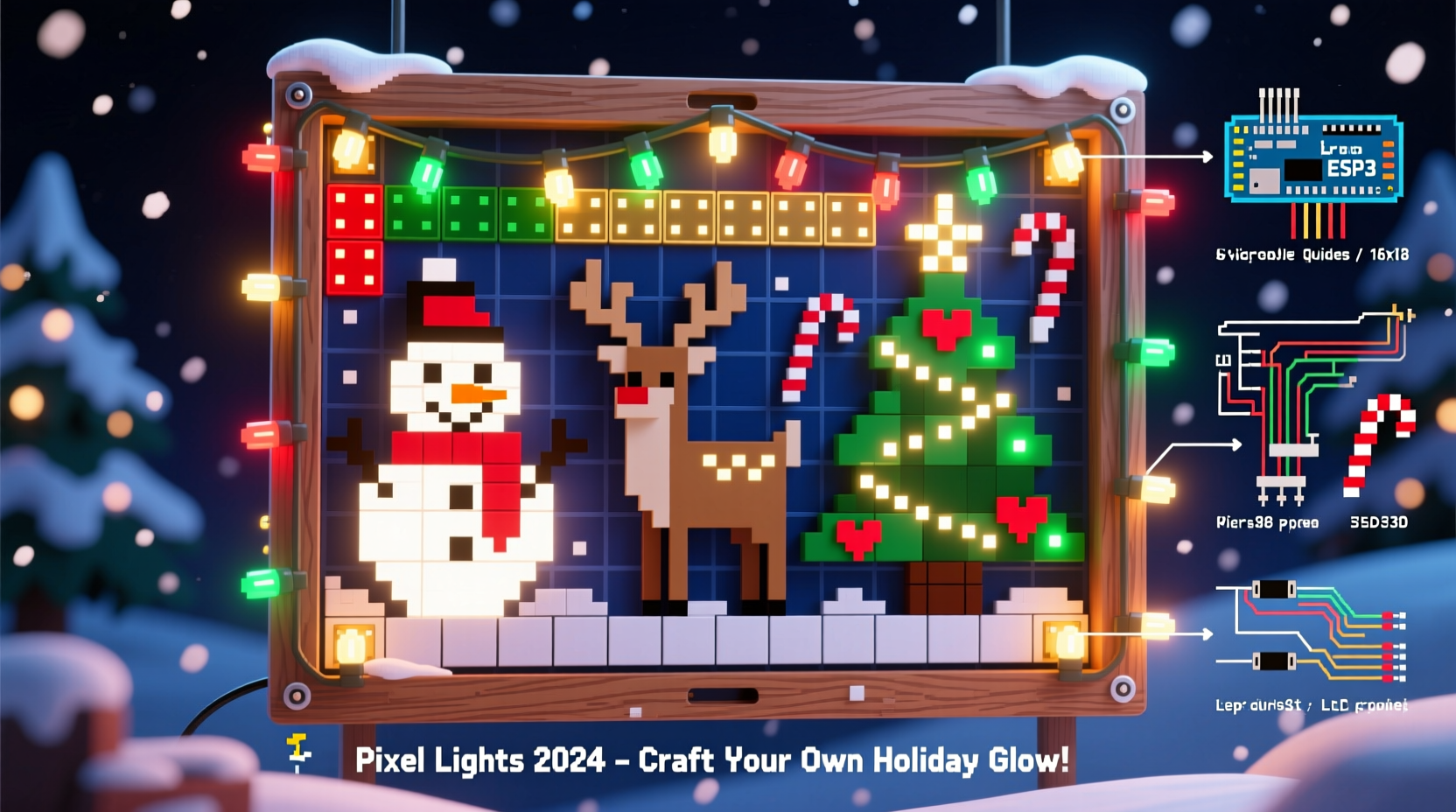
LED grids consist of individually addressable LEDs arranged in rows and columns. Each LED acts as a single pixel that can be programmed to display any color independently. When combined into a grid—commonly 8x8, 16x16, or larger—you can create low-resolution images much like retro video games. These are often built using WS2812B (NeoPixel) or SK9822 LEDs, which support full RGB color and brightness control via microcontrollers.
Pixel art relies on deliberate placement of colored pixels to form recognizable shapes. For Christmas lights, this means designing simple but expressive icons such as stars, trees, or Santa’s face. The key is clarity: smaller grids demand minimalist designs, while larger setups allow for more detail and animation complexity.
“LED grids turn static lighting into storytelling tools. With thoughtful design, even an 8x8 panel can convey joy and nostalgia.” — Marcus Lin, Open-Source Lighting Developer
Materials and Tools You’ll Need
Before diving into construction, gather all necessary components. Most parts are readily available from electronics retailers or online marketplaces.
| Component | Purpose | Recommended Options |
|---|---|---|
| LED Grid Panel | Display surface for pixel art | WS2812B 16x16 grid, Adafruit NeoPixel Matrix |
| Microcontroller | Runs animations and controls LEDs | Arduino Nano, ESP32, Raspberry Pi Pico |
| Power Supply | Provides stable voltage | 5V 10A for large grids; match amperage to LED count |
| Jumper Wires & Soldering Kit | Electrical connections | Male-to-female wires, solder, flux, helping hands tool |
| Diffuser Material | Softens individual LEDs into uniform glow | Frosted acrylic sheet, tracing paper, vellum |
| Mounting Frame | Holds the grid securely | Wood, plastic frame, or 3D-printed housing |
Avoid underpowering your setup. Each WS2812B LED can draw up to 60mA at full white. A 16x16 grid (256 LEDs) may require over 15A at peak brightness—use thick gauge wires and consider external power injection for larger panels.
Designing Your Pixel Art Animations
Crafting compelling visuals starts with planning. Begin by sketching your designs on graph paper or using digital tools like Pixelator, MakeCode Arcade, or LED Animator. Keep in mind:
- Limited resolution requires exaggerated features—large eyes, bold outlines.
- Animation frames should transition smoothly, typically at 10–25 fps.
- Use contrast to ensure visibility in ambient light.
Popular holiday themes include:
- Flashing starburst patterns
- Walking Rudolph sequences
- Scrolling “Merry Christmas” text in block font
- Animated snowfall with twinkling background
Export designs as arrays of hexadecimal color values. For example, a red pixel might be represented as 0xFF0000, green as 0x00FF00. These arrays become the core of your code.
“Start small. A blinking heart animation teaches timing, rendering order, and memory management better than complex projects.” — Lila Tran, Embedded Systems Educator
Step-by-Step Assembly and Programming Guide
Follow this sequence to assemble and program your pixel art Christmas lights safely and effectively.
- Prepare the Workspace: Clear a static-free area with good lighting. Organize tools and verify all components.
- Inspect the LED Grid: Power it briefly using a test sketch (e.g., “All Red”) to confirm no dead pixels.
- Connect Microcontroller: Wire the grid’s DIN (data in) pin to digital pin 6 on the Arduino or GPIO13 on ESP32. Connect ground and power lines carefully.
- Set Up Development Environment: Install Arduino IDE or PlatformIO. Add libraries like
FastLEDorAdafruit_NeoPixel. - Upload Test Code: Run a basic rainbow cycle to validate communication.
- Create Animation Frames: Define each frame as a 2D array. For a 8x8 smiley face:
const uint32_t frame[64] = { 0x000000, 0x000000, 0xFFFFFF, 0xFFFFFF, 0xFFFFFF, 0xFFFFFF, 0x000000, 0x000000, 0x000000, 0xFFFFFF, 0x000000, 0x000000, 0x000000, 0x000000, 0xFFFFFF, 0x000000, ... }; - Write Display Function: Loop through each pixel index and set its color:
for (int i = 0; i < GRID_SIZE; i++) { strip.setPixelColor(i, frame[i]); } strip.show(); - Add Timing Control: Use
delay(100)between frames or non-blocking timers for smoother performance. - Integrate Multiple Animations: Store several frame arrays and cycle between them using a state machine.
- Install Diffuser and Frame: Mount the diffuser 1–2 inches in front of the grid to blend pixels visually. Secure everything in a shadow box or weatherproof casing if used outdoors.
millis() instead of
delay() when combining animations with user inputs like button presses.
Real-World Example: Building a Neighborhood-Favorite Light Display
In Portland, Oregon, hobbyist engineer Diego Mendoza replaced his aging inflatable snowman with a 32x32 LED grid displaying animated holiday scenes. Using an ESP32, he programmed five looping animations: a sleigh flying across the sky, dancing elves, a growing Christmas tree, and two versions of carolers singing.
He designed each animation in LED Studio, exported the frame data, and uploaded it to the microcontroller via Wi-Fi using Over-the-Air (OTA) updates. To handle power distribution, he split the grid into quadrants, each powered directly from a 5V 30A supply. A frosted polycarbonate sheet mounted 1.5 inches away created a soft, glowing effect visible from the street.
The project took three weekends but became a neighborhood tradition. Children wave at the screen nightly, and Diego now shares his code templates online for others to adapt.
Tips for Longevity and Performance
Durability matters, especially for outdoor installations. Follow these best practices to keep your pixel art lights running season after season.
- Seal connections with heat shrink tubing or silicone to prevent moisture damage.
- Use UV-resistant diffusers if exposed to sunlight.
- Limit maximum brightness to 70% to reduce heat and extend LED lifespan.
- Implement automatic shutoff timers or light sensors to conserve energy.
Common Challenges and How to Solve Them
Even experienced makers encounter issues. Here’s how to address frequent problems:
| Issue | Root Cause | Solution |
|---|---|---|
| First few pixels not lighting | Data line interruption | Resolder DIN connection; check for cold joints |
| Random flickering | Insufficient power or ground loops | Add decoupling capacitors (100µF); use common ground |
| Colors appear washed out | Brightness too high causing bleed | Reduce intensity; improve diffuser spacing |
| Animations stutter | Slow code or blocking delays | Optimize loops; use FastLED's parallel output |
FAQ
Can I run these lights outdoors?
Yes, but only if properly protected. Enclose electronics in IP65-rated housings, use outdoor-rated cables, and elevate connections off the ground. Avoid direct rain exposure unless fully sealed.
Do I need to know C++ to program the animations?
Basic understanding helps, but visual tools like Wokwi or Node-RED offer drag-and-drop interfaces for generating code. Pre-built animation libraries also simplify implementation.
How many LEDs can one microcontroller handle?
An Arduino Nano supports up to ~500 LEDs reliably with FastLED. ESP32 handles 1,000+ and offers Wi-Fi for remote updates. For massive displays, consider multiple controllers synchronized via DMX or serial signals.
Checklist: Build Your Own Pixel Art Christmas Lights
- Select grid size and type (e.g., 16x16 WS2812B)
- Acquire microcontroller and compatible power supply
- Design at least two pixel art animations
- Test grid functionality with sample code
- Solder and secure all electrical connections
- Program animations using FastLED or NeoPixel library
- Mount diffuser and frame for clean visual output
- Weatherproof if installing outside
- Deploy and enjoy your custom light show!
Conclusion
Crafting DIY pixel art Christmas lights merges creativity with technology, offering a personalized alternative to mass-produced decorations. Whether you're illuminating a porch, surprising neighbors, or teaching kids about coding and circuits, LED grids provide endless festive possibilities. With accessible tools, open-source libraries, and careful planning, anyone can build a dazzling display that captures the spirit of the season—one pixel at a time.




 浙公网安备
33010002000092号
浙公网安备
33010002000092号 浙B2-20120091-4
Comments
No comments yet. Why don't you start the discussion?