
A traditional Christmas tree is timeless, but adding dynamic lighting through RGB spotlights transforms it into a living centerpiece of your holiday decor. By projecting vibrant, shifting colors onto your tree, you can create an immersive experience that changes with the mood, music, or time of day. Unlike string lights alone, RGB spotlights offer full control over hue, intensity, and animation—without cluttering branches with wires. This guide walks you through selecting equipment, positioning lights, syncing effects, and maintaining safety, so you can design a professional-quality color-changing tree in your own home.
Why Use RGB Spotlights Instead of Colored Bulbs?
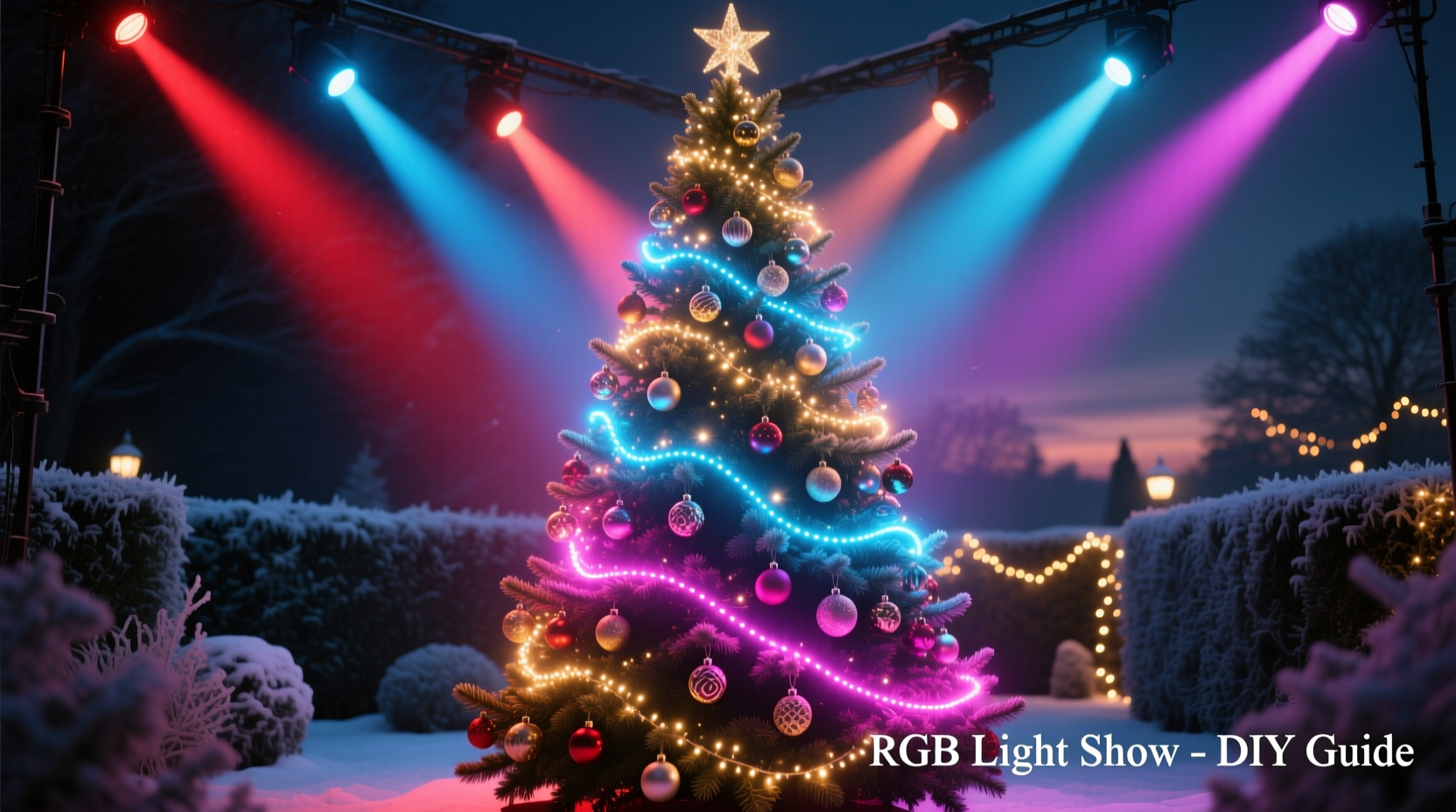
Traditional colored Christmas lights are static—one shade per bulb, limited combinations, and fixed brightness. RGB (Red, Green, Blue) spotlights, on the other hand, use LED technology to mix primary colors and produce millions of shades. With digital control, these lights can fade, pulse, strobe, or respond to sound, offering far greater creative flexibility.
Spotlights project light from a distance, illuminating the entire tree evenly without requiring individual bulbs on each branch. This method preserves the natural look of your tree while enhancing depth and dimension. When placed correctly, the shadows and highlights created by directional lighting give your tree a three-dimensional glow that string lights often fail to achieve.
“RGB projection turns a simple tree into a canvas. It’s not just decoration—it’s ambient storytelling.” — Marcus Lin, Lighting Designer & Holiday Display Consultant
Essential Equipment and Setup Requirements
To build a color-changing Christmas tree with RGB spotlights, gather the following components before installation:
- RGB LED Spotlights – Choose waterproof, dimmable models with remote or app control. Look for wide beam angles (30–60 degrees) for full coverage.
- Controller – Either a physical remote, smartphone app (via Bluetooth or Wi-Fi), or DMX-compatible system for advanced setups.
- Power Supply – Ensure outlets are nearby and circuits aren’t overloaded. Use surge protectors for all connections.
- Mounting Hardware – Tripods, floor stands, or wall brackets to position lights at optimal angles.
- Extension Cords (if needed) – Use heavy-duty, outdoor-rated cords if extending reach.
- Optional: Sound Sensor or Music Sync Module – For lights that pulse with holiday music.
For most homes, two to four spotlights provide balanced illumination. Larger trees (over 8 feet) benefit from three or more units positioned at varied elevations and directions.
Recommended RGB Spotlight Models
| Model | Beam Angle | Control Method | Best For |
|---|---|---|---|
| Govee WiFi LED Spotlight | 35° | App + Voice (Alexa/Google) | Smart home integration |
| Philips Hue Play Gradient Lightstrip + External Fixture | Adjustable reflector | Hue App, routines | Premium ambient control |
| LEPOWER RGB Outdoor Floodlight | 60° | Remote + IR sensor | Budget-friendly setups |
| ADJ Inno Pocket Beam DB4 | 15°–30° zoom | DMX or standalone | Advanced users, stage effects |
Step-by-Step Installation Guide
Follow this sequence to install and calibrate your RGB spotlight setup efficiently and safely.
- Choose Tree Location and Background
Select a space where the tree stands against a neutral or dark wall. Light-colored walls can scatter beams and reduce contrast. A darker backdrop enhances color saturation. - Position the Tree
Ensure the tree is stable and centered. Rotate it slightly so the fullest side faces primary viewing areas. - Map Light Placement
Place spotlights at floor level, 3 to 6 feet from the base, angled upward. Use one front-left, one front-right, and optionally a rear center light for wraparound effect. Keep lenses unobstructed. - Secure Mounts and Cables
Use stands or clamps to fix lights in place. Tape down cords along baseboards to prevent tripping. Never run cables under rugs where heat can build up. - Power On and Test Individually
Turn on each spotlight one at a time. Check for consistent color output and adjust tilt to cover top-to-bottom evenly. - Sync Colors and Modes
If using smart lights, connect all to the same network or controller group. Test color cycles, fade speeds, and white balance to ensure uniformity. - Refine Angles and Intensity
Dim lights slightly to avoid overexposure. Aim for soft gradients rather than harsh spots. Adjust distance if hotspots appear at the trunk. - Add Effects (Optional)
Enable music sync or schedule color shifts (e.g., warm gold in evening, icy blue at night).
“Angle matters more than power. A well-placed 20-watt spotlight beats a misaligned 50-watt one.” — Lena Torres, Residential Lighting Technician
Designing Color Themes and Transitions
The magic of an RGB tree lies in its ability to shift moods. Plan themes around events, traditions, or family preferences.
- Classic Holiday Mode: Deep red and forest green pulses, slow cross-fades.
- Winter Wonderland: Cool blues, whites, and soft purples with gentle shimmer.
- Festive Party: Rapid rainbow cycles, strobe accents during music.
- Cozy Evening: Warm amber and candlelight tones at low brightness.
- Kids’ Favorite: Bright pinks, yellows, and animated chases for playtime.
Create schedules using smart lighting apps. For example, transition from bright festive colors during dinner to calming blue hues by bedtime. Some systems allow geofencing—automatically turning on when family members arrive home.
Do’s and Don’ts of Color Design
| Do | Don’t |
|---|---|
| Use complementary colors (red/green, blue/orange) | Mix cool and warm whites in the same scene |
| Limit active colors to 2–3 per theme | Run maximum brightness for more than 4 hours continuously |
| Test transitions in advance of guests arriving | Point lights directly at reflective ornaments—causes glare |
| Use slow fades for relaxation, fast pulses for energy | Overlook ambient room lighting—dim overheads to boost effect |
Real-World Example: The Thompson Family Tree Upgrade
The Thompsons in Portland, Oregon, had used the same pre-lit artificial tree for 12 years. While reliable, they felt it lacked excitement. Last season, they replaced their string lights with three Govee RGB spotlights mounted on adjustable tripods.
They positioned two lights at 45-degree angles from the front corners and one behind the tree, aimed upward through the branches. Using the Govee app, they programmed daily scenes: warm white during breakfast, festive red/green at dinner, and a slow blue/purple cycle during evening movies.
During holiday parties, they activated music sync mode. As carols played, the tree pulsed gently in time. Children loved selecting “Rainbow Chase” mode after dessert. Total setup cost: $180. Installation took under 90 minutes. According to Sarah Thompson, “It feels like we have a new tree every night.”
Safety, Maintenance, and Troubleshooting
Risk is minimal with proper precautions, but vigilance ensures long-term reliability.
- Heat Management: LED spotlights generate less heat than incandescent, but still require ventilation. Do not enclose in fabric or cover with decorations.
- Electrical Load: Avoid daisy-chaining more than three high-wattage units on one outlet. Calculate total wattage: (Number of lights) × (Watts per unit) should stay under 80% of circuit capacity (typically 1440W on a 15A circuit).
- Moisture Protection: Even indoor units should be kept away from humidifiers or snow-melting entryways. Condensation can damage electronics.
- Overnight Operation: Safe for modern LEDs if certified for continuous use. Still, consider timers to shut off after midnight unless security lighting is needed.
Troubleshooting Common Issues
- Lights won’t sync: Reset Wi-Fi connection or re-pair Bluetooth. Ensure all units are on the same network.
- Color mismatch: Calibrate white balance in the app. One light may drift over time.
- Flickering: Check for loose plugs or voltage drops. Replace extension cords if warm to touch.
- Dead zone on tree: Add a fourth spotlight or reposition existing ones for overlap.
FAQ
Can I use RGB spotlights with any type of Christmas tree?
Yes. Both real and artificial trees work well. Artificial trees with dense PVC branches reflect more light, while real fir or spruce absorb some color but offer richer shadow patterns. Adjust brightness accordingly.
Do I need smart home equipment to control the lights?
No. Basic RGB spotlights come with infrared remotes. However, smart controls (Wi-Fi/Bluetooth) offer scheduling, voice commands, and music sync—worth the upgrade for frequent use.
Are RGB spotlights safe around children and pets?
Yes, when installed properly. Keep cords secured and out of reach. Avoid placing lights where tails or toys could knock them over. Most units have cool-touch housings, but always check manufacturer ratings.
Final Checklist Before Launch
- Tree is securely anchored and centered.
- All spotlights are powered and responding to controls.
- Angles cover full height and width of the tree.
- Cables are secured and away from foot traffic.
- Color scenes are tested and saved.
- Music sync or timer functions are verified (if used).
- Backup bulbs or spare units are available (recommended).
Conclusion: Bring Your Holidays to Life
A color-changing Christmas tree with RGB spotlights isn’t just a decoration—it’s an experience. With thoughtful placement, creative color design, and reliable equipment, you can transform a seasonal tradition into a dynamic focal point that delights year after year. The setup requires only a few hours, but the impact lasts throughout the holidays. Whether you're creating a serene winter atmosphere or hosting a lively family gathering, your tree can now reflect the moment, not just the season.




 浙公网安备
33010002000092号
浙公网安备
33010002000092号 浙B2-20120091-4
Comments
No comments yet. Why don't you start the discussion?