
Transforming your living space into a vibrant, mood-enhancing environment is now easier than ever. With advancements in smart lighting technology, you can orchestrate a full-color light display controlled entirely from your smartphone. Whether you're setting the tone for a dinner party, enhancing your workspace ambiance, or syncing lights to music during a gathering, the ability to manipulate colors, brightness, and patterns remotely offers unprecedented creative freedom. This guide walks you through the essential components, setup process, and expert techniques to build a responsive, customizable light display that responds to your touch—literally.
Understanding Smart Lighting Systems
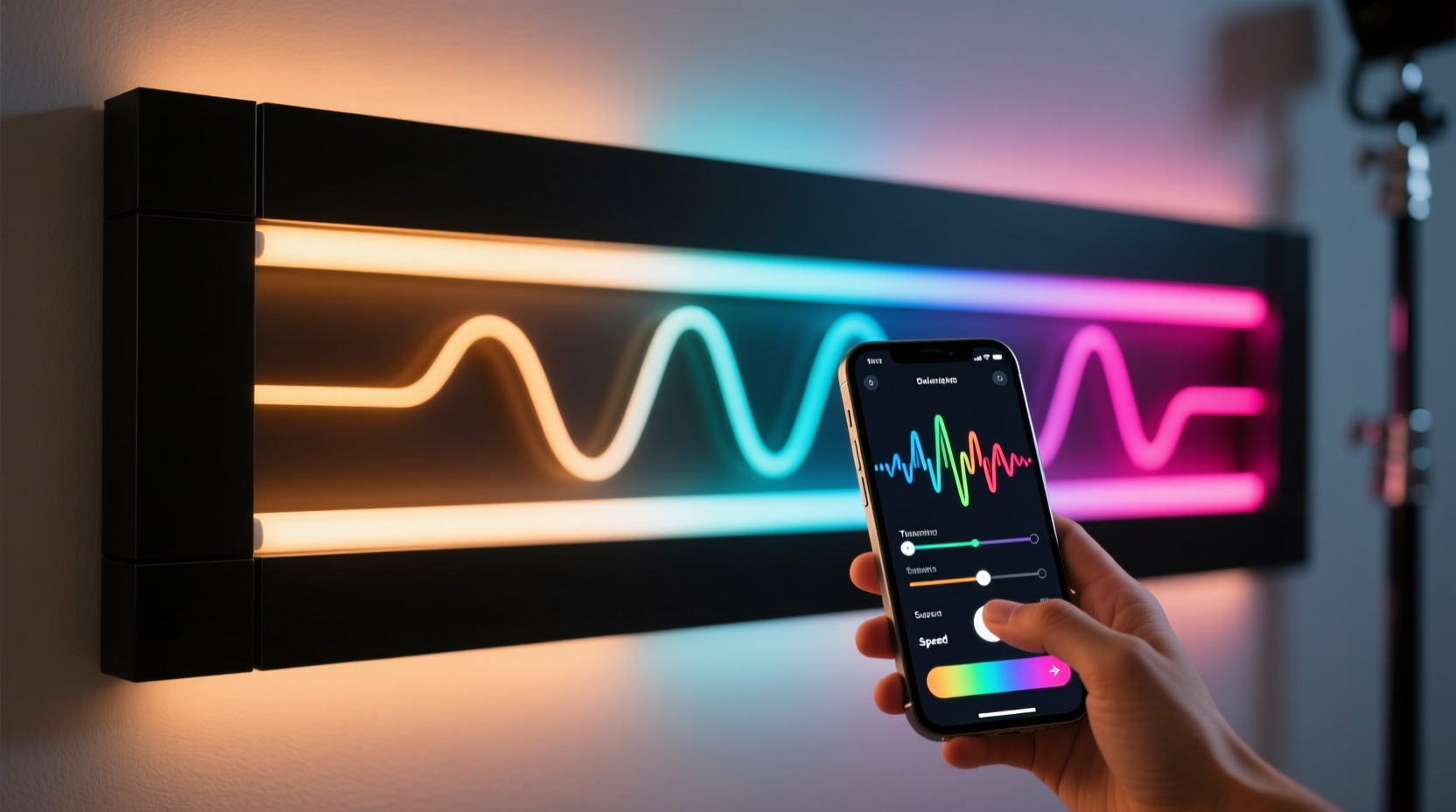
At the heart of any color-changing light display lies the smart LED system. Unlike traditional bulbs, smart LEDs contain integrated microcontrollers that allow them to shift between millions of colors, adjust brightness levels, and respond to commands via wireless protocols such as Wi-Fi, Bluetooth, or Zigbee. These lights come in various forms: strips, bulbs, panels, or standalone fixtures. Most are RGB (Red-Green-Blue) or RGBW (RGB + White), enabling a broad spectrum of hues by mixing primary colors at varying intensities.
The key advantage of modern smart lighting is its compatibility with mobile applications. These apps serve as centralized control hubs, letting users select colors, save presets, schedule routines, and even synchronize lighting effects with audio input or external events. Brands like Philips Hue, LIFX, Nanoleaf, and Govee dominate the market, each offering unique features tailored to different user needs—from plug-and-play simplicity to advanced programmable layouts.
Essential Components for Your Display
Building a functional and visually appealing color-changing display requires more than just colorful bulbs. You’ll need a cohesive ecosystem of hardware and software working together seamlessly. Here’s what to gather before installation:
- Smart LED Lights: Pick based on location and purpose. LED strips work well along ceilings, under cabinets, or behind TVs; smart bulbs fit standard lamp sockets; panels add artistic flair to walls.
- Power Supply & Adapters: Ensure voltage compatibility. Some high-density strips require external power injectors to prevent dimming at long distances.
- Bridge or Hub (if required): Systems like Philips Hue require a central bridge to connect lights to your home network and app.
- Smartphone or Tablet: Must support the lighting brand’s app (iOS or Android).
- Stable Wi-Fi Network: A strong 2.4 GHz connection is ideal, as most smart lights don’t support 5 GHz bands.
- Mounting Supplies: Clips, adhesive backing, aluminum profiles, or tape to secure installations neatly.
“Smart lighting isn’t just about convenience—it’s an extension of interior design. The right setup can influence emotion, focus, and social dynamics.” — Daniel Reeves, Smart Home Lighting Designer
Step-by-Step Setup Process
Follow this logical sequence to install and configure your color-changing light display efficiently:
- Plan Your Layout: Sketch where lights will go—behind a TV, around windows, under shelves. Consider visibility, power access, and aesthetic impact.
- Install Hardware: Attach LED strips using adhesive backing or mounting clips. For permanent setups, consider recessed aluminum channels to diffuse light evenly and protect the strip.
- Connect Power: Plug the strip or fixture into a compatible power source. If using a hub, connect it to your router via Ethernet.
- Download the App: Install the manufacturer’s app (e.g., “Philips Hue,” “Govee Home”) from the App Store or Google Play.
- Pair Devices: Open the app and follow prompts to discover new devices. This usually involves powering on the light and pressing a sync button on the hub or device.
- Name and Group Lights: Assign descriptive names (e.g., “Kitchen Strip,” “Living Room Bulbs”) and group them by room or function for easier control.
- Test Basic Controls: Turn lights on/off, adjust brightness, and cycle through preset colors to confirm connectivity.
- Customize Scenes: Create saved configurations like “Movie Night” (dim blue), “Focus Mode” (cool white), or “Party Pulse” (rainbow fade).
Advanced Features and Creative Applications
Once your lights are online, explore the full potential of your smartphone-controlled display. Modern apps offer features far beyond simple color selection:
- Music Synchronization: Apps like Govee or Nanoleaf allow lights to react to ambient sound. The display pulses, fades, or shifts colors in real time with music beats.
- Scheduling & Automation: Set lights to turn warm white at sunrise, shift to bright white during work hours, then transition to soft red in the evening to support circadian rhythms.
- Geofencing: Enable location-based triggers so lights turn on automatically when your phone enters the home perimeter.
- Voice Control Integration: Link your system with Amazon Alexa, Google Assistant, or Apple HomeKit for hands-free operation.
- Scene Sequencing: Program dynamic transitions—such as a slow gradient from purple to orange over 30 minutes—for meditation or ambient background effects.
For immersive experiences, position lights strategically to reflect off surfaces rather than shine directly. Bouncing light off walls or ceilings creates a softer, more expansive glow. Use multiple zones to layer effects—a cool blue base with warm accent strips adds depth and dimension.
Mini Case Study: Enhancing a Home Theater Experience
Mark, a film enthusiast in Austin, wanted to elevate his basement home theater. He installed addressable RGB LED strips along the back edge of his seating row and behind the screen, connecting them to a Wi-Fi controller compatible with the Govee app. Using the app’s \"Sync+\" feature, he paired the lights with his TV’s audio output via microphone detection. During action scenes, the lights flashed red and white; during calm moments, they shifted to deep blue. He also created a “Cinema Entry” scene that slowly brightened warm white lights when he pressed “Play” on his streaming device. Friends consistently remarked on the immersive atmosphere, calling it “like being inside the movie.”
Comparison Table: Top Smart Lighting Options
| Product | Color Range | App Features | Voice Control | Best For |
|---|---|---|---|---|
| Philips Hue | 16 million colors | Scheduling, geofencing, routines | Yes (all major platforms) | Whole-home integration |
| Govee LED Strips | 16 million colors + music sync | Real-time music reaction, DIY modes | Yes (Alexa, Google) | Budget-friendly dynamic displays |
| Nanoleaf Shapes | 16 million colors + touch-sensitive panels | Motion controls, rhythm effects | Yes (Apple HomeKit supported) | Decorative wall art with function |
| LIFX Bulbs | 16 million colors + tunable white | No hub needed, fast response | Yes (all platforms) | High-brightness room lighting |
Common Pitfalls and How to Avoid Them
Even experienced users encounter issues when setting up smart lighting. Awareness of common problems ensures smoother deployment:
- Wi-Fi Interference: Too many devices on one network can cause lag. Prioritize your lighting hub on the router or use Quality of Service (QoS) settings.
- Color Inconsistency: Different batches of LEDs may vary slightly in hue. Calibrate or group similar units together in the app.
- Overcomplication: Starting with too many zones or complex automations can lead to frustration. Begin small, master basics, then scale up.
- Power Overload: Long LED runs draw more current. Always check maximum run lengths and use power extenders when necessary.
Frequently Asked Questions
Can I control my lights without Wi-Fi?
Some systems offer Bluetooth control within short range (about 30 feet), but Wi-Fi enables remote access, scheduling, and multi-room control. Without internet, automation features may be limited or unavailable.
Are color-changing lights energy efficient?
Yes. Most smart LEDs are based on energy-efficient diode technology. They consume significantly less power than incandescent or halogen bulbs and have lifespans exceeding 25,000 hours.
Can I mix different brands of smart lights in one app?
Direct integration is rare due to proprietary protocols. However, platforms like Apple Home, Google Home, or Samsung SmartThings can unify multiple brands under one interface, allowing basic control and scene creation.
Final Checklist Before Launch
- All lights are securely mounted and powered.
- Each device appears in the app and responds to commands.
- Zones are named and grouped logically.
- At least three custom scenes are saved (e.g., Relax, Focus, Party).
- Music sync or scheduling has been tested.
- Voice assistant integration is confirmed (if desired).
- Firmware is up to date.
Conclusion
Creating a color-changing light display with a smartphone app merges technology, design, and personal expression into a single, dynamic experience. From subtle ambient shifts to bold visual performances, the tools are accessible, affordable, and increasingly intuitive. By selecting the right hardware, planning your layout, and leveraging the full capabilities of modern apps, you can transform any room into a responsive canvas of light. The only limit is imagination—so start experimenting, refine your scenes, and enjoy a living space that evolves with your mood, moment, and music.




 浙公网安备
33010002000092号
浙公网安备
33010002000092号 浙B2-20120091-4
Comments
No comments yet. Why don't you start the discussion?