
Starting an online shop doesn’t require a big budget or technical expertise. With the right tools, anyone can launch a fully functional e-commerce store at no cost. Whether you're selling handmade crafts, digital downloads, or secondhand goods, this guide walks through each phase of setting up a free online shop—without compromising professionalism or scalability.
Step 1: Choose a Free E-Commerce Platform
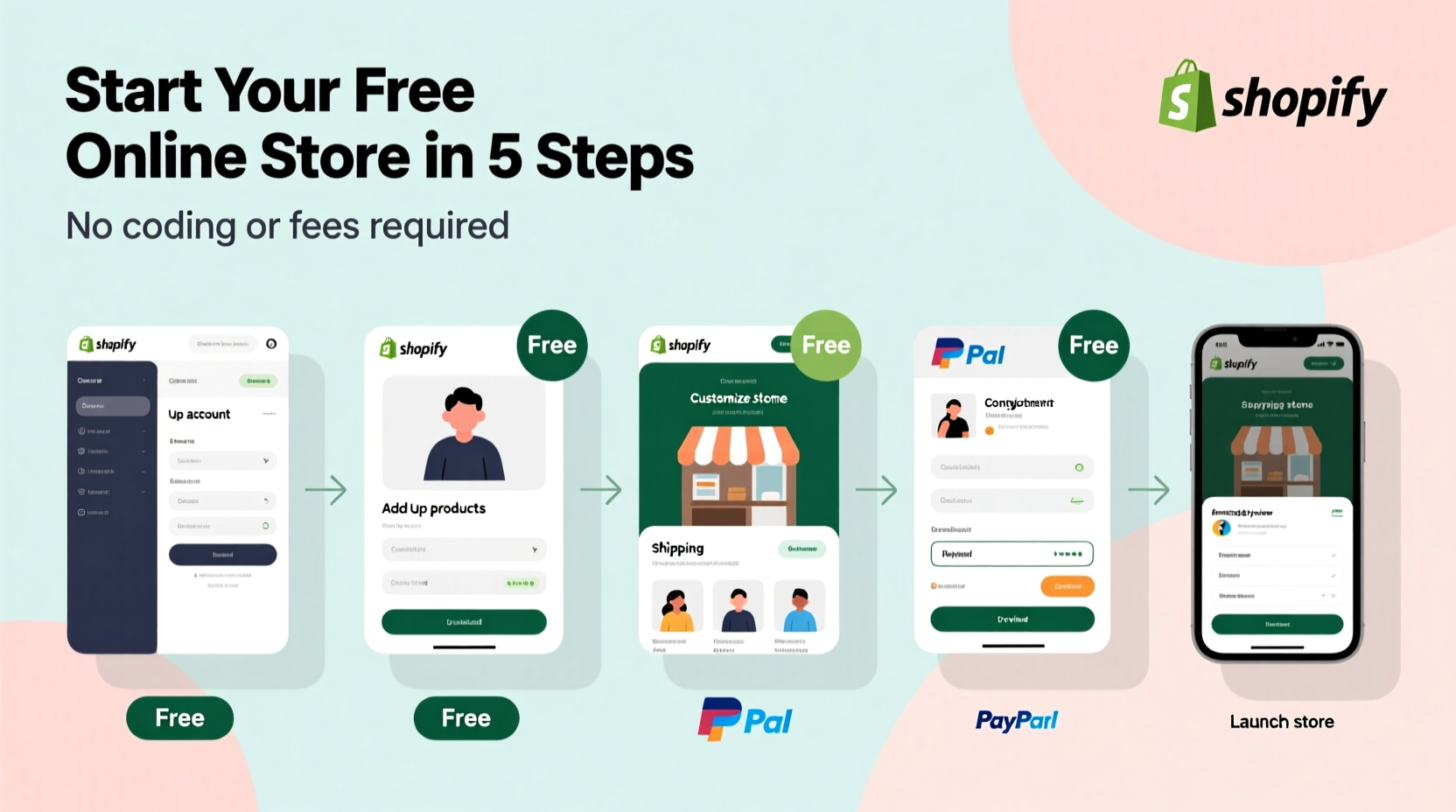
The foundation of your online shop is the platform you use. Several reputable services offer free plans that include hosting, product listings, and basic payment processing. The key is selecting one that balances ease of use with growth potential.
Three top free options stand out:
- Ecwid – Embeddable store that works on any website or social media page.
- WordPress + WooCommerce (free plugin) – Full control with open-source flexibility.
- Facebook Shops – Ideal for reaching customers where they already spend time.
While Ecwid and Facebook Shops are simpler for absolute beginners, WordPress with WooCommerce offers more customization as your business grows—even on a free plan.
Step 2: Set Up Your Storefront
Once you've selected your platform, it’s time to build your storefront. This includes choosing a name, adding products, and customizing the look and feel.
- Pick a memorable shop name – Make sure it reflects your brand and is easy to spell.
- Add high-quality product descriptions – Even without photos, clear text helps buyers understand what they’re purchasing.
- Organize categories – Group similar items (e.g., “Digital Planners,” “Vintage Jewelry”) so visitors can browse easily.
- Customize your theme – Most free platforms allow basic color and layout changes. Stick to clean, readable designs.
If using WordPress and WooCommerce, install the plugin on a free site like WordPress.com (with limitations) or host it yourself via free-tier providers such as 000WebHost. Note: Free hosts may display ads or limit bandwidth, but they’re sufficient for testing your idea.
Platform Comparison: Free vs. Paid Features
| Platform | Free Plan Includes | Limits on Free Tier | Best For |
|---|---|---|---|
| Ecwid | Up to 10 products, basic analytics, embed anywhere | No advanced shipping; limited design options | Sellers who want fast setup on existing sites |
| WooCommerce (on free host) | Unlimited products, full customization, plugins | Requires self-hosting; technical setup needed | Those planning long-term growth |
| Facebook Shops | Full catalog, messaging, checkout in app | Only reaches Facebook/Instagram users | Social-first sellers with visual products |
Step 3: Add Products Without Paying for Inventory
You don’t need physical stock to start. Consider these low-cost models that work within free platforms:
- Digital Products – Sell printable art, templates, eBooks, or music files. Upload them directly to your store.
- Print-on-Demand – Use free integrations like Printful (connects to Ecwid/WooCommerce). You upload designs; they print and ship when orders come in.
- Affiliate Reselling – Promote third-party products and earn commission. While not a traditional shop, it builds traffic and trust.
For example, Sarah, a college student from Portland, started selling minimalist wall art as downloadable PDFs. She used Canva to design prints, uploaded them to her Ecwid store embedded in a free Wix site, and shared links on Pinterest. Within two months, she earned over $300—all without inventory or upfront costs.
“Starting small with digital products removes risk and teaches real e-commerce skills.” — James Reed, Founder of SideHustle Nation
Step 4: Accept Payments for Free
All recommended platforms support free payment processing, though transaction fees apply per sale. Here’s what you need to know:
- Ecwid uses Stripe or PayPal—both charge around 2.9% + $0.30 per transaction.
- Facebook Shops processes payments through Meta Pay or integrated partners.
- WooCommerce supports PayPal, Stripe, and other gateways with no monthly fee.
There is no way to avoid transaction fees entirely, but since there are no monthly subscription costs on the free plans, you only pay when you make a sale.
Do’s and Don’ts of Free Payment Processing
| Do | Don't |
|---|---|
| Use PayPal for international buyers | Ask customers to send money via personal accounts (not secure) |
| Test checkout flow before launching | Ignore tax obligations—even small sales may be taxable |
| Offer multiple payment options | Assume all platforms handle refunds automatically |
Step 5: Drive Traffic Without Spending Money
Your shop won’t succeed without visibility. Fortunately, organic marketing strategies cost nothing but time.
- Leverage Social Media – Post consistently on Instagram, TikTok, or Facebook. Use relevant hashtags and engage with niche communities.
- Optimize for Search – On platforms like WordPress, write clear titles and descriptions using keywords like “printable planner” or “handmade necklace.”
- Join Online Marketplaces – List your products on free sections of Etsy (as drafts), Reddit forums like r/Finds, or local buy/sell groups.
- Encourage Word-of-Mouth – Offer a free sample download in exchange for email signups or shares.
Consistency matters more than virality. Posting three times a week with genuine engagement often brings better results than sporadic bursts of promotion.
Checklist: Launch Your Free Online Shop in 7 Days
- Day 1: Choose platform (Ecwid, WooCommerce, or Facebook).
- Day 2: Register account and set up shop name/logo.
- Day 3: Add 3–5 initial products with descriptions and prices.
- Day 4: Connect payment method (PayPal or Stripe).
- Day 5: Customize design for clarity and mobile-friendliness.
- Day 6: Test purchase process using a friend’s device.
- Day 7: Share your shop link on one social network or community group.
Frequently Asked Questions
Can I really run an online shop with zero expenses?
Yes, if you use free platforms, sell digital or print-on-demand items, and market organically. You’ll only pay transaction fees when you make sales, not upfront.
Will my free shop look unprofessional?
Not necessarily. Many free themes are modern and responsive. Focus on clear images, good spelling, and honest descriptions—these matter more than flashy features.
What happens when I outgrow the free plan?
Most platforms let you upgrade seamlessly. For instance, Ecwid’s paid plans start at $15/month and unlock more products and features. You keep your data and domain.
Start Small, Think Big
An online shop doesn’t have to begin with investment. By leveraging free tools, creative product ideas, and consistent effort, you can validate your concept, generate income, and scale over time. The barrier to entry has never been lower.
Every successful brand started somewhere—often in a dorm room, kitchen table, or side hustle spreadsheet. Yours can too.




 浙公网安备
33010002000092号
浙公网安备
33010002000092号 浙B2-20120091-4
Comments
No comments yet. Why don't you start the discussion?