
Working from home offers flexibility and comfort, but it also brings challenges—chief among them, distractions. Whether it’s the lure of the couch, household noise, or the constant ping of smartphone notifications, maintaining deep focus in a domestic environment can feel like an uphill battle. The solution isn’t just willpower; it’s design. A thoughtfully crafted workspace can dramatically improve concentration, reduce stress, and elevate your daily output. By intentionally shaping your physical and digital environment, you create conditions where focus becomes not only possible but natural.
Design Your Space with Purpose
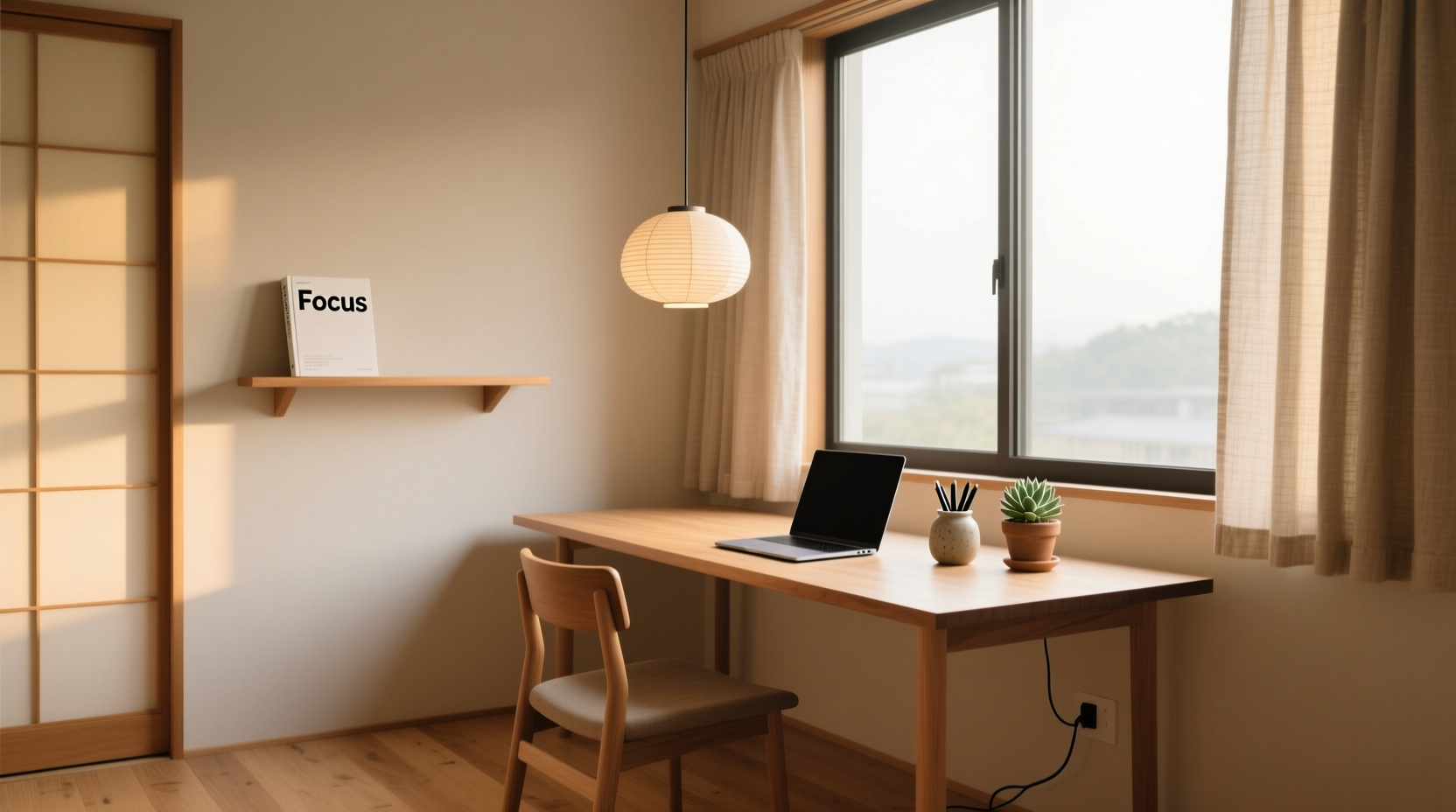
The foundation of a distraction-free workspace is intentional design. This doesn’t require a dedicated office or expensive furniture—it starts with choosing the right location and arranging it to support sustained attention. Ideally, your workspace should be separate from areas associated with leisure or rest. Avoid setting up at the dining table or on the sofa if possible. These spaces signal relaxation to your brain, making it harder to shift into focused work mode.
Choose a quiet corner with minimal foot traffic. Natural light is beneficial, but avoid glare on your screen. Position your desk so that your back is to a wall—this reduces subconscious anxiety about what’s behind you and limits visual distractions. Face a blank wall or a window with a calming view, such as trees or sky, rather than a busy street or cluttered room.
Furniture matters. Invest in an ergonomic chair that supports your posture. Poor seating leads to discomfort, which pulls attention away from tasks. Keep your monitor at eye level and about an arm’s length away to prevent strain. A cluttered desk invites a cluttered mind—keep only essential items within reach.
Eliminate Digital Distractions Systematically
Digital interruptions are often more disruptive than physical ones because they hijack attention instantly. A single notification can derail 20 minutes of deep work. The key is not to rely on self-control alone, but to engineer your devices to minimize temptation.
Start by silencing non-essential notifications. Turn off social media, email, and messaging alerts during focused work blocks. On most operating systems, you can enable “Focus Mode” or “Do Not Disturb” to allow only priority contacts through. Schedule specific times to check messages—such as once every 90 minutes—rather than reacting in real time.
Use website blockers during work hours. Tools like Freedom, Cold Turkey, or LeechBlock allow you to restrict access to distracting sites (e.g., YouTube, Reddit, news portals). Set these in advance so you’re not tempted to disable them when focus wanes.
“Attention is the rarest and purest form of generosity.” — Simone Weil, philosopher In a world of constant pings, protecting your focus is an act of self-respect and professional integrity.
Step-by-Step Guide to Taming Digital Noise
- Inventory all apps and websites that typically distract you.
- Disable push notifications for non-critical services.
- Install a website blocker and schedule it for your peak work hours.
- Set your phone to grayscale mode during work—this reduces its visual appeal.
- Use a secondary browser solely for work to keep personal browsing separate.
- Enable “Focus” or “Work” modes on mobile and desktop devices.
Control Auditory Environment for Sustained Concentration
Sound plays a powerful role in cognitive performance. Unpredictable noises—door slams, conversations, barking dogs—disrupt concentration more than steady background sounds. The goal isn’t silence, but control over what you hear.
Noise-canceling headphones are one of the most effective tools for home workers. They physically block ambient sound and allow you to introduce curated audio. If complete silence feels unnerving, use low-stimulation background noise. White noise, pink noise, or nature sounds (like rain or ocean waves) can mask irregular disturbances without demanding attention.
Some people benefit from instrumental music or lo-fi beats, especially during repetitive tasks. However, for deep cognitive work involving language—writing, coding, analyzing—silence or neutral soundscapes are generally superior. Music with lyrics competes for the brain’s language-processing resources.
| Sound Type | Best For | Tools/Examples |
|---|---|---|
| White Noise | Masking sudden noises | Noisli, myNoise.net, white noise machine |
| Nature Sounds | Reducing stress, light focus | Forest, rain, stream recordings |
| Instrumental Music | Routine tasks, creative flow | Classical, ambient, lo-fi playlists |
| Silence | Deep reading, writing, problem-solving | Quiet room + noise-canceling headphones |
Establish Routines That Reinforce Focus
A clean space sets the stage, but habits determine whether focus lasts. Rituals help signal to your brain that it’s time to work. Begin each session with a consistent trigger: making tea, lighting a candle, or reviewing your top three priorities for the day. These small actions build a mental bridge from leisure to productivity.
Time-blocking is one of the most effective scheduling techniques. Instead of reacting to a to-do list, assign specific tasks to fixed time slots. For example: 9:00–10:30 AM – write report; 10:30–10:45 – break; 10:45–11:30 – respond to emails. This structure prevents task-switching and creates accountability.
Pair this with the Pomodoro Technique: 25 minutes of focused work followed by a 5-minute break. After four cycles, take a longer 15–30 minute break. This rhythm aligns with natural attention spans and prevents burnout. Use a physical timer or app like TomatoTimer to stay on track.
Workspace Preparation Checklist
- ✅ Choose a dedicated, low-traffic area
- ✅ Position desk to face a calm direction
- ✅ Remove non-essential items from desk surface
- ✅ Set up ergonomic chair and monitor height
- ✅ Charge phone in another room or use airplane mode
- ✅ Enable website blockers for distracting sites
- ✅ Prepare headphones and preferred background sound
- ✅ Write down top 3 priorities for the day
- ✅ Start with a 5-minute mindfulness or breathing exercise
A Real Example: How Sarah Regained Her Focus
Sarah, a freelance graphic designer, found herself working longer hours but producing less after transitioning to remote work. Her kitchen table doubled as her office, dining area, and occasional play zone for her toddler. Constant interruptions—from deliveries to family members asking questions—left her feeling scattered and frustrated.
She decided to restructure her environment. She moved her laptop setup to a closet she converted into a micro-office using foldable shelves and acoustic panels. She established a rule: no personal devices during core work hours and began using noise-canceling headphones with rain sounds. She also started her day with a 10-minute journaling session to clarify goals.
Within two weeks, Sarah noticed a significant improvement. She completed client projects 30% faster and reduced her daily work time by an hour. The physical separation, combined with behavioral changes, transformed her ability to concentrate. “It wasn’t about working harder,” she said. “It was about removing everything that made focusing hard.”
Minimize Visual Clutter and Cognitive Load
Visual distractions are subtle but potent. A messy desk, colorful posters, or a screen filled with open tabs fragments attention. Each unnecessary object competes for mental bandwidth. The principle of visual minimalism applies here: fewer stimuli mean greater cognitive capacity for meaningful work.
Keep your desk surface bare except for essentials: laptop, notebook, pen, and perhaps a water bottle. Store supplies in drawers or closed containers. Use cable organizers to prevent cord chaos—tangled wires subconsciously signal disorder.
Digitally, close unused browser tabs and applications. Consider using a second monitor solely for reference material, keeping your primary screen reserved for active tasks. Customize your desktop wallpaper to something neutral—a solid color or soft gradient—to reduce visual stimulation.
“The ability to simplify means to eliminate the unnecessary so that the necessary may speak.” — Hans Hofmann, artist and teacher This applies as much to your workspace as it does to your art or work output.
FAQ: Common Questions About Distraction-Free Workspaces
Can I create a distraction-free space in a small apartment?
Absolutely. Even in tight quarters, spatial boundaries can be created. Use a room divider, bookshelf, or folding screen to mark your workspace. A consistent routine—like always sitting in the same chair facing the same direction—helps condition your brain to enter focus mode, regardless of square footage.
What if I live with noisy roommates or family?
Communicate your work schedule clearly and set expectations. Post a sign or use a colored light (e.g., red = do not disturb, green = okay to interrupt) to signal availability. Combine noise-canceling headphones with masking sounds to buffer auditory disruptions. If possible, align your deep work blocks with quieter times of day, such as early morning or late evening.
How long does it take to adapt to a distraction-free workspace?
Most people notice improvements within 3–7 days of consistent implementation. Full adaptation—where focus becomes effortless—typically takes 2–4 weeks. The key is consistency. Each time you return to a clean, structured environment, you reinforce the neural pathways associated with concentration.
Conclusion: Build Focus Through Design, Not Discipline
Creating a distraction-free workspace at home isn’t about perfection—it’s about intentionality. You don’t need a luxury home office to think clearly and produce high-quality work. What you need is a space designed to support your attention, not steal it. By controlling your physical layout, managing digital inputs, shaping your auditory environment, and reinforcing focus with routines, you transform your home into a sanctuary of productivity.
The most successful remote workers aren’t those with the biggest desks or fastest internet—they’re the ones who’ve engineered their surroundings to make distraction difficult and focus easy. Start small: clear your desk today, silence your phone tomorrow, block one distracting site this week. Each step compounds. Over time, you’ll not only get more done—you’ll feel more in control, more present, and more capable.




 浙公网安备
33010002000092号
浙公网安备
33010002000092号 浙B2-20120091-4
Comments
No comments yet. Why don't you start the discussion?