
In an age where privacy matters and digital communication is essential, having a secondary or temporary phone number can be incredibly useful. Whether you're selling items online, starting a side business, protecting your personal number, or traveling abroad, a free virtual phone number offers flexibility without cost. The good news? You don’t need technical skills or expensive subscriptions. With the right tools and guidance, anyone can set up a free phone number in minutes.
This guide walks you through reliable platforms, practical steps, and smart usage strategies—so you can stay connected safely and efficiently.
Why Use a Free Phone Number?
A second phone number doesn’t just add convenience—it enhances security and organization. Consider these common scenarios:
- Online marketplaces: Keep your personal number private when listing items on Craigslist, Facebook Marketplace, or eBay.
- Freelancing or small business: Offer clients a dedicated contact line without buying a new SIM card.
- Travelers: Use a local virtual number while abroad to avoid roaming charges.
- Privacy protection: Shield your identity during sign-ups, dating apps, or anonymous reporting.
“Virtual numbers are becoming essential tools for digital privacy. They allow users to interact online without exposing their primary identity.” — Dr. Lena Patel, Cybersecurity Researcher at Digital Trust Lab
How to Create a Free Phone Number: Step-by-Step Guide
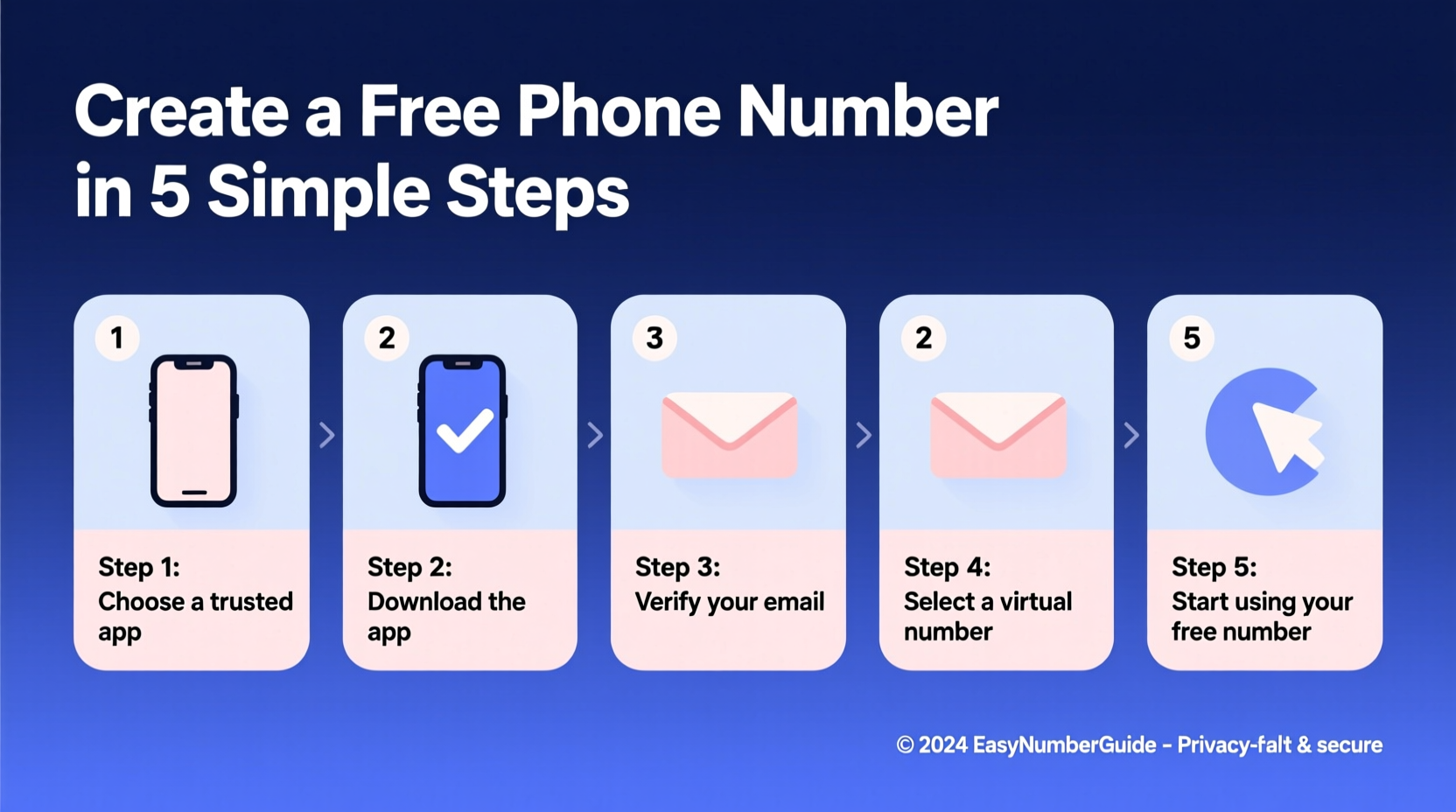
Follow this clear process to get your own free number using trusted services.
- Choose a reliable virtual number provider. Focus on apps that offer free tiers with real functionality (e.g., calling, texting, voicemail).
- Download the app or visit the website. Most services are mobile-first but also support desktop access.
- Sign up using your email or Google account. No credit card required for basic plans.
- Select your preferred area code. Some apps let you pick a city-specific number for local credibility.
- Verify your existing phone number. This prevents abuse and confirms you’re not a bot.
- Start using your new number. Send texts, make calls, and receive voicemails directly from your device.
Top Free Virtual Number Services Compared
Not all providers are equal. Here's a comparison of the most popular free options based on features, availability, and limitations.
| Service | Free Number Type | Calling | Texting | Voicemail | Platform | Limitations |
|---|---|---|---|---|---|---|
| Google Voice | U.S.-based | Yes (U.S./Canada) | Yes | Yes | Web & Mobile (iOS/Android) | Available only in U.S.; requires existing U.S. number |
| TextNow | U.S. or Canada | Yes (Wi-Fi/cellular data) | Yes | Yes (basic) | iOS, Android, Web | Ads in free version; limited international use |
| TextMe | U.S. | Yes (free-to-free) | Yes | No | Mobile only | Call quality varies; interface less polished |
| Dingtone | Multiple countries | Credits-based system | Yes | Premium feature | iOS, Android | Requires earning credits for full use |
| 2ndLine | U.S. & Canada | Yes (Wi-Fi/data) | Yes | Yes | iOS, Android | Some features locked behind paywall |
Which One Should You Choose?
For most users in the United States, Google Voice remains the gold standard due to its integration with Gmail, clean interface, and reliable service. If you're outside the U.S. or want more flexibility, TextNow or 2ndLine are strong alternatives.
Real Example: How Maria Protected Her Privacy While Selling Online
Maria decided to sell her old laptop on Facebook Marketplace. Instead of posting her personal phone number, she downloaded Google Voice and created a free number linked to her Gmail. She used it solely for buyer inquiries over three weeks. After the sale, she blocked spam callers and eventually deleted the number. Her personal information stayed safe, and she avoided unwanted follow-ups.
“I didn’t realize how much peace of mind a simple second number could give,” Maria said. “Now I use one for every online transaction.”
Best Practices and Safety Tips
While free numbers are powerful, misuse can lead to spam, scams, or account suspension. Follow these guidelines to stay secure.
- Use separate emails: Create a unique email address for your virtual number account to prevent cross-tracking.
- Monitor usage: Regularly check call logs and messages to detect suspicious activity.
- Avoid long-term commitments: Don’t use free numbers for services requiring high trust (e.g., government portals).
- Log out on shared devices: Always sign out if using public computers or borrowed phones.
- Delete unused numbers: Free up resources and reduce digital footprint by removing inactive lines.
Do’s and Don’ts at a Glance
| Do | Don’t |
|---|---|
| Use for short-term projects or listings | Link to banking or investment accounts |
| Pick a local area code for better response rates | Share it widely on public forums |
| Enable notifications to respond quickly | Ignore unusual login alerts |
| Back up important messages | Assume complete anonymity—your IP may still be traceable |
FAQ: Common Questions About Free Phone Numbers
Can I keep my free number forever?
Most services require minimal activity to retain your number. For example, Google Voice asks for at least one outbound call or text every six months. Inactive accounts may lose their number without warning.
Are free phone numbers legal?
Yes, virtual numbers provided by legitimate companies are fully legal. However, using them for fraud, harassment, or spoofing violates terms of service and can result in penalties.
Can someone trace a free number back to me?
Direct personal details aren’t exposed, but service providers log your registration information (email, device ID, IP). Law enforcement can request this data with proper authorization. For true anonymity, additional precautions like using a VPN are recommended.
Final Checklist Before You Start
- ✅ Choose a reputable provider
- Stick to well-known apps like Google Voice or TextNow.
- ✅ Verify your device compatibility
- Ensure your smartphone or computer supports the app.
- ✅ Have a backup communication method
- In case of app downtime, maintain access to another contact channel.
- ✅ Set up recovery options
- Add a recovery email or secondary verification method.
- ✅ Test the number
- Send a test message or make a call to confirm everything works.
Conclusion: Take Control of Your Communication
Creating a free phone number is no longer a niche tech trick—it’s a practical skill for staying safe and organized in daily life. With just a few taps, you can separate your personal identity from professional or transactional interactions. Whether you're a busy parent selling kids’ clothes, a remote worker managing client calls, or someone who values digital privacy, a virtual number gives you control.
The tools are accessible, the setup is fast, and the benefits last far beyond the initial use. Try setting up your first free number today—your future self will thank you for the extra layer of protection and simplicity.




 浙公网安备
33010002000092号
浙公网安备
33010002000092号 浙B2-20120091-4
Comments
No comments yet. Why don't you start the discussion?