
A virtual phone number allows you to make and receive calls and texts without using your personal mobile line. Whether you're protecting your privacy, managing a side business, or traveling abroad, a virtual number offers flexibility and control. The best part? You can set one up completely free using reliable platforms. This guide walks you through the process with clear steps, tool comparisons, and practical tips to ensure a smooth experience.
Why Use a Free Virtual Phone Number?
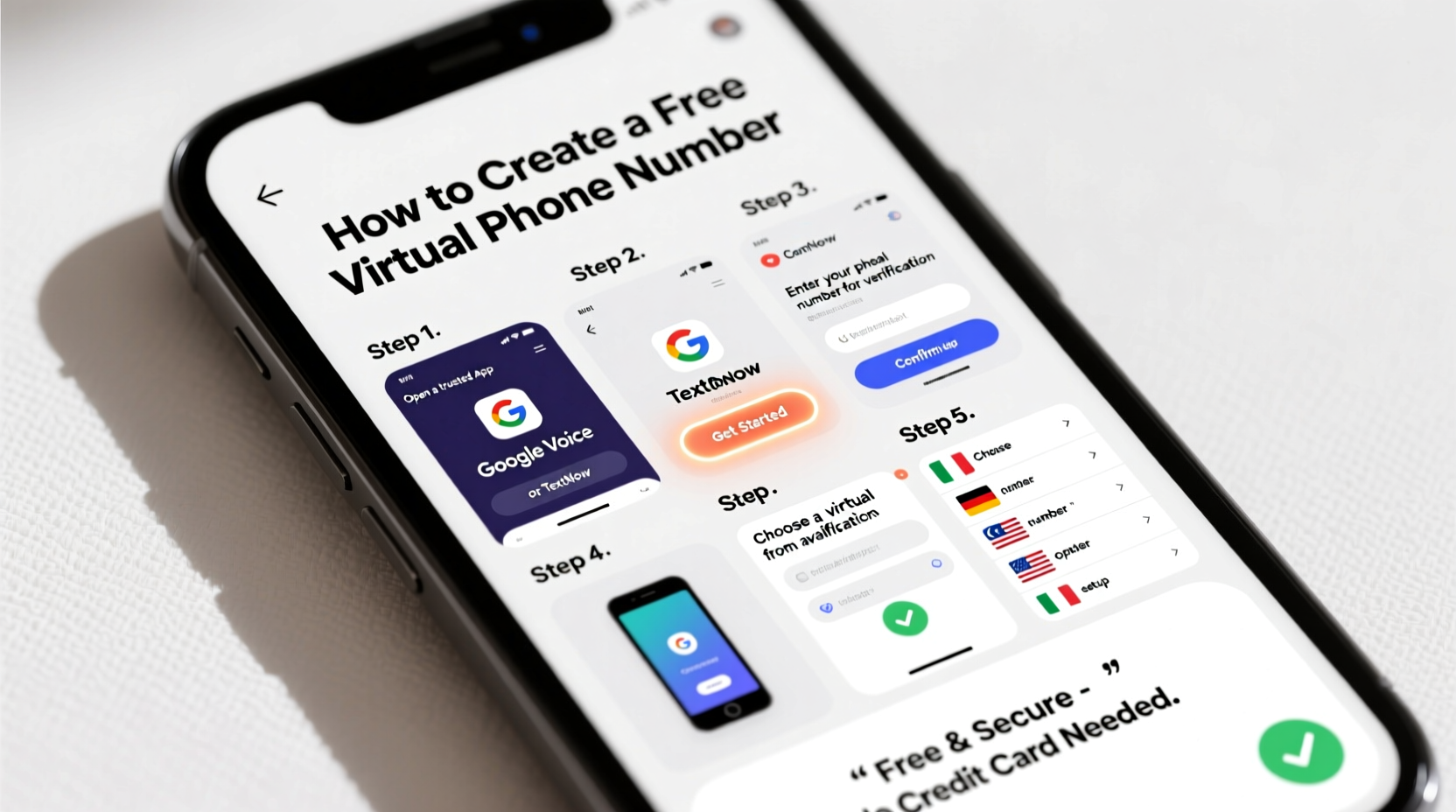
Virtual numbers are more than just a tech novelty—they serve real purposes in everyday life. They help separate work from personal communication, protect your identity when listing items online, or allow international friends and family to reach you without high roaming charges.
Business owners benefit by using a local-sounding number even if they operate remotely. Freelancers can list a professional contact number on their portfolio without exposing their private line. Travelers can maintain a home-country number while abroad, avoiding expensive international plans.
“Virtual numbers are becoming essential for digital privacy and remote work efficiency.” — David Lin, Telecommunications Analyst at TechCom Insights
How Virtual Numbers Work
A virtual phone number isn’t tied to a physical SIM card. Instead, it routes calls and messages over the internet (VoIP—Voice over Internet Protocol) to your existing device. When someone dials your virtual number, the call is forwarded to your real phone via an app or web interface.
These services are typically cloud-based, meaning your number works across smartphones, tablets, and computers. Most free providers offer basic calling and texting within certain regions, often supported by ads or premium upsells.
Step-by-Step Guide to Creating a Free Virtual Phone Number
- Choose a Reliable Provider
Select a platform known for stability and user privacy. Google Voice, TextNow, and TextFree are among the most trusted free options. - Check Device Compatibility
Ensure your smartphone or tablet supports the provider’s app (iOS or Android). Some services also work through web browsers. - Create an Account
Download the app or visit the website. Sign up using your email address or Google account. Avoid using temporary emails, as verification may fail. - Verify Your Identity
Most platforms require linking a real phone number during setup. This prevents abuse and confirms you’re not a bot. The number won’t be shared publicly. - Select Your Virtual Number
Browse available area codes and choose a number that fits your needs. Some services let you search by location or vanity digits (e.g., 555-CALL-ME). - Complete Setup and Test
Once assigned, test your number by sending yourself a text or making a test call. Ensure notifications are enabled so you don’t miss messages.
Recommended Free Platforms Compared
| Service | Free Features | Limitations | Best For |
|---|---|---|---|
| Google Voice | Unlimited U.S. calls/texts, voicemail transcription, spam filtering | U.S. only; requires existing U.S. number for signup | Professionals, remote workers |
| TextNow | Free U.S./Canada number, ad-supported calling & texting | Ads in-app; slower performance on weak connections | Students, budget users |
| TextFree by Pinger | Customizable number, iOS/Android/web access | Limited minutes unless watching ads; no landline forwarding | Casual use, short-term projects |
| Dingtone | Global numbers available, low-cost international rates | Not all features free; interface less polished | International callers |
Real-World Example: Using a Virtual Number for Online Sales
Sophie runs a small vintage clothing store on marketplace apps. She used to list her personal number, but after receiving spam calls and unwanted hang-ups, she decided to switch. She downloaded TextNow, selected a local area code, and linked the number to her tablet. Now, buyers message her through the app, and she replies instantly—all without revealing her private line. After three months, she reported a 40% drop in spam and felt more confident selling online.
This scenario shows how a simple virtual number enhances safety and professionalism, especially for individuals engaging in peer-to-peer commerce.
Common Pitfalls to Avoid
- Choosing a number with a distant area code – Can deter local customers who prefer nearby sellers.
- Ignoring app permissions – Disabling notifications means missed calls and delayed responses.
- Using unverified accounts long-term – Some services deactivate numbers if not used regularly or verified properly.
- Assuming all “free” services are equal – Quality varies; prioritize reliability over novelty.
Security and Privacy Considerations
While virtual numbers enhance privacy, they aren’t inherently anonymous. Most reputable providers comply with legal requests for user data. Never use a free number for illegal activity or impersonation.
To maximize security:
- Use strong passwords and two-factor authentication where available.
- Avoid linking sensitive accounts (like banking) to your virtual number.
- Log out of shared devices to prevent unauthorized access.
Remember: free services may display ads or collect usage data. Review the privacy policy before signing up.
Essential Setup Checklist
- ☐ Choose a trusted provider (Google Voice, TextNow, etc.)
- ☐ Install the app or access the web version
- ☐ Create an account with a valid email
- ☐ Verify your identity with a working phone number
- ☐ Select a local or preferred area code
- ☐ Test incoming and outgoing calls/messages
- ☐ Enable notifications and backup settings
- ☐ Update your profiles or listings with the new number
Frequently Asked Questions
Can I keep my virtual number forever?
It depends on the provider and usage. Google Voice keeps your number active as long as you log in every six months and follow their terms. TextNow may reclaim inactive numbers after 30–90 days. To retain your number long-term, use it at least once a month.
Are free virtual numbers safe for business use?
Yes, for small-scale or informal operations. However, for customer-facing businesses requiring reliability, consider upgrading to a paid VoIP service like OpenPhone or Grasshopper. Free versions may lack advanced features like team sharing, custom greetings, or dedicated support.
Can I port my virtual number to another service?
Generally, no. Most free virtual numbers cannot be transferred between platforms. Google Voice allows limited porting out (for a fee), but services like TextFree do not support this feature. Always assume the number is tied to the original provider.
Final Thoughts and Next Steps
Setting up a free virtual phone number takes less than 15 minutes and can significantly improve your digital boundaries. Whether you're shielding your personal information, managing multiple roles, or exploring remote opportunities, this tool adds both convenience and control.
The key is choosing the right service for your location and use case, then maintaining regular access to avoid losing your number. As communication evolves, virtual numbers are no longer just for tech enthusiasts—they’re practical tools for anyone navigating modern life online.




 浙公网安备
33010002000092号
浙公网安备
33010002000092号 浙B2-20120091-4
Comments
No comments yet. Why don't you start the discussion?