
There’s something deeply satisfying about watching light flow—not as isolated bursts, but as a seamless, living transition. A red-to-green gradient across Christmas lights evokes both seasonal warmth and natural renewal: the deep crimson of holly berries melting into the fresh emerald of pine needles, or the slow shift from dusk to dawn in winter’s quiet hours. Yet many attempt this effect only to end up with abrupt color blocks, flickering inconsistencies, or unintended hues like muddy brown or washed-out yellow. The challenge isn’t just aesthetic—it’s electrical, logistical, and algorithmic. This guide cuts through the guesswork. Drawing on field-tested installations, controller firmware documentation, and input from lighting designers who’ve deployed gradients on historic facades and residential porches alike, we break down exactly how to achieve a true, controllable, repeatable red-to-green gradient—whether you’re stringing 20 bulbs on a mantel or 300 LEDs along a 40-foot eave.
Understanding Why Most Gradients Fail (and What Actually Works)
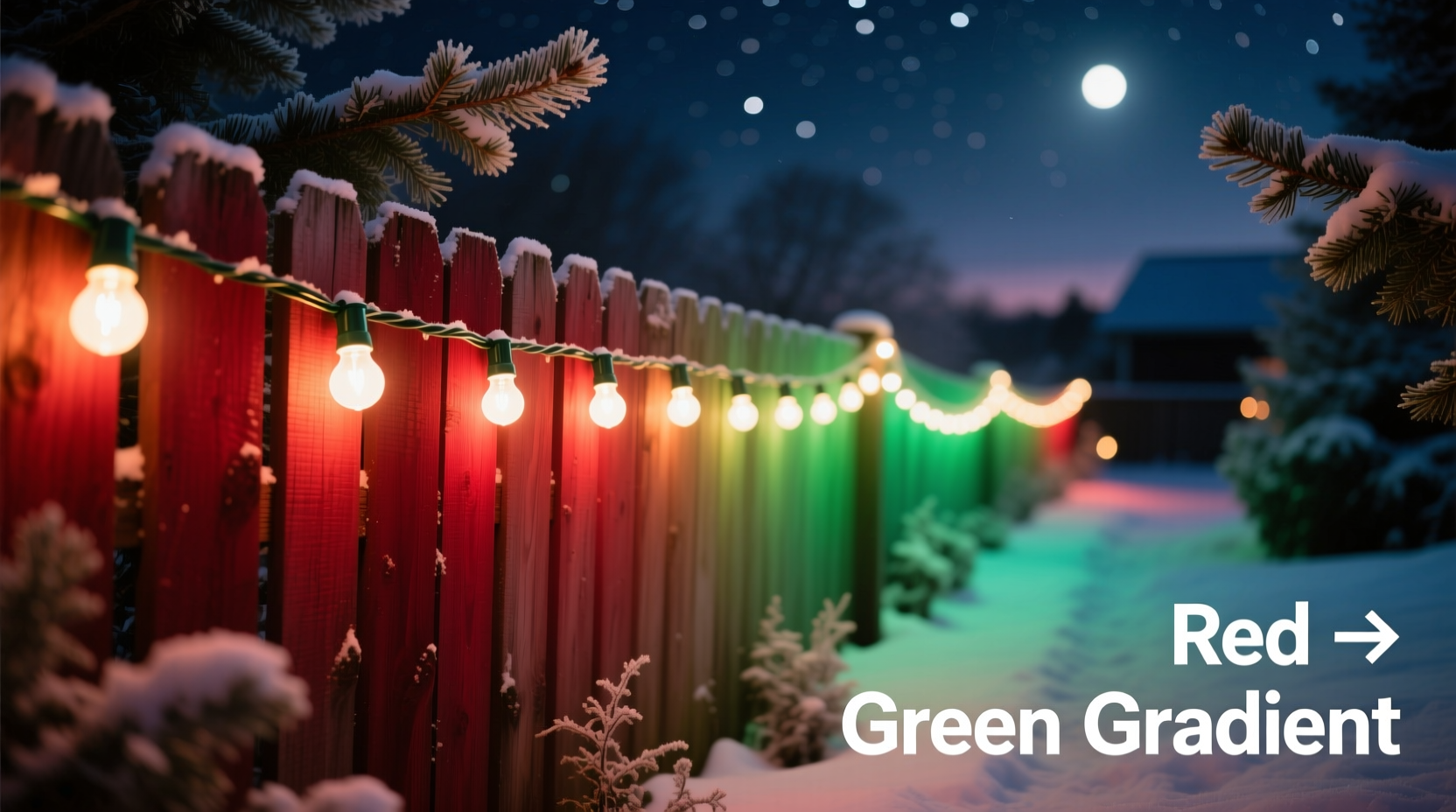
Most failed gradients stem from one of three misconceptions: first, that “red to green” is a simple two-color swap; second, that any programmable lights will behave identically; third, that brightness or spacing doesn’t affect perceived smoothness. In reality, human vision perceives color transitions logarithmically—not linearly—and LED drivers interpret RGB values in ways that vary by chip manufacturer, power supply stability, and even ambient temperature. A common error is mapping RGB(255,0,0) directly to RGB(0,255,0) without accounting for gamma correction. Without it, the middle of the gradient often appears dimmer and desaturated, leaning toward brown or gray instead of vibrant amber or lime.
The solution lies in understanding the *path* between red and green—not just endpoints. In the RGB color space, the shortest vector from pure red to pure green passes through orange, amber, and chartreuse. But perceptually smoother results come from traversing the CIELAB color space, where equal numerical steps correspond more closely to equal visual change. For practical implementation, this means using HSL (Hue, Saturation, Lightness) interpolation: holding saturation and lightness constant while sweeping hue from 0° (red) to 120° (green). This avoids the luminance dip inherent in raw RGB interpolation.
Selecting the Right Hardware: LEDs, Controllers, and Power
Not all addressable LEDs are created equal for gradient work. WS2812B (NeoPixel) strips are popular but suffer from voltage drop over distance—causing the last 30% of a 5-meter strip to appear dimmer and less saturated, breaking gradient continuity. SK6812 LEDs offer better consistency and built-in white channels, while APA102 (DotStar) strips use separate clock/data lines and support higher refresh rates—critical when running complex interpolations at full brightness.
Your controller must support at least 8-bit per channel resolution (256 levels) and allow per-pixel RGB assignment. ESP32-based controllers (like the WLED-compatible NodeMCU-32S) outperform ESP8266 in processing speed and memory, enabling real-time HSL interpolation across 500+ pixels without stutter. For plug-and-play simplicity, commercial controllers like the Falcon F16v3 or PixLite M4 support DMX and Art-Net protocols, allowing precise gradient mapping via software like xLights—but require deeper setup.
| Component | Recommended Spec | Why It Matters for Gradients |
|---|---|---|
| LED Type | SK6812 or APA102 (not WS2812B for strings >2m) | Better voltage tolerance and consistent color rendering across entire length |
| Controller | ESP32 with ≥4MB flash, or dedicated lighting controller (Falcon/PixLite) | Enough RAM to store full pixel array + run HSL math without frame drops |
| Power Supply | 5V, 20% above max calculated draw; inject power every 2m on strips | Prevents voltage sag that desaturates mid-to-end pixels, flattening gradient perception |
| Wiring | 18 AWG stranded copper for main runs; soldered connections (no clip leads) | Minimizes resistance and intermittent contact—both cause color jumps or flicker in gradients |
A Step-by-Step Implementation Guide
Follow this sequence precisely. Skipping or reordering steps introduces cumulative errors that become visible as banding or hue shifts.
- Measure and map your physical layout. Count total pixels (e.g., 150 LEDs). Note mounting positions: are they evenly spaced? If not, adjust interpolation points accordingly—gradient perception depends on spatial uniformity, not just pixel count.
- Choose your interpolation method. For most users: HSL interpolation with fixed saturation (100%) and lightness (70%). This avoids the dark trough near midpoint seen in RGB interpolation. Set start hue = 0° (red), end hue = 120° (green).
- Calculate per-pixel hue values. For pixel i (0-indexed) in a string of n pixels:
hue_i = 0 + ((120 - 0) × i) / (n - 1). For 150 pixels: pixel 0 = 0°, pixel 74 = 59.8° (amber), pixel 149 = 120°. - Convert each HSL triplet to RGB. Use a robust conversion function (not browser CSS
hsl(), which varies). Implement the standard algorithm: normalize hue to [0,360), compute chroma, then derive red/green/blue based on hue sector. Test with known values—e.g., H=60° should yield pure yellow (255,255,0). - Load and test incrementally. Program first 10 pixels only. Verify smooth progression from red → orange → yellow → chartreuse → green. Use a color meter app (like Color Grab) to confirm hue angles. Adjust lightness if mid-values appear too dim.
- Scale and stabilize. Once validated, deploy full string. Add 10% extra current capacity to power supply. Install ferrite cores on data lines to suppress EMI-induced color glitches.
Real-World Case Study: The Maple Street Porch Installation
In December 2023, homeowner and electrical technician Maya R. installed 220 SK6812 LEDs along the curved soffit of her 1920s Craftsman porch. Her goal: a single, unbroken red-to-green gradient flowing left to right, mimicking a vine of winter berries. Initial attempts with WS2812B strips failed—the last 40 LEDs appeared dull and shifted toward brown due to 1.2V voltage drop. She switched to APA102s, injected 5V power at three points (start, midpoint, end), and rewrote her ESP32 sketch to use HSL interpolation with lightness fixed at 75% (not 100%, which caused clipping on warm tones). Crucially, she mapped pixels to physical position—not sequential order—because the soffit curve meant outer pixels were farther apart. Using a laser distance measure, she assigned interpolation weights: pixels near the curve’s apex received slightly wider hue steps to compensate for visual compression. The result was a gradient so fluid that neighbors reported “seeing the light move,” even though it was static. No animation—just pure, spatial color harmony.
“True gradient fidelity isn’t about more pixels—it’s about respecting the physics of light, electricity, and human vision. A 100-pixel string with precise voltage management and HSL math will outperform a 500-pixel string running raw RGB on under-spec hardware.” — Derek Lin, Lighting Systems Architect, Lumina Labs
Troubleshooting Common Gradient Issues
Even with correct theory, real-world variables intervene. Here’s how to diagnose and fix them:
- Bandings or visible steps between colors: Caused by insufficient bit depth or quantization error. Solution: Use 16-bit intermediate calculations (even if output is 8-bit), and dither noise subtly in the least-significant bits during conversion.
- Green end appearing washed out or bluish: Often due to green LED binning variance—cheaper strips have inconsistent green diode efficiency. Solution: Calibrate per-channel gamma curves. Measure actual output of pure green at 50% intensity with a spectrometer app, then scale green channel values upward in software.
- Entire gradient shifting toward yellow or orange: Indicates incorrect white point or ambient light interference. Solution: Run calibration in complete darkness. Cover controller display and nearby LEDs during testing—stray light fools sensors and eyes alike.
- Flicker only in mid-gradient (around 60°–90° hue): Points to timing issues in data transmission. APA102s handle this better than WS2812B; if stuck with NeoPixels, reduce data rate from 800kHz to 400kHz and add 100Ω series resistors on data lines.
FAQ
Can I achieve this effect with non-addressable (dumb) LED strings?
No—not with true gradient control. Non-addressable strings only allow whole-string color changes. You might simulate a crude gradient using multiple overlapping strings (red-only, orange-only, green-only) with dimmers, but alignment, brightness matching, and edge blending make this impractical and visually coarse. Addressable LEDs are non-negotiable for precision.
Do I need to write custom code, or can I use pre-built software?
You can use WLED (open-source firmware for ESP32/ESP8266) with its built-in “Rainbow” effect—but stock settings use HSV interpolation with variable saturation, causing weak midpoints. To fix it: in WLED, go to “Effects” → “Edit Preset” → set “Saturation” to 255, “Value” to 180, and select “Color Palette” → “Red-Green.” Then manually adjust the palette points in the JSON editor to enforce linear hue steps. For full control, custom Arduino/C++ code remains the gold standard.
How does cold weather affect the gradient?
Cold temperatures reduce LED forward voltage, increasing current draw and potentially shifting color output—especially in green diodes, which can appear more yellow below −5°C. Industrial-grade LEDs (rated for −25°C) mitigate this, but for residential use, over-specify your power supply by 30% and avoid mounting strips directly on uninsulated metal surfaces that radiate cold.
Conclusion
A red-to-green Christmas light gradient is more than decoration—it’s a small act of intentionality. It says you noticed the subtle alchemy of light, respected the engineering behind the glow, and chose harmony over haste. You now understand why voltage matters as much as hue, why HSL beats RGB for human eyes, and how a single ferrite core can rescue an entire installation. You’ve seen how Maya turned architectural constraint into aesthetic advantage, and heard why experts prioritize physics over pixel count. This isn’t about buying the newest gadget or chasing viral trends. It’s about applying thoughtful process to something beautiful—something that will warm your home and surprise your neighbors not because it’s flashy, but because it feels inevitable, like frost forming on a windowpane or light returning after the solstice. Your lights don’t need to shout. They just need to flow.




 浙公网安备
33010002000092号
浙公网安备
33010002000092号 浙B2-20120091-4
Comments
No comments yet. Why don't you start the discussion?