
In an age of constant digital noise, overflowing desktops, and endless device notifications, the idea of doing more with less has never been more relevant. A minimalist tech setup isn’t about stripping away everything until you’re left with a typewriter—it’s about intentional design. It means selecting only the tools that serve your workflow, removing distractions, and creating a digital environment where focus thrives. The result? Less clutter, fewer decisions, and more meaningful output.
Minimalism in technology doesn’t mean sacrificing performance or capability. In fact, when done right, it enhances both. By streamlining hardware, software, and habits, you reduce cognitive load, improve efficiency, and reclaim time otherwise lost to digital friction. This approach is especially valuable for remote workers, creatives, entrepreneurs, and anyone who relies on technology to produce high-quality work consistently.
The Philosophy Behind Minimalist Tech
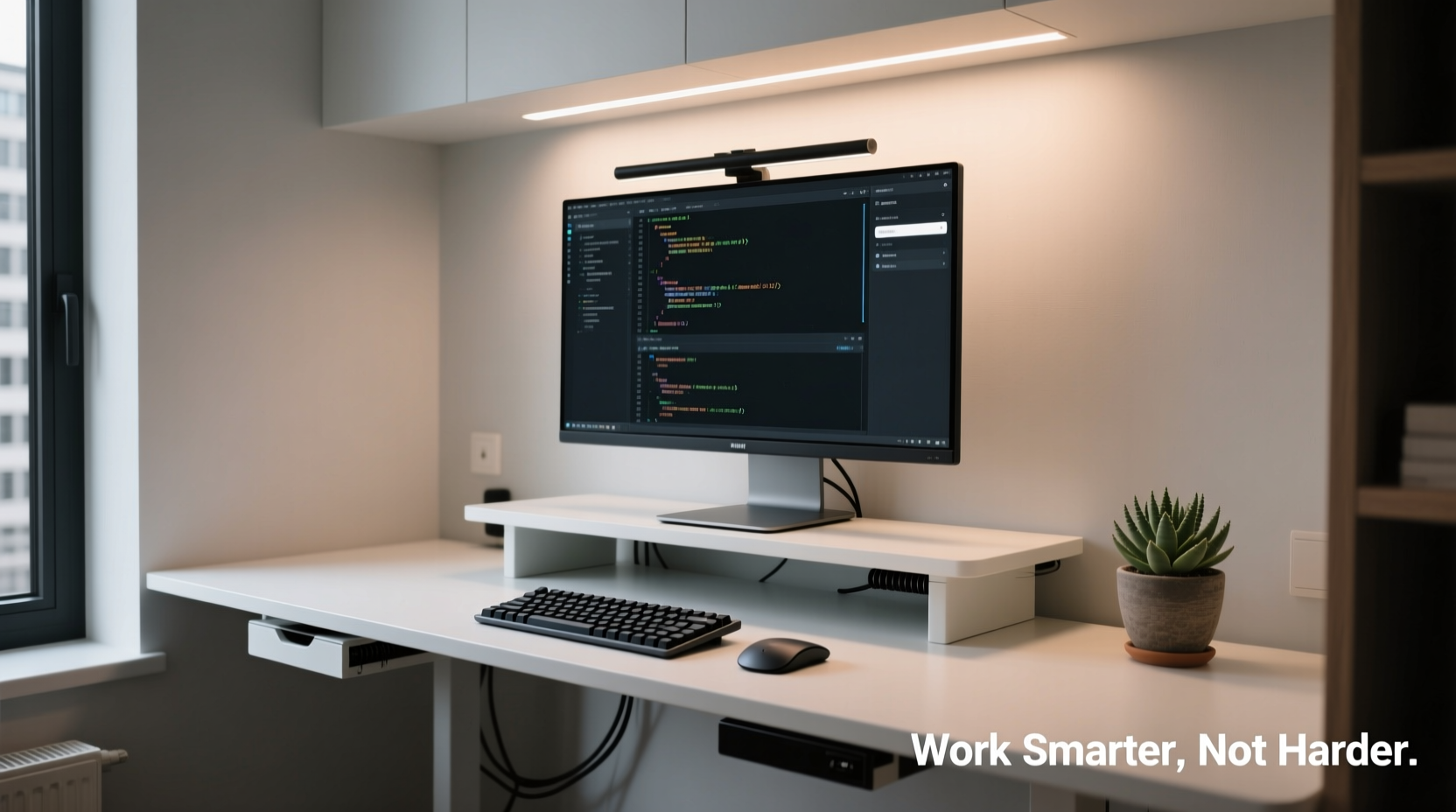
Minimalism is not just an aesthetic; it’s a mindset centered on purpose and function. Applied to technology, it encourages users to evaluate every device, app, and cable not by its novelty or features, but by whether it actively contributes to their goals.
Cal Newport, author of *Digital Minimalism*, argues that “focusing on the few technologies that support your values leads to a richer, more productive life.” This principle applies beyond social media detoxes—it extends into how we structure our physical and digital workspaces. When you remove excess, you make room for clarity, intentionality, and deep work.
“Technology should be an invisible enabler, not a constant demander of attention.” — Cal Newport, Computer Science Professor & Author
A minimalist tech setup supports this ideal. Instead of reacting to pings and pop-ups, you control your tools. You choose when to engage, what to prioritize, and how to allocate your mental energy. That shift—from reactive to intentional—is where real productivity begins.
Step-by-Step Guide to Building Your Minimalist Setup
Creating a functional yet minimal tech environment requires deliberate choices across hardware, software, and usage habits. Follow this structured process to build a system tailored to your needs—not marketing hype or peer pressure.
- Assess Your Core Workflows: Identify the 3–5 tasks you perform daily (e.g., writing, coding, video calls, data analysis). List the tools currently used for each.
- Audit Existing Devices and Apps: Go through every device, subscription, and application. Ask: Does this directly support one of my core workflows? If not, consider removing it.
- Choose One Primary Device: Ideally, consolidate work onto a single computer—laptop or desktop—that meets your performance needs. Avoid duplicating functions across multiple machines unless absolutely necessary.
- Simplify Peripherals: Limit external devices to essentials: one monitor (or two at most), ergonomic keyboard/mouse, and audio equipment if needed. Remove decorative gadgets or rarely used accessories.
- Digitally Declutter: Uninstall unused apps, organize files into clearly labeled folders, and disable non-essential startup programs.
- Automate Routine Tasks: Use built-in automation (like macOS Shortcuts or Windows Power Automate) to handle repetitive actions such as file sorting or backups.
- Test and Iterate: Live with your new setup for one week. Note any friction points. Adjust only what’s truly missing—don’t fall back into accumulation.
Essential Hardware: Quality Over Quantity
Your physical workspace shapes your mental state. A clean desk with only necessary components signals professionalism and focus. Here’s how to equip yourself wisely.
Start with a reliable computer. For most knowledge workers, a mid-to-high-end laptop with at least 16GB RAM and a fast SSD suffices. Models like the MacBook Air M2, Dell XPS 13, or Lenovo ThinkPad T14 offer strong performance, long battery life, and durability—all within a compact form factor.
If you work extensively with large files or multitask heavily, adding a single high-resolution external monitor can boost efficiency without cluttering your space. Mount it at eye level using a simple arm stand to save desk real estate.
Input devices should prioritize comfort and responsiveness. Choose a mechanical keyboard with tactile feedback and a wireless mouse designed for ergonomics. Wired connections are preferable for stability, but Bluetooth models eliminate cable sprawl if managed well.
Forget smart home toys, extra speakers, or RGB lighting unless they serve a direct purpose. Every additional device increases complexity and potential failure points.
| Component | Recommended | Avoid |
|---|---|---|
| Computer | MacBook Air M2 / Dell XPS 13 | Multiple underpowered laptops |
| Monitor | Single 27” 4K IPS panel | Dual monitors with mismatched sizes |
| Keyboard | Mechanical (e.g., Keychron K2) | Gimmicky programmable boards with unused macros |
| Cables | Few, color-coded, routed neatly | Tangled bundles under desk |
| Accessories | Webcam (if needed), noise-canceling headphones | Smart displays, LED strips, charging docks for five devices |
Software Simplicity: Apps That Serve, Not Distract
Just as important as hardware is the software ecosystem. Most people run dozens of apps simultaneously—many of which run in the background, consuming memory and attention.
Stick to a curated stack of tools that integrate well and cover all critical functions: communication, document creation, task management, and security.
- Operating System: Keep it updated and free of bloatware. On Windows, disable Cortana and preinstalled trial software. On macOS, avoid third-party cleaners; use built-in optimization instead.
- Browser: Use one browser (preferably Chrome or Firefox) with a limited set of extensions—ad blocker, password manager, grammar checker. Disable autoplay videos and notifications site-wide.
- Productivity Suite: Google Workspace or Microsoft 365 covers documents, spreadsheets, presentations, and email. Stick to one to avoid sync issues.
- Task Management: Tools like Todoist, Things (macOS), or Apple Reminders help track priorities without overcomplication.
- Communication: Slack or Microsoft Teams for team chat, Zoom or Meet for calls. Close these apps outside working hours to preserve boundaries.
- Security: Use a reputable antivirus (Bitdefender, Kaspersky) and a password manager (1Password, Bitwarden). Enable two-factor authentication everywhere.
Delete games, shopping apps, and social media from your primary work device. If you must keep them, place them in a separate folder labeled “Distractions” and access only during breaks.
Mini Case Study: From Cluttered Desk to Focused Studio
Jamie, a freelance writer based in Portland, once had a desk littered with three monitors, two keyboards, a tablet, smartphone, e-reader, and a tangle of cables snaking across the floor. Despite having “all the tools,” she struggled with focus, often switching between devices and losing track of deadlines.
After reading about digital minimalism, she simplified: kept her MacBook Pro, added one 24-inch monitor, switched to a slim mechanical keyboard and wireless mouse, and removed everything else. She deleted social media apps, unsubscribed from newsletters, and configured her phone to grayscale during work hours.
The change wasn’t instant, but within three weeks, her concentration improved significantly. She reported finishing articles 30% faster and experiencing less mental fatigue. Her workspace became a place she wanted to return to—not escape from.
Checklist: Build Your Minimalist Tech Setup in 10 Steps
Use this checklist to implement a clean, effective tech environment:
- Identify your top 5 daily work activities.
- Uninstall apps you haven’t used in the past month.
- Select one primary computing device.
- Limited peripherals to keyboard, mouse, and one monitor.
- Organize files into four main folders: Projects, References, Archives, Personal.
- Enable dark mode and reduce visual clutter in UI settings.
- Turn off non-critical notifications (especially social media). <8>Set up automatic cloud backups (iCloud, Dropbox, or Backblaze).
- Create a weekly digital cleanup habit (Sundays at 9 AM).
- Label and route cables neatly using ties or trays.
- Review setup monthly—remove anything no longer essential.
Common Pitfalls and How to Avoid Them
Even with good intentions, it’s easy to slip back into tech hoarding. Watch out for these traps:
- Gadget Envy: Just because a tool is new or popular doesn’t mean you need it. Ask: Will this solve a current problem?
- Over-Automation: Spending hours scripting minor tasks defeats minimalism. Automation should save time, not consume it.
- Digital Hoarding: Saving every file “just in case” creates noise. Archive old projects quarterly and delete redundant copies.
- Ignoring Ergonomics: Minimalism shouldn’t compromise health. Ensure your chair, screen height, and lighting support long-term comfort.
FAQ
Can I still be productive with just one device?
Absolutely. Most modern laptops have enough power for writing, coding, design, and even light video editing. Cloud storage and cross-device sync ensure you’re never locked out of your data. The key is optimizing your workflow rather than relying on multiple machines.
What if my job requires many specialized tools?
Specialization doesn’t require clutter. Use virtual environments, containers, or sandboxed apps to isolate functions. Prioritize integration—choose tools that work together via APIs or shared platforms. Focus on reducing interface switches, not eliminating capabilities.
How do I stay updated without constant notifications?
Designate specific times to check emails and messages—twice per morning and afternoon. Use status updates in Slack or Teams to signal availability. Turn off sounds and banners; let information come to you on your terms, not the other way around.
Conclusion
A minimalist tech setup isn’t defined by how little you own, but by how intentionally you use what you have. It’s about designing a system that supports deep work, reduces decision fatigue, and aligns with your actual needs—not imagined ones. When your tools fade into the background, your creativity and productivity step forward.
Start small. Remove one app. Unplug one device. Reorganize one folder. Each act of simplification clears mental space. Over time, these choices compound into a calmer, sharper, and more effective work life.




 浙公网安备
33010002000092号
浙公网安备
33010002000092号 浙B2-20120091-4
Comments
No comments yet. Why don't you start the discussion?