
In an age of constant upgrades, endless notifications, and ever-expanding gadget collections, it’s easy to accumulate more technology than necessary. Yet many people find themselves overwhelmed by the very tools meant to simplify their lives. A minimalist tech setup isn’t about rejecting modern conveniences—it’s about intentionality. It means choosing fewer, higher-quality devices that serve multiple purposes efficiently, reducing digital distractions, and reclaiming mental space. The goal is not scarcity but sufficiency: owning just enough technology to meet your daily demands while eliminating redundancy and stress.
Minimalism in tech doesn’t mean sacrificing performance or functionality. With careful planning, you can streamline your digital life so that every device earns its place on your desk or in your bag. Whether you're a remote worker, student, creative professional, or someone seeking digital clarity, a thoughtful approach to your tech ecosystem can enhance productivity, reduce costs, and improve focus.
Define Your Core Needs First
Before making any decisions about devices or software, start by identifying what you actually use technology for on a daily basis. Most people overestimate their need for multiple screens, peripherals, or apps. Take a week to audit your usage: track which tasks you perform, which devices you reach for, and how often you switch between tools.
Categorize your primary activities—such as writing, video conferencing, photo editing, coding, streaming media, or managing finances. Then ask yourself: which functions are essential? Which ones could be consolidated? For example, if you write reports, attend Zoom calls, and browse research articles, a single well-equipped laptop may cover 90% of your needs.
This clarity prevents impulse purchases driven by marketing hype or FOMO (fear of missing out). Author Cal Newport, known for his advocacy of digital minimalism, emphasizes this principle:
“The key to a successful digital life is not using the latest tools, but aligning your tools with your values.” — Cal Newport, author of *Digital Minimalism*
Choose Multi-Purpose, High-Quality Devices
Once you know your core needs, select devices that maximize utility without multiplying clutter. Prioritize versatility, build quality, and long-term support over novelty features.
A powerful ultrabook with 16GB RAM and a solid-state drive can replace a desktop, tablet, and even a secondary phone for many users. Pair it with a folding Bluetooth keyboard and a stylus, and you have a mobile office that fits in a small backpack. If portability matters, consider models like the MacBook Air M2, Dell XPS 13, or Framework Laptop—all designed for durability, repairability, and adaptability.
For communication and light tasks, a smartphone remains indispensable—but choose one that integrates seamlessly with your main device. Using cross-platform ecosystems (like Apple’s Continuity or Microsoft’s Your Phone) allows seamless handoffs between phone and computer, reducing duplication.
| Device Type | Purpose Covered | Alternatives to Eliminate |
|---|---|---|
| Modern Laptop | Writing, browsing, meetings, light design | Desktop PC, netbook, second monitor (if not critical) |
| Smartphone + Cloud Sync | Messaging, notes, photos, navigation | Dedicated GPS, voice recorder, camera (for casual use) |
| Tablet (optional) | Reading, sketching, media consumption | E-reader, print magazines, physical notebooks (if digitized) |
| Wireless Earbuds | Calls, music, podcasts, focus noise blocking | Wired headphones, external speakers (in most cases) |
The aim is consolidation. Each device should justify its presence by serving at least two major roles effectively.
Streamline Software and Subscriptions
Hardware is only half the battle. Digital clutter from bloated software, overlapping apps, and forgotten subscriptions undermines minimalism just as much as physical gadgets. Audit your installed applications and cloud services quarterly.
Ask: Does this app make me more productive, informed, or connected? Or does it distract, duplicate functionality, or run in the background unnecessarily? Uninstall anything that hasn’t been used in the past 30 days. Replace suites of single-purpose tools with integrated platforms where possible—for instance, using Notion for notes, tasks, and project tracking instead of separate sticky note apps, to-do lists, and wikis.
- Use one password manager (e.g., Bitwarden or 1Password) instead of scattered sticky notes or browser saves.
- Consolidate cloud storage into one provider (Google Drive, iCloud, or Dropbox).
- Cancel redundant subscriptions—do you really need both Spotify and Apple Music?
- Disable auto-launching apps and background processes that consume memory.
Build a Simple, Scalable Workspace
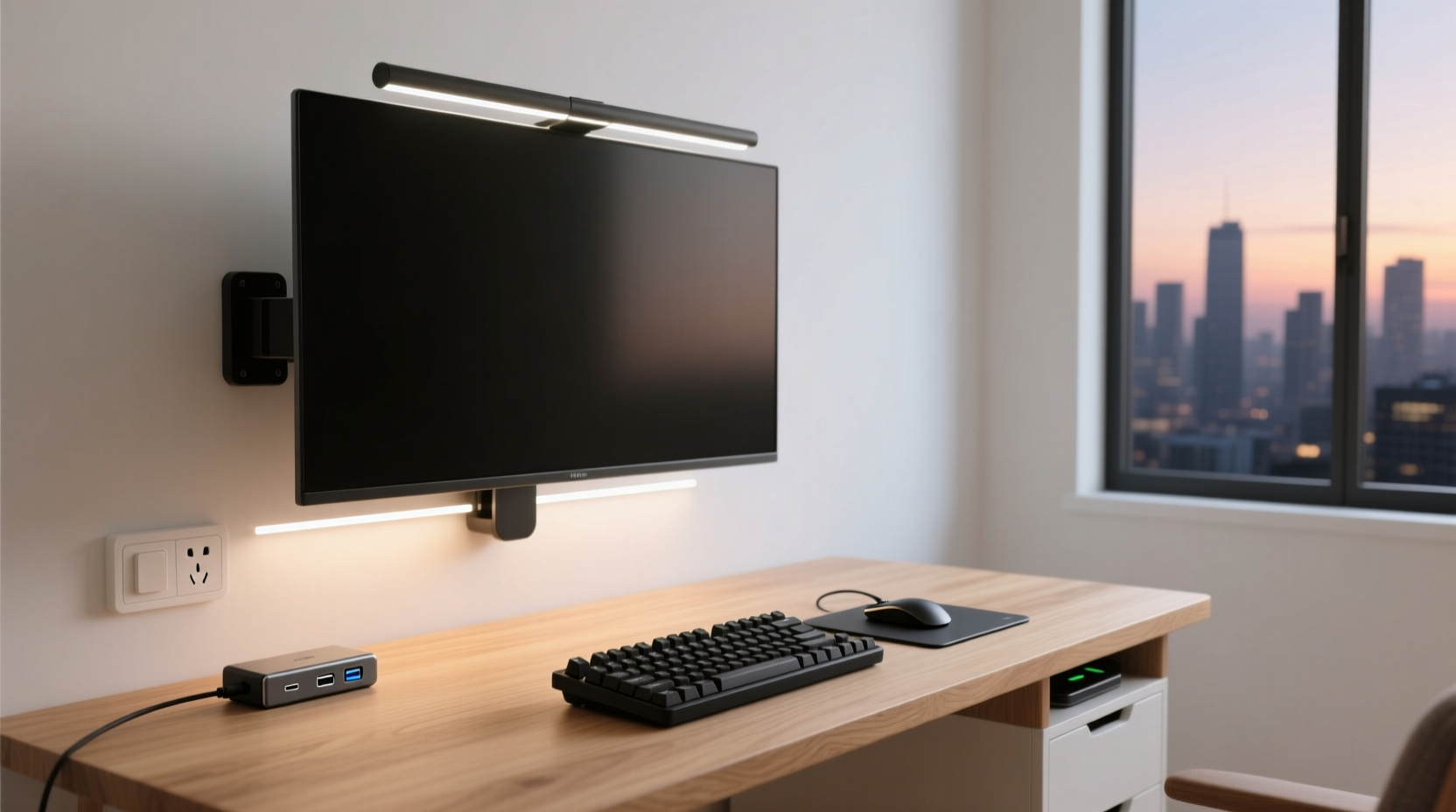
Your physical environment should reflect your minimalist philosophy. A clean desk with only essential gear promotes focus and reduces visual fatigue. Start with the basics: a comfortable chair, adequate lighting, and a surface large enough for your primary device and perhaps a notebook.
If you work from home, resist the urge to fill every corner with equipment. You don’t need a dual-monitor rig unless your workflow genuinely requires side-by-side comparison (e.g., coding, video editing). Even then, consider a single high-resolution monitor (32” 4K) that can display multiple windows clearly.
Cables are a common source of clutter. Use cable organizers, wireless charging pads, and docking stations to keep things tidy. Choose peripherals that connect via Bluetooth or USB-C to minimize adapter sprawl. Label cords if sharing ports across devices.
- Position your screen at eye level to avoid neck strain.
- Keep only one notebook, one pen, and one device within immediate reach.
- Store infrequently used items (external drives, chargers) in a drawer or pouch.
- Use a single power strip with surge protection to centralize plugs.
A minimalist workspace isn’t sterile—it’s intentional. Every object has a purpose and a place.
Real Example: From Cluttered Desk to Focused Flow
Take Mark, a freelance writer and part-time educator. Two years ago, his home office included a desktop tower, two monitors, a printer/scanner/fax combo, three external hard drives, a tablet, a Kindle, a landline phone, and a drawer full of tangled cables. He felt overwhelmed each time he sat down to write.
After adopting a minimalist mindset, he sold his desktop and switched to a MacBook Air. He digitized old documents and moved archives to encrypted cloud storage, retiring two hard drives. He canceled his landline and uses VoIP through his laptop. His Kindle was replaced by reading apps on his phone and tablet—both of which were eventually reduced to just his iPhone with a blue-light filter for evening reading.
Today, his setup consists of: MacBook Air, iPhone, wireless keyboard/mouse, noise-canceling earbuds, and a slim lamp. All other tools are accessed online or borrowed when needed (like scanning at a local library). His productivity increased by 40%, according to self-tracked metrics, and he reports significantly less decision fatigue at the start of each workday.
Checklist: Building Your Minimalist Tech Setup
Follow this step-by-step guide to transition smoothly:
- Inventory current devices: List everything you own and rate each by frequency of use (daily, weekly, rarely).
- Identify redundancies: Find overlapping functions (e.g., two devices for note-taking).
- Select a primary device: Choose one powerful hub (laptop or 2-in-1) to handle core tasks.
- Eliminate low-value tools: Sell, donate, or recycle unused gear.
- Adopt unified software: Pick one app per category (notes, calendar, email, storage).
- Optimize your space: Clear your desk; keep only essentials visible.
- Automate maintenance: Enable automatic updates, backups, and cloud sync.
- Review quarterly: Reassess needs and remove anything no longer serving you.
Frequently Asked Questions
Can a minimalist setup handle demanding tasks like video editing or programming?
Yes—provided you invest in capable hardware. A high-end laptop with sufficient RAM, fast storage, and a good GPU can run professional-grade software. The minimalist principle applies to quantity, not capability. Focus on quality and integration rather than sheer number of devices.
What if I need specialized tools occasionally?
Consider access over ownership. Rent equipment, borrow from friends, or use shared workspaces (like makerspaces or co-working labs) when rare needs arise. Owning a tool you use once a year isn’t minimalism—it’s inventory.
Isn’t relying on one device risky? What if it breaks?
Redundancy is smart, but it doesn’t require owning duplicates. Instead, ensure robust backups (cloud + offline), maintain warranties, and keep emergency funds for replacements. Also, using cloud-based workflows means you can resume work quickly on another device.
Conclusion: Less Gear, More Control
A minimalist tech setup isn’t about deprivation—it’s about empowerment. By stripping away excess, you gain clarity, efficiency, and freedom from digital noise. When every device earns its place and every app serves a clear purpose, technology becomes a quiet enabler rather than a constant demander of attention.
Start small: unplug one unused device today. Delete three redundant apps tomorrow. Within weeks, you’ll notice less friction in your digital routine and more room for deep work, creativity, and peace of mind. Minimalism isn’t a destination—it’s a practice. And in the world of technology, it might be the most radical upgrade you ever make.




 浙公网安备
33010002000092号
浙公网安备
33010002000092号 浙B2-20120091-4
Comments
No comments yet. Why don't you start the discussion?