
In an age of constant notifications, digital clutter, and overflowing desks, the ability to concentrate has become a rare skill. A minimalist workspace isn't just about aesthetics—it's a strategic environment designed to reduce distractions, lower cognitive load, and foster deeper thinking. When done right, minimalism in your work area doesn’t mean emptiness; it means clarity. By removing excess and focusing on essentials, you create room for ideas to breathe, grow, and evolve. This guide walks through practical, research-backed steps to build a workspace that supports both creativity and sustained focus.
The Psychology Behind Minimalism and Focus
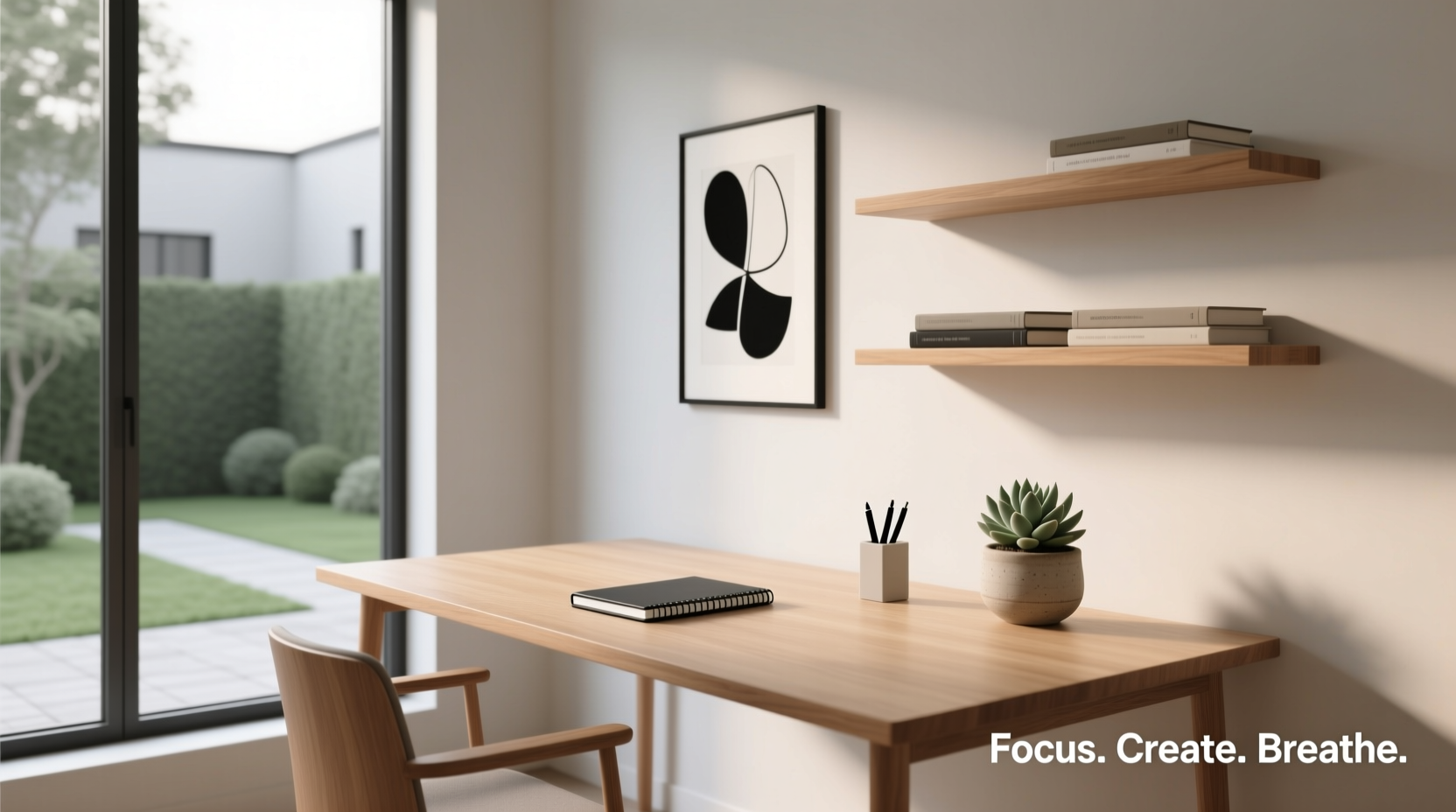
Our brains are wired to respond to visual stimuli. Cluttered environments trigger low-grade stress responses by overloading the prefrontal cortex—the part responsible for decision-making and attention. A 2011 Princeton University study found that physical clutter competes for neural resources, reducing performance on memory and task-completion tests. In contrast, clean, organized spaces promote mental calmness and improve information processing.
Minimalism, as applied to a workspace, is not about deprivation but intentionality. It’s choosing what stays based on function, inspiration, or necessity—not habit or impulse. When every object on your desk serves a purpose or sparks joy (in the Marie Kondo sense), your mind stops scanning for “what’s next” and can instead engage in deep work.
“Simplicity is the ultimate sophistication.” — Leonardo da Vinci
Step-by-Step Guide to Building Your Minimalist Workspace
Creating a minimalist workspace is a process, not a one-time cleanup. It requires assessment, refinement, and maintenance. Follow these steps to build a space that supports both efficiency and imagination.
- Clear everything from your desk – Start with a blank slate. Remove all items, including cords, papers, and decor. This forces you to reevaluate each object before returning it.
- Categorize your belongings – Group items into categories: tools (keyboard, mouse), supplies (notebook, pens), tech (charger, monitor), and personal (photo, plant). This helps identify redundancies.
- Apply the “90/90 rule” – If you haven’t used an item in the past 90 days and don’t expect to use it in the next 90, remove it. Exceptions apply to seasonal or emergency tools.
- Designate zones – Define areas for specific activities: writing, digital work, reading, brainstorming. Even in small spaces, subtle zoning improves mental separation.
- Select only essential tools – Keep one notebook, one pen holder, one monitor. Use multi-functional devices when possible (e.g., a laptop stand with built-in USB hub).
- Organize cables out of sight – Use cable clips, sleeves, or under-desk trays. Visible cords create visual noise and subconscious tension.
- Add only meaningful decor – Choose one or two items that inspire: a sketch, a quote card, or a small plant. Avoid decorative clutter.
- Test and adjust – Spend a full workday in the space. Note what feels missing or distracting. Refine iteratively.
Essential Elements of a Creative Minimalist Desk
A minimalist workspace must balance simplicity with functionality. The goal is to support creative flow without sacrificing usability. Below are the core components and their ideal minimalist expressions.
| Element | Minimalist Approach | Why It Matters |
|---|---|---|
| Desk Surface | At least 50% clear at all times | Open space reduces visual stress and invites free thinking |
| Chair | Ergonomic, neutral color, no extra cushions unless needed | Supports posture without drawing attention |
| Lighting | Natural light + warm-white adjustable lamp | Reduces eye strain and regulates circadian rhythm |
| Storage | Hidden or closed (drawers, boxes with labels) | Keeps tools accessible but out of sight |
| Digital Tools | One primary device, clean desktop, app limits | Reduces digital distraction and mental fragmentation |
| Personal Items | One meaningful object (photo, art, plant) | Provides emotional grounding without clutter |
The Role of Lighting and Color
Color psychology plays a quiet but powerful role in focus and mood. Neutral tones—white, beige, soft gray—create a calming backdrop that doesn’t compete with your thoughts. For a touch of stimulation, consider adding a single accent in muted blue (calming) or sage green (renewal), both linked to enhanced concentration.
Lighting should mimic natural daylight as closely as possible. Position your desk near a window if feasible. Use a glare-free task lamp with adjustable brightness and color temperature (preferably 4000K for daytime work). Avoid overhead fluorescent lights—they contribute to mental fatigue.
Real Example: From Chaos to Calm – Maya’s Home Office Transformation
Maya, a freelance graphic designer, struggled with inconsistent productivity. Her desk was crowded with sketchbooks, coffee mugs, three notebooks, two monitors, tangled cords, and a collection of inspirational quotes taped haphazardly to the wall. She often felt overwhelmed before even opening her laptop.
After reading about minimalist workspaces, she decided to reset. She cleared her desk completely, sorted her materials, and kept only what she used daily: her laptop, one notebook, a mechanical pencil, a wireless mouse, and a small succulent. She mounted her second monitor vertically for coding, used a magnetic cable organizer, and replaced scattered sticky notes with a single whiteboard on the side of her desk.
Within a week, Maya reported sharper focus during client sessions and more spontaneous idea generation. “It’s like my brain finally caught up with my desk,” she said. “I’m not constantly tripping over things—literally or mentally.”
Common Pitfalls to Avoid
Minimalism can be misinterpreted as austerity or sterility. The goal is not to eliminate comfort or personality but to elevate function and peace. Watch out for these common mistakes:
- Going too extreme – Removing so much that accessing tools becomes frustrating defeats the purpose.
- Ignoring ergonomics – A sleek chair isn’t helpful if it causes back pain. Prioritize health over looks.
- Forgetting digital clutter – A pristine desk means little if your desktop is covered in 200 files and 15 browser tabs.
- Not maintaining the system – Minimalism requires upkeep. Schedule a 10-minute weekly reset to return items to their homes.
- Copying others’ setups – What works for a programmer may not suit a writer. Customize based on your workflow.
“The ability to simplify means to eliminate the unnecessary so that the necessary may speak.” — Hans Hofmann, artist and teacher
Checklist: Build Your Minimalist Workspace in One Afternoon
Use this actionable checklist to transform your workspace efficiently:
- ☐ Clear your entire desk surface
- ☐ Sort items into categories (tools, supplies, personal, trash)
- ☐ Discard broken items and duplicates
- ☐ Apply the 90/90 rule to non-essentials
- ☐ Wipe down the desk and chair
- ☐ Set up cable management (ties, clips, or box)
- ☐ Return only daily-use items to the desk
- ☐ Store remaining supplies in labeled drawers or containers
- ☐ Add one inspiring personal item (plant, photo, art)
- ☐ Adjust lighting for optimal brightness and warmth
- ☐ Clean your digital desktop and close unused apps
- ☐ Take a photo of your finished setup for future reference
Frequently Asked Questions
Can a minimalist workspace still feel cozy or personal?
Absolutely. Minimalism isn’t cold or impersonal by default. Warm textures (wood, wool, paper), soft lighting, and one or two meaningful objects—a family photo, a favorite book, a handmade mug—can make a space feel inviting without cluttering it. The key is curation, not elimination.
What if I need lots of tools for my job (e.g., artist, engineer)?
Minimalism adapts to your needs. For tool-heavy professions, focus on organization and accessibility. Use drawer dividers, pegboards, or rolling carts with labeled sections. The principle remains: keep only what you use regularly, store the rest neatly, and ensure the immediate work surface stays clear for active projects.
How do I maintain minimalism long-term?
Build habits, not just a setup. Adopt a “one in, one out” rule: for every new item brought in, remove an old one. Schedule a monthly 15-minute review to reassess what’s on your desk. Pair minimalism with digital hygiene—regular file cleanup, app audits, and notification management—to sustain clarity.
Conclusion: Design Your Environment, Shape Your Mind
Your workspace is more than a place to sit—it’s a psychological environment that shapes how you think, create, and endure challenges. A minimalist workspace removes the noise so your inner voice can be heard. It doesn’t promise instant genius, but it does create the conditions where focus and creativity can thrive.
You don’t need a renovation or expensive furniture. Start small: clear your desk tonight, keep only what you truly need tomorrow, and observe how your mind responds. Over time, refine the space as your work evolves. The goal isn’t perfection—it’s presence.




 浙公网安备
33010002000092号
浙公网安备
33010002000092号 浙B2-20120091-4
Comments
No comments yet. Why don't you start the discussion?