
There’s something uniquely comforting about the glow of a CRT screen, the chiptune jingle of a holiday level, and the pixelated snowfall in a classic winter stage. As Christmas approaches, many are rediscovering the emotional warmth of retro gaming—not just as entertainment, but as a design and cultural aesthetic that can transform holiday celebrations into immersive, nostalgic experiences. Blending vintage video game culture with seasonal traditions offers a fresh yet familiar way to celebrate, especially for those who grew up spending December evenings navigating icy platforms or collecting presents in side-scrolling adventures.
This fusion isn’t about replacing tradition—it’s about enriching it. By integrating elements from the 8-bit and 16-bit eras into your holiday setup, you can evoke childhood memories while creating a distinctive atmosphere that appeals across generations. Whether you’re hosting a family gathering, planning a themed party, or simply decorating your living room, a retro gaming Christmas theme brings playfulness, creativity, and heartfelt nostalgia to the season.
Curate a Pixel-Perfect Decor Scheme
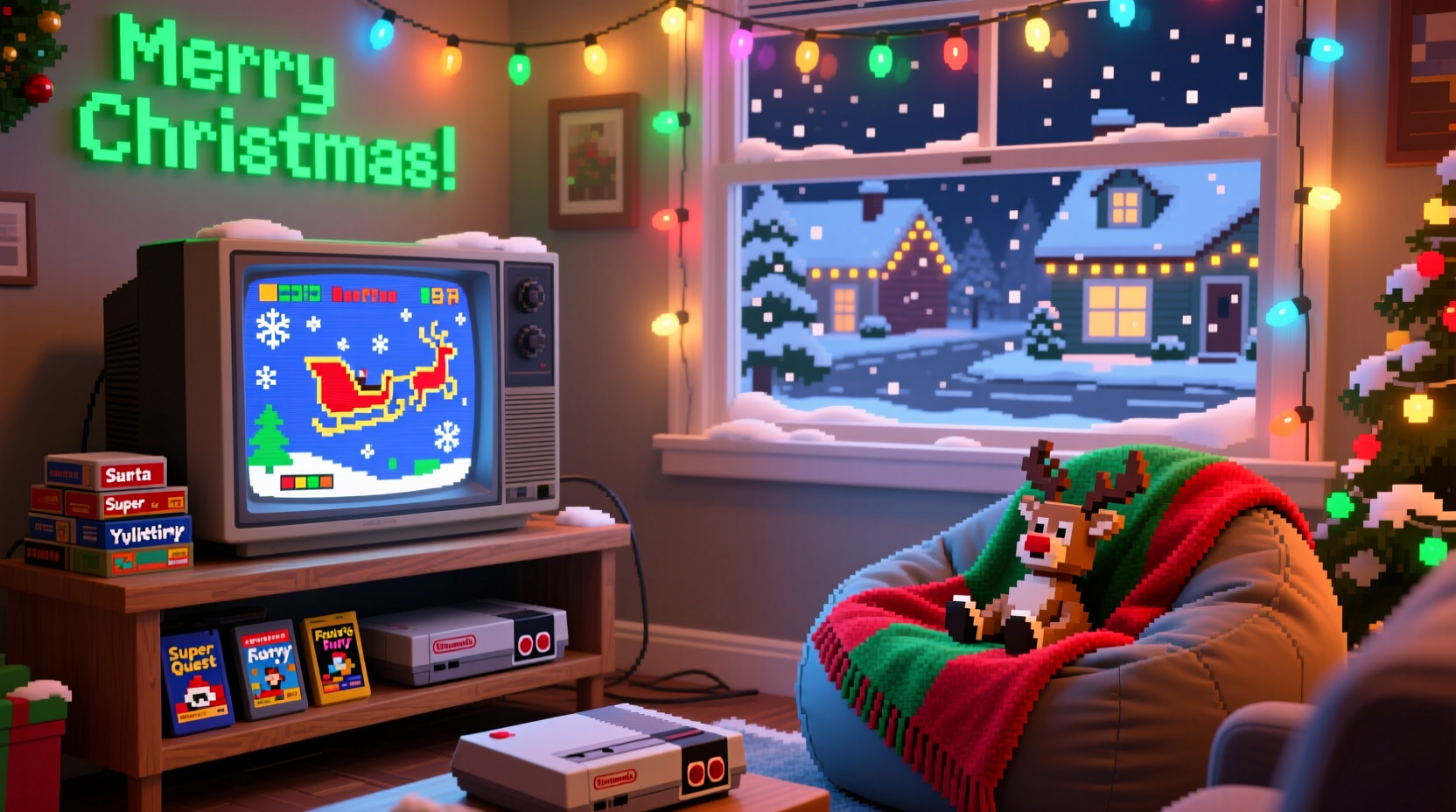
The visual language of retro gaming is instantly recognizable: bold colors, chunky pixels, limited palettes, and geometric shapes. Translating this into Christmas decor starts with simplifying traditional motifs into their 8-bit equivalents. Think of red-and-green color blocking, blocky snowmen, and Christmas trees rendered like sprites from an NES title.
Start with string lights—opt for warm white or multi-colored LEDs in tight, uniform spacing to mimic the orderly glow of arcade cabinets. Use cardboard cutouts painted to resemble characters such as a Mario-style Santa or a Link-inspired reindeer. Print out 8-bit versions of holiday icons and frame them in black matte frames for wall displays. Even wrapping paper can get a retro upgrade: design or purchase wrapping printed with faux pixel art, joysticks, or repeating patterns of mushrooms and coins.
For tabletop decor, consider using old cartridges or controllers as part of centerpieces. Pair them with miniature plastic trees or DIY “health bar” candles—red wax poured into segmented molds to resemble life meters. A CRT television playing a loop of snowy holiday levels (like the opening stage of Super Mario Land 2 or the ice world in Donkey Kong Country) adds ambient authenticity.
Build a Chiptune Holiday Soundtrack
No retro experience is complete without sound. The bleeps, bloops, and layered square waves of 8-bit audio define an era. Replace—or complement—traditional carols with chiptune renditions of classics like “Jingle Bells,” “Carol of the Bells,” or “Silent Night.” Artists on platforms like Bandcamp and YouTube specialize in SID chip and Game Boy music, often releasing full holiday albums.
Create a playlist that alternates between original game soundtracks and remixed holiday tracks. Include iconic titles such as the Zelda overworld theme played in a minor key to set a wintery mood, or the cheerful bounce of the Kirby main theme to keep energy high. For a personal touch, use software like Famitracker or LSDJ to compose a short custom jingle featuring your family’s name or a playful holiday message.
“We associate these sounds with comfort and simplicity. When recontextualized for holidays, they trigger deep emotional recall.” — Dr. Lena Torres, Media Psychologist and Digital Nostalgia Researcher
Play the music through retro-style speakers or even a modified Game Boy with a speaker attachment for authentic tinny audio. Volume should be low enough to support conversation but loud enough to establish ambiance—like background music in a paused game menu.
Host Retro-Themed Holiday Activities
Engage guests with gameplay that ties into the season. Set up a multiplayer tournament featuring holiday-friendly classics such as Super Smash Bros. Melee on GameCube, Santa Claus Is Comin’ to Town on Atari 2600, or Mario Kart 64 with a winter track rotation. Award pixel-style prizes: custom-printed achievement cards, mini cartridges filled with candy, or pixel-art diplomas labeled “Champion of the North Pole Cup.”
For younger attendees or non-gamers, design simple analog games inspired by retro mechanics. Create a “level-up” scavenger hunt where children collect tokens (represented as coins or stars) hidden around the house. Each token unlocks a small reward or clue leading to a final gift. Use index cards with pixel art to represent items, enemies, and power-ups.
You can also host a “design your own character” station using graph paper and colored pencils. Provide templates based on 8-bit proportions (typically 16x16 or 32x32 grids) and encourage kids and adults alike to create their version of Santa, Mrs. Claus, or a holiday-themed hero. Display the finished artwork on a “high score” board.
Retro Gaming Christmas Timeline: Step-by-Step Setup
Creating a cohesive retro Christmas experience works best when planned in stages. Follow this timeline to ensure all elements come together smoothly.
- Four Weeks Before: Finalize your theme (e.g., NES-era Christmas, Sega Genesis winter, or mixed console). Begin sourcing decor materials, controllers, and games.
- Three Weeks Before: Design and print pixel art decorations, labels, and activity sheets. Test playback devices and confirm compatibility with TVs or monitors.
- Two Weeks Before: Compile and test your chiptune playlist. Charge or replace batteries in controllers. Prepare snack labels and prize materials.
- One Week Before: Set up the main display area—arrange CRTs, string lights, and centerpiece items. Confirm game functionality and backup options.
- Day Before: Install all decor, load playlists, and run a full system check. Place activity stations and finalize food presentation.
- Event Day: Welcome guests with ambient music and a visible “Start Screen” welcome sign. Rotate game sessions and encourage participation in analog activities.
Essential Retro Gaming Holiday Checklist
Stay organized with this practical checklist to ensure nothing is overlooked.
- Choose primary console(s) for display and gameplay (NES, SNES, Genesis, etc.)
- Test all hardware: consoles, controllers, AV cables, power supplies
- Curate a holiday-focused game list (min. 3 multiplayer options)
- Create or source chiptune Christmas playlist (60–90 minutes minimum)
- Design and print pixel art decor: banners, signs, character cutouts
- Prepare retro-themed food and drink labels
- Set up at least one non-digital activity (scavenger hunt, craft station)
- Charge backup controllers or have spare joysticks available
- Print achievement awards or small prizes for game winners
- Confirm lighting setup—avoid glare on screens, emphasize ambient glow
Do’s and Don’ts of Retro Holiday Styling
| Do | Don’t |
|---|---|
| Use authentic hardware when possible—CRTs, original cartridges, vintage controllers | Overload outlets or daisy-chain power strips unsafely |
| Incorporate subtle nods—pixel snowflakes, health-bar garlands | Use modern HD graphics that break the retro illusion |
| Balance nostalgia with accessibility—include easy games for non-gamers | Assume everyone knows how to play older titles; provide quick instructions |
| Highlight the emotional aspect—share stories of childhood gaming Christmases | Exclude younger guests with overly difficult games or obscure references |
| Add humor—label the bathroom “Pause Room” or the coat closet “Inventory Storage” | Use copyrighted character likenesses commercially or in public promotions |
A Real-World Example: The Parker Family’s 8-Bit Christmas
The Parker family of Portland, Oregon, began their retro Christmas tradition in 2018 after their youngest son asked why Santa didn’t appear in any of his video games. Inspired, the parents transformed their living room into a hybrid holiday-gaming zone. They used an old NES connected to a CRT, programmed a Raspberry Pi to play a loop of custom holiday chiptunes, and decorated with handmade pixel snowmen and a tree adorned with cartridge-shaped ornaments.
They introduced a “Rescue the Presents” challenge: players had three lives to complete mini-games like Duck Hunt and Dr. Mario to “unlock” gifts under the tree. Each completed level revealed a clue to a real present. The event became so popular that neighbors began dropping off vintage games as donations, and the Parkers now host an annual “Pixel & Presents” evening for local families.
“It’s not about the tech,” says Mark Parker. “It’s about slowing down, laughing at the glitches, and being present in a world that usually moves too fast.”
Frequently Asked Questions
Can I achieve this look without owning original retro consoles?
Absolutely. Emulators on modern devices can replicate the look and sound accurately. Mini consoles like the NES Classic or Analogue Pocket offer plug-and-play authenticity. Even YouTube videos of gameplay loops can serve as visual backdrops if hardware isn’t available.
How do I make retro themes appealing to older relatives who aren’t gamers?
Focus on shared emotional cues—music, lights, and storytelling. Frame the experience as a cultural exhibit rather than a gaming session. Invite them to share their own holiday memories while the chiptunes play, drawing parallels between past traditions and digital nostalgia.
Is it safe to use old electronics for extended periods during the holidays?
Exercise caution. Vintage consoles may overheat or fail after long use. Always supervise operation, ensure proper ventilation, and have modern backups ready. Consider using reproduction components or FPGA-based clones (like MiSTer) for reliability.
Final Thoughts: Press Start to Celebrate
Christmas has always been about memory, warmth, and connection. Retro gaming, with its constrained visuals and emotionally resonant soundscapes, taps into those same values. It reminds us of simpler interfaces, slower pacing, and the joy of shared screens and split controllers. By weaving retro gaming themes into your holiday celebration, you’re not just decorating—you’re curating an experience rooted in personal history and collective cultural touchstones.
The beauty of this theme lies in its flexibility. You don’t need a museum-quality collection to begin. A single controller, a playlist, and a few hand-drawn sprites are enough to start. What matters most is intention: the desire to honor the past while creating new moments worth remembering.




 浙公网安备
33010002000092号
浙公网安备
33010002000092号 浙B2-20120091-4
Comments
No comments yet. Why don't you start the discussion?