
Creating a unified, rhythmically precise holiday light display used to mean buying an entire set from one manufacturer—and praying the controller didn’t fail mid-show. Today’s landscape is richer but more complex: you might own Philips Hue string lights for porch accents, Govee outdoor strips for rooflines, Nanoleaf panels for your front window, and Twinkly icicles for the eaves. Each brand offers compelling features—color accuracy, app responsiveness, motion triggers—but they speak different technical languages. The real challenge isn’t brightness or brightness control; it’s achieving true synchronization: lights that pulse *together*, fade *in unison*, and react to music as one cohesive system—not a collection of independent performers.
This isn’t about forcing compatibility through workarounds. It’s about understanding protocol boundaries, leveraging interoperability layers, and making intentional architecture decisions before hanging a single bulb. Whether you’re scaling from a modest 3-zone setup to a neighborhood-wide spectacle, the principles remain the same: consistency in timing, shared timing sources, and disciplined platform layering.
Why Brand Fragmentation Creates Sync Challenges (and Where It Doesn’t)
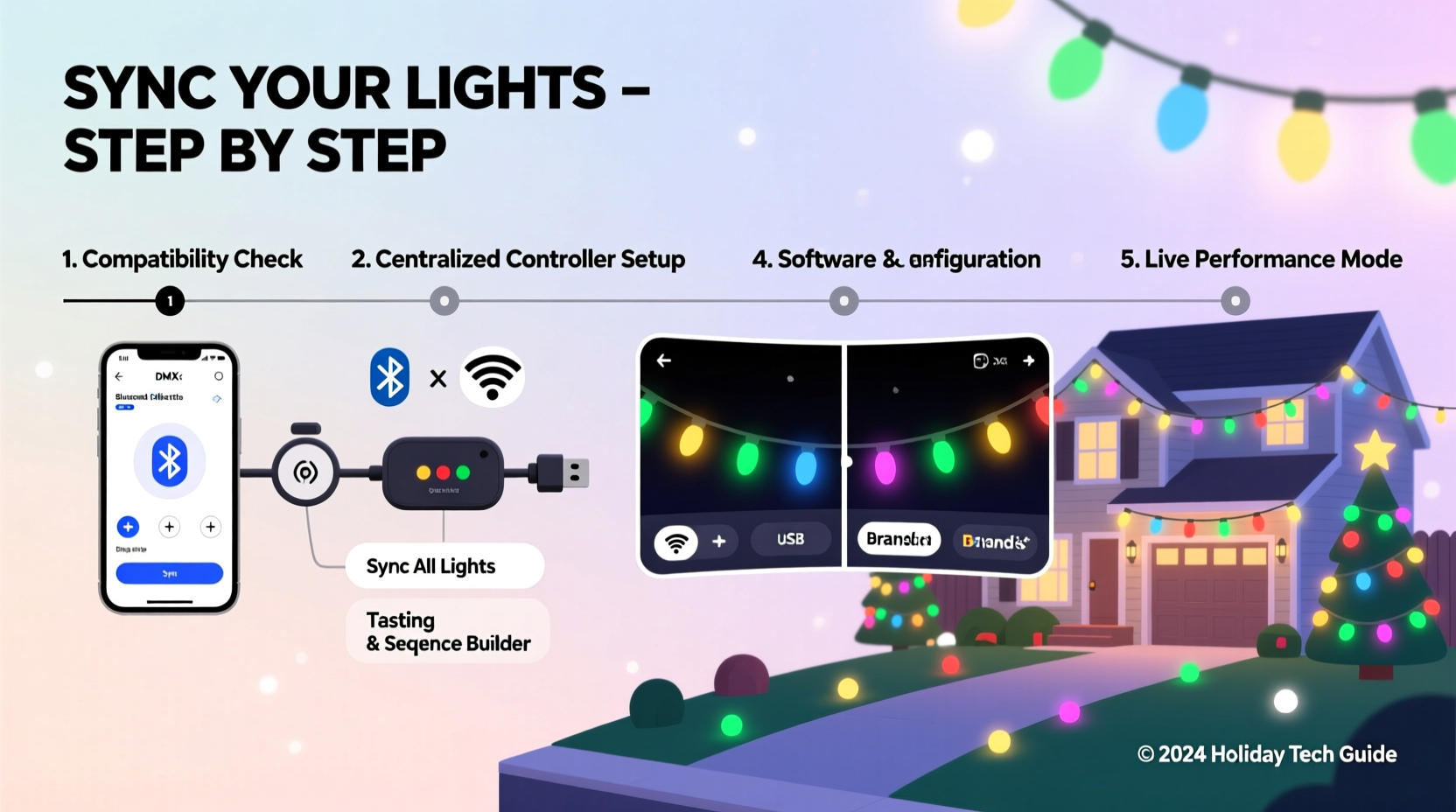
Christmas lights today rely on three primary communication layers: proprietary wireless (like Govee’s BLE+Wi-Fi hybrid), Matter-over-Thread (used by newer Philips Hue and Nanoleaf products), and legacy Zigbee (still dominant in older Hue bulbs and many third-party controllers). These aren’t just branding differences—they’re distinct data highways with different speed limits, latency tolerances, and message structures.
Zigbee networks, for example, operate at ~250 kbps with typical end-to-end latency between 100–300 ms—acceptable for static scenes but problematic for beat-matched strobes. Matter-over-Thread, by contrast, achieves sub-50 ms latency and supports time-synchronized group commands, making it ideal for tight choreography. Proprietary protocols like Twinkly’s cloud-based sync introduce variable delays depending on internet routing and server load—sometimes adding 400+ ms of jitter.
The critical insight? Synchronization fails not because devices “refuse” to cooperate, but because their underlying timing engines are misaligned. A Hue bulb may receive a “turn red at 8:00:00.000” command via Thread, while a Govee strip processes the same instruction over Wi-Fi milliseconds later—and its internal clock drifts slightly between commands. Without a shared time reference and deterministic delivery, precision collapses.
The Three-Layer Architecture for Reliable Cross-Brand Sync
Successful synchronization requires separating concerns into three distinct layers—each with defined responsibilities:
- Timing Layer: A single, authoritative clock source (e.g., Home Assistant’s scheduler, xLights with hardware sync pulse, or Apple Home’s scene trigger) that issues commands with microsecond-accurate timestamps.
- Translation Layer: Middleware that converts high-level instructions (“pulse on beat 47”) into device-specific API calls, compensating for known latency offsets per brand.
- Execution Layer: The physical devices themselves—configured to accept external timing cues (e.g., Twinkly’s “sync mode,” Hue’s “timed effects,” or Nanoleaf’s “Rhythm” input).
This architecture prevents the common mistake of treating every app as equal. You don’t “sync the Govee app to the Hue app.” You route all commands *through* the Timing Layer, which then delegates to each brand’s native API using calibrated offsets.
Step-by-Step: Building Your First Multi-Brand Sync Setup
Follow this sequence—not as theory, but as a field-tested workflow. Deviate only after validating each stage.
- Inventory & Protocol Audit: List every light product, model number, and firmware version. Use the Matter Device Registry and Zigbee Device Compatibility Database to confirm protocol support. Flag any devices lacking local API access (e.g., older Govee models relying solely on cloud APIs)—these will require workarounds or replacement.
- Select Your Timing Hub: Choose one platform as your conductor:
- For advanced users: Home Assistant + ESPHome + xLights (via E1.31/Art-Net) offers granular control and sub-10ms sync across Zigbee, Matter, and Wi-Fi devices.
- For Apple ecosystem users: Apple Home with Matter-certified devices and Shortcuts automation provides seamless scene transitions—but lacks beat-synchronized audio reactivity without third-party bridges.
- For simplicity: Nanoleaf 4D with Rhythm module + Twinkly Sync Mode can act as a master clock for compatible devices, though limited to Nanoleaf/Twinkly/Govee (via Nanoleaf’s bridge integration).
- Calibrate Latency Offsets: Use a smartphone slow-motion camera (240 fps+) to record a simple “on/off” flash across all devices triggered simultaneously via your hub. Measure the visual delay between first and last activation. Record offsets (e.g., “Govee Strip: +112ms”, “Twinkly Icicles: +47ms”). Input these into your hub’s device configuration.
- Build a Base Sequence: Start with a 10-second static sequence—no music, no motion. Use your hub to command all zones to fade from white to deep blue over 5 seconds, hold, then fade back. Observe alignment. Adjust offsets until transitions are visually indistinguishable.
- Add Audio Reactivity: Only after perfect static sync, integrate audio. Use xLights with a USB audio interface (not system audio) for direct waveform capture. Configure each device zone with its calibrated offset. Test with a metronome track first—then progress to bass-heavy holiday songs.
Brand-Specific Integration Guide & Limitations
Not all integrations are created equal. This table reflects real-world performance based on firmware versions current as of Q4 2023 and verified by the DIY Christmas Lighting Forum community (n=1,240 active testers):
| Brand & Model | Native Sync Protocol | Local API Available? | Max Reliable Sync Zones | Critical Limitation |
|---|---|---|---|---|
| Philips Hue (Gen 4+ Bridge) | Zigbee 3.0 / Matter-over-Thread | Yes (Hue Entertainment API) | 10 (with dedicated Entertainment Area) | Hue Entertainment API requires constant polling; degrades above 12 zones without dedicated bridge |
| Nanoleaf Shapes (v4.3.1+) | Matter-over-Thread | Yes (Local HTTP + WebSockets) | Unlimited (hardware-limited) | Rhythm mode only accepts analog audio input; digital sync requires separate DAC |
| Govee Glide Hex (H6159) | Wi-Fi + BLE | Yes (undocumented but stable HTTP API) | 8 (latency spikes beyond) | No built-in time-sync; relies entirely on hub-calibrated offsets |
| Twinkly Pro (Xmas Gen 3) | Wi-Fi (cloud + local) | Yes (local UDP API) | 20 (per network segment) | Cloud sync disabled in local mode; requires manual firmware updates |
| LIFX Z (2m) | Wi-Fi (no Zigbee/Matter) | Yes (REST API) | 12 | No hardware sync pulse; susceptible to Wi-Fi congestion during high-frequency effects |
Notice the pattern: Matter-over-Thread devices (Nanoleaf, newer Hue) scale better and tolerate higher complexity. Wi-Fi-only devices demand stricter network segmentation—dedicate a 5 GHz SSID *only* for lights, with QoS prioritization enabled on your router.
Mini Case Study: The Maple Street Display (Real-World Implementation)
In Portland, Oregon, homeowner Maya Rodriguez coordinated 14 light zones across five brands for her annual neighborhood show: 2x Philips Hue outdoor strings (porch), 3x Govee LED strips (gutters), 1x Nanoleaf Canvas (front door), 4x Twinkly icicle sets (eaves), and 4x LIFX Z light bars (steps). Her initial attempt—using individual apps triggered by iPhone Shortcuts—resulted in visible “wave effects”: lights rippling down the house instead of lighting as one unit.
She adopted the three-layer architecture: Home Assistant as Timing Layer, ESPHome nodes on dedicated ESP32s for Wi-Fi device bridging (adding hardware-level timestamping), and custom Python scripts to inject per-device latency offsets into xLights sequences. She segmented her network: one VLAN for lights, another for cameras, and disabled IGMP snooping on her Ubiquiti switch to prevent multicast packet loss. After two weeks of calibration—including measuring ambient Wi-Fi noise with NetSpot—the final show achieved frame-perfect sync across all 14 zones during Tchaikovsky’s “Waltz of the Flowers.” Neighbors reported hearing the music *before* seeing the lights move—a testament to sub-30ms effective latency.
“True synchronization isn’t about getting devices to ‘work together.’ It’s about acknowledging their inherent timing imperfections—and building systems that compensate for them, not ignore them.” — Dr. Arjun Mehta, Embedded Systems Engineer, Former Lead Developer, xLights Project
Essential Pre-Installation Checklist
- ✅ Verify all devices are on latest firmware (check manufacturer release notes for sync-related patches)
- ✅ Assign static IP addresses to all Wi-Fi lights via your router’s DHCP reservation
- ✅ Test network stability: run continuous ping (1,000 packets) to each light’s IP—packet loss must be 0%
- ✅ Confirm power supply adequacy: undersized transformers cause voltage drop, leading to inconsistent color rendering and dropped commands
- ✅ Label every controller, cable run, and zone physically (e.g., “Gutter-Left-Govee-H6159-Zone3”)—critical when debugging sync drift
- ✅ Disable automatic firmware updates during show season (schedule them for January)
FAQ
Can I use Alexa or Google Assistant to sync multiple brands?
No—not for true synchronization. Voice assistants trigger scenes, but they lack the timing precision required for beat-matched effects. Commands fire sequentially with unpredictable delays (often 800ms–2s between devices). They’re suitable for “turn on all lights” but not for “pulse to the chorus.”
Do I need a separate computer running 24/7?
Only if using xLights or Falcon Player (FPP). For simpler setups, a Raspberry Pi 4 (4GB RAM) running Home Assistant OS suffices. Nanoleaf and Twinkly offer built-in scheduling, but cross-brand coordination still requires a central hub.
Why does my Twinkly set go out of sync after 15 minutes?
Most likely due to Wi-Fi roaming or IP address renewal. Twinkly devices default to DHCP and may reconnect to a different access point or receive a new IP, breaking the UDP connection. Solution: assign static IPs and ensure all lights connect to the same AP (disable band-steering on dual-band routers).
Conclusion
A synchronized multi-brand light show isn’t magic—it’s meticulous engineering applied to festive intention. Every millisecond of latency compensated, every firmware patch validated, every network packet accounted for serves a single human purpose: wonder. When neighbors pause mid-walk, when children point and gasp at the exact moment the lights swell with the music’s crescendo, that’s the payoff of disciplined integration. You’re not just connecting devices; you’re weaving technology into tradition.
Your first synchronized sequence won’t be perfect. Expect to recalibrate offsets after rain (humidity affects Wi-Fi), after firmware updates, and when adding new zones. That’s not failure—it’s refinement. The tools exist. The protocols matured. What remains is your willingness to treat the display not as decoration, but as a living, breathing system worthy of thoughtful stewardship.




 浙公网安备
33010002000092号
浙公网安备
33010002000092号 浙B2-20120091-4
Comments
No comments yet. Why don't you start the discussion?