
Christmas lights have evolved far beyond strings of bulbs on eaves and mantels. Today, they can dance across snow-covered lawns in synchronized 3D patterns, pulse in time with carols heard through your phone’s microphone, or transform your living room into a floating constellation—all without a single physical wire. Augmented reality (AR) Christmas light experiences merge festive tradition with spatial computing, turning everyday spaces into interactive, personalized holiday canvases. This isn’t just for tech studios or holiday influencers: with accessible tools, thoughtful planning, and a modest time investment, homeowners, educators, small businesses, and community organizers can build meaningful AR light displays that delight neighbors, engage children, and even support local causes.
Why AR Lights Matter Beyond the Novelty
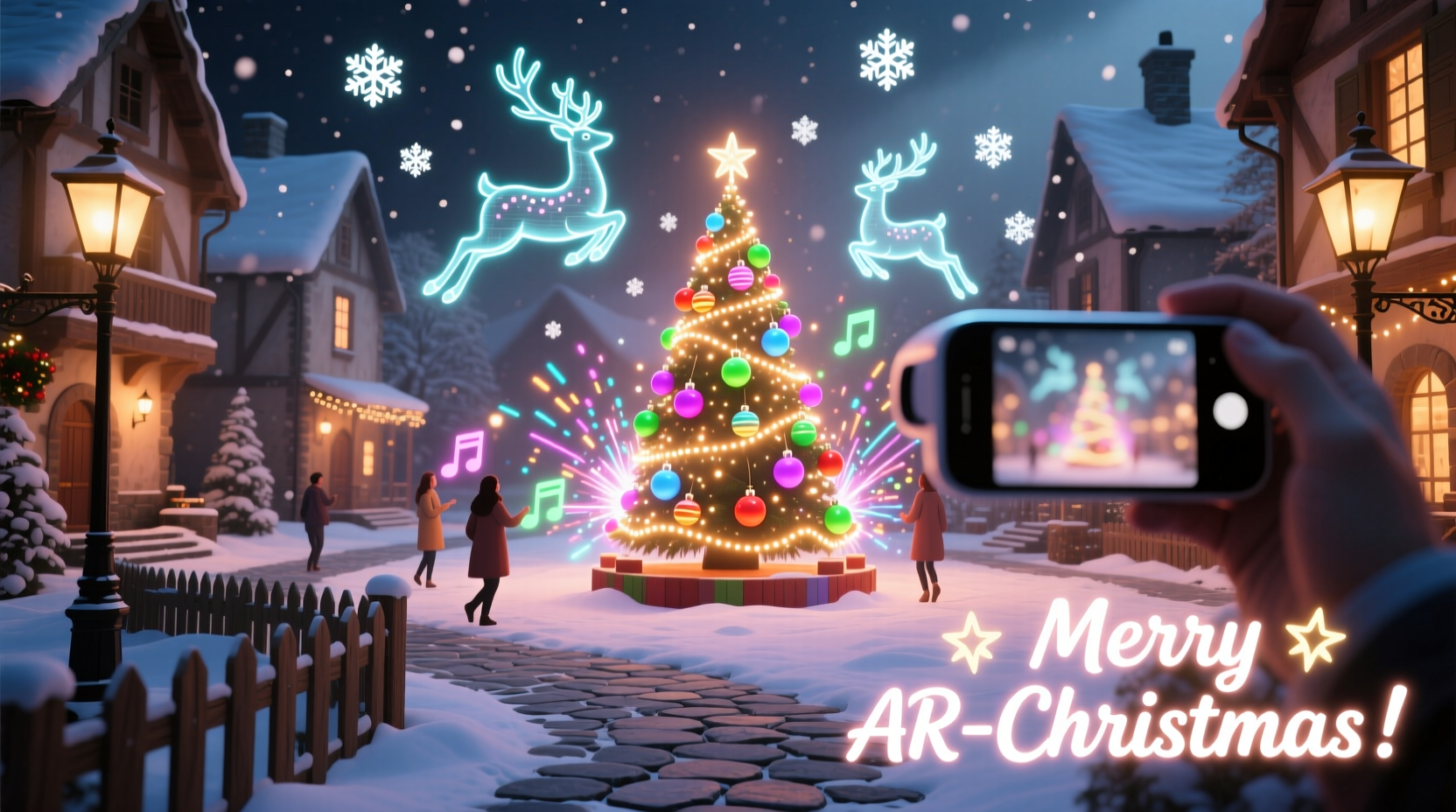
Traditional lighting installations face real constraints—electrical load limits, ladder safety, weather vulnerability, HOA restrictions, and seasonal labor. AR sidesteps these entirely while adding layers of interactivity and personalization impossible with physical LEDs. More importantly, AR lights democratize participation: a child can “place” a glowing reindeer beside the fireplace using only a tablet; a senior couple can enjoy a full neighborhood light tour from their armchair; a school can turn its courtyard into an immersive nativity scene with narrated hotspots. Unlike passive viewing, AR invites agency—users choose where to look, how long to linger, and sometimes even influence what appears next. As AR hardware becomes more embedded in daily life (via smartphones, AR glasses like Apple Vision Pro, and web-based platforms), these experiences are shifting from novelty to narrative infrastructure—telling stories, preserving memories, and fostering connection in increasingly fragmented times.
Core Tools & Platforms: What You Actually Need
You don’t need a $50,000 development budget or a team of Unity engineers. The ecosystem has matured dramatically since 2020, with low-code and no-code options delivering professional results. Below is a comparison of four viable approaches, ranked by technical accessibility and output quality:
| Platform | Best For | Learning Curve | Deployment Options | Cost (Annual) |
|---|---|---|---|---|
| Spark AR (Meta) | Social-first experiences (Instagram/Facebook filters) | Low (drag-and-drop interface) | Mobile app filters only | Free |
| Unity + AR Foundation | Custom, high-fidelity apps (iOS/Android) | High (C# scripting, 3D asset integration) | App Store, Google Play, standalone APK/IPA | Free (Personal) / $3,000+ (Pro) |
| Adobe Aero | Designers, educators, quick prototyping | Medium (Familiarity with Adobe Creative Cloud helps) | iOS app viewer (free), limited Android support | $19.99/month (Creative Cloud plan) |
| WebAR (8th Wall, Zappar, Model Viewer) | Universal access—no app install needed | Low–Medium (HTML/CSS + basic JavaScript) | Shared link via SMS/email/social—opens in mobile browser | $99–$499/month (tiered plans) |
For most individuals and community groups, WebAR is the optimal starting point. It eliminates app store friction—guests simply tap a link and begin—and works reliably on iOS 15+ and Android Chrome. 8th Wall, in particular, offers robust spatial mapping and persistent anchors ideal for outdoor light mapping. Its “World Tracking” feature lets virtual lights stay fixed relative to real-world surfaces (e.g., your front porch steps), even as users walk around them. Adobe Aero remains excellent for rapid visual iteration if you already use Photoshop or Illustrator; its intuitive layering system mirrors familiar design workflows. Spark AR excels for social sharing but lacks true environmental anchoring—lights float in screen space rather than attaching to walls or trees.
A Real-World Example: The Oakwood Neighborhood Light Trail
In December 2023, the Oakwood Neighborhood Association in Portland, Oregon launched “The Lumina Trail”—a free, self-guided AR light experience spanning seven homes along a half-mile walking route. Using WebAR via 8th Wall, residents uploaded 3D light models (snowflakes, flickering candles, animated stars) and anchored each to specific coordinates on their property using geolocation + image recognition. Visitors scanned QR codes posted at each home to launch location-specific scenes: one house featured a rotating 3D menorah with Hebrew blessings appearing on-screen; another displayed a floating Advent calendar where tapping each door revealed a short audio blessing recorded by local children.
The project took six weeks from concept to launch. Three volunteers handled content creation (using Blender for simple models and Audacity for voiceovers); two others managed spatial calibration and testing. Total cost: $299 for a 3-month 8th Wall Starter plan and $47 for domain hosting. Over 1,200 unique visitors engaged during the season—37% were under age 12, and 62% reported returning multiple times. Critically, the association collected zero personal data and required no sign-ups. As project lead Maya Chen noted: “People weren’t just watching lights—they were discovering neighbors’ stories. One family shared how their AR ‘memory lantern’ held photos of grandparents who’d passed, lit every night. That depth wasn’t possible with plug-in strings.”
Step-by-Step: Building Your First AR Light Experience (WebAR Focus)
This timeline assumes no prior coding experience and uses 8th Wall + basic HTML. Allow 8–12 hours total for a single-scene experience.
- Define the experience goal: Is it decorative (e.g., lights wrapping your real tree)? Interactive (tap to change colors)? Narrative (lights reveal story fragments)? Choose one core intention.
- Choose and prepare anchor points: Identify stable, textured surfaces in your space—a brick wall, wooden fence, or even a printed marker. Avoid reflective or plain white surfaces. Take clear, well-lit photos from multiple angles.
- Create or source 3D assets: Use free libraries like Poly Haven or Sketchfab for pre-built light models (search “glowing sphere,” “string lights,” “candle flame”). Optimize for mobile: keep polygon count under 5,000 per object and texture sizes under 1024x1024px.
- Build the scene in 8th Wall Studio: Upload anchors and models. Drag assets into position. Adjust scale, rotation, and emission strength. Add simple behaviors (e.g., “pulse intensity” or “rotate on loop”). Preview live on your device via the Studio QR code.
- Add interactivity (optional but recommended): Attach a click event to a light to trigger audio (“Merry Christmas!”), display text, or transition to a new scene. Use 8th Wall’s visual scripting or insert minimal JavaScript.
- Test rigorously: Test at different times of day (lighting affects tracking), on multiple devices (iPhone 12+, Pixel 5+), and with varied user heights and distances. Note where tracking drifts—adjust anchor placement or add secondary reference points.
- Deploy and share: Publish to 8th Wall’s CDN. Copy the generated URL. Print QR codes sized for visibility (minimum 4\"x4\") and place near anchor points—or email the link to guests with instructions: “Open this link in Chrome or Safari on your iPhone/Android.”
“AR lighting isn’t about replacing physical warmth—it’s about extending emotional resonance. When a child points to a virtual star above their grandfather’s real garden bench and says, ‘That’s where Papa’s light lives now,’ technology becomes ritual.” — Dr. Lena Torres, Human-Computer Interaction Researcher, MIT Media Lab
Design Principles for Emotional Impact (Not Just Technical Accuracy)
Technical precision matters—but emotional resonance determines whether people return. Consider these evidence-backed principles:
- Respect ambient light: Don’t overpower real-world ambiance. Use soft glows (not harsh beams), subtle particle effects (gentle snowfall, not blizzards), and warm color temperatures (2700K–3500K) that harmonize with incandescent bulbs.
- Leverage sound spatially: Use Web Audio API or 8th Wall’s audio engine to position sound sources. A carol playing from your front door should fade as users walk toward the garage—this reinforces presence.
- Embrace imperfection: Real lights flicker. Candles breathe. Introduce subtle, randomized variations in brightness, timing, and movement. Uniformity feels artificial; gentle inconsistency feels alive.
- Design for all abilities: Provide audio descriptions for visual elements, ensure text contrast meets WCAG 2.1 AA standards (4.5:1), and avoid rapid flashing (under 3 Hz) to prevent seizure triggers.
- Anchor meaning, not just geometry: Place a virtual candle where a loved one’s photo hangs. Float ornaments near the spot where your first child opened presents. These associations transform pixels into memory vessels.
FAQ
Do I need expensive hardware to view AR lights?
No. Any modern smartphone (iPhone 8 or newer, Samsung Galaxy S9 or newer, Google Pixel 3 or newer) with Chrome or Safari supports WebAR. No glasses, headsets, or downloads are required—just a stable internet connection and a QR code or shared link.
Can AR lights work outdoors in daylight or rain?
Yes—with caveats. Bright sunlight can interfere with camera-based tracking. For best results, deploy between dusk and midnight, or use high-contrast anchor markers (e.g., a printed black-and-white pattern on rigid plastic). Rain doesn’t affect the experience itself, but protect physical QR codes with waterproof sleeves or laminated prints.
How do I keep my AR experience private or secure?
WebAR experiences are hosted on standard web servers. To limit access: use password-protected subdirectories, generate time-limited URLs (via services like Bitly Pro), or restrict by IP range if deploying for a closed group (e.g., condo association members). Avoid embedding sensitive personal data directly in the scene files.
Conclusion: Light the Way Forward
An augmented reality Christmas light experience is more than a tech demo—it’s a bridge between generations, a canvas for storytelling, and a quiet act of generosity in a noisy world. You don’t need permission to begin. Start with one window, one tree, one memory. Let the first virtual candle glow where your hands once hung real ones. Refine it over days, not months. Share it not as a product, but as an invitation: “Come see what we made together.” In doing so, you reclaim holiday magic not as consumption, but as co-creation—where the most powerful light isn’t in the code or the cloud, but in the shared gaze of someone discovering wonder, right where they stand.




 浙公网安备
33010002000092号
浙公网安备
33010002000092号 浙B2-20120091-4
Comments
No comments yet. Why don't you start the discussion?