
For local businesses, appearing in local search results isn’t just helpful—it’s essential. When someone searches for “plumber near me” or “best coffee shop downtown,” the top results are often powered by Google Business Profile (GBP), formerly known as Google My Business. A well-optimized profile increases your chances of showing up in local pack results, Google Maps, and even organic listings. But simply claiming your listing isn’t enough. To truly stand out, you need a strategic approach to setup, optimization, and ongoing management.
Step-by-Step Guide to Creating Your Google Business Profile
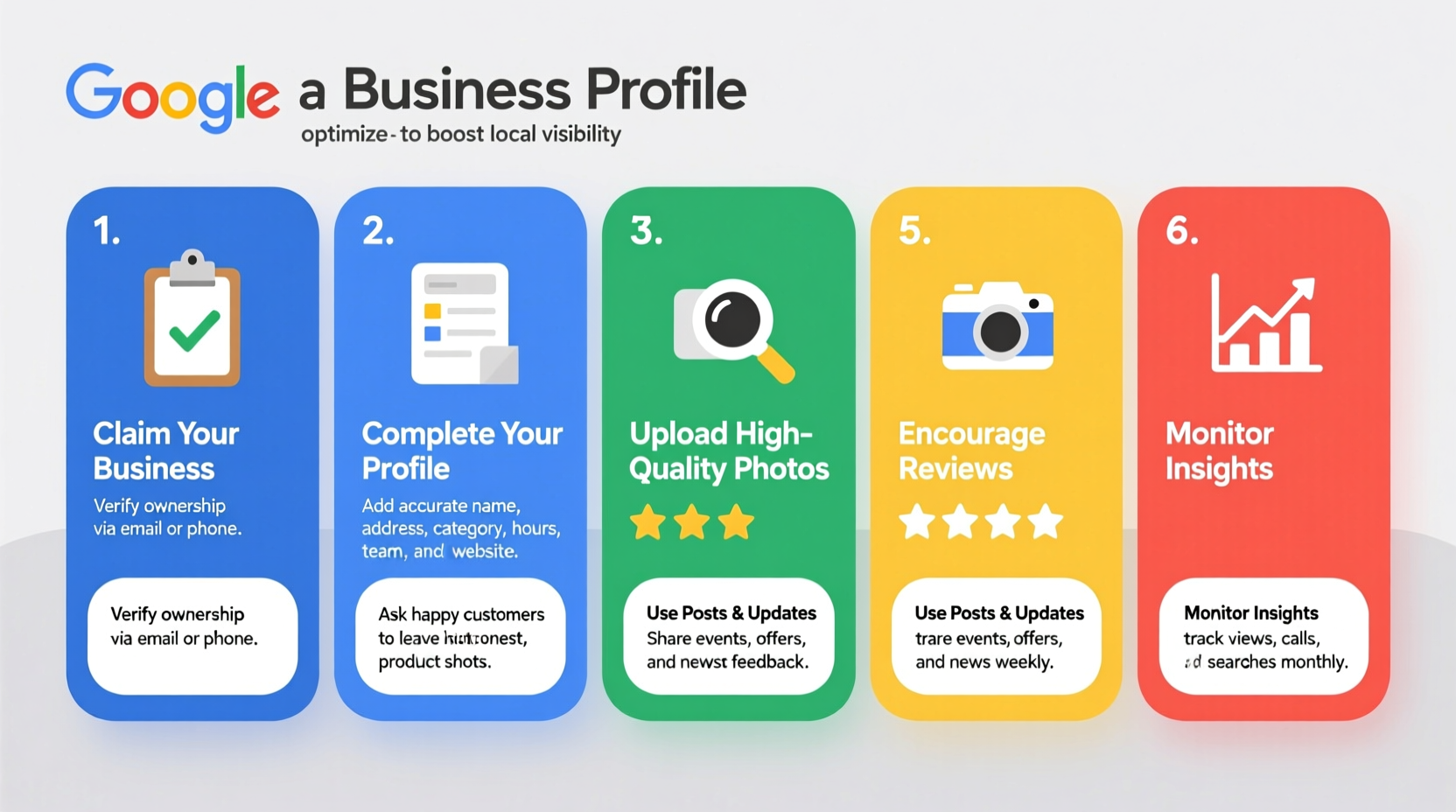
Creating a Google Business Profile is free and straightforward, but accuracy at this stage sets the foundation for long-term visibility.
- Sign in to Google: Use a Gmail account associated with your business. If you don’t have one, create it now—preferably using a professional email format like info@yourbusiness.com.
- Go to Google Business Profile: Visit business.google.com and click “Manage Now.”
- Add Your Business Name: Enter your exact legal business name. Avoid adding keywords like “best plumber” unless they’re part of your registered name.
- Select Your Business Category: Choose the most accurate primary category. This influences how Google understands and ranks your business. You can add secondary categories later.
- Enter Location Details: If you serve customers at your location, enter your full address. For service-area businesses (e.g., electricians), mark the “I deliver goods and services to my customers” option and define your service area by ZIP codes or regions.
- Add Contact Information: Include a direct phone number and website URL. Use a trackable number if possible to measure call volume from GBP.
- Verify Your Business: Google will send a postcard, automated call, or email (depending on eligibility) with a verification code. This step confirms you own the business. Verification typically takes 7–14 days for postcards.
Optimize Your Profile for Maximum Visibility
Once verified, shift focus to optimization. A complete, compelling profile improves rankings and builds trust with potential customers.
Complete Every Section Thoroughly
Google rewards completeness. Fill out every available field, including hours of operation, payment methods, accessibility features, and attributes like “women-owned” or “wheelchair accessible.”
Craft a Strong Business Description
Your description should be concise (up to 750 characters), keyword-rich, and customer-focused. Highlight what makes your business unique while naturally incorporating relevant terms like “family-owned restaurant in Austin” or “24/7 emergency HVAC service.”
Add High-Quality Photos
Visuals significantly impact user engagement. Upload photos of your storefront, interior, team, products, and services. Google recommends:
- Exterior photos showing signage
- Interior shots that reflect ambiance
- Team photos to humanize your brand
- Product or service images with clear resolution
“Businesses with photos receive 42% more requests for driving directions and 35% more web visits than those without.” — Google Economic Impact Report
Advanced Optimization Tactics
Beyond the basics, advanced strategies help you stay ahead of local competitors.
Leverage Posts for Engagement
Use the Posts feature to share updates, offers, events, or new products. These appear directly in search results and expire after seven days, so aim to publish weekly. Example posts include:
- “Summer Sale: 20% off all services this month”
- “Now hiring! Join our growing team”
- “We’re open late Friday for back-to-school shopping”
Collect and Respond to Reviews
Reviews are a major ranking factor and influence customer decisions. Encourage satisfied clients to leave feedback via direct links or follow-up emails. Always respond professionally—thank positive reviewers and address concerns in negative ones.
Use Q&A Effectively
Monitor the Questions & Answers section. Proactively answer common queries like “Do you accept walk-ins?” or “Is parking available?” This reduces friction and shows active profile management.
Local SEO Checklist: Optimize Your GBP in 10 Steps
- Claim and verify your Google Business Profile
- Ensure NAP consistency across directories
- Select the most accurate primary business category
- Write a keyword-rich, engaging business description
- Add high-resolution photos (logo, exterior, interior, team)
- Set accurate business hours, including special holiday hours
- Publish regular posts (offers, news, events)
- Encourage genuine customer reviews and respond promptly
- Answer questions in the Q&A section
- Track insights monthly (calls, messages, direction requests)
Common Mistakes and How to Avoid Them
Even small errors can hurt your visibility. Here’s a comparison of best practices versus common pitfalls.
| Do’s | Don’ts |
|---|---|
| Use your real business name and physical address | Don’t fake an address to appear in a different area |
| Choose one precise primary category | Don’t use vague or overly broad categories like “service provider” |
| Post weekly updates and promotions | Don’t ignore the Posts feature entirely |
| Respond to all reviews within 48 hours | Don’t delete or argue with negative reviews |
| Update hours during holidays or emergencies | Don’t leave outdated hours that mislead customers |
Real Example: How a Local Bakery Doubled Foot Traffic
Sunrise Bakeshop, a small bakery in Portland, struggled to attract new customers despite excellent products. After auditing their online presence, they discovered their Google Business Profile was unverified and missing photos.
They took action: claimed the profile, added professional images of pastries and the shop interior, posted weekly specials, and trained staff to politely ask happy customers for reviews. Within three months, their profile views increased by 180%, and foot traffic rose by 92%. The owner attributed much of the growth to appearing in “near me” searches and receiving more direction requests through Google Maps.
Frequently Asked Questions
Can I have multiple locations on Google Business Profile?
Yes. If you operate multiple physical locations, each should have its own verified profile. Use the bulk verification process if managing ten or more locations.
Why isn’t my business showing up in local search?
Common reasons include incomplete information, pending verification, inconsistent citations, or choosing an inaccurate category. Also, ensure your business model aligns with local intent—purely online businesses may not qualify for local pack results.
How often should I update my Google Business Profile?
Review your profile monthly. Update hours for holidays, upload new photos quarterly, and post weekly. Regular activity signals to Google that your business is active and reliable.
Conclusion: Take Action Today to Grow Tomorrow
A powerful Google Business Profile is one of the highest-ROI activities for any local business. It costs nothing to set up, yet delivers measurable results in visibility, credibility, and customer engagement. Whether you're a startup or an established shop, optimizing your GBP isn’t a one-time task—it's an ongoing strategy that pays dividends over time.




 浙公网安备
33010002000092号
浙公网安备
33010002000092号 浙B2-20120091-4
Comments
No comments yet. Why don't you start the discussion?