
Collecting honest, useful feedback is essential whether you're launching a product, improving customer service, or researching public opinion. Surveys are one of the most direct ways to understand what people think—but poorly designed ones yield misleading or unusable data. The good news? You don’t need a budget or technical skills to create powerful surveys. With the right approach and free tools, anyone can design an effective survey in under an hour.
Step 1: Define Your Objective Clearly
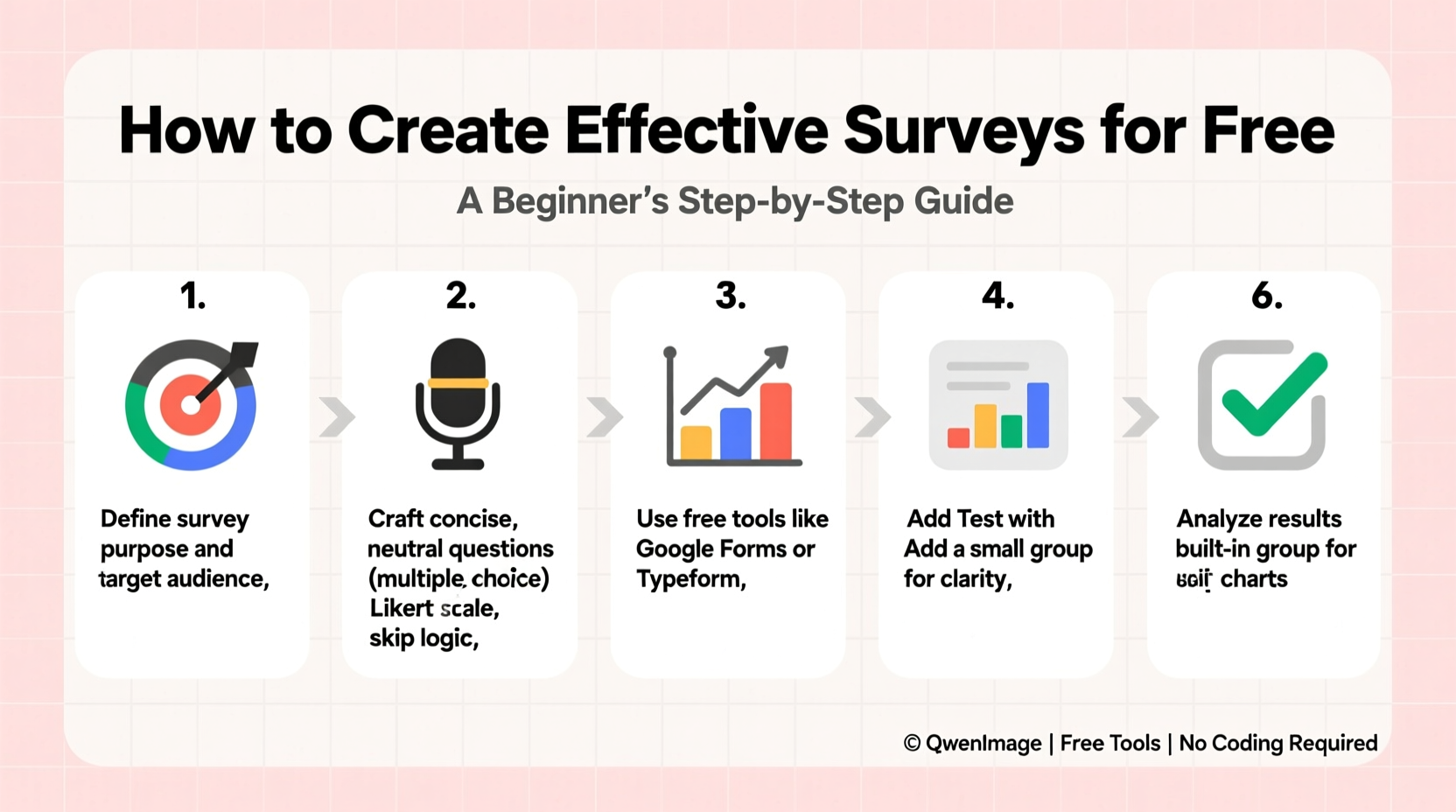
Every great survey starts with a clear goal. Ask yourself: What do I want to learn? Are you measuring customer satisfaction, testing interest in a new feature, or gathering demographic insights? Without a defined purpose, your questions will lack focus and your results will be hard to interpret.
For example, instead of asking “What do people think about my website?” refine it to “How easy is it for first-time visitors to find pricing information on my website?” Specificity improves response quality.
Step 2: Choose the Right Free Survey Tool
Several reliable platforms allow you to create professional surveys at no cost. Here’s a comparison of top free options:
| Tool | Free Plan Features | Limits | Best For |
|---|---|---|---|
| Google Forms | Unlimited surveys, real-time responses, Google Sheets integration | Up to 2,000 total responses per form | Beginners, educators, internal team feedback |
| Microsoft Forms | Basic logic branching, charts, Office 365 sync | 1,000 responses per form (free account) | Teams users, classroom polls |
| SurveyMonkey (Free) | 10-question limit, basic templates, 100 responses | Very limited analytics | Quick market research |
| Typeform (Free) | Beautiful design, conversational flow, mobile-friendly | 10 questions, 100 responses/month | User experience-focused surveys |
For most beginners, Google Forms is the best starting point due to its simplicity, integration with other tools, and zero restrictions on question count.
Step 3: Craft Clear, Unbiased Questions
The way you phrase questions directly impacts the accuracy of your data. Leading or confusing questions introduce bias and reduce reliability.
- Avoid double-barreled questions like “Do you like our product and customer support?” These force respondents to answer two things at once.
- Don’t use jargon. Replace “utilize” with “use,” and “optimize” with “improve.”
- Keep questions short. Aim for under 20 words when possible.
“Clarity trumps cleverness in survey design. If a question needs explanation, it’s too complex.” — Dr. Lena Patel, Behavioral Researcher at University of Washington
Use a mix of question types to collect both quantitative and qualitative data:
- Multiple choice – Great for closed-ended data (e.g., “Which feature do you use most?”).
- Rating scales (Likert scale) – Ideal for measuring satisfaction (e.g., “Rate your experience from 1–5”).
- Open-ended – Use sparingly to gather detailed feedback (e.g., “What could we improve?”).
Step 4: Structure Your Survey for Maximum Completion
Even the best questions fail if people abandon the survey halfway through. Flow matters. Follow this structure:
- Start with easy, non-sensitive questions (e.g., “How often do you visit our site?”).
- Place key questions in the middle, after engagement builds.
- End with demographic questions (age, location) or open-ended prompts.
Keep the entire survey under 5–7 minutes. That typically means 5–10 questions max. Long surveys increase dropout rates significantly.
If using Google Forms, enable the “Progress bar” option under Settings > General to show respondents how far they’ve come—a small detail that boosts completion by up to 20%.
Mini Case Study: Local Café Boosts Loyalty Program Sign-Ups
A small café owner in Portland wanted to know why customers weren’t joining her loyalty program. She created a 6-question Google Form asking:
- How often do you visit us?
- Were you aware of our loyalty program?
- What would make you more likely to join? (Multiple choice + “Other” option)
She shared the link via QR code on receipts and saw a 45% response rate. Results showed 70% didn’t know the program existed. Within two weeks of adding visible signage and training staff to mention it, sign-ups increased by 60%. A simple, focused survey led to a measurable business improvement.
Step 5: Distribute Strategically and Analyze Thoughtfully
A well-designed survey only works if the right people see it. Avoid blasting it everywhere. Instead, target relevant audiences:
- Email customers after a purchase or interaction.
- Share on social media with a clear call-to-action.
- Embed in your website footer or post-purchase page.
When analyzing results, look beyond averages. Segment responses where possible. For example, compare answers from frequent vs. occasional customers. In Google Forms, click “Responses” > “Summary” to view automatic charts and export data to Sheets for deeper analysis.
Checklist: Building Your First Free Survey
- ✅ Define one clear objective
- ✅ Choose a free tool (Google Forms recommended)
- ✅ Write 5–10 concise, neutral questions
- ✅ Mix question types (multiple choice, rating, 1 open-ended)
- ✅ Order questions from easy to sensitive
- ✅ Test the survey with a friend or colleague
- ✅ Share via email, QR code, or social media
- ✅ Review responses within a week and act on insights
Frequently Asked Questions
Can I stay completely anonymous while collecting responses?
Yes. In Google Forms, go to Settings > General and uncheck “Collect email addresses.” Also disable tracking in your sharing settings. Responses will be anonymous unless you ask for identifying info.
How many responses do I need for reliable results?
For informal surveys, aim for at least 30–50 responses. If your audience is large (e.g., thousands), statistical significance becomes important—tools like SurveyMonkey’s sample size calculator (free online) can help estimate needed volume.
Are free tools secure enough for customer data?
Major platforms like Google Forms encrypt data and comply with privacy regulations. Avoid collecting highly sensitive information (like passwords or SSNs). Stick to opinions, behaviors, and general demographics.
Conclusion: Start Small, Think Big
Creating an effective survey doesn’t require money or expertise—just clarity, empathy, and a willingness to listen. By defining your goal, choosing the right tool, and asking thoughtful questions, you can uncover insights that drive real change. Whether you’re a solopreneur, student, or nonprofit volunteer, feedback is your most valuable resource. Don’t wait for perfection. Build your first survey today, send it to ten people, and learn something new.




 浙公网安备
33010002000092号
浙公网安备
33010002000092号 浙B2-20120091-4
Comments
No comments yet. Why don't you start the discussion?