
A cluttered inbox isn’t just messy—it’s a productivity killer. Every unread message, forgotten newsletter, and outdated thread competes for your attention, creating mental noise that slows decision-making and increases stress. The good news? You don’t need days or even hours of deep sorting to regain control. With a focused strategy, you can clear out years of digital buildup in under 60 minutes. This guide walks you through a step-by-step process that combines speed, efficiency, and sustainability to leave your inbox lean, organized, and functional.
Step 1: Prepare Your Environment
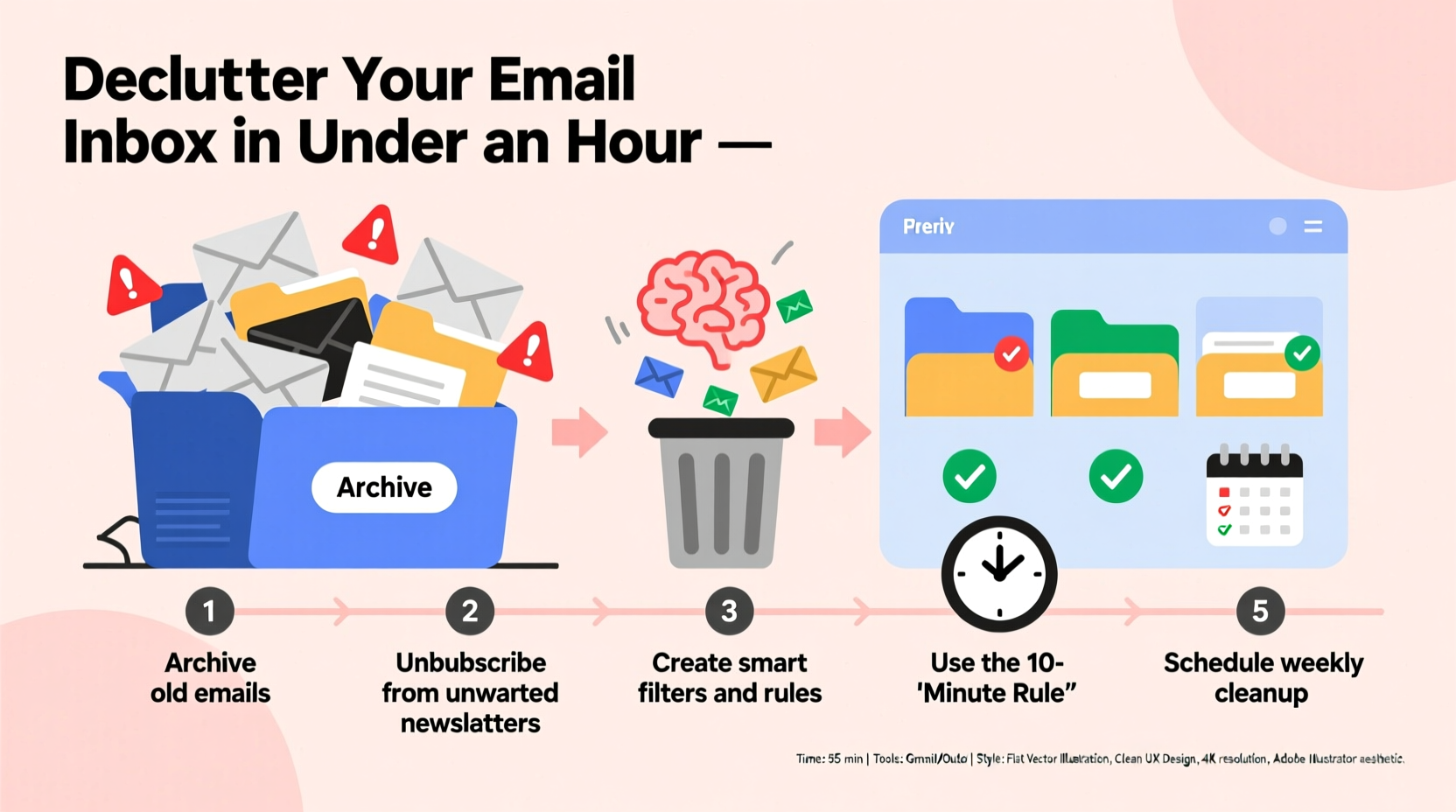
Before diving into your inbox, set the stage for success. Distractions are the enemy of rapid progress. Close all unnecessary browser tabs, silence non-essential notifications, and block off 50–60 minutes on your calendar. Use a desktop or laptop rather than a mobile device—larger screens make bulk actions faster and reduce tapping fatigue.
Open your email client (Gmail, Outlook, Apple Mail, etc.) and ensure you're logged into the correct account. If you use multiple accounts, focus on the one with the heaviest backlog first. Avoid multitasking—this is not the time to respond to new emails or check messages from colleagues. This session is about reclaiming control, not adding more.
Step 2: Apply the 4D Framework to Every Email
The key to fast inbox clearing is consistency in decision-making. Use the 4D method—Delete, Delegate, Defer, Do—to evaluate each message in seconds. This framework, popularized by productivity experts like David Allen, reduces hesitation and prevents overthinking.
- Delete: Unsubscribe from newsletters you no longer read, remove spam, and archive outdated promotions.
- Delegate: Forward action items meant for others. Add a quick note and move on.
- Defer: Flag or schedule emails requiring future attention. Don’t let them linger in your inbox.
- Do: If a task takes less than two minutes, complete it immediately—reply, click, confirm.
Stick to this rule: every email must receive one of the four actions. No “maybe later.” Indecision is what created the clutter in the first place.
“Clarity comes from action, not thought. Processing your inbox decisively breaks the cycle of overwhelm.” — Cal Newport, Author of *Deep Work*
Step 3: Execute the 5-Phase Declutter Timeline
Follow this structured 50-minute plan to eliminate clutter efficiently. Each phase builds on the last, ensuring momentum without burnout.
- Minute 0–10: Delete the Obvious (Bulk Sweep)
Use search filters to find low-value emails. In Gmail, try:from:news@*, promo@*, update@*is:unread older_than:1yhas:attachment filename:.pdf older_than:6m
- Minute 10–25: Unsubscribe Ruthlessly
Open each remaining promotional or newsletter email and look for the unsubscribe link (usually at the bottom). Click it. Aim to eliminate at least 20 subscriptions. Tools like Unroll.me can help, but manual removal ensures you only keep what truly adds value. - Minute 25–35: Archive Everything Else
Perform a mass archive of all remaining emails. Yes, everything. This resets your inbox to zero and gives you a clean slate. Archiving doesn’t delete—it simply removes messages from view while keeping them searchable. This step alone can eliminate 90% of visual clutter instantly. - Minute 35–45: Set Up Filters and Labels
Prevent future chaos by automating organization. Create rules that sort incoming mail:- Auto-archive newsletters to a “Read Later” folder.
- Flag emails from your boss or team as “Priority.”
- Send billing statements directly to a “Finance” label.
- Minute 45–55: Rebuild a Minimal Inbox System
Now that your inbox is empty, define your new rules:- Inbox = tasks to act on, not storage.
- Check email only 2–3 times per day.
- Process, don’t browse.
Step 4: Optimize with Smart Tools and Habits
Technology should serve you, not drown you. Leverage tools that automate maintenance and reinforce discipline.
| Tool | Purpose | Best For |
|---|---|---|
| Gmail Filters | Auto-sort incoming mail | Users with high-volume inboxes |
| Unroll.Me | Batch-unsubscribe from newsletters | Digital minimalists |
| Boomerang (for Gmail/Outlook) | Snooze emails and set reminders | Task managers |
| Spark or Superhuman | AI-powered prioritization | Executives and busy professionals |
Pair tools with behavioral habits. For example, adopt the “touch it once” rule: when you open an email, decide its fate immediately. Don’t read it now and “come back later.” That’s how inboxes refill.
Mini Case Study: Sarah, Marketing Manager
Sarah had over 18,000 unread emails. Her inbox was so overwhelming she avoided checking it for days, missing critical client updates. During a focused 55-minute session, she applied the 4D method, unsubscribed from 47 newsletters, archived 15,000+ messages, and set up filters for her team’s project updates. The next morning, her inbox had only 12 new messages—all actionable. Within a week, her response time improved by 60%, and she reported feeling “mentally lighter.”
“Clearing my inbox wasn’t about deleting emails—it was about reclaiming my focus.” — Sarah T., Marketing Manager
Step 5: Maintain Inbox Zero with a Weekly Routine
Decluttering once isn’t enough. Maintenance is what sustains clarity. Schedule a 15-minute weekly review every Friday afternoon to:
- Review unresolved messages in your inbox.
- Update filters if new types of clutter emerge.
- Archive completed conversations.
- Unsubscribe from any new unwanted senders.
This small investment prevents buildup and keeps your system resilient. Think of it like brushing your teeth—brief, routine, and essential for long-term health.
Do’s and Don’ts of Inbox Management
| Do | Don't |
|---|---|
| Use labels/folders to categorize by project or topic | Let your inbox double as a filing cabinet |
| Unsubscribe within 48 hours of realizing you won’t read a newsletter | Keep “I might read this someday” emails |
| Set specific times to check email (e.g., 10 AM, 2 PM, 5 PM) | Leave email open all day as a constant distraction |
| Use snooze features to defer non-urgent messages | Use your inbox as a to-do list |
Frequently Asked Questions
What if I’m afraid of deleting something important?
Archiving is safer than deletion. When you archive, emails remain searchable. Use Gmail’s search bar with keywords like “invoice,” “contract,” or sender names to retrieve anything later. Only permanently delete obvious spam or expired offers.
How often should I do a full inbox cleanup?
If you maintain weekly reviews, a full cleanup should only be needed every 6–12 months. However, if you notice your inbox growing past 100 messages, it’s time to reassess your filters and habits.
Can I apply this method to multiple email accounts?
Absolutely. Start with your primary account, then repeat the process for secondary ones. Consider consolidating personal and professional accounts if they’re causing confusion. Many people find it easier to manage one high-priority inbox than several half-monitored ones.
Final Checklist: Your 60-Minute Declutter Plan
- Block 60 minutes and eliminate distractions.
- Run bulk searches to delete spam, promos, and old messages.
- Unsubscribe from at least 20 unwanted newsletters.
- Archive all remaining messages to reset your inbox.
- Create 3–5 filters to auto-sort future emails.
- Define your new inbox rules (e.g., check 2x/day, touch once).
- Schedule a 15-minute weekly maintenance slot.
Take Control Starting Today
An overflowing inbox doesn’t reflect laziness—it reflects a lack of systems. Anyone can spend an hour clearing digital debris, but the real transformation happens when you commit to a simpler, more intentional way of managing communication. You don’t need more time; you need better processes. By following this method, you’re not just cleaning email—you’re designing a workflow that supports focus, reduces anxiety, and frees up mental space for meaningful work.
The clock starts now. Open your email, set a timer for 60 minutes, and begin. In less time than a TV episode, you can create a calmer, clearer digital life. And once you experience what it feels like to have an inbox that works for you—not against you—you’ll never go back.




 浙公网安备
33010002000092号
浙公网安备
33010002000092号 浙B2-20120091-4
Comments
No comments yet. Why don't you start the discussion?