
Wireless charging has evolved from a premium convenience to a standard feature across many smartphones. If you're tired of fumbling with cables or want a clutter-free charging experience, knowing whether your phone supports wireless charging is the first step. But how can you be certain? Unlike visible ports or buttons, wireless charging capability isn’t always obvious. This guide walks you through reliable methods to confirm support, including checking specifications, identifying physical indicators, using online tools, and performing real-world tests.
Understanding Wireless Charging Technology
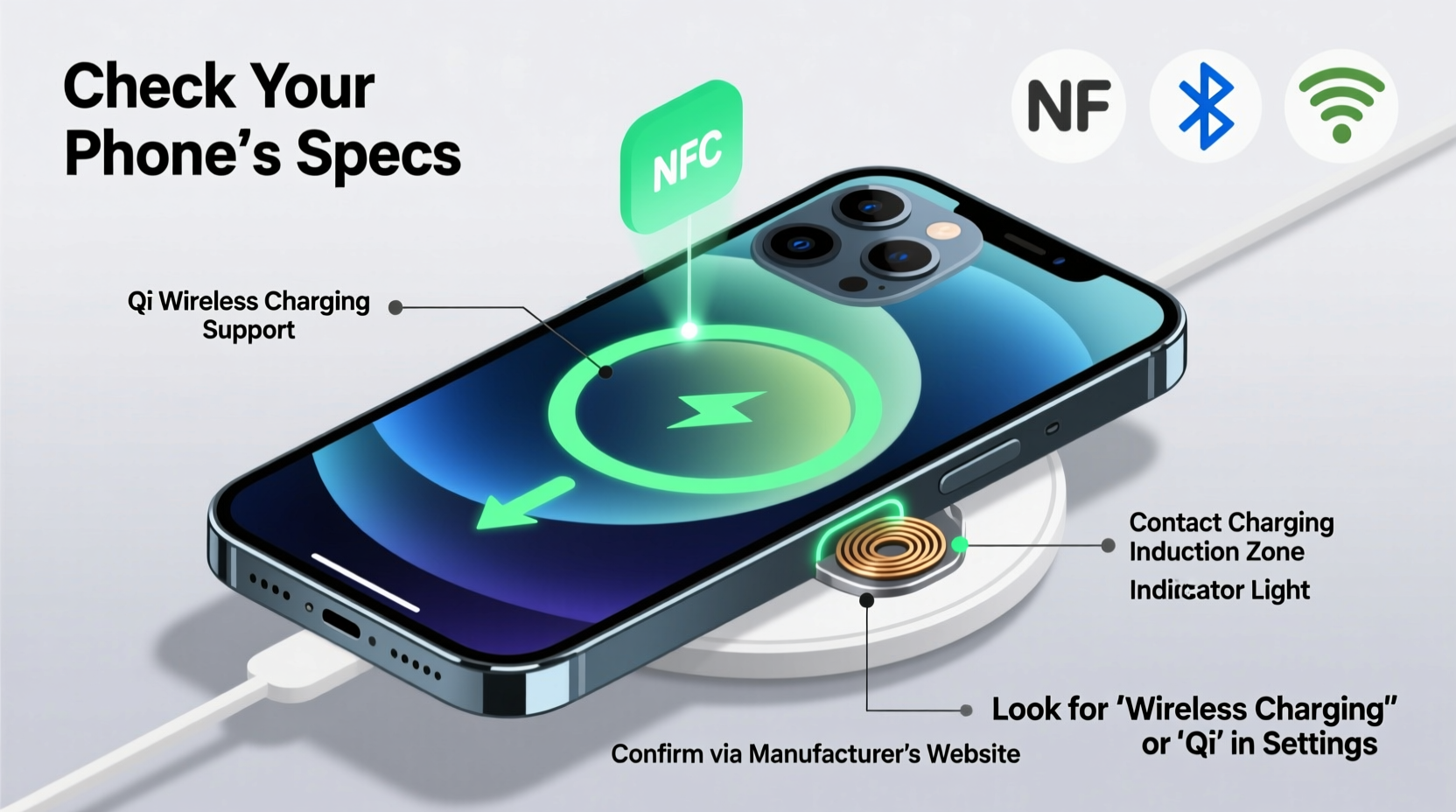
Before determining compatibility, it helps to understand what wireless charging actually means. Most modern smartphones use **Qi (pronounced “chee”) wireless charging**, a global standard developed by the Wireless Power Consortium. Qi enables power transfer between a charging pad and a device through electromagnetic induction. For this to work, both the charger and the device must have compatible coils built-in.
Not all phones include this hardware. While flagship models from Apple, Samsung, Google, and others typically support Qi, many mid-range and budget devices do not. Even among supported models, charging speeds can vary—from 5W to as high as 15W—depending on the manufacturer and model year.
“Wireless charging adoption has grown steadily since 2017, but still isn’t universal. Always verify before investing in accessories.” — David Lin, Mobile Hardware Analyst at TechInsight Group
Step-by-Step: How to Confirm Your Phone Supports Wireless Charging
Determining support doesn't require technical expertise. Follow these clear steps to get accurate results.
- Check Your Phone’s Official Specifications
Visit the manufacturer’s website and search for your exact model. Look under “Battery” or “Features” for terms like “Qi wireless charging,” “supports wireless charging,” or “compatible with Qi chargers.” - Review the Original Packaging or Manual
If you still have the box or user guide, scan for logos such as “Qi Certified” or illustrations of a coil symbol. These are strong indicators of support. - Inspect Your Device Physically
Phones that support wireless charging often have glass or ceramic backs instead of metal, which interferes with induction. A smooth, non-metallic back increases the likelihood of compatibility. - Use Online Databases
Sites like GSMArena, PhoneArena, or Kimovil allow you to enter your model number and view detailed specs, including wireless charging support. - Test with a Wireless Charger
Borrow or purchase an affordable Qi charger. Place your phone on it. If it starts charging without connecting a cable, your phone supports the feature.
Common Model Examples: Which Phones Support Wireless Charging?
Below is a comparison of popular smartphone lines and their general support for wireless charging.
| Brand & Series | Typical Support | Notes |
|---|---|---|
| iPhone 8 and later | Yes (Qi) | Includes MagSafe on iPhone 12 and newer |
| Samsung Galaxy S Series (S6 onward) | Yes | Supports up to 15W fast wireless charging |
| Samsung Galaxy A Series (e.g., A54) | Select models only | A54 supports it; A14 does not |
| Google Pixel 3 and later | Yes | Pixel 6a supports 7.5W; Pro models up to 23W |
| OnePlus (8 and later) | Most models | Some Nord models lack support |
| Xiaomi / Redmi | Flagships: Yes Budget: Varies |
Mi 13 supports 50W wireless; Redmi Note 12 does not |
| Apple iPad | No | None currently support wireless charging |
Real-World Example: Maria Checks Her Galaxy A32
Maria recently bought a used Samsung Galaxy A32 and wanted to use her friend’s wireless charger. She wasn’t sure if it was compatible. First, she checked the back—plastic, not glass. That raised doubts. Then, she searched “Galaxy A32 wireless charging” and found mixed results. Digging deeper, she looked up the model number A326U on GSMArena. The spec sheet clearly stated: “Charging: 25W wired, NO wireless.” She saved herself time and money by verifying before buying a charger.
This scenario highlights why relying on assumptions—like assuming all recent phones support wireless charging—can lead to frustration and unnecessary spending.
Quick Checklist: Does Your Phone Support Wireless Charging?
Use this checklist to quickly assess compatibility:
- ✅ Manufacturer’s website lists “Qi wireless charging” or similar
- ✅ Original box or manual includes a wireless charging icon
- ✅ Phone has a glass or non-metal back
- ✅ Model is from a known supporting series (e.g., iPhone 8+, Pixel 3+)
- ✅ Successfully charges when placed on a Qi pad
- ✅ Third-party database (GSMArena, etc.) confirms support
Frequently Asked Questions
Can I add wireless charging to a phone that doesn’t support it?
No—not practically. While third-party kits existed years ago (like peel-and-stick coils), they required opening the phone, compromised water resistance, and offered poor efficiency. Today, retrofitting isn’t viable. It’s better to upgrade or stick with wired charging.
Why doesn’t my phone charge on a wireless pad even though it should?
Several issues could be at play: a protective case too thick or containing metal, misalignment on the pad, a faulty charger, or debris blocking the charging surface. Try removing the case and repositioning the phone in the center of the pad.
Do all wireless chargers work with all phones?
Most Qi-certified chargers work with any Qi-compatible phone. However, fast wireless charging may require matching the charger and phone brand (e.g., Samsung’s 15W requires a compatible Samsung charger). Universal Qi works at 5–7.5W across brands.
Final Thoughts and Next Steps
Knowing whether your phone supports wireless charging empowers smarter decisions about accessories and daily routines. It’s not something you should guess. By checking official specs, using trusted databases, and conducting simple tests, you can confidently determine compatibility. If your phone lacks support, consider it in future upgrades—wireless charging offers undeniable convenience, especially in high-traffic areas like nightstands and offices.
If you’re on the fence about adopting wireless charging, start with an affordable universal Qi pad. Test it with your current device. You might discover your phone already supports it—or identify when it’s time to upgrade.




 浙公网安备
33010002000092号
浙公网安备
33010002000092号 浙B2-20120091-4
Comments
No comments yet. Why don't you start the discussion?