
Gaming controllers endure more physical contact than almost any other personal device. Hours of gameplay, sweaty hands, shared use, and frequent handling create an ideal environment for bacteria, viruses, and grime buildup. While regular cleaning is essential for hygiene and longevity, improper methods can lead to sticky buttons, unresponsive joysticks, or permanent damage. Knowing how to disinfect your gaming controller properly—especially after intense sessions—is critical for both health and performance. This guide provides a detailed, safe approach to deep cleaning and sanitizing your controller, regardless of brand or model.
Why Disinfection Matters for Gaming Controllers
Studies have shown that gaming controllers can harbor more bacteria than a toilet seat. A 2020 microbiological analysis by the University of Arizona found that frequently touched electronics like gamepads accumulate high levels of Staphylococcus, E. coli, and other pathogens, especially in multiplayer or public settings. Sweat, skin oils, food residue, and environmental dust contribute to microbial growth over time.
Beyond hygiene, accumulated grime affects functionality. Sticky analog sticks, delayed button responses, and joystick drift are often caused by debris trapped beneath surfaces. Regular disinfection not only reduces illness risk but also preserves the controller’s responsiveness and lifespan.
“Electronics with crevices and textured surfaces, like game controllers, are hotspots for microbial colonization. Proper cleaning can reduce surface contamination by up to 99%.” — Dr. Lena Patel, Microbiologist & Digital Device Hygiene Researcher
Step-by-Step Guide: Safe Controller Disinfection
Disinfecting a gaming controller requires precision and care. The goal is to eliminate germs without introducing moisture into internal circuits or degrading plastic and rubber components. Follow this methodical process:
- Power down and disconnect: Turn off the controller and unplug it from any device. For wireless models, ensure it's powered off—not just idle. This prevents electrical shorts during cleaning.
- Remove external accessories: Take off any detachable parts such as back paddles, thumb grips, or protective skins. These can be cleaned separately.
- Dry dust removal: Use a soft-bristled brush or compressed air to remove loose debris from around buttons, joysticks, and triggers. Pay special attention to crevices where dust accumulates.
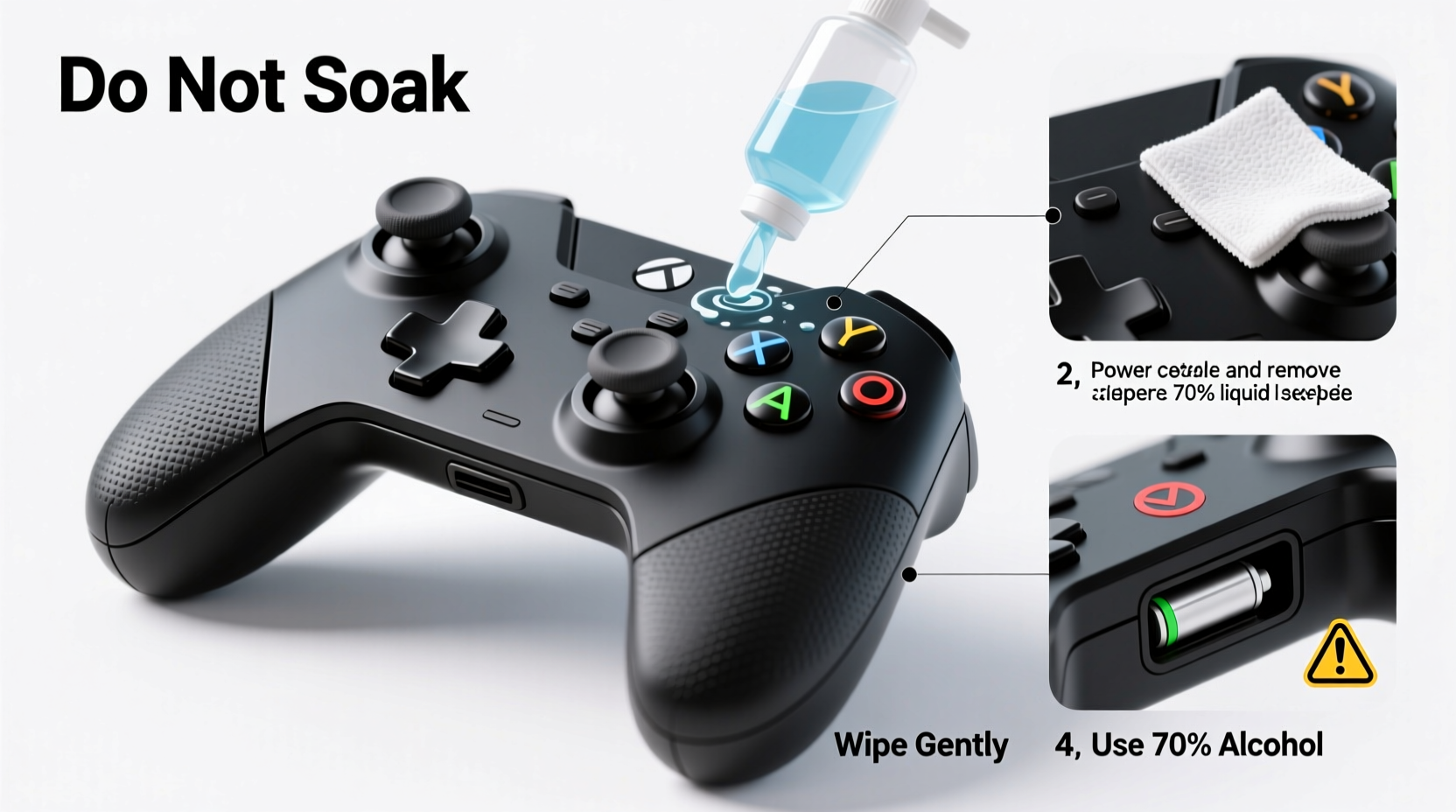
- Prepare cleaning solution: Mix 70% isopropyl alcohol with distilled water in a 1:1 ratio. This concentration effectively kills most pathogens while evaporating quickly and minimizing corrosion risk.
- Dampen (do not soak) a microfiber cloth: Lightly moisten a lint-free cloth with the solution. Wring it thoroughly so no liquid drips. Never spray directly onto the controller.
- Wipe exterior surfaces: Gently clean all touchpoints—buttons, D-pad, analog sticks, triggers, grips, and charging ports. Use circular motions and avoid pressing hard to prevent internal damage.
- Clean analog stick bases: Rotate sticks gently while wiping around their base to dislodge grime. Avoid forcing movement if resistance is felt.
- Sanitize the back and edges: Don’t neglect areas like the back panel, shoulder buttons, and USB-C/lightning port surrounds.
- Air dry completely: Let the controller sit on a clean towel in a well-ventilated area for at least 30 minutes before reuse. Do not use heat sources like hairdryers.
- Reassemble and test: Reattach any removed parts and power on the controller. Test all inputs to ensure full functionality.
Do’s and Don’ts of Controller Cleaning
| Do’s | Don’ts |
|---|---|
| Use 70% isopyl alcohol diluted with distilled water | Use household cleaners like Windex, bleach, or ammonia |
| Clean every 2–4 weeks with moderate use | Submerge the controller in liquid |
| Use compressed air for stubborn debris | Insert sharp objects under buttons or sticks |
| Wipe down controllers after shared gaming sessions | Use excessive moisture near ports or seams |
| Store in a dry, dust-free case when not in use | Expose to direct sunlight or high humidity |
Material-Specific Care Tips
Not all controllers are built the same. Surface materials vary between brands and models, affecting how they respond to cleaning agents.
- Plastic (ABS/Polycarbonate): Most common in standard controllers. Resistant to mild alcohol solutions but prone to scratching. Avoid abrasive cloths.
- Rubberized grips: Found on many premium controllers (e.g., DualSense, Elite Series). These coatings can degrade if exposed to harsh solvents. Stick to light damp wipes and dry immediately.
- Matte finishes: More delicate than glossy surfaces. Over-cleaning can wear down the texture. Limit disinfection frequency to once a month unless visibly dirty.
- Touch-sensitive panels: Some newer controllers include capacitive touch zones. These are highly sensitive to moisture. Wipe lightly and never allow liquid pooling.
Real Example: Cleaning After a Multiplayer Tournament
During a local gaming tournament, eight players rotated through four PlayStation 5 DualSense controllers over a six-hour period. Post-event, the organizers noticed sticky thumbsticks and faint odors. Instead of discarding the controllers, they followed a structured disinfection protocol.
Using compressed air, they cleared dust from analog stick housings. Then, they applied a 70% isopropyl solution on microfiber pads, carefully wiping every surface. Special attention was given to trigger grooves and palm rests, where sweat had dried. After 45 minutes of drying time, all controllers were tested and fully functional. One showed slight latency in a rear button, which was resolved by a second gentle wipe and extended drying. This example shows that even heavily used controllers can be restored safely with proper technique.
Checklist: Controller Disinfection Routine
Keep this checklist handy for consistent maintenance:
- ☐ Power off and disconnect the controller
- ☐ Remove detachable parts (grips, paddles, skins)
- ☐ Brush away loose debris with soft brush or compressed air
- ☐ Mix 70% isopropyl alcohol with distilled water (1:1)
- ☐ Dampen microfiber cloth—no dripping allowed
- ☐ Wipe buttons, joysticks, triggers, and grip areas
- ☐ Gently clean around charging port and seams
- ☐ Allow 30–60 minutes of air drying time
- ☐ Reassemble and test all functions
- ☐ Store in a protective case or drawer
Frequency Recommendations Based on Usage
How often you should disinfect depends on usage intensity and environment:
- Casual use (1–2 hours/day, single user): Clean every 4 weeks.
- Regular use (daily, moderate sweating): Clean every 2 weeks.
- Heavy use (multi-hour sessions, visible sweat): Clean weekly.
- Shared use (family, friends, tournaments): Clean after each user or at minimum daily.
Signs it’s time to clean include stickiness, odor, reduced button rebound, or visible smudges. Don’t wait until performance declines—preventive cleaning maintains peak function.
Frequently Asked Questions
Can I use baby wipes or disinfectant wipes on my controller?
No. Most pre-moistened wipes contain chemicals like citric acid, alcohol above 70%, or surfactants that can degrade plastics and rubber coatings. If you must use a wipe, choose one labeled “electronics-safe” and free of bleach or fragrances. Even then, squeeze out excess moisture before use.
Is it safe to clean inside the analog stick mechanism?
Not without disassembly. The internal potentiometers and springs are sensitive to moisture and physical stress. For deep cleaning, consider professional servicing or use specialized tools like conductive grease removers. At home, limit cleaning to the outer housing and rotate the stick while wiping.
Can UV sanitizers damage my controller?
Prolonged UV exposure can yellow plastics and weaken rubber over time. Short cycles (under 5 minutes) from consumer-grade UV boxes are generally safe for periodic use, but they should complement—not replace—manual cleaning. UV light doesn’t remove physical grime, only surface microbes.
Conclusion: Make Hygiene Part of Your Gaming Routine
Your gaming controller is an extension of your hands—treated with care, it performs better and lasts longer. Disinfecting doesn’t require expensive tools or technical skills, just consistency and caution. By integrating simple cleaning habits into your routine, you protect both your investment and your health. Whether you're a weekend gamer or a competitive player, taking a few minutes every week to sanitize your gear ensures smoother gameplay and peace of mind.




 浙公网安备
33010002000092号
浙公网安备
33010002000092号 浙B2-20120091-4
Comments
No comments yet. Why don't you start the discussion?