
Gaming is more social than ever. Whether it’s a weekend tournament with friends or a spontaneous co-op session, shared use of controllers is common. But every time a new hand grips that gamepad, so does a fresh load of bacteria, oils, and potential viruses. After intense multiplayer nights, your controller isn’t just sticky from sweat—it could be a breeding ground for germs. Regular cleaning isn’t just about aesthetics; it’s essential hygiene. Done correctly, disinfection preserves both your health and the lifespan of your equipment.
This guide walks you through science-backed methods to sanitize your gaming controller without damaging sensitive electronics. From identifying high-touch zones to choosing safe cleaners, you’ll learn practical steps to keep your gear clean, functional, and safe for everyone in your gaming circle.
Why Disinfecting Your Controller Matters
A 2020 study published in *The American Journal of Infection Control* found that video game controllers in public settings—like arcades and hospitals—can harbor more bacteria per square inch than a toilet seat. While home environments are generally cleaner, frequent handling by multiple users increases microbial buildup significantly. Skin cells, sweat, and food residue accumulate in crevices around buttons, joysticks, and triggers.
Common pathogens like Staphylococcus aureus, E. coli, and even cold and flu viruses can survive on plastic surfaces for up to 72 hours. Shared gaming gear becomes a vector for illness if not properly sanitized between uses. Beyond health concerns, grime can degrade rubberized grips, corrode button contacts, and interfere with analog stick performance over time.
“Electronics used by multiple people should be disinfected regularly—especially those handled during prolonged physical contact, like gaming controllers.” — Dr. Lena Patel, Environmental Health Specialist
Step-by-Step Guide to Safe Controller Disinfection
Disinfecting a gaming controller requires care. You're balancing germ elimination with protecting delicate circuitry and textured surfaces. Follow this six-step process to clean thoroughly without causing damage.
- Power down and disconnect: Turn off the console and unplug wired controllers. For wireless ones, power them off completely. Never spray liquid directly onto a powered or charging device.
- Dry debris removal: Use a soft-bristle brush or compressed air to remove crumbs, dust, and loose particles from around buttons, D-pads, and analog sticks. Pay attention to seams where debris collects.
- Prepare cleaning solution: Mix 70% isopropyl alcohol with distilled water in a 1:1 ratio. This dilution effectively kills germs while reducing the risk of plastic cracking or coating degradation. Avoid bleach, ammonia, or household glass cleaners.
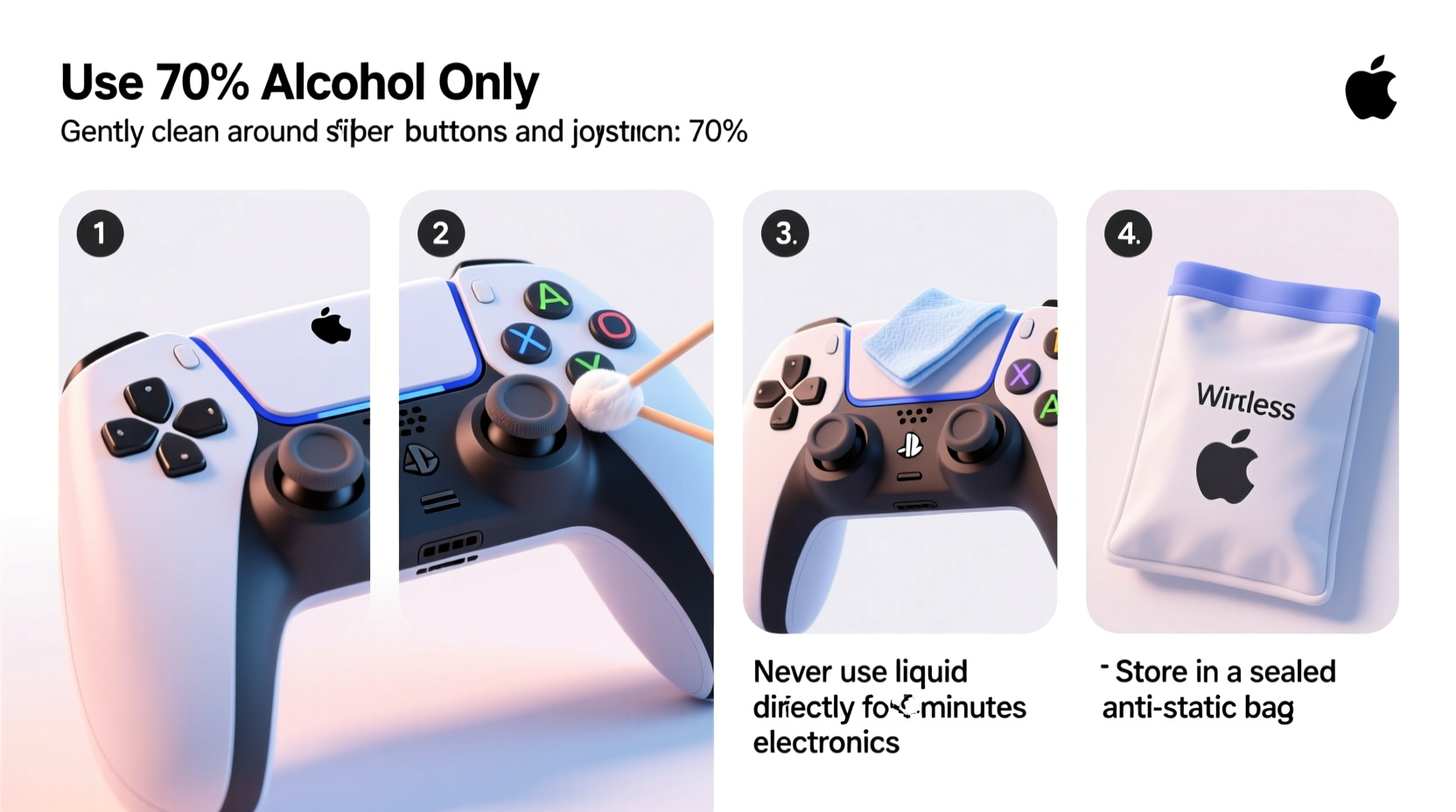
- Clean with microfiber cloth: Lightly dampen a lint-free microfiber cloth with the solution—never soak it. Wipe down all surfaces, focusing on thumbsticks, face buttons (A/B/X/Y), triggers, and grip areas. Use gentle circular motions. Do not let moisture seep into openings.
- Tackle stubborn grime: For sticky residue or discoloration, wrap the cloth around a cotton swab dipped sparingly in the solution. Carefully clean along edges and under button caps. Replace swabs frequently to avoid reapplying dirt.
- Air dry completely: Place the controller on a clean towel in a well-ventilated area. Allow at least 30 minutes before turning it back on. Never use heat sources like hairdryers.
Do’s and Don’ts of Controller Cleaning
Not all cleaning methods are created equal. Some popular hacks can do more harm than good. Refer to this table to avoid costly mistakes.
| Do | Don’t |
|---|---|
| Use 70% isopropyl alcohol – Proven effective against viruses and safe when applied correctly. | Use 99% isopyl alcohol – Too harsh; may strip protective coatings and dry out rubber parts. |
| Wipe gently with microfiber – Prevents scratches and absorbs moisture safely. | Scrub with paper towels – Can leave fibers behind and scratch glossy finishes. |
| Clean after every multiplayer session – Especially important when guests or children play. | Submerge in liquid – Even “water-resistant” doesn’t mean waterproof. |
| Use UV-C sanitizing boxes designed for electronics – Chemical-free option for routine maintenance. | Spray cleaner directly on the device – Liquids can drip inside and cause short circuits. |
| Check manufacturer guidelines – Sony, Microsoft, and Nintendo publish official care recommendations. | Ignore warning labels – Voiding warranties over improper cleaning isn't worth the risk. |
Real Example: The Post-Tournament Cleanup Routine
Consider Alex, who hosts monthly Mario Kart tournaments for a group of 10 friends. After one event, three attendees fell ill within days. Though no direct link was proven, Alex decided to overhaul his setup hygiene. He now keeps a dedicated cleaning kit beside his entertainment center: a bottle of diluted isopropyl solution, microfiber cloths, cotton swabs, and compressed air.
After each game night, he spends 15 minutes wiping down all four controllers. He also added numbered wristbands so each guest uses the same controller all evening, minimizing cross-contact. Within weeks, feedback improved—players noted smoother controls and fewer complaints about \"sticky buttons.\" More importantly, post-event sickness dropped noticeably. What started as a precaution became part of the hosting ritual, enhancing both safety and gameplay quality.
Alternative Sanitization Methods
If you’re uncomfortable using liquids near electronics—or want a faster daily option—consider these alternatives:
- UV-C Sanitizing Devices: Compact boxes like PhoneSoap or HoMedics UVClean use ultraviolet light to kill 99.9% of bacteria and viruses. Place your controller inside for 5–10 minutes. Ideal for quick turnarounds between players.
- Antimicrobial Wipes (EPA-registered): Clorox or Lysol wipes labeled safe for electronics can be used cautiously. Squeeze out excess moisture first and never fold the wipe tightly—this increases dripping risk.
- Silicone Skins or Covers: Removable overlays act as barriers. Clean the skin instead of the controller itself. Best for standard models like DualSense or Xbox Wireless Controller.
While convenient, none of these replace deep cleaning. UV light doesn’t penetrate shadows or grime layers, and skins may affect trigger sensitivity. Use them as supplements—not substitutes—for manual disinfection.
Checklist: Post-Multiplayer Disinfection Routine
Keep this checklist handy for consistent hygiene:
- ☐ Power off and disconnect all controllers
- ☐ Remove visible debris with brush or compressed air
- ☐ Prepare 70% isopropyl alcohol solution (50/50 with distilled water)
- ☐ Dampen microfiber cloth—no dripping
- ☐ Wipe all high-touch zones: buttons, joysticks, grips, triggers
- ☐ Use cotton swabs for tight spaces (replace often)
- ☐ Air dry for at least 30 minutes
- ☐ Store in a clean, dry location
- ☐ Optional: Run through UV sanitizer for extra protection
Frequently Asked Questions
Can I use hand sanitizer to clean my controller?
No. Hand sanitizers often contain glycerin, fragrances, or thickening agents that leave sticky residues. These can attract more dust and damage plastic over time. Stick to pure isopropyl alcohol solutions.
How often should I disinfect my controller?
After every shared session. For personal use, clean once every 1–2 weeks depending on usage. Heavy sweaters or gamers who snack while playing should clean more frequently—weekly at minimum.
Will alcohol damage my controller’s finish?
When used properly—diluted and applied with a cloth—70% isopropyl alcohol is safe for most plastics and rubber coatings. Avoid repeated saturation and always dry thoroughly. Test on a small inconspicuous area first if concerned.
Maintaining Long-Term Controller Health
Disinfection is only one part of controller care. To maximize longevity, integrate these habits:
- Wash hands before playing: Reduces initial oil and bacteria transfer.
- Avoid eating over controllers: Crumbs accelerate wear and create organic buildup.
- Store in a closed cabinet: Protects from dust and accidental spills.
- Replace worn parts: Many manufacturers sell replacement thumbsticks, D-pads, and battery covers.
Think of your controller like a kitchen appliance—frequently touched, exposed to contaminants, and critical to daily enjoyment. A little routine care prevents big problems later.
“People don’t realize how much microbes thrive on warm, handled objects. A gaming controller used for two hours generates enough surface heat and moisture to support bacterial colonies.” — Dr. Marcus Lin, Microbiologist at Urban Surface Labs
Conclusion
Disinfecting your gaming controller after shared multiplayer nights isn’t an overreaction—it’s responsible tech stewardship. With minimal effort and the right supplies, you protect both your investment and the health of your friends. Germs are invisible, but their consequences aren’t. By adopting a simple, repeatable cleaning routine, you ensure every game night ends on a high note—without anyone paying for it later with a sore throat or sluggish controls.




 浙公网安备
33010002000092号
浙公网安备
33010002000092号 浙B2-20120091-4
Comments
No comments yet. Why don't you start the discussion?