
YouTube is more than just a video platform—it’s a powerful marketing engine. While content quality and thumbnails grab attention, what happens after the click matters just as much. The video description is one of the most underutilized tools creators have at their disposal. When used strategically, especially with well-placed and optimized links, it can drive traffic, grow email lists, promote products, and boost channel growth. Yet, many creators either leave links out entirely or scatter them haphazardly, missing valuable opportunities.
Optimizing links in your YouTube description isn’t about stuffing every line with URLs. It’s about placing the right links at the right time, formatting them effectively, and aligning them with viewer intent. Whether you're a new creator or an established channel looking to improve conversion rates, mastering link optimization can significantly amplify your results.
Why Link Placement Matters in YouTube Descriptions
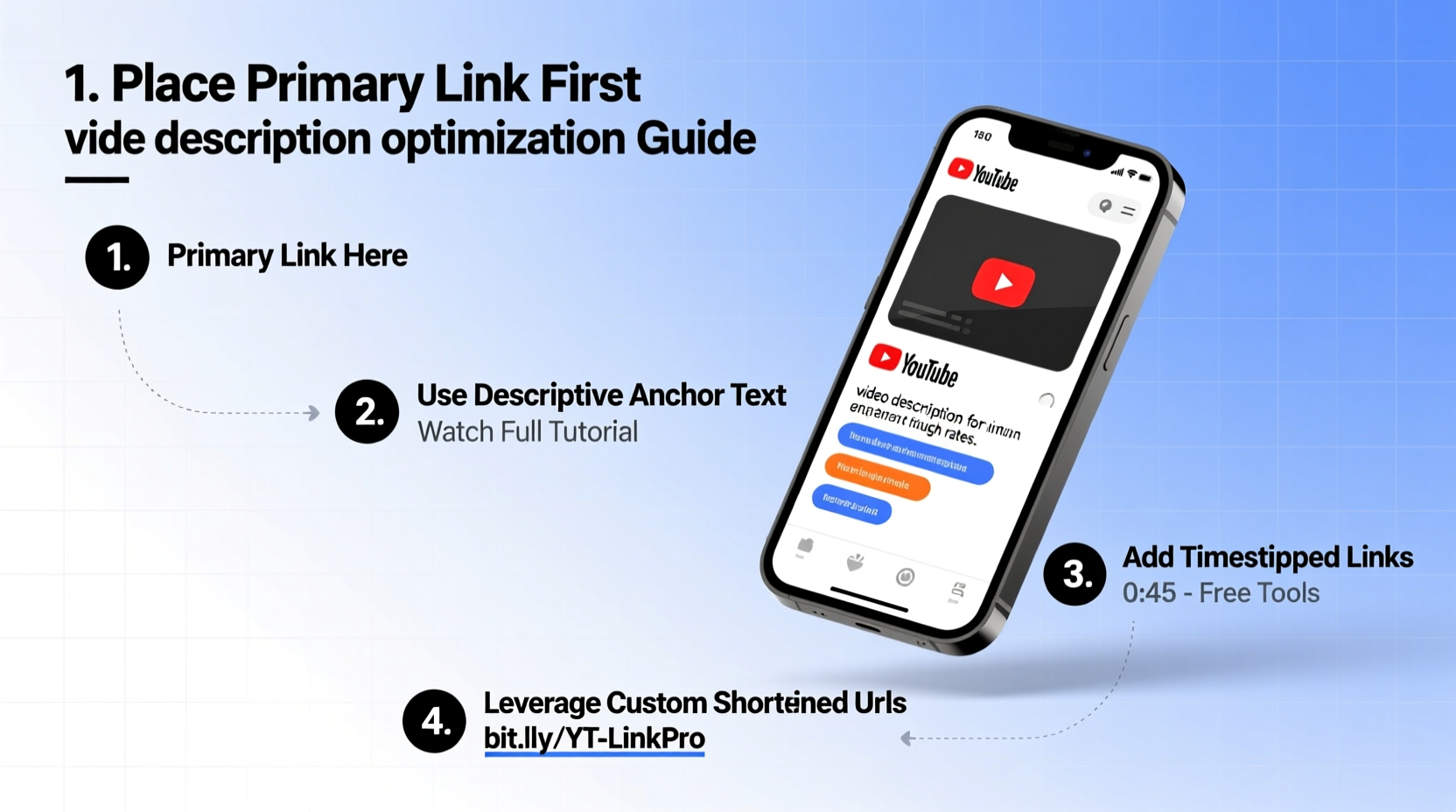
YouTube allows up to 5,000 characters in a video description, but most viewers only see the first two to three lines unless they click “Show more.” This means visibility drops dramatically below the fold. If your most important links are buried beneath timestamps or irrelevant text, they’ll likely go unnoticed.
Strategic link placement ensures that high-value calls to action—like subscribing, visiting your website, or downloading a free resource—are immediately visible. Google also indexes YouTube descriptions, so properly structured links can contribute to SEO by reinforcing keyword relevance and driving referral traffic from search results.
Step-by-Step Guide to Adding Links Effectively
- Draft your description structure first. Start with a brief summary of the video (1–3 sentences), followed by primary links, secondary resources, timestamps, and social media handles.
- Add clickable links early. Use full URLs (e.g., https://yoursite.com/offer) so they become hyperlinks when published. YouTube automatically detects and converts valid URLs into clickable links.
- Use clear anchor context. Don’t just drop a URL. Precede it with descriptive text like “Download the free checklist here →” to increase click-through rates.
- Organize with spacing and symbols. Separate sections with line breaks and use arrows (→), bullets (•), or dashes (–) to guide the eye.
- Include internal and external links. Link to related videos on your channel (boosts watch time) and trusted external sites (builds credibility).
- Update links post-upload if needed. You can edit descriptions anytime, which is useful for promoting evergreen offers or correcting broken links.
Best Practices for Link Optimization
Not all links perform equally. Optimized links are relevant, trustworthy, and aligned with the viewer’s stage in the journey. For example, someone watching a tutorial may be ready to download a related guide, while a casual viewer might respond better to a subscribe prompt.
- Prioritize value-first links. Offer something useful before asking for anything in return. A free template or exclusive tip builds trust faster than a direct sales pitch.
- Use UTM parameters for tracking. Tag your URLs with campaign identifiers (e.g., ?utm_source=youtube&utm_medium=video&utm_campaign=seo_tips) to measure performance in Google Analytics.
- Avoid link shorteners like bit.ly. They look spammy and reduce transparency. Use branded domains instead (e.g., yourbrand.co/freeguide).
- Leverage YouTube Cards and End Screens. These native tools complement description links and appear directly in the video player, increasing visibility.
- Test different link orders. Run A/B tests over several videos to see whether moving a lead magnet above the subscribe link improves conversions.
| Do | Don’t |
|---|---|
| Use full, clean URLs (https://example.com) | Use shortened or masked links (bit.ly/xyz) |
| Place key links in the first 3 lines | Bury links after timestamps or hashtags |
| Add context before each link | Drop raw URLs without explanation |
| Link to relevant internal videos | Overload with unrelated affiliate links |
| Use UTM tags for analytics | Send traffic without tracking |
Real Example: How One Creator Tripled Click-Through Rates
Jamie runs a productivity channel with 45,000 subscribers. For months, her link to a free Notion template averaged only 2% click-through from her video descriptions. After analyzing her layout, she realized the link appeared below timestamps and lacked compelling context.
She revised her approach: moved the link to the second line, added a benefit-driven callout (“Grab the free Notion dashboard I use daily →”), and appended a UTM-tagged URL. Within four weeks, across five uploads, her average CTR jumped to 6.3%. She also noticed increased traffic to her site and more signups for her newsletter, which was linked below the primary offer.
The change wasn’t in the product—it was in presentation and placement. By respecting viewer behavior and optimizing for clarity, Jamie turned a passive description into an active conversion tool.
“Your description is a silent salesperson. If it doesn’t clearly guide viewers to the next step, you’re leaving growth on the table.” — Dana Richards, YouTube Growth Strategist
Essential Checklist for Optimized YouTube Description Links
- ✅ Primary link appears in the first 150 characters
- ✅ All URLs are complete (include https://)
- ✅ Each link has descriptive, action-oriented text before it
- ✅ UTM parameters are added for external links
- ✅ Internal video links are included to boost watch time
- ✅ No broken or outdated links remain
- ✅ Mobile preview checked for readability
Frequently Asked Questions
Can YouTube detect and penalize too many links?
No, YouTube does not penalize videos for having multiple links in the description. However, excessive or spammy links (especially to suspicious domains) may reduce viewer trust or trigger community guidelines reviews if used deceptively. Focus on relevance and value.
Why aren’t my links clickable?
Links must include the full protocol (https:// or http://) to auto-convert into hyperlinks. A URL like “yoursite.com” won’t work. Always test by previewing your video or checking a published draft. Also, ensure you’re viewing the description on desktop or mobile web—some apps limit link interactivity.
Should I use the same links in every video?
Core links like your subscribe URL or main website can be consistent, but tailor promotional links to each video’s topic. Promoting a photography course in a cooking video confuses viewers. Contextual relevance increases trust and conversions.
Maximize Your Impact Starting Today
Every YouTube description is a miniature landing page. With thoughtful link placement and optimization, you transform passive viewers into engaged followers, customers, and community members. The effort takes less than five minutes per video but can yield exponential returns over time.
Start small: review your last few video descriptions. Are your most important links easy to find? Do they offer clear value? Update one upcoming description using the strategies above, track the results, and iterate. Over time, this habit compounds—driving more traffic, building stronger funnels, and growing your influence far beyond the video itself.




 浙公网安备
33010002000092号
浙公网安备
33010002000092号 浙B2-20120091-4
Comments
No comments yet. Why don't you start the discussion?