
Music has the power to transform a flat video into an emotionally engaging experience. Whether you're creating vlogs, tutorials, or product reviews, the right soundtrack can elevate your content, hold attention longer, and improve audience retention. Yet many creators hesitate to use music due to confusion over licensing, editing tools, or technical steps. The truth is, adding music to your YouTube videos doesn’t require advanced skills—just the right approach.
When used effectively, background music enhances pacing, sets tone, and reinforces branding. Viewers are more likely to watch a video to completion if it feels professionally produced, and music plays a key role in that perception. More completions mean better algorithmic performance, which leads to higher visibility and growth. This guide breaks down exactly how to integrate music safely and efficiently into your workflow.
Why Music Matters for Viewer Engagement
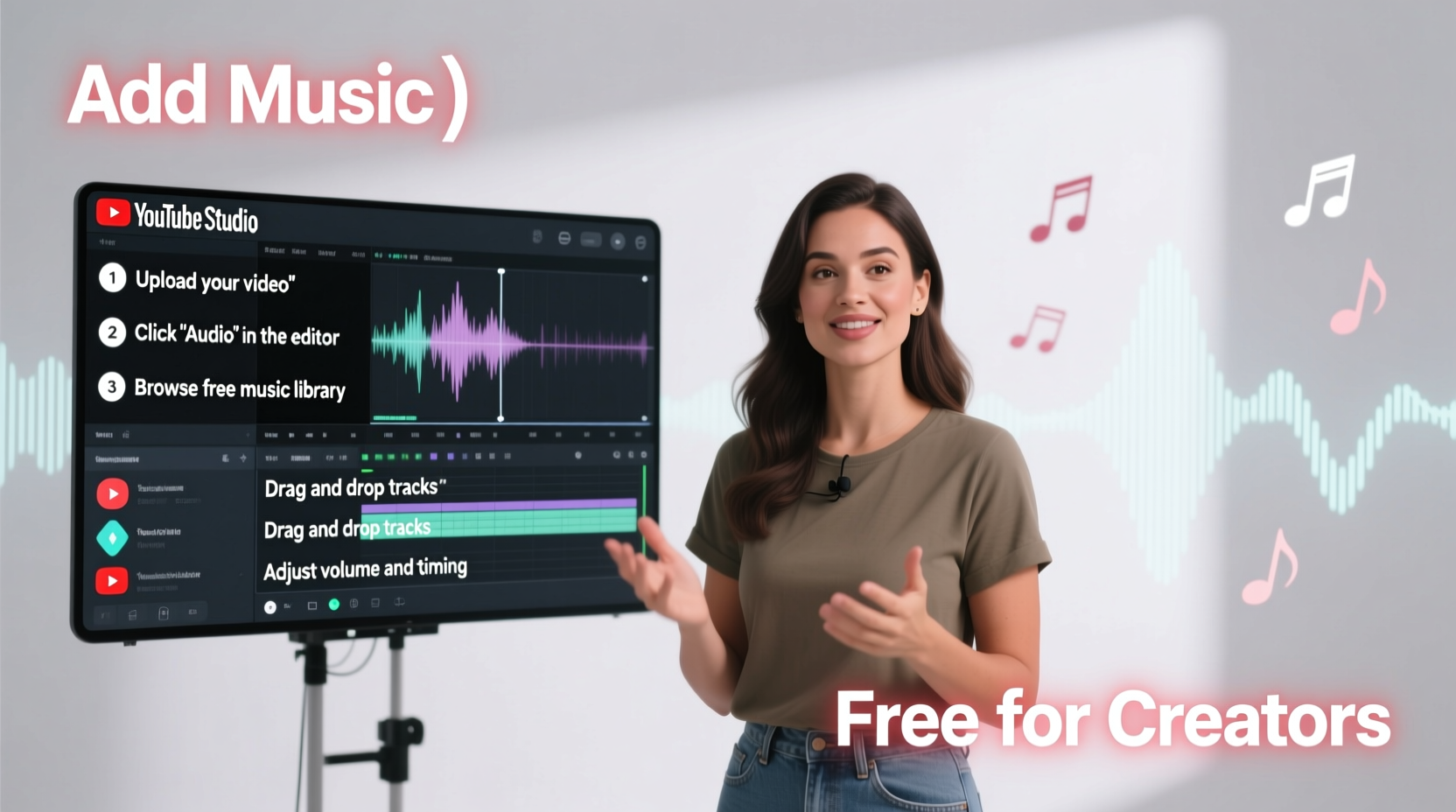
YouTube’s algorithm prioritizes watch time and audience retention. Videos that keep viewers engaged longer are promoted more heavily across search, recommendations, and home feeds. Music subtly influences how long people stay. A well-timed track can build anticipation during intros, maintain energy through transitions, and even soften awkward silences in raw footage.
Studies from Nielsen and HubSpot show that videos with background music have up to 40% higher average view duration compared to silent ones. Emotional resonance—triggered by melody, rhythm, and tempo—makes content more memorable. Think of popular travel vlogs: without ambient music, scenic shots feel static. With music, they become cinematic journeys.
Step-by-Step Guide to Adding Music Safely
- Choose the Right Music Source: Start with royalty-free platforms like YouTube Audio Library, Epidemic Sound, or Artlist. These offer high-quality tracks cleared for commercial use.
- Download or Export the Track: Once you select a song, download it in WAV or MP3 format at 44.1kHz/16-bit for optimal quality.
- Import Into Your Editing Software: Use tools like DaVinci Resolve, Adobe Premiere Pro, or CapCut. Drag the audio file onto a new audio track below your main video.
- Adjust Volume Levels: Lower the music volume so it doesn’t overpower voiceovers. Aim for -18dB to -20dB under dialogue peaks using your mixer or audio meters.
- Fade In and Out: Apply 1–2 second crossfades at the beginning and end of the track to prevent jarring starts and stops.
- Trim and Sync to Visuals: Align musical beats with scene changes or key moments (e.g., a beat drop when revealing a product).
- Export and Upload: Render your video with embedded audio. When uploading to YouTube, double-check Content ID claims via YouTube Studio.
Top Royalty-Free Music Sources Compared
| Platform | Licensing Type | Cost | Commercial Use? | Offline Access |
|---|---|---|---|---|
| YouTube Audio Library | Royalty-free, attribution sometimes required | Free | Yes | Limited |
| Epidemic Sound | Subscription-based license | $15/month | Yes, with subscription | Yes |
| Artlist | One-time annual license | $199/year | Yes | Yes |
| Soundstripe | Subscription | $12.95/month | Yes | Yes |
| Free Music Archive | Creative Commons (varies) | Free | Check individual licenses | No |
Selecting the right platform depends on your budget, upload frequency, and need for exclusivity. For consistent creators aiming for brand-safe content, paid services like Epidemic Sound offer unmatched reliability and legal protection.
Avoiding Copyright Claims and Takedowns
Using unlicensed music—even short clips—can result in demonetization, blocked videos, or channel strikes. YouTube’s Content ID system scans every upload and matches audio against a database of copyrighted works. If a match occurs, the rights holder may claim ad revenue or restrict playback in certain regions.
To stay safe:
- Never assume “fair use” applies unless you’re commenting on or critiquing the music itself.
- Avoid mainstream songs unless licensed through official channels like Lickd or Monstercat Gold.
- Always verify licensing terms before downloading. Some free sites still require attribution or prohibit monetization.
- Keep records of licenses and download confirmations as proof of permission.
“Over 90% of copyright claims on YouTube come from unapproved music usage. Using properly licensed tracks isn’t just ethical—it’s essential for channel longevity.” — Sarah Lin, Digital Rights Consultant
Real Example: How One Creator Doubled Retention With Music
Jamal Rivera runs a DIY tech repair channel with around 15,000 subscribers. His early videos were informative but suffered from low retention—many viewers dropped off after 30 seconds. He noticed competitors used subtle background music to smooth out pauses between steps.
He began testing tracks from the YouTube Audio Library, choosing minimalist electronic pieces that matched his futuristic aesthetic. After adjusting volume levels and syncing transitions to beats, his average view duration increased from 1:48 to 3:12 within two months. His next video hit 100,000 views—the first to do so—and remained fully monetized thanks to compliant music sourcing.
The change wasn’t flashy, but it made his content feel more polished and intentional. As he put it: “Music didn’t change what I taught—it changed how people felt while watching.”
Pro Tips for Seamless Integration
- Layer multiple music beds: Use ambient pads underneath rhythmic elements for depth.
- Match tempo to editing pace: Faster cuts work better with higher BPM tracks (100+).
- Use stingers (short musical hits) to emphasize key points or text overlays.
- Test on mobile: Many viewers watch without headphones; ensure music doesn’t drown out narration.
Quick Checklist: Adding Music the Right Way
- ✅ Choose a royalty-free or licensed track from a trusted source
- ✅ Download in high-quality format (MP3 or WAV)
- ✅ Import into your video editor on a separate audio track
- ✅ Adjust volume so music supports, not competes with, voice
- ✅ Apply fade-ins/outs and trim to fit video length
- ✅ Sync musical cues with visual highlights
- ✅ Export and review final mix before uploading
- ✅ Confirm no copyright claims appear in YouTube Studio
Frequently Asked Questions
Can I use Spotify or Apple Music songs in my videos?
No. Streaming service tracks are protected by copyright and cannot be used without explicit licensing, even for short clips. Doing so risks automatic Content ID claims or takedowns.
Do I need to credit royalty-free music?
It depends on the license. The YouTube Audio Library requires attribution for some tracks. Most paid services like Epidemic Sound and Artlist do not require credit, but always check the provider’s policy.
What if I get a copyright claim even after using “free” music?
Some websites mislabel copyrighted music as free. Always verify the license type and whether it covers commercial use. If wrongly claimed, dispute the claim with proof of license—but only if you’re certain.
Final Thoughts: Make Music Work for You
Adding music to your YouTube videos is one of the simplest yet most impactful upgrades you can make. It costs little, takes minimal time, and delivers measurable improvements in engagement and professionalism. The key is doing it correctly—choosing safe sources, balancing audio levels, and respecting copyright boundaries.
Don’t wait until you have a million subscribers to start using music. Begin now, experiment often, and refine your sound over time. Your audience will notice the difference, and YouTube’s algorithm will reward your effort with greater reach.




 浙公网安备
33010002000092号
浙公网安备
33010002000092号 浙B2-20120091-4
Comments
No comments yet. Why don't you start the discussion?