
Keeping your contact information current with the Social Security Administration (SSA) is essential for secure access to your benefits, receiving timely updates, and verifying your identity online. One of the most important pieces of contact data you can maintain is your mobile phone number. Whether you’ve changed carriers, gotten a new device, or are setting up your my Social Security account for the first time, adding or updating your phone number takes just a few minutes—and it significantly improves your experience.
The SSA uses your mobile number for two-factor authentication, password recovery, and sending alerts about your benefits or account activity. Without an updated number, you may face delays in accessing services or resolving issues. This guide walks you through the entire process clearly and securely, ensuring you stay connected without complications.
Why Your Mobile Number Matters to the SSA
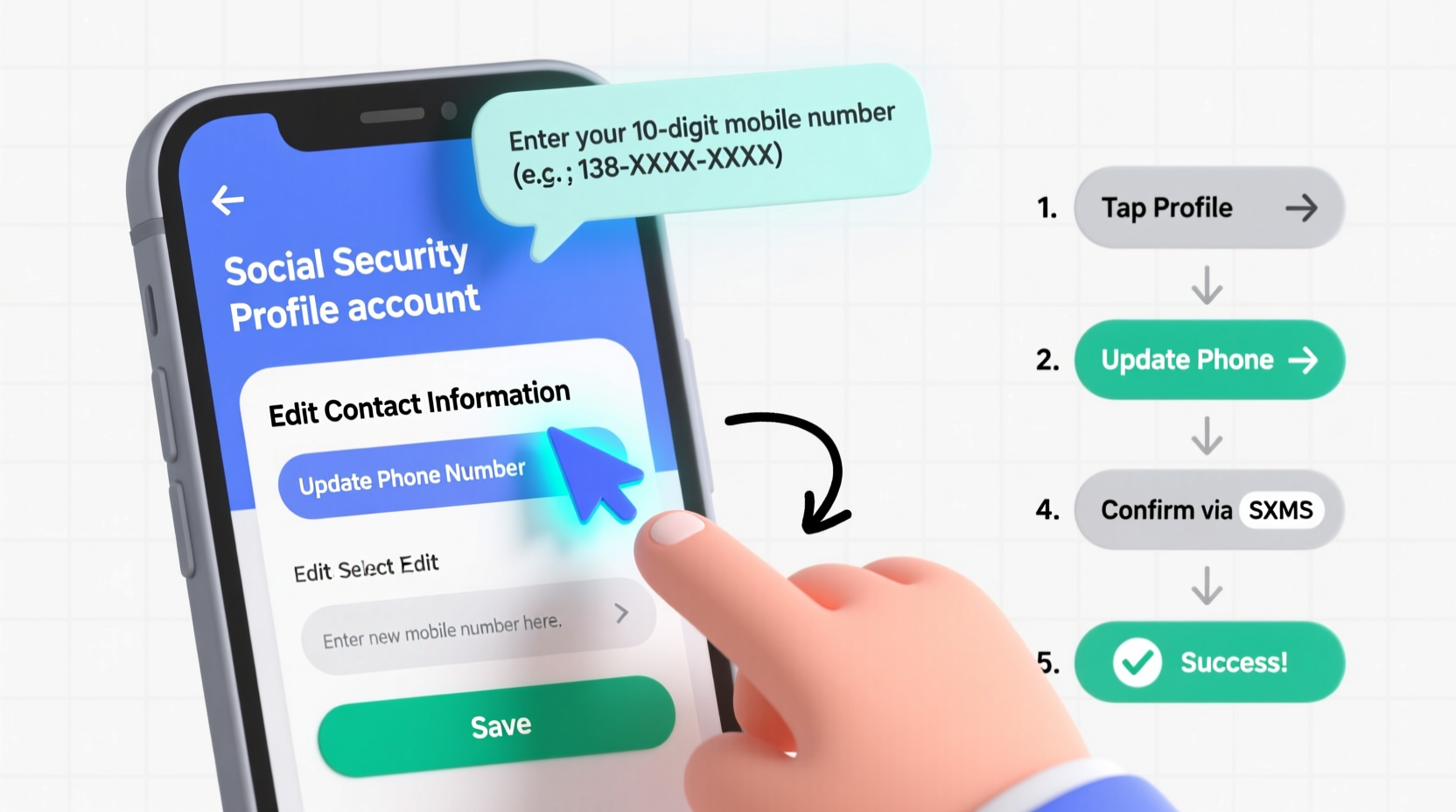
Your mobile phone number isn’t just another field to fill out—it plays a critical role in how you interact with the SSA’s digital services. When you log into your my Social Security account, the agency often sends a one-time security code via text message to confirm your identity. If your number is outdated, you won’t receive these codes, locking you out of key functions like viewing earnings statements, applying for benefits, or managing direct deposits.
Beyond login security, the SSA may also use your number to notify you of changes to your case, upcoming deadlines, or potential fraud alerts. In emergencies—such as suspected identity theft—having a working mobile number allows the SSA to reach you quickly.
“Accurate contact information ensures individuals can securely access their Social Security benefits and respond promptly to official communications.” — Social Security Administration, Office of Communications
Step-by-Step: Adding or Updating Your Phone Number Online
If you already have a my Social Security account, updating your mobile number is straightforward. Follow this timeline to complete the process in under 10 minutes.
- Log in to your account at ssa.gov/myaccount. Use your username and password. If you don’t remember your credentials, click “Forgot Username” or “Forgot Password” to recover them.
- Complete two-factor authentication. The system will send a security code to your registered mobile number. Enter it to proceed. If you no longer have access to that number, select “I don’t have access to any of these options” and follow the alternative verification steps.
- Navigate to “My Profile” from the top menu bar. This section contains all your personal and contact details.
- Select “Contact Information” from the dropdown or sidebar menu.
- Edit your mobile phone number. Click the pencil icon next to your current number. Enter your new number carefully, including the area code.
- Verify the change. The SSA will send a new confirmation code via SMS to the updated number. Input this code to finalize the update.
- Save and confirm. Once verified, your number will be active immediately. You’ll see a confirmation message on-screen.
What to Do If You Can’t Log In
Many people attempt to update their phone number only to realize they can’t log in because their old number is no longer active. In such cases, the standard two-factor method fails. Fortunately, the SSA offers alternatives.
You can verify your identity using backup methods such as:
- A pre-set security image and word
- Answering challenge questions
- Receiving a verification letter by mail (takes 5–10 business days)
To request a mailed verification code:
- Go to the login page and select “Don’t have access to your mobile device?”
- Choose “Send a Letter to Your Address on File”
- Wait for the letter containing a temporary access code
- Use the code to log in and update your phone number
Note: Your mailing address must be current. If you’ve moved recently, you may need to update your address first via Form SSA-1372-B or by visiting a local office.
Checklist: Preparing to Update Your Number
Before starting, ensure you have everything ready to avoid interruptions. Use this checklist to prepare:
- ✅ Active internet connection
- ✅ Access to your my Social Security account credentials
- ✅ New mobile phone number ready (including area code)
- ✅ Device capable of receiving SMS (your new phone)
- ✅ Government-issued ID (in case identity verification is required)
- ✅ Updated mailing address on file (if you expect a verification letter)
Common Issues and How to Resolve Them
Even with careful preparation, users sometimes encounter hurdles. Below is a summary of frequent problems and their solutions.
| Issue | Possible Cause | Solution |
|---|---|---|
| No SMS received after login attempt | Wrong number on file or carrier filtering | Verify number in profile; check spam folder; contact carrier |
| “Number already in use” error | Another account is linked to that number | Contact SSA support to resolve duplication |
| Can’t answer security questions | Forgotten answers or outdated info | Request mailed access code or visit local office |
| Verification letter never arrives | Address mismatch or postal delay | Confirm address with SSA; allow up to 10 days |
Real Example: Recovering Access After Changing Numbers
Samantha, a 42-year-old teacher from Ohio, upgraded her smartphone and switched carriers. She didn’t realize her new number wasn’t linked to her Social Security account until she tried to check her retirement estimate online. At login, the system sent the verification code to her old, disconnected number—locking her out.
She clicked “I don’t have access to this device,” selected the mailed letter option, and waited six days for the access code. Once received, she logged in, updated her mobile number, and set up new security preferences. Now, she receives instant alerts when her annual statement is available and can reset her password without delays.
“It took a little patience,” she said, “but having the right number on file makes everything smoother now.”
Frequently Asked Questions
Can I add a mobile number if I only had a landline before?
Yes. The my Social Security platform now supports mobile numbers even if your original account used a home phone. Simply go to “Contact Information” and enter your mobile number. Verification via SMS will be required.
Is there a limit to how many times I can change my number?
No, the SSA does not limit how often you can update your phone number. However, each change requires successful verification to prevent misuse.
Will the SSA ever call me from my own number?
No. Scammers often spoof caller IDs to appear legitimate. The SSA will never demand immediate payment or threaten arrest over the phone. If you receive such calls—even from your own number—do not engage and report it to SSA’s Office of the Inspector General.
Final Steps and Best Practices
After updating your mobile number, take a moment to review other contact details. Ensure your email address and physical address are also current. Consider enabling all available security features, including challenge questions and trusted devices, to protect your account.
Periodically test your settings by logging out and back in to confirm you can receive SMS codes. Set a calendar reminder every six months to review your account information, especially if you travel frequently or anticipate life changes like moving or retiring.
Take Action Today
Your Social Security account is a gateway to vital benefits and services. Keeping your mobile number updated ensures you remain in control, protected, and informed. Whether you’re preparing for retirement, managing disability benefits, or simply staying organized, a few minutes spent today can prevent hours of frustration tomorrow.
Log in now, verify your details, and make sure the SSA can reach you when it matters most. Your future self will thank you.




 浙公网安备
33010002000092号
浙公网安备
33010002000092号 浙B2-20120091-4
Comments
No comments yet. Why don't you start the discussion?