
In today’s global digital landscape, video content reaches far beyond borders. Whether you're a content creator, marketer, or educator, offering your videos in multiple languages isn’t just a luxury—it's a necessity. Multilingual videos increase accessibility, boost engagement, and expand your audience reach. But how do you switch or add new languages to your videos without starting from scratch? This guide walks you through the practical, efficient ways to change video language, from subtitles to voiceovers, using accessible tools and proven strategies.
Why Multilingual Videos Matter
Over 75% of internet users prefer consuming content in their native language. Even if they understand English, viewers are more likely to engage, share, and trust content delivered in their mother tongue. YouTube reports that adding subtitles or dubs can increase watch time by up to 40%, especially in non-English-speaking regions.
Changing video language doesn’t always mean re-recording everything. Modern platforms and software allow creators to layer translations seamlessly. The key is choosing the right method based on your resources, audience size, and content type.
Understanding Your Options: Subtitles vs. Dubbing vs. Re-Recording
Before diving into steps, it’s essential to understand the three primary methods of changing video language:
- Subtitles (Closed Captions): Text overlays that display translated dialogue. Fastest and most cost-effective.
- Dubbing: Replacing the original audio with voice recordings in another language. Offers better immersion but requires voice talent and editing.
- Re-Recording: Filming the entire video again in a different language. Highest quality but most resource-intensive.
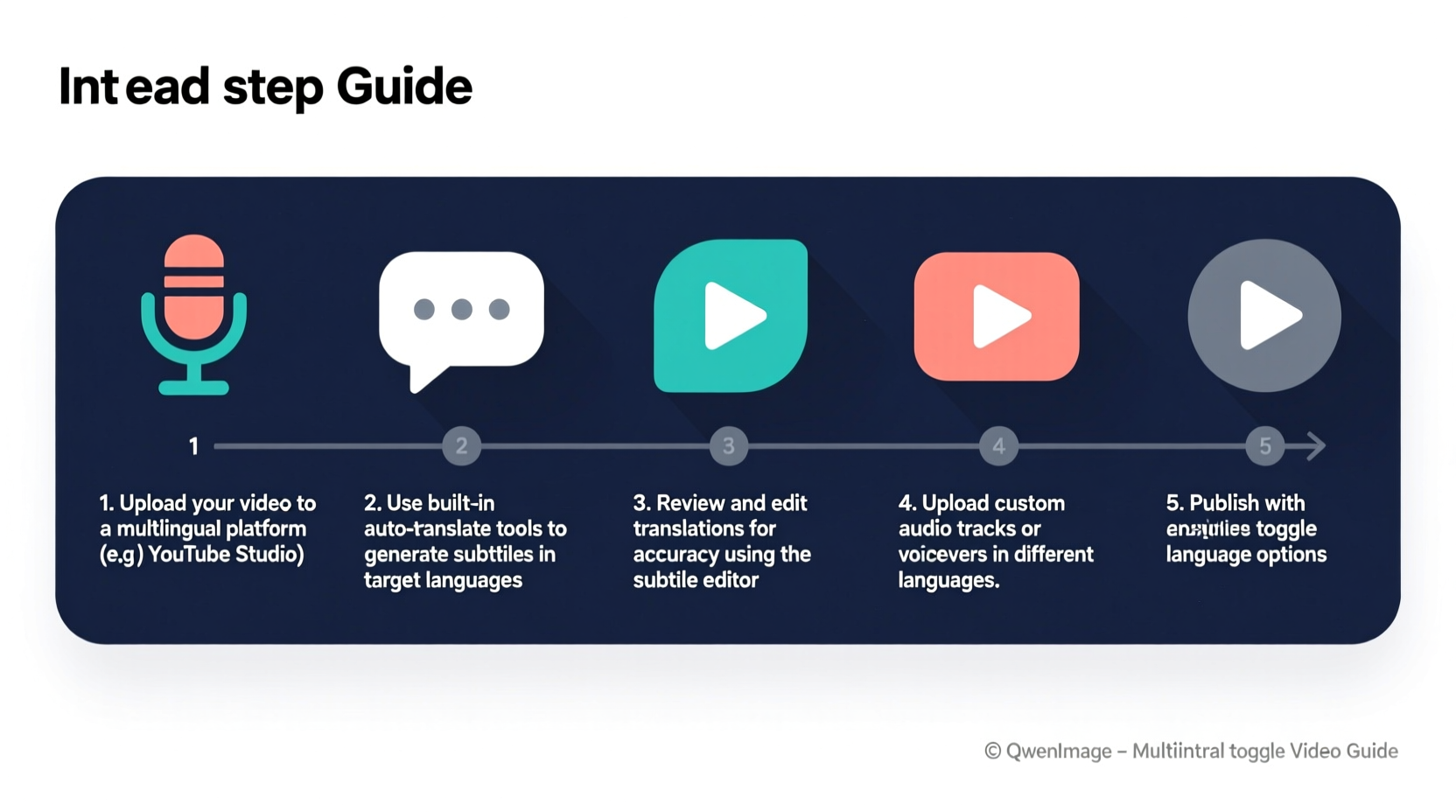
Step-by-Step Guide to Changing Video Language
- Choose Your Target Languages
Prioritize languages based on your audience analytics. Use platform insights (e.g., YouTube Analytics) to see where your viewers are located. Focus on high-traffic regions first—common choices include Spanish, Hindi, Arabic, Portuguese, French, and German. - Prepare a Clean Transcript
Extract the full spoken text from your video. Most editing software (like Adobe Premiere Pro, DaVinci Resolve) or AI tools (Descript, Otter.ai) can auto-generate transcripts. Review and correct any errors to ensure translation accuracy. - Translate the Script
Use professional translation services like Rev, Gengo, or AI-powered tools such as DeepL or Google Translate. For nuanced content (humor, idioms), human translators are recommended. Keep cultural context in mind—direct translations don’t always convey the intended meaning. - Create Subtitles or Closed Captions
Import your translated script into subtitle software. Tools like Aegisub, Amara, or built-in features on YouTube allow you to time text with speech. Export in standard formats (.SRT, .VTT) for compatibility across platforms. - Add Audio Tracks (For Dubbing)
Hire voice actors via platforms like Voices.com or Fiverr. Provide them with the translated script and tone guidelines. Record high-quality audio, ideally in a soundproof environment. Sync the new audio track with the original video using editing software. - Integrate and Publish
Upload your video to the hosting platform. On YouTube, go to “Subtitles” under YouTube Studio and upload your .SRT files. For dubbing, replace the audio track or offer it as an alternate version. Test playback in different languages to ensure sync and clarity.
Recommended Tools for Each Step
| Purpose | Tool | Best For |
|---|---|---|
| Transcription | Descript, Otter.ai | Auto-generating accurate scripts |
| Translation | DeepL, Google Translate, Rev | Fast drafts or professional-grade output |
| Subtitling | Amara, Aegisub, YouTube Studio | Creating timed captions |
| Audio Recording | Anchor, Audacity, Riverside.fm | Crisp voiceover capture |
| Video Editing | Adobe Premiere Pro, CapCut, DaVinci Resolve | Dub integration and final export |
Expert Insight: The Power of Localization
“Translating a video isn’t just about words—it’s about cultural relevance. A well-localized video respects regional expressions, humor, and viewing habits.” — Lena Petrov, Multimedia Localization Specialist at GlobalReach Media
Localization goes beyond translation. It involves adapting visuals, references, and even pacing to suit a culture. For example, a cooking tutorial might need to substitute ingredients unavailable in certain countries. Consider these adjustments when expanding to new linguistic markets.
Mini Case Study: How a Small Channel Grew Internationally
Maria Lopez runs a DIY home decor channel with around 10,000 subscribers. After noticing significant views from Brazil and Mexico, she decided to make her videos multilingual. She started by adding Portuguese and Spanish subtitles using YouTube’s auto-translate feature, then refined them manually. Within three months, her average view duration increased by 32%, and her subscriber growth in Latin America doubled. Encouraged, she hired a freelance voice actor to dub her top-performing video in Spanish. That single dub generated over 150,000 new views in Spain and Argentina alone.
Maria’s approach was incremental and budget-friendly—she didn’t overhaul her workflow but used available tools strategically. Her success shows that even small creators can achieve global impact with smart localization.
Checklist: How to Change Video Language Efficiently
- ✅ Analyze audience location data to pick target languages
- ✅ Generate and proofread a transcript of your original video
- ✅ Translate the script using reliable tools or professionals
- ✅ Create timed subtitles in .SRT format
- ✅ Optionally, record and sync dubbed audio tracks
- ✅ Upload and test language options on your video platform
- ✅ Monitor engagement metrics post-launch
Frequently Asked Questions
Can I automatically translate subtitles on YouTube?
Yes. YouTube offers auto-translation for uploaded subtitles. While convenient, machine-generated translations may lack nuance. Always review and edit auto-translated captions for accuracy, especially for technical or emotional content.
Do I need to re-upload my video for each language?
No. Platforms like YouTube, Vimeo, and Wistia allow you to add multiple subtitle files or audio tracks to a single video. Viewers can select their preferred language in the settings menu, reducing clutter and improving user experience.
Is dubbing worth the extra effort?
It depends on your content and audience. Dubbing significantly improves accessibility for viewers who struggle with reading or prefer auditory learning. Educational, narrative, or children’s content benefits most from dubbing. For quick tutorials or social clips, subtitles are often sufficient.
Maximizing Impact: Best Practices
To get the most out of multilingual videos, follow these best practices:
- Use clear on-screen text: If your video includes graphics with text, create localized versions of thumbnails and overlays.
- Name videos appropriately: Use translated titles and descriptions to improve SEO in each language.
- Engage local communities: Invite native speakers to review your translations for authenticity.
- Track performance: Compare metrics like retention, click-through rate, and shares across language versions to refine your strategy.
Conclusion
Changing video language doesn’t have to be complex or expensive. With the right tools and a clear process, you can make your content accessible to millions of new viewers worldwide. Whether you start with subtitles or advance to full dubbing, every step toward multilingualism strengthens your global presence. Begin with one language, test the results, and scale wisely. In a world where connection transcends borders, your video’s message deserves to be heard—in every language possible.




 浙公网安备
33010002000092号
浙公网安备
33010002000092号 浙B2-20120091-4
Comments
No comments yet. Why don't you start the discussion?