
Changing your TikTok name is one of the simplest ways to refresh your online presence, align your username with your personal brand, or correct a typo. Whether you're a casual user or building a following, your TikTok name plays a key role in discoverability and recognition. Unlike changing a display name on some platforms, TikTok allows flexibility—but there are nuances users often overlook. This guide walks you through the entire process from start to finish, highlights best practices, and helps you avoid common pitfalls that could delay or complicate the update.
Why Changing Your TikTok Name Matters
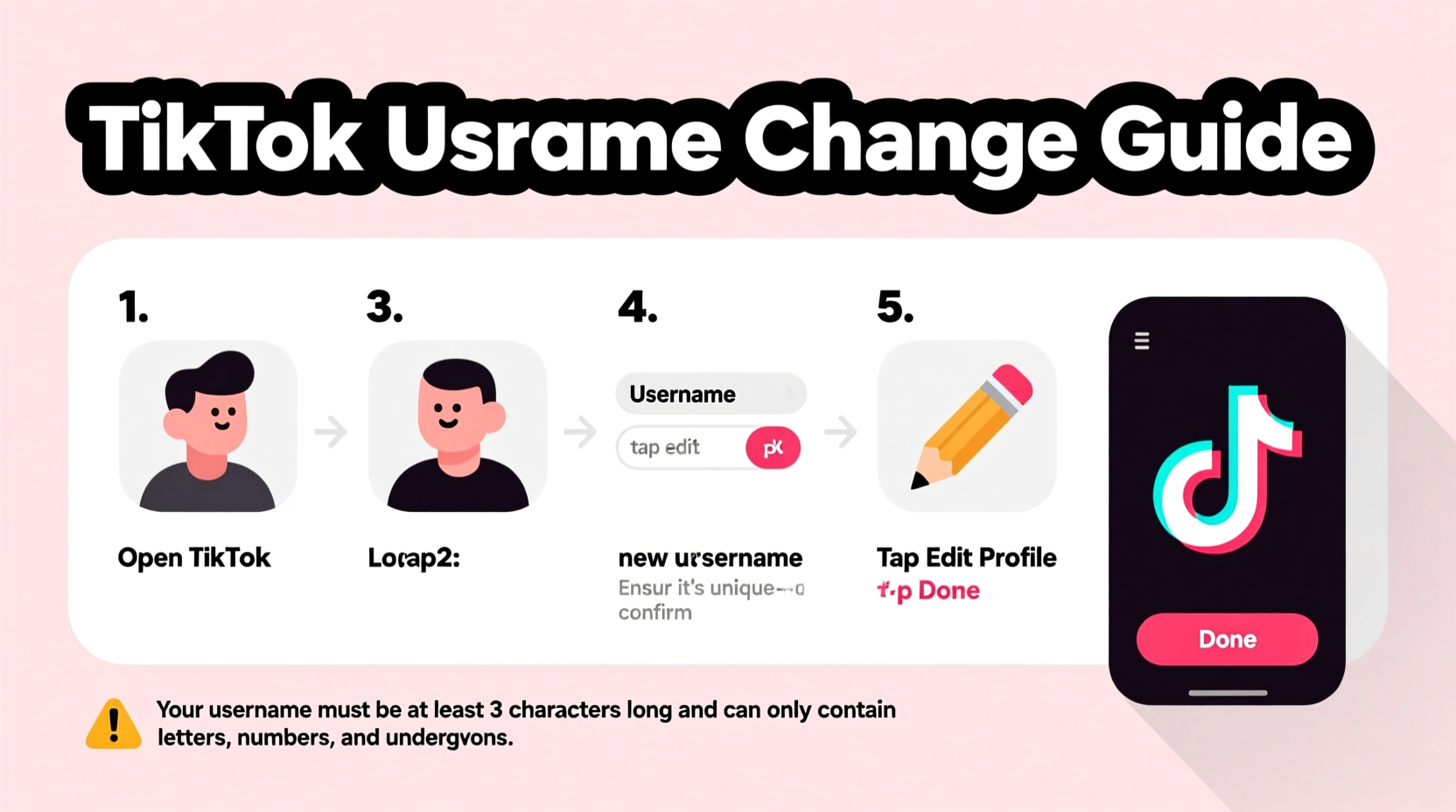
Your TikTok name—also known as your @username—is more than just an identifier. It's how people find you, tag you, and remember you. A clear, consistent, and relevant username strengthens your digital footprint. For example, if you’re creating content about fitness, having “FitWithJamie” is more effective than “User123456.”
There are several reasons someone might want to change their TikTok name:
- You started with a random username and now want something professional.
- You rebranded your content focus (e.g., from comedy to cooking).
- Your current name is hard to spell or remember.
- You’re claiming consistency across social platforms (Instagram, YouTube, etc.).
- You want to remove personal information like your phone number or birth year.
“Your username is your digital first impression. Make it count.” — Lena Torres, Social Media Strategist
Step-by-Step Guide to Changing Your TikTok Name
Changing your TikTok name takes less than two minutes if you know where to look. Follow these steps carefully to ensure a smooth transition.
- Open the TikTok app on your mobile device. Ensure you're logged into the correct account.
- Navigate to your profile by tapping the “Profile” icon in the bottom-right corner.
- Tap “Edit profile” near the top of your profile screen.
- Locate the “Username” field. This displays your current @ handle.
- Tap the field and delete the existing name. Type in your desired new username.
- Check availability: TikTok will instantly notify you if the name is taken or invalid.
- Tap “Save” in the top-right corner once you’ve entered an available name.
If the save button is grayed out, double-check that your chosen name meets TikTok’s requirements. The app won’t allow special characters like asterisks or spaces, and names must be between 4 and 24 characters long.
Best Practices When Choosing a New TikTok Name
Selecting the right name isn’t just about availability—it’s about strategy. A well-chosen username supports growth, improves recall, and reflects your identity.
| Do | Don't |
|---|---|
| Keep it short and memorable (e.g., @TravelTina) | Use excessive numbers or underscores (e.g., @Tina_78_Travel_2025) |
| Match it to your niche or real name if possible | Include sensitive personal info like phone numbers or addresses |
| Ensure consistency with other social handles | Pick a name too similar to popular creators (could cause confusion) |
| Use simple spelling to make sharing easier | Change your name frequently—this confuses followers |
Think of your TikTok name as part of your branding toolkit. If you plan to grow an audience, choose something scalable. Avoid trendy slang that may feel outdated in six months.
Common Issues and How to Fix Them
Even when following the correct steps, users sometimes encounter problems when trying to change their TikTok name.
Name Already Taken
This is the most frequent issue. TikTok usernames are unique globally. If your preferred name is unavailable, try slight variations: add your initials, location, or a relevant word (e.g., @AlexDraws instead of @Alex).
Invalid Characters
TikTok only allows letters, numbers, periods, and underscores. Symbols like @, #, $, or & aren’t permitted. Remove them and retry.
Account Restrictions
In rare cases, accounts under review or flagged for policy violations may have limited editing capabilities. Wait until the review period ends or contact TikTok support.
Changes Not Saving
If the “Save” button doesn’t respond, check your internet connection. Close and reopen the app, then attempt the change again. Outdated app versions can also cause glitches—update TikTok via your app store.
“I tried changing my name five times before realizing I was using a hyphen. Switched to an underscore and it worked instantly.” — Maya R., content creator
What Happens After You Change Your Name?
Once you save your new username, the change is immediate. Here’s what to expect:
- Your old username becomes available for others to claim after a grace period.
- All your videos, likes, and followers remain intact.
- People who previously followed you don’t need to do anything—their feed stays updated.
- Old links to your profile (e.g., linktr.ee/youroldname) will redirect to your new @handle for a limited time, but not indefinitely.
It’s wise to announce the change in a video or pinned comment if you have an active audience. Say something like, “Hey everyone! Just updated my TikTok name to @NewName – same me, better handle!” This prevents confusion and ensures continued engagement.
Checklist: Preparing to Change Your TikTok Name
Before hitting “Save,” run through this quick checklist to ensure a seamless transition:
- ✅ Decide on a final name that fits your brand and is easy to remember.
- ✅ Confirm the name isn’t already taken by searching it in TikTok.
- ✅ Check that it’s available on other platforms (Instagram, Twitter/X) for consistency.
- ✅ Avoid special characters or spaces.
- ✅ Log in on a stable Wi-Fi or data connection to prevent errors.
- ✅ Notify your audience afterward if you have followers.
Frequently Asked Questions
How many times can I change my TikTok name?
You can change your TikTok username as often as you’d like, but there’s a catch: you must wait 30 days between changes. This rule prevents spam and impersonation. Choose wisely to avoid being locked into a name you dislike.
Will my followers be notified when I change my name?
No, TikTok does not send automatic notifications to your followers when you update your username. However, they’ll see the new name when they visit your profile or see your comments. To keep your audience informed, consider posting a brief update video or adding a note to your bio temporarily.
Can I reclaim a username after changing it?
If you change your name and later want to revert to your old one, you can—only if no one else has claimed it. Once released, usernames enter a pool where anyone can take them. If you plan to switch back, act within days, not weeks.
Final Thoughts and Next Steps
Changing your TikTok name is a small action with meaningful impact. It’s a chance to refine your identity, improve searchability, and present yourself more professionally. The process is straightforward, but success lies in preparation: choosing the right name, checking availability, and understanding TikTok’s rules.
Now that you know exactly how to change your TikTok name—and how to do it effectively—take a moment to evaluate your current handle. Does it reflect who you are today? Is it easy for friends or brands to find you? If not, go ahead and make the change. Your future self—and your growing audience—will thank you.




 浙公网安备
33010002000092号
浙公网安备
33010002000092号 浙B2-20120091-4
Comments
No comments yet. Why don't you start the discussion?