
In recent years, many individuals turned to Instagram Business accounts to access analytics, run ads, and appear more professional. But as digital culture shifts toward authenticity and connection over performance and metrics, some users are choosing to step back from the pressure of being \"on brand.\" Reverting to a personal account can help you reclaim spontaneity, reduce social media anxiety, and foster more genuine interactions. The good news? Switching back is simple, safe, and doesn’t erase your content or followers.
Why People Are Moving Back to Personal Accounts
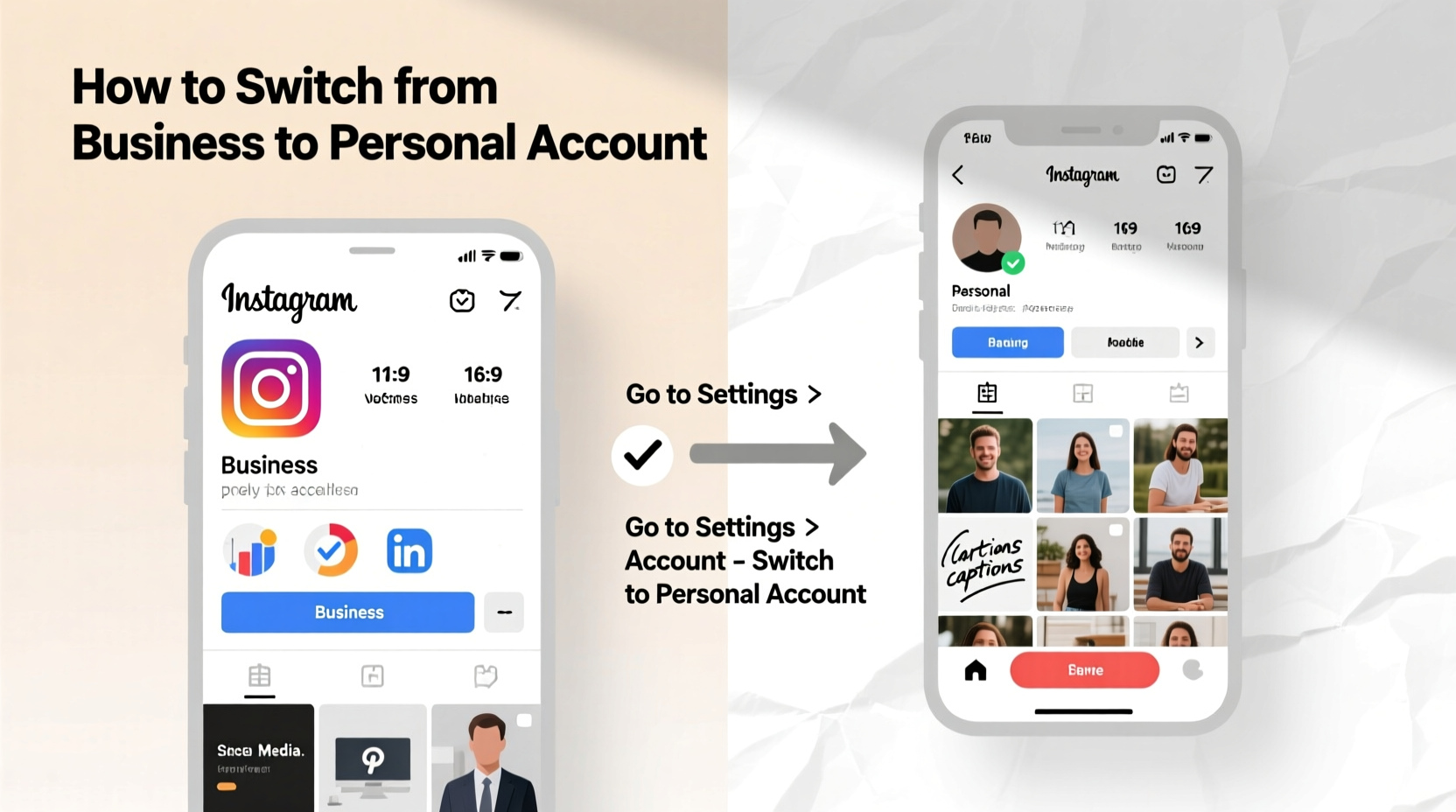
The appeal of business accounts once lay in their advanced tools—insights, contact buttons, and advertising capabilities. However, not everyone needs these features full-time. For casual users, creators stepping away from monetization, or those simply seeking a quieter online experience, the business model can feel restrictive. Constant exposure to follower counts, post reach, and engagement stats often leads to comparison and burnout.
A personal account strips away the noise. You regain the freedom to post when inspired, not when scheduled. There’s no pressure to optimize captions for algorithms or maintain a consistent branding aesthetic. Instead, you can focus on sharing moments that matter—without tracking their performance.
“Authenticity isn’t about frequency or polish. It’s about presence. A personal account lets you show up as yourself, not as a product.” — Lena Reyes, Digital Wellness Coach
Step-by-Step: How to Convert Your Instagram Business Account to Personal
Making the switch takes less than five minutes and can be done directly through the Instagram app. Follow this sequence carefully to ensure a smooth transition:
- Open the Instagram app and go to your profile by tapping the profile icon in the bottom right.
- Tap the menu icon (three horizontal lines) in the top right corner, then select “Settings and privacy.”
- Navigate to “Accounts” and tap “Switch account type.”
- Select “Switch back to personal account.”
- Confirm your choice when prompted. Instagram will notify you that insights and contact options will be removed.
- Tap “Continue” to finalize the change.
Once completed, your profile will no longer display business categories, action buttons (like “Contact” or “Book”), or access to Insights. All your posts, stories, followers, and following remain intact.
What Changes—and What Stays the Same
Understanding exactly what you gain and lose during the conversion helps set realistic expectations. Below is a clear breakdown:
| Feature | After Switching to Personal |
|---|---|
| Profile Contact Button | Removed (email, call, directions) |
| Instagram Insights | No longer accessible |
| Promote Posts Option | Disabled |
| Business Category (e.g., “Lifestyle Blogger”) | Removed |
| Linked Facebook Page | Disconnected automatically |
| Posts, Stories, Highlights | Fully retained |
| Followers and Following | Unaffected |
| Direct Messages | Remains accessible |
You’ll also stop seeing ad recommendations and promotional prompts in your feed. This can significantly reduce the commercial tone of your experience, making Instagram feel more like a social space and less like a marketing platform.
Mini Case Study: From Influencer Fatigue to Mindful Sharing
Sophie, a 29-year-old photographer with 38,000 followers, ran a business account for two years while building her portfolio and offering workshops. Over time, she noticed her creativity waning. “I started deleting photos if they didn’t get enough likes in the first hour,” she says. “I was treating my art like inventory.”
After taking a three-month break from Instagram, Sophie reactivated her account—but this time as a personal one. She removed all highlights promoting services, deleted outdated promotional bios, and began posting only when inspired. Within weeks, her DMs filled with messages from followers saying her content felt “more real” again.
“Switching back wasn’t about quitting—it was about reconnecting,” Sophie explains. “Now I post because I want to share, not because I have to grow.”
Checklist: Preparing for Your Transition
Before converting, take these steps to preserve what matters and align your profile with your new direction:
- ✅ Download key analytics reports (reach, impressions, follower growth) from your last few months
- ✅ Unlink your Facebook Page if it’s still connected
- ✅ Update your bio to reflect a personal tone—remove sales language or links to external stores
- ✅ Archive or delete outdated promotional posts that no longer represent you
- ✅ Consider pausing scheduled posts or third-party management tools
- ✅ Reflect on your goals: What kind of presence do you want now?
Common Misconceptions About Switching Back
Many hesitate to revert due to myths about data loss or technical complications. Let’s clarify:
- Myth: You’ll lose followers.
Truth: Follower count remains unchanged. - Myth: You can’t switch back to a business account later.
Truth: You can reconvert at any time if needed. - Myth: Your old promoted posts disappear.
Truth: They stay visible unless manually deleted. - Myth: You need to start over.
Truth: Your entire history remains intact.
The process is non-destructive and fully reversible. Instagram treats it as a preference update, not an account reset.
FAQ
Can I still use hashtags and tag locations with a personal account?
Yes. Hashtags, location tags, tagging other users, and geotagging functions work exactly the same on personal accounts.
Will my existing ads or promotions stop running?
Any active promotions will continue until they end or are canceled. However, you won’t be able to launch new ones from a personal account unless you relink to Facebook and switch back.
Do I need a Facebook account to make the switch?
No. While business accounts often link to Facebook Pages, reverting to personal does not require Facebook integration. The disconnection happens automatically during the switch.
Rebuilding Authenticity After the Switch
Converting your account is just the first step. True authenticity comes from how you use the platform afterward. Consider starting fresh with a mindset shift: instead of asking, “Will this get likes?” ask, “Does this feel true to me?”
Engage meaningfully. Reply to comments with thoughtfulness, not templates. Share behind-the-scenes moments, small joys, or quiet reflections—even if they’re imperfect. Over time, your audience will respond to the sincerity.
Remember, authenticity isn’t a strategy. It’s a practice. And sometimes, the most radical act on social media is choosing to be ordinary.
Conclusion
Choosing to return to a personal Instagram account isn’t a step backward—it’s a conscious move toward balance and self-expression. In a world saturated with curated feeds and performance metrics, opting out of the business mindset can be liberating. You don’t need analytics to know your posts matter. You don’t need a “contact” button to connect.
If you’ve been feeling the weight of maintaining a polished image, consider making the switch. Keep your memories, your community, and your creativity—just free them from the pressure to perform. Authenticity thrives in simplicity.




 浙公网安备
33010002000092号
浙公网安备
33010002000092号 浙B2-20120091-4
Comments
No comments yet. Why don't you start the discussion?