
Instagram has become a primary platform for personal expression, brand promotion, and digital storytelling. Whether you're verifying the timeline of a public figure’s post, tracking social media activity for research, or simply curious about when a photo was shared, knowing the exact date and time can be crucial. While Instagram displays relative timestamps like “2 hours ago” or “3 days ago,” these don’t provide precise details. Fortunately, several methods exist to uncover the full publication timestamp—some official, others relying on technical workarounds. This guide walks through practical, tested approaches to extract the exact date and time of any public Instagram post.
Understanding Instagram's Timestamp Display
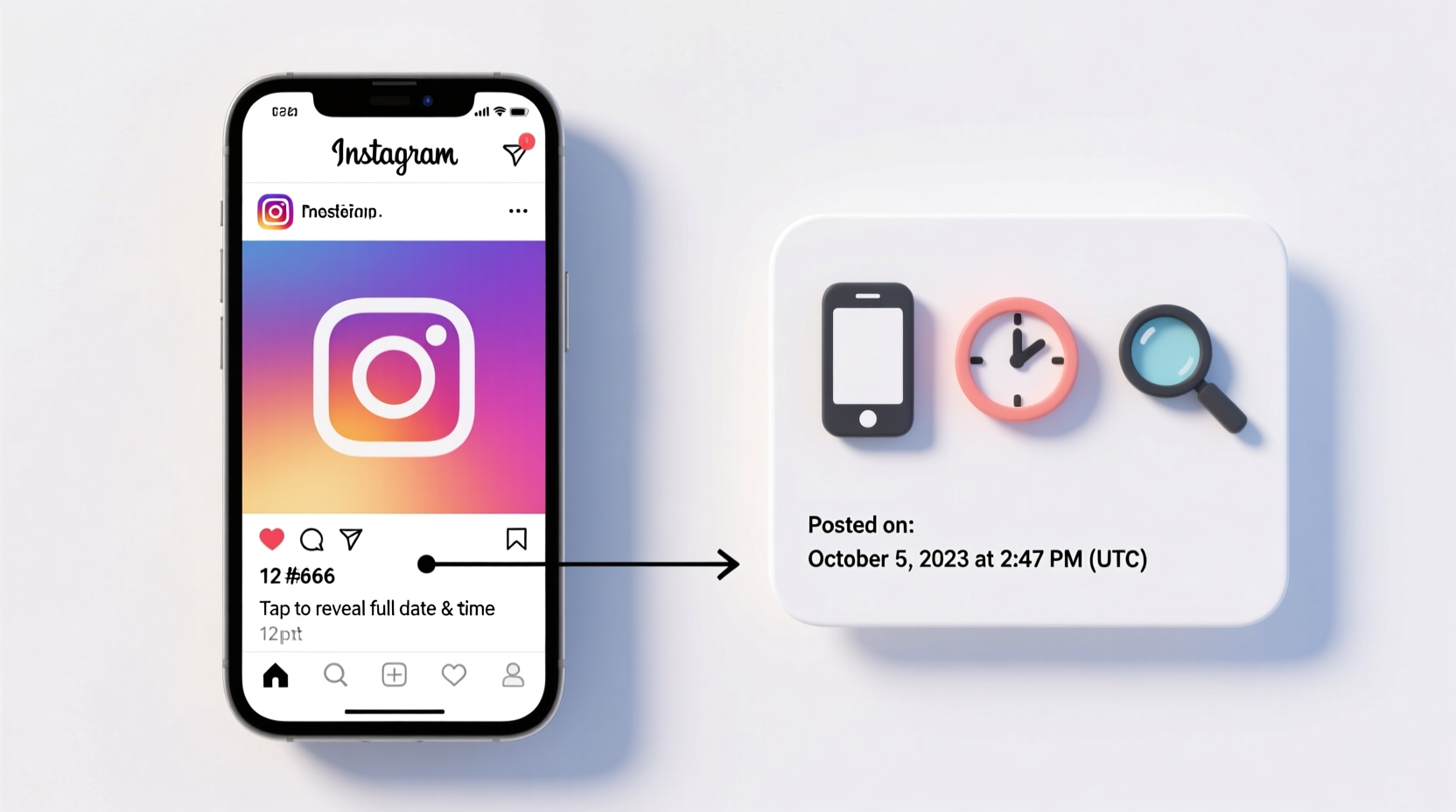
By default, Instagram uses dynamic, relative timestamps. Instead of showing “Posted on April 5, 2024 at 3:47 PM,” it may display “3d” or “2 weeks ago.” These labels update in real time based on your current device clock, making it difficult to determine the actual moment a post went live without further investigation.
The exact date and time are embedded in the post data but not always visible on standard mobile or desktop views. However, with a few adjustments or tools, you can access this hidden information. The method you choose depends on whether you're using a mobile device, desktop browser, or third-party service—and whether the account is public or private.
Method 1: Using Instagram’s Desktop Website (Manual Inspection)
The most reliable way to find the exact date and time of an Instagram post is through the desktop version of the site, combined with browser developer tools. This method works for all public posts and requires no external software.
- Open a web browser and go to instagram.com.
- Log in to your account (required even for public posts in some regions).
- Navigate to the profile and post you want to inspect.
- Click on the post to open it in full view.
- Below the image or video, locate the timestamp (e.g., “2w” or “1d”). Right-click on it and select “Inspect” (Chrome, Edge) or “Inspect Element” (Firefox).
- In the HTML panel, look for a line containing
<time datetime=\"...\">. The value inside the quotes is an ISO 8601 timestamp, such as2024-04-05T15:47:22.000Z. - Convert the UTC time to your local timezone. For example,
2024-04-05T15:47:22.000Zmeans April 5, 2024, at 3:47:22 PM UTC.
This timestamp is pulled directly from Instagram’s server and is 100% accurate. It reflects the exact moment the user uploaded the content, regardless of edits or reposts.
Method 2: Browser Extensions for Instant Timestamp Decoding
If manually inspecting code seems cumbersome, browser extensions can automate the process. Several lightweight tools enhance Instagram’s interface by revealing hidden metadata, including full timestamps.
Recommended extensions include:
- IG Timestamp Viewer – Adds a readable date/time next to every post’s relative timestamp.
- Enhanced IG – Offers multiple utilities, including time decoding, link previews, and download options.
- SocialDown – Displays upload time, location, and engagement metrics in a clean overlay.
These tools work instantly after installation. Once enabled, they parse the <time> element and convert the UTC string into a human-readable format localized to your system clock.
“Metadata extraction tools empower researchers and journalists to verify digital content with precision.” — Dr. Lena Patel, Digital Forensics Researcher at MIT Media Lab
Method 3: Third-Party Tools and Web Services
For users who prefer not to install browser add-ons, online services can retrieve post timestamps by analyzing public URLs. These platforms fetch Instagram data via scraping (within ethical limits) and decode timestamps automatically.
Popular tools include:
| Tool | How It Works | Accuracy | Privacy Note |
|---|---|---|---|
| InstaCheck.io | Paste post URL; returns timestamp, location, and caption | High (for public posts) | No login required; logs IP temporarily |
| TimeStagram.app | Instantly converts “3h ago” to full date/time | Moderate (relies on cached data) | Does not store user data |
| SnapEngage Metadata Tool | Advanced analytics including first comment time | Very High | Requires email signup |
To use these tools:
- Copy the URL of the Instagram post (tap “Share” → “Copy Link” on mobile).
- Visit the tool’s website.
- Paste the link into the input field.
- Wait for the analysis to complete.
- Review the displayed timestamp and other metadata.
Real-World Example: Tracking a Viral Post’s Origin
Jessica, a social media analyst, was tasked with identifying when a controversial image began spreading online. The post had been widely shared across platforms, but its origin was unclear. She found the earliest known version on a public Instagram account.
Using the desktop inspection method, she right-clicked the “5d” timestamp and inspected the element. The HTML revealed: <time datetime=\"2024-03-28T08:12:45.000Z\">. Converting UTC to EST, she determined the post went live on March 28, 2024, at 4:12 AM Eastern Time. This precise timing helped her team trace the narrative arc of the story and present findings to their client with verifiable accuracy.
Do’s and Don’ts When Retrieving Post Times
| Do’s | Don’ts |
|---|---|
| Use desktop browser inspection for maximum accuracy | Assume “posted 1 hour ago” means exactly one hour ago |
| Verify timestamps across multiple tools for consistency | Share or misuse timestamp data from private accounts |
| Convert UTC to your local timezone using timeanddate.com | Rely solely on memory or guesswork for legal or professional purposes |
| Cross-check with comments (earliest comment often close to upload time) | Use outdated apps that violate Instagram’s Terms of Service |
Frequently Asked Questions
Can I see the exact time of an Instagram Story?
No. Instagram Stories only show the date they were posted (e.g., “Today,” “Yesterday”), not the precise time. Once expired, even that label disappears unless saved to Highlights. There is currently no official or reliable method to recover the exact posting time of a Story.
Does editing a post change its original timestamp?
No. Even if a user edits the caption, tags, or location, the original datetime attribute remains unchanged. The timestamp reflects only the upload time, not modification history.
Why do some third-party tools show different times?
Discrepancies occur due to caching delays, incorrect timezone conversion, or reliance on estimated data rather than direct server timestamps. Always prioritize the datetime value from Instagram’s source code for accuracy.
Actionable Checklist: Find Any Instagram Post’s Time in 5 Minutes
- ✅ Ensure the post is public and accessible.
- ✅ Open the post on Instagram.com via desktop browser.
- ✅ Right-click the timestamp and select “Inspect.”
- ✅ Locate the
<time datetime=\"...\">tag in the code. - ✅ Copy the ISO timestamp (e.g., 2024-04-05T15:47:22.000Z).
- ✅ Convert UTC to your local time using a converter like timeanddate.com.
- ✅ Confirm results with a second method if needed (e.g., browser extension).
Conclusion: Precision Matters in the Digital Age
In an era where timing influences credibility, virality, and accountability, knowing exactly when a post was published isn’t just convenient—it’s essential. Whether you’re fact-checking, conducting market research, or managing your own brand presence, accessing the true timestamp empowers informed decisions. The methods outlined here—ranging from simple browser inspection to trusted third-party tools—are accessible to anyone, regardless of technical background.




 浙公网安备
33010002000092号
浙公网安备
33010002000092号 浙B2-20120091-4
Comments
No comments yet. Why don't you start the discussion?