
Determining whether someone has blocked you on Facebook can be tricky. Unlike a simple unfriend or privacy restriction, a block is a complete digital barrier — one that Facebook doesn’t explicitly notify you about. This silence often leads to confusion, especially when trying to understand sudden changes in visibility or interaction. But there are subtle yet reliable indicators that can help you confirm whether you’ve been blocked. Understanding these signals empowers you to interpret social cues accurately and decide how to respond — or whether to move on.
Key Differences: Blocked vs. Unfriended vs. Restricted
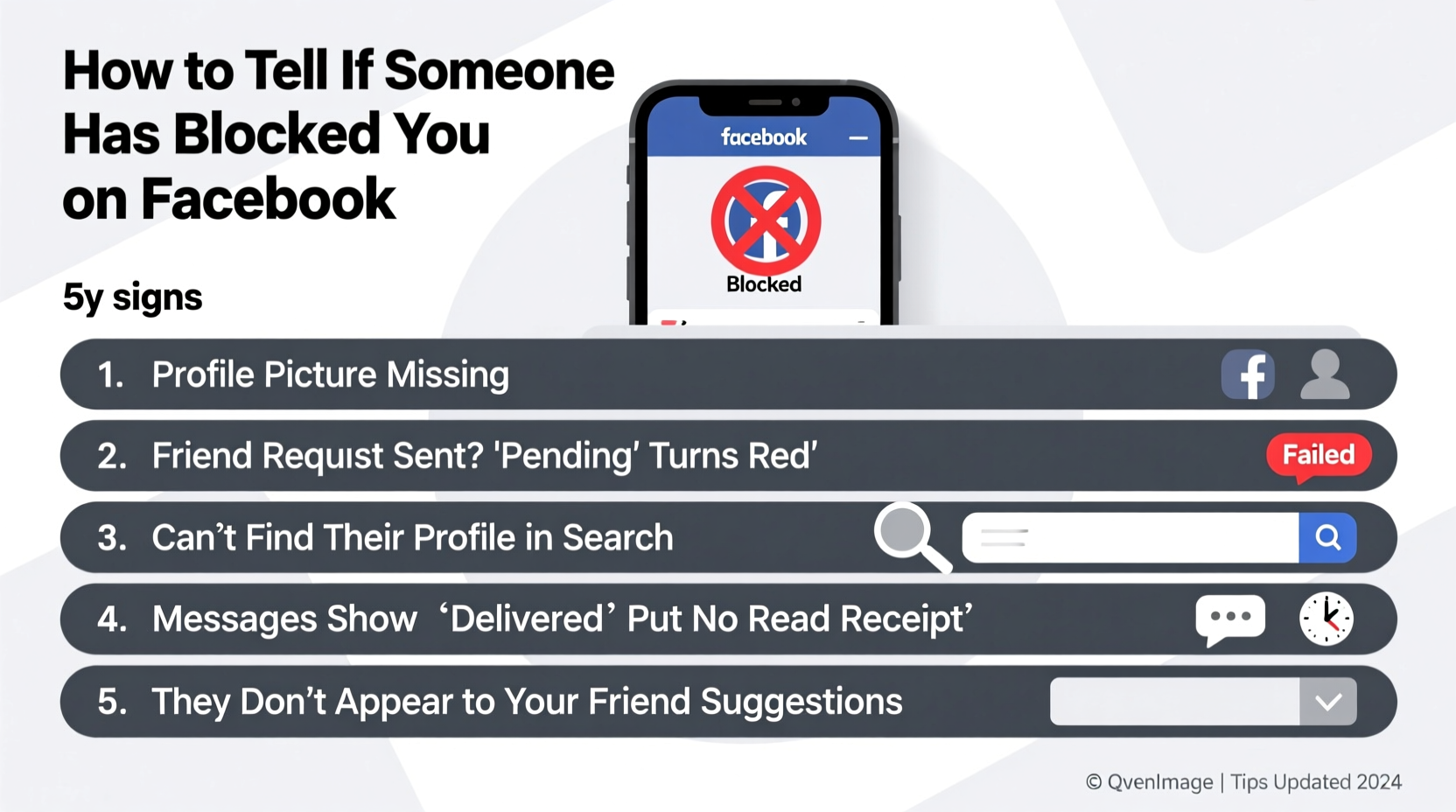
Before diving into the signs of being blocked, it's essential to distinguish between blocking, unfriending, and being restricted. These actions have different implications:
- Unfriended: The person removes you from their friends list. You may still view their public posts or profile if their settings allow it.
- Restricted: You remain friends, but they limit what you see from them. Their posts won’t appear in your feed unless tagged, and they won’t know when you're active.
- Blocked: A total cutoff. You cannot find their profile, send messages, tag them, or see any content — even if logged out.
A block affects all aspects of Facebook interaction. It’s not just social distancing; it’s digital erasure from the blocker’s perspective.
Clear Signs You’ve Been Blocked on Facebook
Facebook doesn’t send alerts when someone blocks you, so you must rely on behavioral and technical clues. Here are five definitive signs:
- Their profile doesn’t appear in search results. When you type their name into Facebook’s search bar and get no results, it could mean they’ve deactivated their account — or blocked you. To test this, log out and search again. If the profile appears when you're logged out, but not when logged in, a block is likely.
- You can’t find their profile via direct link. Try accessing their profile using their Facebook URL (e.g., facebook.com/john.doe). If you see a message like “Sorry, this page isn’t available,” it strongly suggests a block.
- Messages disappear or show no delivery status. If you previously messaged them and now the conversation is gone, or new messages stay grey without a “Seen” or “Delivered” status, this is a red flag. Note: This could also indicate they deleted the chat, but combined with other signs, it points to a block.
- You can’t tag them in posts or comments. Attempt to mention them by typing “@” followed by their name. If their name doesn’t appear in the dropdown, and you can’t successfully tag them, it may be due to a block.
- Their activity vanishes entirely. No likes, comments, mutual event invites, or reactions from them appear anywhere — even on mutual friends’ posts. While rare, this widespread disappearance supports the likelihood of a block.
Step-by-Step Guide to Confirm a Facebook Block
Follow this methodical approach to determine if you’ve been blocked:
- Search for the profile normally. Use the main search bar on Facebook. If nothing comes up, proceed to the next step.
- Log out and search again. Visit Facebook while not logged in. Search for the person by name. If their profile appears, but not when you're logged in, you’re likely blocked.
- Use a shared friend’s account. Ask a mutual friend to search for the person. If they can see the profile but you can’t, this further confirms a block.
- Check old messages. Open your Messenger history. If the chat thread is missing or shows an error when opened, it may have been removed due to a block.
- Try tagging them. In a comment or post, type “@” and their name. If their profile doesn’t appear as a suggestion, and the tag fails, it’s another indicator.
Consistency across multiple tests increases confidence in your conclusion. One isolated sign might be misleading, but several together form a strong case.
“Facebook’s design intentionally obscures blocking to protect user privacy. This means individuals must rely on indirect evidence — which requires careful observation and cross-verification.” — Dr. Lena Torres, Digital Communication Researcher, Stanford University
Do’s and Don’ts When You Suspect a Block
Your response matters. Reacting impulsively can escalate tension or damage relationships further. Use this table to guide your next steps:
| Action | Do? | Why |
|---|---|---|
| Contact them through another platform | No | This may come across as intrusive and ignore their boundary. |
| Ask mutual friends directly | No | Puts others in an awkward position and may spread unnecessary drama. |
| Reflect on recent interactions | Yes | Understanding context helps you grow and avoid repeating patterns. |
| Respect their decision silently | Yes | Maintains dignity and emotional balance. |
| Focus on your own well-being | Yes | Redirect energy toward positive relationships and self-improvement. |
Real Example: A Social Media Manager’s Experience
Sarah, a 32-year-old social media strategist, noticed a colleague stopped responding to her messages. At first, she assumed he was busy. But when she couldn’t find his profile despite having interacted with him weekly, she grew concerned. She searched using her personal phone, then her work laptop — same result. Finally, she asked a mutual contact to check. The profile appeared for them but not for her.
After confirming the block, Sarah reflected. They had disagreed over a campaign strategy during a team meeting. Her feedback was direct, possibly perceived as harsh. Instead of confronting him, she chose to improve her communication style in future collaborations. Months later, at a conference, they reconnected professionally — and eventually became LinkedIn contacts.
Her takeaway: “Being blocked wasn’t personal failure. It was feedback — silent, but real. I used it to become more empathetic online.”
Frequently Asked Questions
Can you still see a blocked person’s posts if they’re public?
No. Even if their profile is set to public, a block prevents you from viewing any content, including posts, photos, or comments. Facebook enforces the block universally across its platform.
Does blocking delete past messages?
No. Messages remain in your inbox unless manually deleted. However, you won’t be able to open new conversations or see updated delivery statuses. The other person won’t receive new messages you attempt to send.
If someone deactivates their account, does it look like a block?
Yes — temporarily. A deactivated profile won’t appear in searches or links. The key difference: when they reactivate, you’ll regain access. A block persists until they manually unblock you.
Conclusion: What to Do After Confirmation
Discovering you’ve been blocked can sting, especially if the relationship mattered to you. But remember: everyone has the right to control their digital space. Rather than seeking confrontation, use this moment for reflection. Was there unresolved tension? Could your communication style be adjusted? Or is this simply a mismatch of boundaries?
Most importantly, prioritize your peace. Obsessing over access only deepens emotional investment in someone who has chosen distance. Redirect your focus to connections that are reciprocal, respectful, and enriching.




 浙公网安备
33010002000092号
浙公网安备
33010002000092号 浙B2-20120091-4
Comments
No comments yet. Why don't you start the discussion?