
Apple Watch has evolved significantly since its debut in 2015, with multiple series, case sizes, materials, and cellular capabilities. Whether you're troubleshooting, selling your device, updating software, or buying accessories, knowing your exact Apple Watch model is essential. Unlike iPhones, the model number isn’t always clearly labeled on the back. But with a few simple steps, you can quickly determine your watch’s series and specific model identifier—ensuring you get accurate support, compatible bands, and correct repair options.
Why Knowing Your Apple Watch Model Matters
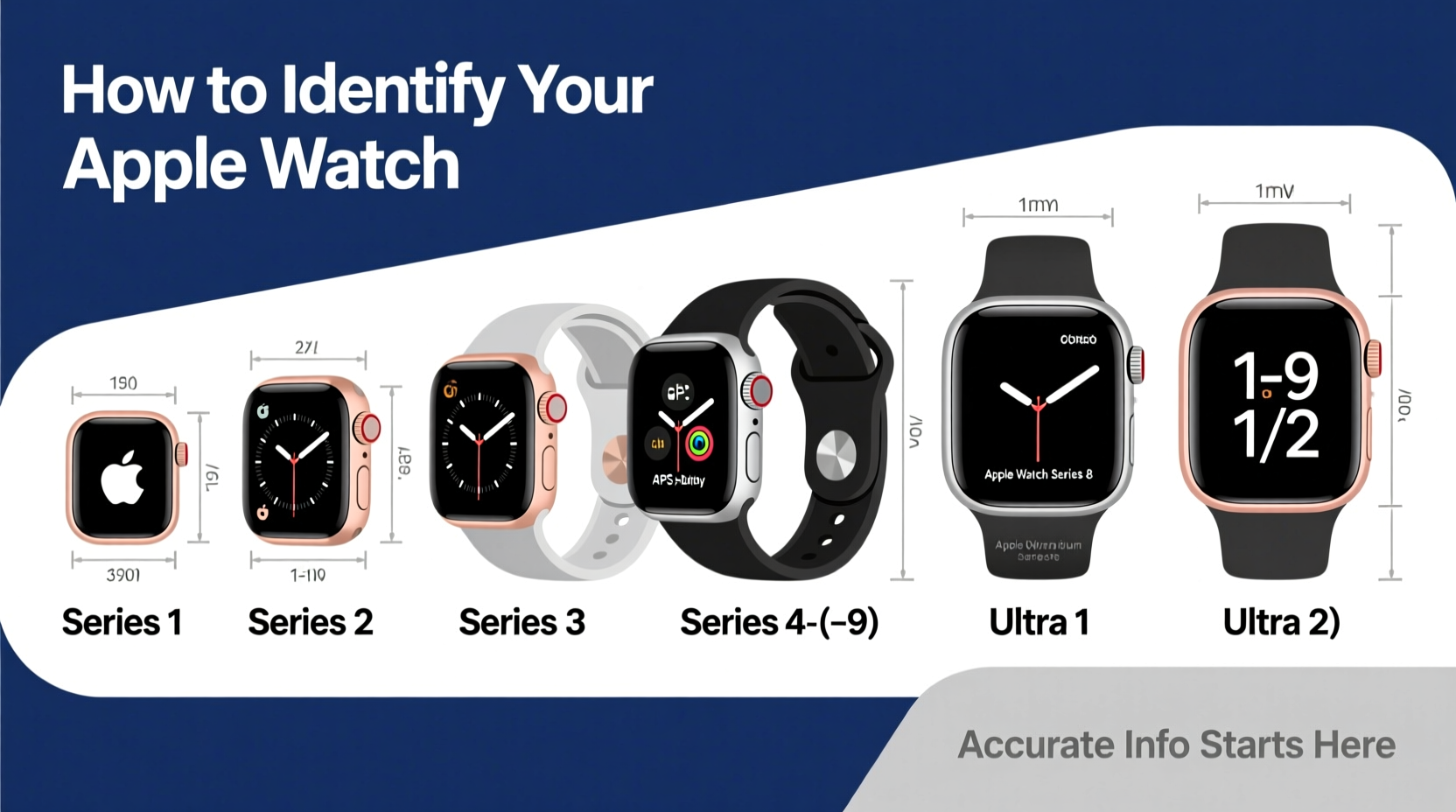
Each Apple Watch series introduces new features: improved heart rate sensors, ECG functionality, brighter displays, faster processors, and updated operating system requirements. Using incorrect information can lead to incompatible app downloads, wrong battery replacement parts, or purchasing a band that doesn’t fit your case size.
For example, an Apple Watch Series 3 cannot run watchOS 9, while Series 4 and later can. Similarly, a 41mm band won’t fit a 49mm Ultra 2. If you’re seeking technical support from Apple or third-party services, they’ll often ask for your model number (like A2677) to verify compatibility.
“Accurate identification prevents costly mistakes—especially when it comes to repairs or upgrades.” — Jordan Lee, Senior Tech Support Specialist at Apple Authorized Service Provider
Step-by-Step: How to Find Your Apple Watch Series and Model Number
The most reliable method involves using your paired iPhone and the Apple Watch app. Follow this sequence to pinpoint your device’s exact specifications.
- Open the Apple Watch app on your iPhone. Make sure your watch is nearby and connected via Bluetooth.
- Navigate to the My Watch tab at the bottom of the screen.
- Tap General, then select About.
- Scroll down to view key details:
- Model: Displays the internal model number (e.g., MQL03LL/A)
- Model Number: Shows the hardware identifier (e.g., A2677)
- Software Version: Indicates current watchOS version
- Size: Lists case diameter (e.g., 45mm)
Decoding the Model Number: What A2677 vs. A2377 Means
Apple uses alphanumeric codes (like A2306, A2677, A2846) to distinguish between different hardware configurations. These numbers are crucial for identifying regional variants, LTE support, and generation.
Here’s a breakdown of common Apple Watch model numbers by series:
| Apple Watch Series | Case Size | Common Model Numbers | Key Features |
|---|---|---|---|
| Series 9 | 41mm / 45mm | A2846, A2847, A2848, A2849 | S9 SiP, Double Tap gesture, fastest processor |
| Series 8 | 41mm / 45mm | A2638, A2639, A2640, A2641 | Temperature sensing, crash detection, S8 chip |
| Series 7 | 41mm / 45mm | A2473, A2474, A2475, A2476 | Largest screen area, faster charging |
| Series 6 | 40mm / 44mm | A2377, A2378, A2379, A2380 | Blood oxygen sensor, S6 chip, multiple colors |
| SE (1st Gen) | 40mm / 44mm | A2351, A2352, A2353, A2354 | S5 chip, no ECG or blood oxygen, budget-friendly |
| Ultra / Ultra 2 | 49mm | A2796, A2845, A2896, A2897 | Durable titanium, dive compass, Action button |
Notice that each size and connectivity option (GPS-only vs. GPS + Cellular) has a unique model number. For instance, A2846 is a 41mm Series 9 GPS model, while A2847 is the same size with cellular.
Alternative Methods: When You Don’t Have Access to the iPhone App
If your Apple Watch is disconnected from any iPhone or you’re checking a secondhand device, you can still identify it manually.
- Check the back casing: Flip the watch over. Engraved text includes regulatory info and the model number (e.g., “A2677”). It's small but legible with good lighting.
- Use the Settings app: On the watch, go to Settings > General > About > Model Name. This shows the abbreviated model number (e.g., “M” code like MQL03LL/A).
- Match physical design cues: Compare bezel size, material (aluminum, stainless steel, titanium), and shape. Series 7 and later have flatter edges and smaller borders than Series 6 and earlier.
Real Example: Buying the Right Replacement Band
Sarah purchased a premium leather band online for her Apple Watch, only to discover it didn’t fit. She assumed all 44mm bands were interchangeable. However, she owned a Series 7 (45mm), which uses slightly different lug spacing than older models. After checking her model number via the Watch app (A2475), she learned her watch was a 45mm GPS + Cellular variant. She returned the original band and ordered one specifically for 45mm watches, ensuring proper alignment and comfort.
This scenario highlights why relying solely on “Series” isn’t enough—case size and model matter for accessories.
Checklist: Confirming Your Apple Watch Identity
Follow this checklist to fully verify your device:
- ✅ Open the Apple Watch app on your iPhone
- ✅ Go to General > About
- ✅ Note the “Model Number” (starts with ‘A’)
- ✅ Record the “Model” (e.g., MQL03LL/A)
- ✅ Check case size and finish (aluminum, stainless steel, etc.)
- ✅ Verify connectivity: GPS-only or GPS + Cellular?
- ✅ Cross-reference with Apple’s official support page using the model number
Frequently Asked Questions
Can I tell the difference between Apple Watch Series 8 and Series 9 just by looking?
Visually, they are nearly identical. Both have the same flat edges and slim bezels. The only way to confirm is through the model number in settings or by checking performance—Series 9 uses the S9 chip, which powers new features like on-device Siri processing and Double Tap.
Does the model number change if I replace my Apple Watch under warranty?
Yes. If Apple replaces your watch, the new unit will have a different serial and model number, even if it’s the same series and size. Always recheck the details after a replacement.
Is there a website to look up what my Apple Watch model number means?
Yes. Visit Apple’s official model identification page and enter your model number to see full specs, release year, and supported watchOS versions.
Final Thoughts: Accuracy Saves Time and Money
Identifying your Apple Watch series and model isn’t just a technical detail—it’s a practical necessity. Whether you’re upgrading, repairing, reselling, or simply shopping for accessories, having the correct model information ensures compatibility and avoids frustration. Taking two minutes to check the About menu in your Watch app can save hours of returns, misordered parts, or software issues down the line.




 浙公网安备
33010002000092号
浙公网安备
33010002000092号 浙B2-20120091-4
Comments
No comments yet. Why don't you start the discussion?