
Knowing your exact phone model is essential whether you're troubleshooting an issue, selling your device, buying accessories, or updating software. With countless variations across brands and regions, identifying your model can be confusing—especially when names like “iPhone 14 Pro Max” or “Galaxy S23 Ultra” have multiple sub-models. This guide walks you through reliable, brand-specific methods to pinpoint your phone’s exact identity using simple tools and settings.
Why Knowing Your Phone Model Matters
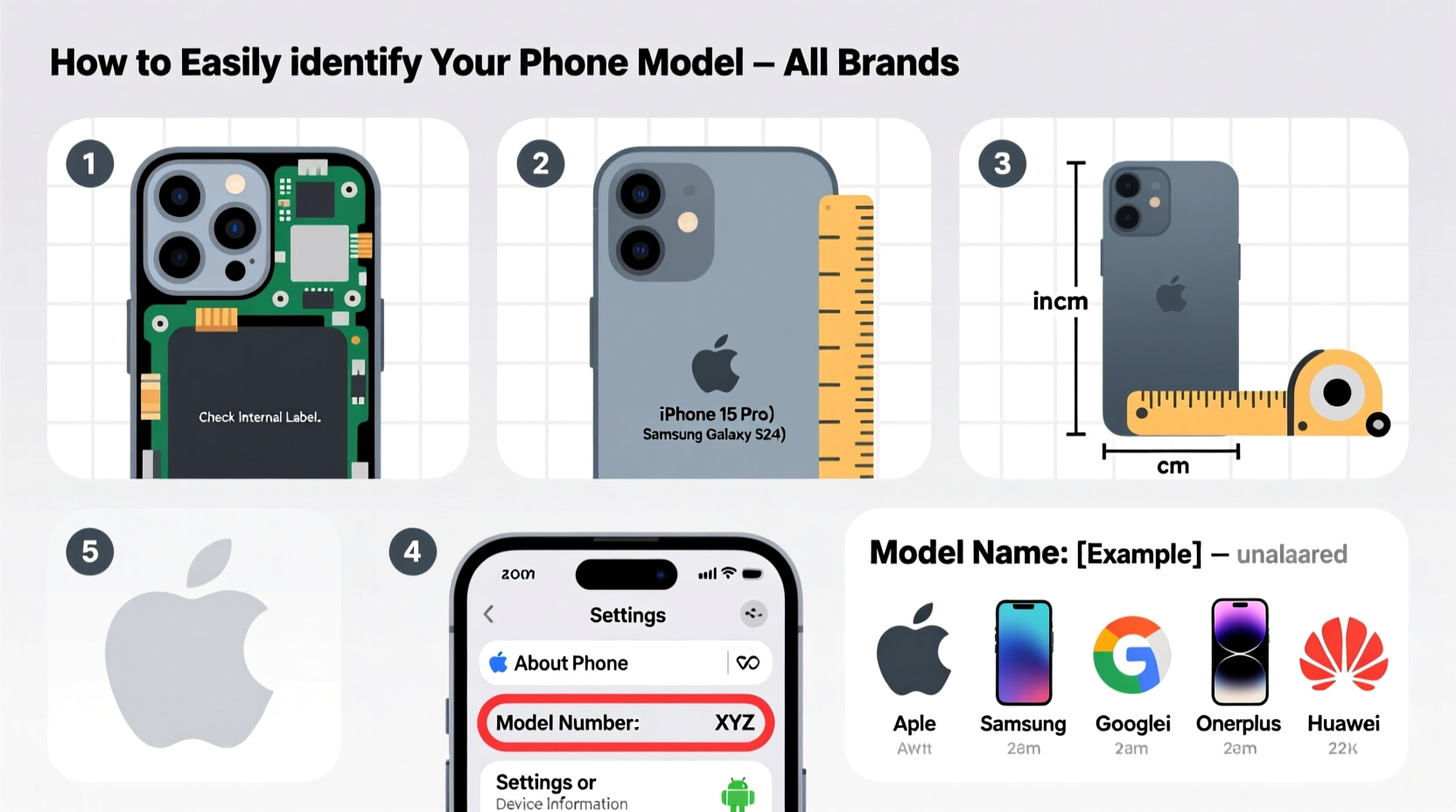
It’s not enough to say “I have a Samsung Galaxy.” Different models support different network bands, charging speeds, camera features, and software updates. Using the wrong charger, case, or even repair service can lead to compatibility issues. Carriers and technicians often require the precise model number—not just the marketing name—to provide accurate support.
“Accurate model identification ensures compatibility with networks, repairs, and accessories. It’s the first step in responsible device management.” — Lena Torres, Mobile Device Analyst at TechInsight Group
Step-by-Step: How to Find Your Phone Model on Any Device
The process varies slightly depending on your brand and operating system. Below is a universal approach that works across Android and iOS devices.
For iPhones (iOS Devices)
- Open the Settings app.
- Tap your name at the top, then select Find My > Find My [Device].
- Alternatively, go to General > About.
- Look for the Model Name (e.g., iPhone 15 Pro) and Model Number (starts with ‘A’, e.g., A2846).
- To see the actual model number instead of the marketing name, tap on the number next to “Model.”
For Samsung Galaxy Phones
- Go to Settings.
- Scroll down and tap About phone.
- Select Model & hardware or Device information, depending on your One UI version.
- Check the Model number (e.g., SM-S918U1).
- Note the suffix: 'U' means U.S. carrier model, 'B' may indicate unlocked international variant.
Samsung uses a standardized naming convention: SM-[series][model][region code]. For example, SM-S918U1 refers to a Galaxy S23 Ultra (S918) sold in the U.S. (U) with minor firmware variation (1).
For Google Pixel Devices
- Navigate to Settings.
- Tap About phone.
- View the Model number (e.g., G9BQX).
- Check Model name for the consumer-facing title (e.g., Pixel 8 Pro).
Google also lists the Hardware info and FCC ID, which can help verify authenticity if purchasing secondhand.
For Other Android Brands (OnePlus, Xiaomi, Oppo, etc.)
- Open Settings.
- Go to About phone.
- Look for Model number or Device name.
- Some brands group info under Status or Legal & regulatory.
Manufacturers like OnePlus use alphanumeric codes such as KB2001 (OnePlus 8T). Always cross-reference these numbers on the official website or support database.
Alternative Methods When Settings Aren’t Accessible
If your phone won’t turn on or the screen is damaged, you can still identify the model using physical and external clues.
Check the Original Box or Receipt
The packaging usually displays both the marketing name and model number. Look for labels like:
- Model: SM-G998U
- Part Number: XXXX-XXXXXX
- IMEI/Serial Number section
Inspect the Back or SIM Tray
Many phones etch the model number on the back casing or inside the SIM card tray. iPhones list the model number near the regulatory text. Some Xiaomi and Realme phones print tiny identifiers along the bottom edge.
Use IMEI Lookup Tools
Dial *#06# to reveal your IMEI number. Enter it into free online databases like:
These tools decode the IMEI and return the brand, model, storage size, and sometimes release year.
Brand Comparison: Where to Find Model Info
| Brand | Path to Model Info | Typical Model Format | Additional Notes |
|---|---|---|---|
| Apple (iPhone) | Settings > General > About > Tap Model | A#### (e.g., A2650) | 'A' number is key for Apple support |
| Samsung | Settings > About phone > Model & hardware | SM-XXXX### (e.g., SM-S911B) | Letter suffix indicates region/carrier |
| Google Pixel | Settings > About phone > Model number | G####### (e.g., G9BQX) | FCC ID available under Regulatory info |
| OnePlus | Settings > About phone > Model number | KB#### / LE## (e.g., KB2001) | Newer models use LE codes |
| Xiaomi/Redmi | Settings > About phone > All specs | M#### (e.g., M2101K9G) | MIUI hides basic info; check \"All specs\" |
Real-World Example: Selling a Used Phone Safely
Mark bought a used Galaxy S22 from an online marketplace. The seller said it was “unlocked and in great condition,” but Mark wanted to verify. He powered it on, went to Settings > About phone, and found the model number: SM-S901U. A quick search revealed this was a U.S. carrier-locked version incompatible with his Canadian provider. Thanks to the model number, he avoided a costly mistake and requested a refund before finalizing payment.
This scenario shows why relying on verbal descriptions isn’t enough. The model number tells the full story.
Quick Checklist: Identify Your Phone Model in 5 Minutes
- ✅ Power on the device and unlock it.
- ✅ Open Settings and navigate to “About phone.”
- ✅ Locate the “Model number” field (not just “Device name”).
- ✅ Write down the full code (e.g., SM-S918U1 or A2846).
- ✅ Cross-check the number online via the manufacturer’s site or IMEI tool.
Frequently Asked Questions
Can two phones have the same model number but different specs?
No—each official model number corresponds to a specific hardware configuration, region, and carrier. However, some variants differ only in network bands or pre-installed software.
What if my phone doesn’t show a clear model number in settings?
If the interface is corrupted or missing, try using the dialer code *#*#4636#*#* (Testing Menu) on Android. Navigate to “Phone Information” to view the model. Alternatively, check the IMEI or physical engravings.
Is the serial number the same as the model number?
No. The serial number is unique to each individual unit, while the model number applies to all units of the same type. Think of the model number as the blueprint and the serial as the fingerprint.
Final Thoughts: Take Control of Your Device Identity
Identifying your phone model doesn’t require technical expertise—just a few taps in the right menu. Whether you’re upgrading, repairing, or reselling, knowing your exact model empowers smarter decisions. Don’t guess based on appearance or memory. Use the built-in settings, physical labels, or trusted lookup tools to get the facts straight.




 浙公网安备
33010002000092号
浙公网安备
33010002000092号 浙B2-20120091-4
Comments
No comments yet. Why don't you start the discussion?