
Poedagar watches are designed with precision, blending classic craftsmanship with modern functionality. One of their standout features is the dual calendar display—typically showing both the Gregorian and lunar (or Hijri) calendars simultaneously. This feature is especially useful for users who follow religious or cultural events based on alternative calendar systems. However, many owners underutilize this capability due to confusion about setup and customization. With the right steps, you can configure your Poedagar watch’s dual calendar for optimal accuracy and personal relevance.
Understanding the Dual Calendar System
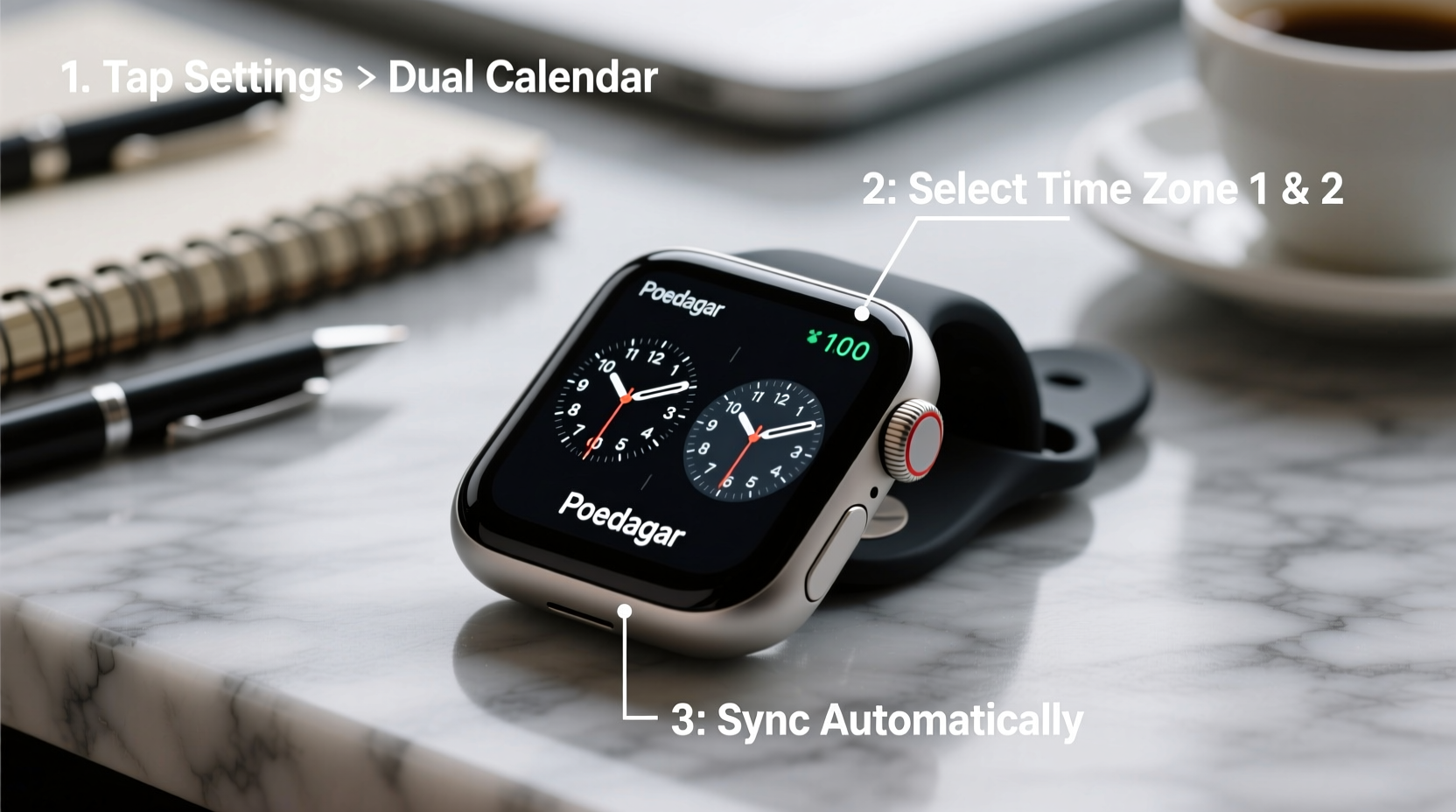
The dual calendar function in Poedagar watches allows wearers to track two different calendar systems at once. Most commonly, this includes the standard Gregorian calendar (used globally) and a secondary system such as the Islamic Hijri calendar, Chinese lunar calendar, or Hebrew calendar, depending on the model. These calendars run on different cycles: the Gregorian follows solar years, while the Hijri is purely lunar, making it approximately 11 days shorter than the solar year.
This divergence means that dates don’t align across systems, which is why manual synchronization is often required. Unlike smartwatches that auto-sync via GPS or internet, most Poedagar models rely on mechanical or semi-mechanical movements with manual input for calendar settings. Understanding this distinction is crucial before attempting configuration.
“Accurate dual-calendar alignment isn’t just about convenience—it reflects respect for tradition and ensures timely observance of important dates.” — Dr. Amir Khalid, Horology & Cultural Timekeeping Researcher
Step-by-Step Guide to Setting the Dual Calendar
Setting the dual calendar correctly ensures both date displays remain synchronized throughout the year. Follow these steps carefully:
- Pull the crown to the first position – Gently pull the crown out one notch. This usually adjusts the date without stopping the time.
- Advance the primary (Gregorian) date – Rotate the crown clockwise until the correct day and date appear. Avoid adjusting between 9 PM and 3 AM, when internal gears may be shifting.
- Switch to secondary calendar mode – Some Poedagar models require pressing a small button near the crown or using a second crown to toggle to the lunar/Hijri display.
- Set the secondary calendar manually – Use reference tools like official moon sighting reports or verified online converters to determine the corresponding lunar date.
- Confirm alignment – Check both displays side by side. If your model supports leap months (like in the Hijri calendar), ensure those are accounted for during specific years.
- Push the crown back – Once both calendars reflect the correct dates, securely push the crown back to its original position.
Customizing Display Preferences
While all Poedagar dual-calendar watches show two dates, higher-end models offer customization options such as font size, visibility toggles, or even color-coded indicators. Here's how to personalize your experience:
- Lunar Phase Indicator – On select models, a small aperture shows the moon’s phase. Align this with actual astronomical data for greater authenticity.
- Day-of-the-Week Language – Some watches allow switching between English, Arabic, or other languages via a hidden menu accessed through sequential button presses.
- Date Jump Speed – Mechanical models vary in how quickly the date changes at midnight. If yours jumps slowly, avoid checking the date right at midnight to prevent misreading.
To access advanced settings, refer to your user manual for model-specific key combinations. For example, holding Button A + Crown for five seconds might activate “Calendar Sync Mode” on certain Poedagar Pro editions.
Do’s and Don’ts When Managing Dual Calendars
| Do’s | Don’ts |
|---|---|
| Set the calendar during daytime hours (between 6 AM and 8 PM) | Adjust the date between 9 PM and 3 AM |
| Use official lunar sighting announcements for Hijri dates | Rely solely on automatic conversion apps without verification |
| Record reset dates in a logbook for future reference | Force the crown if resistance is felt—this can damage gears |
| Service your watch every 3–5 years to maintain calendar mechanism integrity | Expose the watch to moisture while adjusting settings (if not water-resistant) |
Maintaining Accuracy Throughout the Year
Because lunar calendars do not perfectly align with solar ones, periodic recalibration is necessary. The Hijri year, for instance, has only 354 or 355 days, so the offset from the Gregorian calendar shifts annually. Without correction, your secondary calendar could drift by weeks over time.
Here’s a realistic scenario: Ahmed, a frequent traveler and devout observer of Ramadan, noticed his Poedagar watch showed Eid al-Fitr a day earlier than expected. After consulting an official moon-sighting announcement, he realized the factory default had drifted due to an unadjusted leap month. He corrected it using the secondary crown function and now sets a bi-monthly reminder to verify alignment.
Essential Checklist for Dual Calendar Setup
Before finalizing your configuration, go through this checklist to ensure everything is accurate and secure:
- ✅ Confirm current Gregorian date and time
- ✅ Verify corresponding lunar/Hijri date via reliable source
- ✅ Ensure watch is fully wound (for mechanical models)
- ✅ Use correct crown position to avoid time disruption
- ✅ Test both calendar apertures after setting
- ✅ Secure crown completely to maintain water resistance
- ✅ Log the last calibration date for future maintenance
Frequently Asked Questions
Can I automate the dual calendar update on my Poedagar watch?
Most traditional Poedagar watches do not support wireless syncing. However, newer hybrid models with Bluetooth connectivity can sync to smartphone apps that automatically adjust both calendars. Check your model specifications to see if this feature is available.
Why does the lunar date sometimes skip or repeat?
This occurs when the internal mechanism doesn’t account for variable lunar month lengths (29 or 30 days). Manual correction is needed each time a 29-day month ends unexpectedly. Always cross-reference with real-world observations.
How often should I reset the dual calendar?
For non-automated models, plan to verify and adjust the secondary calendar every 2–3 months. During leap years or special lunar cycles (e.g., Kabeer years in some systems), more frequent checks are recommended.
Conclusion: Master Your Time, Honor Your Traditions
The dual calendar feature on your Poedagar watch is more than a technical novelty—it’s a bridge between global timekeeping and personal heritage. When properly set and maintained, it empowers you to stay aligned with both daily life and meaningful traditions. Whether marking prayer times, festivals, or family milestones, accurate dual-calendar tracking enhances the value of your timepiece beyond mere utility.




 浙公网安备
33010002000092号
浙公网安备
33010002000092号 浙B2-20120091-4
Comments
No comments yet. Why don't you start the discussion?