
Transforming your home into a holiday spectacle no longer requires professional equipment or advanced electrical knowledge. With today’s smart home technology, syncing Christmas lights to music is accessible, affordable, and surprisingly simple. Whether you're aiming for a subtle glow that pulses gently with carols or a full-blown synchronized light show visible from space, modern tools make it possible—right from your smartphone or tablet.
The magic lies in combining Wi-Fi-enabled smart lights, compatible apps, and audio-reactive software. These components work together to analyze music in real time and translate beats, volume, and rhythm into dynamic lighting effects. No more manual programming or complex wiring. What once took hours of coding can now be done in minutes with intuitive platforms designed for everyday users.
Understanding the Components of a Music-Synced Light System
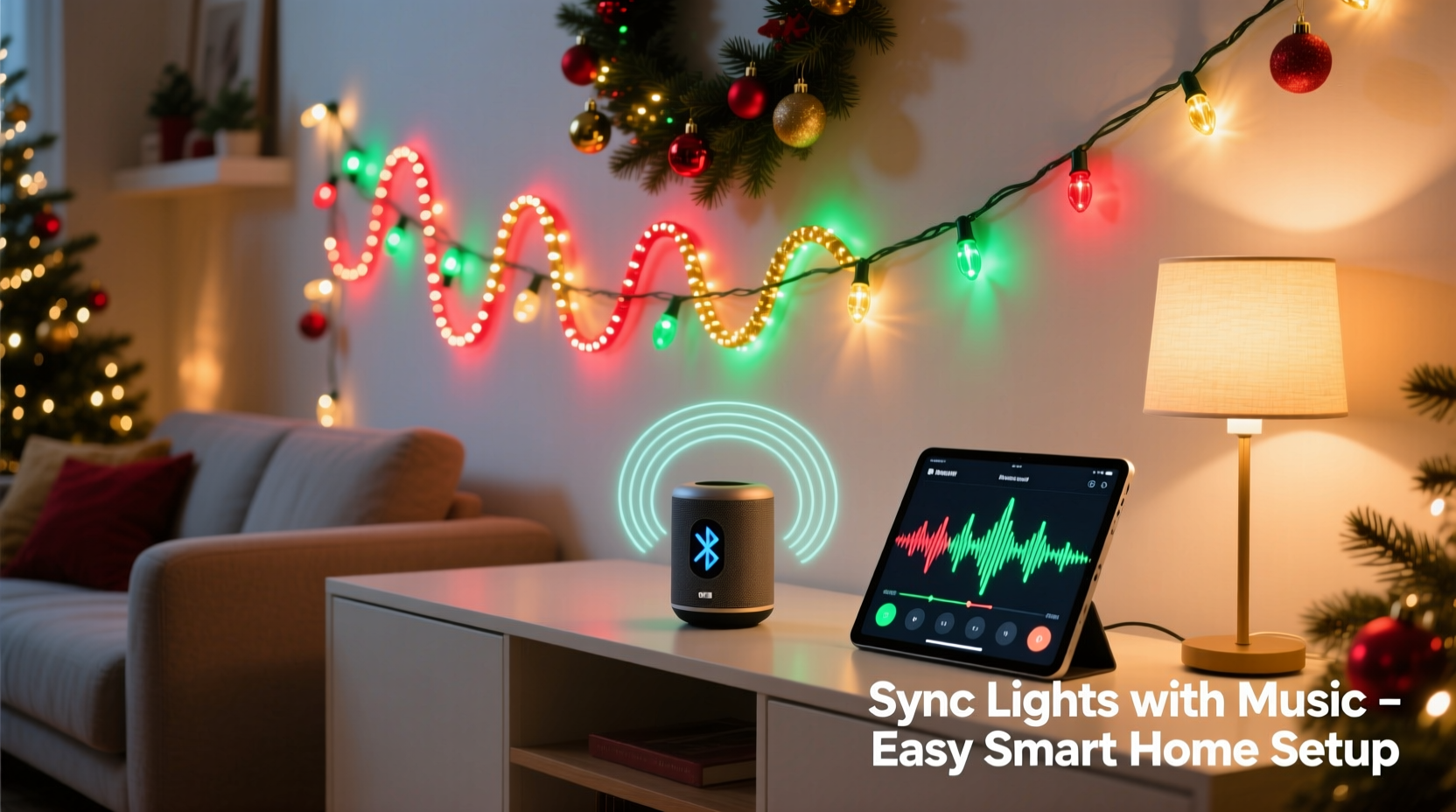
To create a seamless musical light display, you need three core elements: smart lighting hardware, control software, and an audio source. Each plays a distinct role in delivering synchronized performance.
Smart Lighting Hardware: This includes addressable LED strips (like Philips Hue, Nanoleaf, or Govee), smart plugs, or standalone smart bulbs. Addressable LEDs are ideal because each bulb or segment can be individually controlled, allowing for wave effects, color chasing, and beat-responsive patterns.
Control Software & Apps: Platforms like Hue Sync, Govee Home, Lifx, or third-party tools such as X-Lights or Light-O-Rama interpret audio signals and send commands to your lights. Some operate locally; others use cloud-based processing for faster response.
Audio Source: Any device capable of playing music—your phone, laptop, or smart speaker—can serve as the input. The app captures the audio either through microphone detection or direct system audio access, depending on compatibility.
Step-by-Step Guide to Sync Lights with Music
- Choose Your Smart Lighting System
Select a brand that supports music synchronization. Popular options include:- Philips Hue – Works with Hue Sync app (desktop and mobile)
- Govee – Offers built-in music mode via app with real-time mic detection
- Nanoleaf – Shapes and Lines support Rhythm Mode with external microphone
- Lifx – Integrates with第三方 apps like Hyperion for ambient audio-reactive lighting
- Install and Set Up Your Lights
Follow manufacturer instructions to install your lights indoors or outdoors. Connect them to power and pair with their respective app via Bluetooth or Wi-Fi. Ensure all devices appear online and respond to basic commands like turning on/off or changing color. - Enable Music Sync Mode
In your app, locate the “Music” or “Rhythm” feature:- For Philips Hue, open the Hue Sync app on Windows or macOS, select your room, and start playback.
- With Govee, tap the music icon in the app, grant microphone permissions, and play music nearby.
- Nanoleaf users can activate Rhythm Mode in the desktop app and adjust sensitivity settings.
- Test Audio Input and Calibration
Play a song with clear beats—such as \"Jingle Bell Rock\" or \"Uptown Funk\"—and observe how the lights react. Adjust microphone sensitivity if the response is too weak or overly aggressive. Position the audio source (phone/laptop) close enough to pick up sound clearly but not so loud it distorts input. - Optimize Placement and Effects
Experiment with different lighting zones. Assign warm white hues to gentle ballads and vibrant color transitions to upbeat tracks. Use dimming levels to avoid overwhelming neighbors or violating local brightness ordinances. - Go Live or Automate
Once satisfied, run the show manually during gatherings or schedule automation rules. For example, set your porch lights to enter music mode every evening from December 1–31 between 5 PM and 9 PM when music is detected.
Best Smart Devices for Music-Responsive Lighting
Not all smart lights handle audio synchronization equally. Here's a comparison of top performers based on responsiveness, ease of setup, and customization.
| Device | Music Sync Method | Response Time | Customization Level | Price Range |
|---|---|---|---|---|
| Philips Hue + Hue Sync App | Direct audio capture (PC/Mac) | Very Low (~100ms) | High (per-light control) | $$$ |
| Govee LED Strips (H61WW1, H61A1) | Microphone in app | Low (~200ms) | Medium (zone-based) | $ |
| Nanoleaf Shapes / Lines | External mic or line-in | Low | High (animations + rhythm) | $$ |
| Lifx Z Strip | Third-party apps (Hyperion, Boblight) | Moderate | Very High (open-source config) | $$ |
| TP-Link Kasa Smart Plugs | No native support; limited via IFTT | High (delayed triggers) | Low | $ |
For budget-conscious users, Govee offers excellent value with strong app integration. Those seeking precision and cinematic effects should consider Philips Hue paired with Hue Sync, which mirrors screen colors and sound to lights—a favorite among home theater enthusiasts during holiday movie nights.
“Modern smart lighting has democratized what was once a niche hobby. Now anyone can create immersive experiences without writing a single line of code.” — David Tran, Smart Home Automation Consultant
Advanced Options: DIY Synchronized Shows with X-Lights
If pre-built app features feel limiting, step into custom territory with X-Lights, a free, open-source platform used by thousands to design professional-grade holiday displays. While more technical, it unlocks unparalleled creative freedom.
X-Lights allows you to map individual LEDs to specific channels, assign animations to beats, and export sequences that play independently of live audio. You can choreograph entire songs frame-by-frame, matching light flashes to drum hits or crescendos.
To get started:
- Download X-Lights from xlights.org (available for Windows, Mac, Linux)
- Connect compatible controllers (like Falcon F16v3 or Renard) to your network
- Import your light layout and assign pixel addresses
- Use the built-in beat detector to auto-generate timing grids
- Create sequences using drag-and-drop effects editor
- Export and run shows via scheduler or remote trigger
This method requires initial investment in hardware and learning curve, but many users report their first fully synced 3-minute show takes less than 8 hours to produce after setup.
Real Example: A Suburban Family’s First Light Show
The Ramirez family in Portland, Oregon, wanted to spread holiday cheer after two quiet pandemic seasons. With a modest $120 budget, they purchased two 16.4-ft Govee Wi-Fi LED strips and a starter pack of four colored bulbs.
They installed the strips along their roofline and porch railing, connecting both to standard outlets. Using the Govee app, they created a “Holiday Mode” scene with red, green, and gold patterns. On Thanksgiving night, they tapped the music icon, played Mariah Carey’s “All I Want for Christmas Is You” from their living room speaker, and watched their house come alive in rhythm.
Neighbors began stopping by. By mid-December, the Ramirezes had added a motion sensor rule: when someone approaches the driveway between 5–8 PM, the lights flash twice and transition into soft pulsing. They estimate over 1,200 visitors viewed the display—a joyful return on a few evenings of setup.
Checklist: Getting Your Lights Ready for Music Sync
- ✅ Choose a music-compatible smart lighting system
- ✅ Install lights securely and connect to power
- ✅ Pair all devices with the correct app
- ✅ Update firmware to latest version
- ✅ Grant microphone permission if required
- ✅ Test audio responsiveness with a high-beat song
- ✅ Adjust brightness and color range for desired effect
- ✅ Schedule or automate show times (optional)
- ✅ Check local regulations on outdoor lighting duration
- ✅ Share your display address with friends and family!
Common Challenges and How to Solve Them
Synchronization isn’t always perfect on the first try. Delays, dropped signals, or erratic behavior can occur—but most issues have straightforward fixes.
Lag Between Sound and Light: This often stems from Bluetooth latency or slow Wi-Fi. Switch to a 5GHz network if possible, or use wired Ethernet for desktop apps like Hue Sync. Reduce interference by keeping routers away from large metal objects.
Lights Not Reacting to Soft Music: Increase microphone sensitivity in the app settings. Alternatively, boost playback volume slightly or use equalizer apps to enhance bass frequencies, which lights typically respond to best.
Partial Zones Not Responding: Re-pair unresponsive bulbs or strips. Check for signal dead zones; consider adding a Wi-Fi extender or Zigbee repeater (for Hue) to improve coverage.
Battery Drain on Mobile Devices: Running music sync continuously can deplete phone batteries quickly. Use a plugged-in tablet or dedicated mini PC for extended shows.
Frequently Asked Questions
Can I sync non-smart Christmas lights with music?
Yes, but indirectly. Use a smart plug to turn traditional lights on/off in response to sound via IFTTT or Alexa routines. However, this only allows basic blinking—not nuanced color or pattern changes.
Do I need internet for music sync to work?
It depends. Most apps require initial cloud authentication, but once paired, some (like Govee) allow local control. Hue Sync desktop runs entirely offline after setup. Always check your product specs for local-only operation.
Can multiple light brands sync together to the same music?
Not natively. Each ecosystem operates independently. However, platforms like Home Assistant can unify devices across brands and enable coordinated music modes through custom scripting.
Final Thoughts: Make This Holiday Season Shine
Synchronizing Christmas lights with music used to be a dream reserved for theme parks and million-dollar displays. Today, it’s a reality for anyone willing to spend an afternoon setting up smart lights. The combination of intuitive apps, responsive hardware, and powerful audio analysis puts professional-level effects within reach.
Beyond aesthetics, these displays foster connection. Children stare in wonder. Neighbors gather. Spirits lift. In a world often dominated by screens and silence, a house that dances to music becomes a beacon of joy.
You don’t need engineering skills or expensive gear. Start with one string of lights. Pick your favorite holiday track. Hit play. Watch as color and rhythm merge into something greater than the sum of its parts.




 浙公网安备
33010002000092号
浙公网安备
33010002000092号 浙B2-20120091-4
Comments
No comments yet. Why don't you start the discussion?