
Ordering online has become second nature for millions of consumers worldwide. Whether it’s groceries, electronics, or gifts for loved ones, the convenience is undeniable. But once you hit “Buy Now,” one question often follows: Where is my package? Without proper tracking, uncertainty can grow quickly. The good news is that modern shipping systems offer powerful tools to monitor your shipments in real time. This guide walks you through every aspect of order tracking—from understanding tracking numbers to troubleshooting delays—so you can stay informed and in control.
Understanding How Order Tracking Works
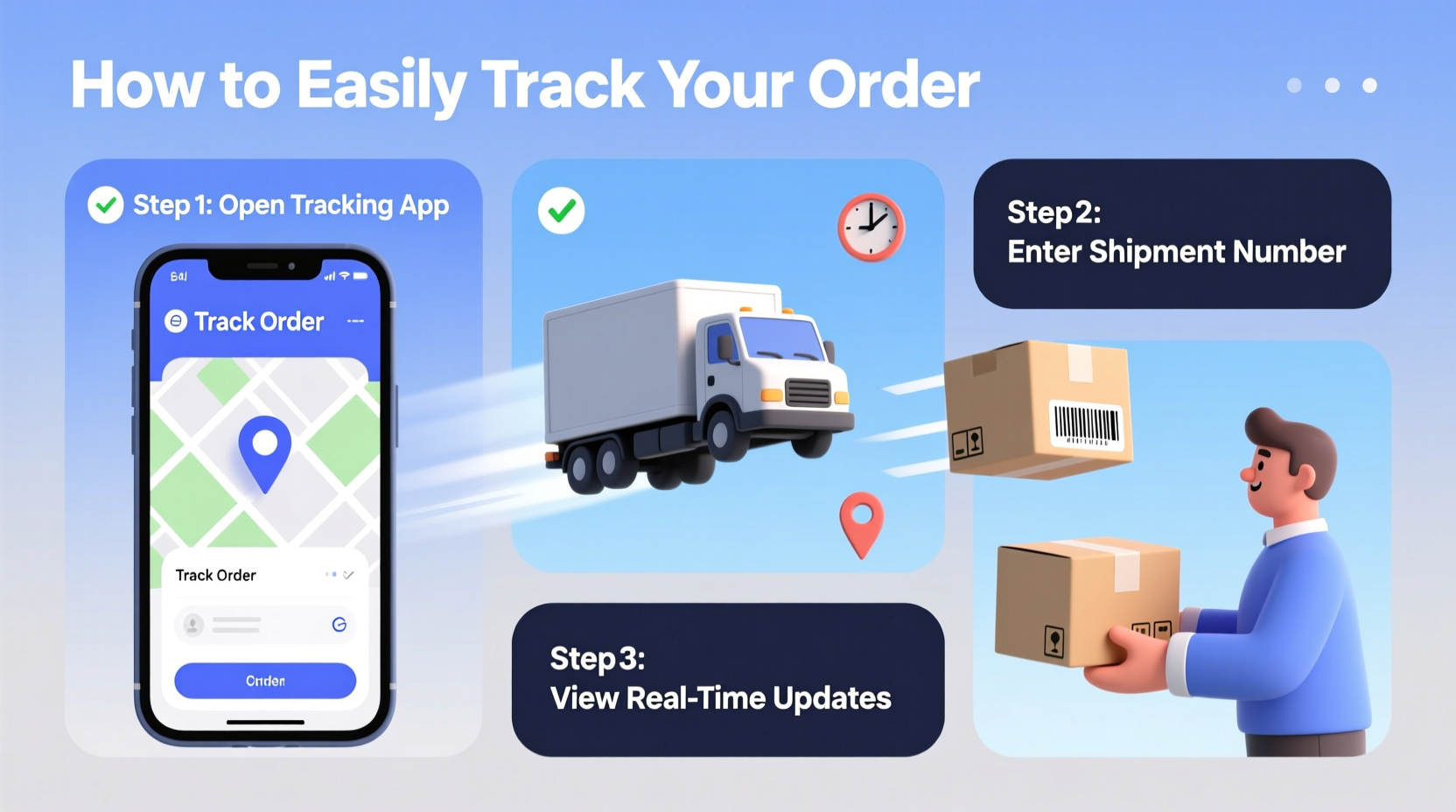
At its core, order tracking relies on a unique identifier assigned to your shipment: the tracking number. This alphanumeric code acts as a digital fingerprint for your package, allowing carriers and retailers to log its journey from warehouse to doorstep. When you place an order, the seller typically emails a confirmation that includes this number and a link to the carrier’s tracking page.
Behind the scenes, each scan—whether at pickup, sorting facility, or delivery van—updates the package’s status. These updates are then made available through web portals, mobile apps, and automated notifications. Major carriers like UPS, FedEx, DHL, and national postal services all maintain robust tracking infrastructures, ensuring transparency across domestic and international deliveries.
Step-by-Step Guide to Tracking Your Shipment
Tracking your order doesn’t require technical expertise. Follow these simple steps to monitor your package effectively:
- Locate your tracking number. Check your order confirmation email or account dashboard on the retailer’s website.
- Identify the carrier. The email usually names the shipping company (e.g., USPS, FedEx).
- Visit the carrier’s official website. Enter the tracking number in their search field.
- Review the timeline. Look for timestamps, locations, and current status (e.g., “Out for Delivery”).
- Enable notifications. Opt-in for email or SMS alerts to receive automatic updates.
- Contact support if needed. If tracking shows no movement for more than 48 hours, reach out to the carrier or seller.
Many shoppers now use third-party tracking platforms like Parcel Monitor or AfterShip, which allow you to input multiple tracking numbers and receive consolidated updates across different carriers—all from one dashboard.
Common Tracking Statuses Explained
Not all tracking messages are self-explanatory. Understanding what each update means helps set realistic expectations. Below is a breakdown of frequently seen statuses:
| Status | Meaning | What to Expect Next |
|---|---|---|
| Order Processed | Your payment cleared; the seller is preparing the item. | Shipment within 1–3 business days. |
| In Transit | The package is moving through the carrier’s network. | Multiple scans daily; may include “Departed Facility.” |
| Out for Delivery | The local driver has your package. | Delivery expected same day, usually by 8 PM. |
| Delivered | Package successfully handed over. | Check photos if available; inspect contents promptly. |
| Delayed | Unplanned hold-up due to weather, volume, or customs. | Monitor for new updates; contact seller if delay exceeds 3 days. |
“Over 70% of delivery concerns stem from misinterpretation of tracking data. Knowing what ‘in transit’ really means reduces unnecessary inquiries.” — David Lin, Logistics Operations Manager at National Express Shipping
Tips for Smoother Tracking Experiences
While most shipments proceed without issues, proactive habits improve visibility and reduce stress. Consider these best practices:
- Use a consistent email address. Ensures all order confirmations land in one inbox.
- Add tracking links to your calendar. Set reminders for estimated delivery dates.
- Verify recipient details. Incorrect addresses cause rerouting and delays.
- Avoid weekend-only delivery areas. Some rural zones only receive packages Mon–Fri.
- Track internationally with extra caution. Customs clearance can pause updates for several days.
Real Example: Recovering a Seemingly Lost Package
Sarah ordered a birthday gift for her sister from an online boutique. After two weeks, the tracking status read “In Transit” with no recent updates. Concerned, she contacted the retailer, who confirmed the package was scanned in a regional hub but hadn’t moved in five days.
Rather than wait, Sarah used the carrier’s live chat support and provided the tracking number. The agent discovered the package had been misrouted due to a barcode error. Within 24 hours, it was redirected and delivered two days later. Sarah credited her success to early intervention and having both the order ID and tracking number ready.
This case highlights the importance of acting promptly when tracking stalls—and being prepared with accurate information.
Do’s and Don’ts of Order Tracking
| Do’s | Don’ts |
|---|---|
| Bookmark the tracking page for quick access. | Don’t assume “delivered” means someone received it—verify with neighbors or security cameras. |
| Set up push notifications via the carrier’s app. | Don’t rely solely on the retailer’s site—some don’t update beyond initial shipment. |
| Double-check tracking numbers for typos when entering manually. | Don’t panic after 24 hours of no updates—domestic transfers can have gaps. |
| Contact the seller first for pre-shipment issues. | Don’t repeatedly call customer service every few hours—it slows resolution. |
FAQ: Common Questions About Shipment Tracking
Why isn’t my tracking number working?
Tracking numbers often take 12–24 hours to activate after shipment. If it still doesn’t work after a day, verify the number with the seller. Typos or premature scanning can cause errors.
Can I track a package without a tracking number?
Generally, no. However, some retailers offer order-based tracking through your account. Log in to your purchase history and look for a “Track Package” button linked to the order.
What happens if my package says “delivered” but I didn’t receive it?
First, check around common drop-off spots: porches, mailrooms, or with neighbors. If it’s truly missing, contact the carrier immediately. Most offer investigation processes for undelivered packages, especially if reported within 24–72 hours.
Stay Informed, Stay Confident
Tracking your order doesn’t have to be stressful. With the right tools and knowledge, you can monitor every leg of your package’s journey with confidence. From decoding cryptic status messages to knowing when—and how—to escalate concerns, awareness is your greatest asset. As e-commerce continues to evolve, so do tracking capabilities, making transparency more accessible than ever.
Whether you're awaiting a critical document or a long-awaited gadget, taking a few minutes to understand the tracking process pays off in peace of mind. Use this guide as your reference, apply the tips consistently, and transform uncertainty into clarity.




 浙公网安备
33010002000092号
浙公网安备
33010002000092号 浙B2-20120091-4
Comments
No comments yet. Why don't you start the discussion?