
Booking a stay through Booking.com is convenient, but what happens when the reality doesn’t match the listing? Whether it’s unclean conditions, missing amenities, or misleading photos, knowing how to formally report an issue can make the difference between frustration and resolution. This guide walks you through the exact steps to report a property problem effectively, ensuring your voice is heard and your concerns are addressed promptly.
Why Reporting Matters
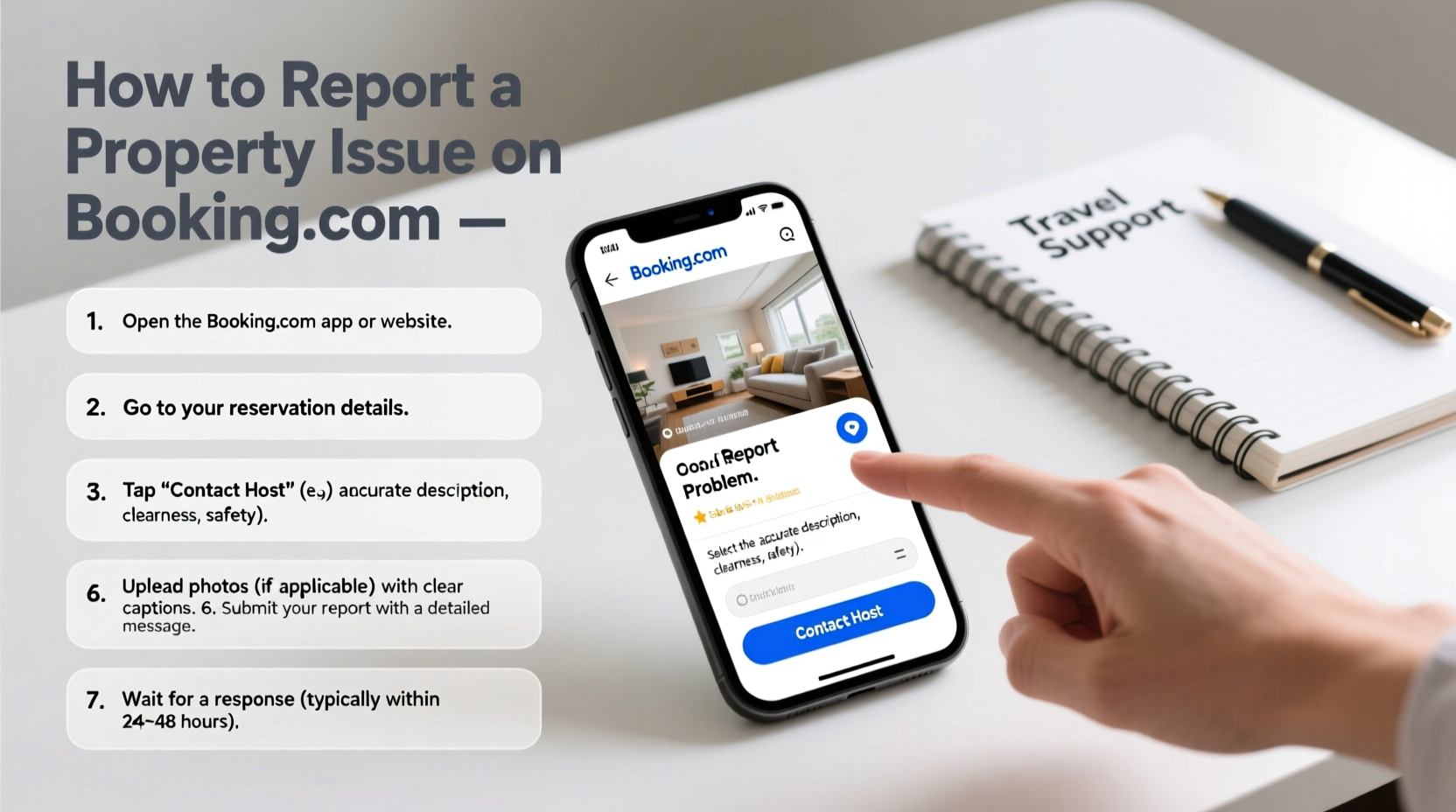
When travelers encounter discrepancies—such as a room that’s nothing like the photos or a promised pool that doesn’t exist—it’s not just inconvenient; it undermines trust in the platform. Booking.com relies on user feedback to maintain quality across its listings. By reporting problems accurately and promptly, you contribute to a more transparent ecosystem for future guests.
Moreover, documented reports can lead to compensation, refunds, or even corrections in the property’s description. Ignoring an issue might save time in the moment, but speaking up protects others and holds hosts accountable.
Step-by-Step Guide to Reporting a Property Issue
Follow these clear, actionable steps to ensure your report is processed efficiently by Booking.com’s customer service team.
- Document the Problem Immediately
As soon as you notice an issue—be it cleanliness, safety hazards, or misrepresented facilities—take clear photos or videos. Note down specific details: dates, times, descriptions of missing items, and any communication with the host. - Contact the Property First (If Possible)
For minor issues like a broken appliance or missing towel, speak directly with the host or on-site manager. Many problems can be resolved locally. However, if the host is unresponsive or unwilling to help, escalate the matter. - Log In to Your Booking.com Account
Go to booking.com and sign in using the account used to make the reservation. All your bookings are accessible under “My Bookings.” - Navigate to the Specific Reservation
Find the affected booking and click on “Manage Booking” or “View Details.” Scroll down to find options related to support or feedback. - Select “Report an Issue”
Look for a button labeled “Report a problem,” “Contact Us,” or “Get Help With This Booking.” This option typically appears during or shortly after your stay. Choose the most relevant category (e.g., cleanliness, inaccurate description, safety). - Provide a Detailed Description
Be factual and specific. Instead of writing “the place was dirty,” say “the bathroom had mold in the grout, stained towels were left on the floor, and no toilet paper was provided upon arrival.” Attach your photos directly through the upload tool. - Submit and Monitor Responses
After submitting, Booking.com usually responds within 24–48 hours. Keep an eye on your email and account messages. They may request additional information or offer a resolution such as a partial refund or voucher.
What to Include in Your Report for Maximum Impact
A vague complaint is easy to dismiss. A well-documented one gets results. Here’s what to include:
- Detailed timeline of events (e.g., “Arrived at 3 PM on June 10, found the air conditioning non-functional”)
- Photos with timestamps (avoid blurry or unclear images)
- Reference to the original listing claims (e.g., “The listing advertised free Wi-Fi, but no password was provided”)
- Any communication attempts with the host (screenshots of messages help)
- Your desired outcome (refund, correction, warning to other guests)
Do’s and Don’ts When Reporting
| Do’s | Don’ts |
|---|---|
| Be polite and factual in your language | Use emotional or aggressive tone |
| Attach timestamped evidence | Submit blurry or irrelevant photos |
| Reference specific listing promises | Make assumptions about intent (“They lied on purpose”) |
| Request a clear resolution (refund, apology, update) | Expect instant compensation without review |
| Follow up if unanswered after 48 hours | Submit multiple duplicate reports |
Real Example: How One Traveler Got a Refund
Sophie from Dublin booked a weekend villa in Tuscany advertised with a private pool and daily cleaning. Upon arrival, the pool was covered and filled with leaves, and no cleaning occurred during her three-night stay. She immediately took dated photos, messaged the host (who didn’t respond), and filed a report via her Booking.com account within hours of checkout.
In her report, she referenced the listing’s promises, attached six photos, and politely requested a 50% refund due to the missing services. Within two days, Booking.com reviewed her case and issued a partial refund. They also contacted the property owner to correct the listing.
“Guest feedback is essential for maintaining trust. We take every report seriously and use it to improve both guest experiences and host accountability.” — Booking.com Customer Experience Team
Tips for Increasing Your Chances of a Positive Outcome
- Act quickly: Reports filed within 24 hours carry more weight than delayed ones.
- Be precise: Instead of “bad experience,” specify “no hot water for two days despite reporting to staff.”
- Use the app: The Booking.com mobile app often streamlines the reporting process with built-in photo uploads.
- Keep records: Save all correspondence and screenshots until the case is closed.
- Escalate if needed: If the initial response is unsatisfactory, reply politely asking for a supervisor review.
Frequently Asked Questions
Can I report a problem after I’ve checked out?
Yes. You can report issues up to 28 days after your stay, but it’s best to do so within 24–48 hours while details are fresh and evidence is available.
Will the host see my report?
The host may be notified if Booking.com needs to investigate, but your personal comments remain confidential unless you leave a public review. The report itself is used internally for resolution and quality control.
What kind of compensation can I expect?
Outcomes vary. You might receive a partial or full refund, a travel voucher, or confirmation that the listing has been corrected. Compensation depends on the severity of the issue and supporting evidence.
Final Checklist Before Submitting Your Report
- 📸 Collected clear, timestamped photos or videos
- 📝 Written a detailed, factual description of the issue
- 🔗 Referenced specific promises from the original listing
- 📧 Attempted contact with the host (if applicable)
- 📤 Uploaded all evidence through the official Booking.com channel
- 📬 Submitted the report within 48 hours of check-out
Take Action to Protect Your Stay and Help Others
Reporting a problem isn’t about assigning blame—it’s about ensuring honesty and quality across travel platforms. Every accurate report helps refine Booking.com’s standards and safeguards future guests from similar disappointments. Whether it’s a minor oversight or a major misrepresentation, your feedback has power.
Next time your stay falls short of expectations, don’t stay silent. Use this guide to file a clear, evidence-backed report and advocate for a better travel experience—for yourself and those who come after you.




 浙公网安备
33010002000092号
浙公网安备
33010002000092号 浙B2-20120091-4
Comments
No comments yet. Why don't you start the discussion?