
Social media platforms like Instagram have become central to communication, self-expression, and information sharing. However, with broad accessibility comes the risk of encountering harmful or inappropriate content—ranging from cyberbullying and hate speech to misinformation and scams. While Instagram has community guidelines in place, users play a crucial role in maintaining a safe digital environment. Knowing how to properly report and follow up on problematic posts is not only a personal safeguard but also a civic responsibility in online spaces.
Understanding What Constitutes a Problematic Post
Before taking action, it's essential to recognize what qualifies as a reportable violation under Instagram’s Community Guidelines. Not all offensive or disagreeable content violates policy, but certain behaviors cross clear ethical and safety thresholds.
Instagram explicitly prohibits:
- Hate speech targeting individuals or groups based on race, religion, gender, or sexual orientation
- Graphic violence or glorification of self-harm
- Nudity or sexually explicit content involving minors
- False information that could cause real-world harm (e.g., health misinformation)
- Impersonation or coordinated inauthentic behavior
- Harassment, bullying, or threats of violence
Distinguishing between subjective discomfort and objectively harmful content ensures your reports are taken seriously by moderation teams.
Step-by-Step Guide to Reporting an Instagram Post
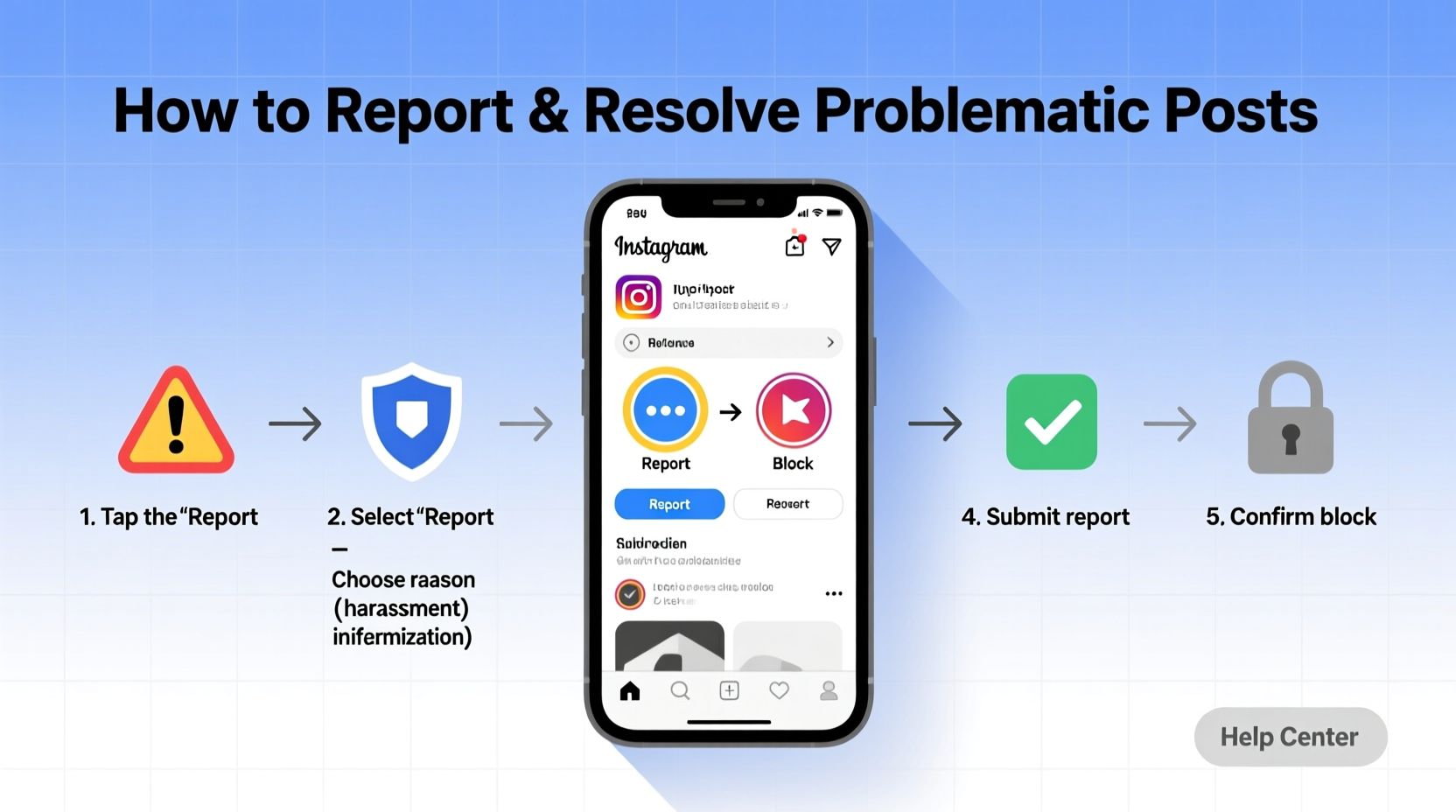
Filing a report correctly increases the likelihood of a timely review and resolution. Follow this sequence to ensure your report is processed efficiently:
- Open the post: Navigate directly to the problematic image, video, or reel.
- Tap the three dots (⋯) in the top-right corner of the post.
- Select “Report” from the dropdown menu.
- Choose the appropriate category: Options include “It's inappropriate,” “Hate speech or symbols,” “Bullying or harassment,” “False information,” or “I just don’t like it.”
- Specify the issue: If you select “Bullying or harassment,” for example, Instagram may ask whether the post targets you or someone else.
- Submit the report: After confirming your selection, Instagram will review the content anonymously—your identity is not shared with the poster.
The entire process takes less than a minute and can be completed on both iOS and Android devices, as well as desktop browsers.
What Happens After You Report a Post?
Once submitted, Instagram uses a combination of automated systems and human moderators to evaluate reported content. According to internal data, over 90% of removed content in 2023 was detected by AI before user reports—but user input remains vital for nuanced cases.
Typical outcomes include:
- Content removal for violating Community Guidelines
- Account restrictions or warnings issued to the poster
- No action, if the content falls within permissible bounds
You won’t receive a detailed explanation due to privacy policies, but Instagram may notify you if enforcement action is taken. Response times vary; urgent cases (e.g., threats of self-harm) are prioritized, while standard reviews may take 24–72 hours.
“User reports are a critical feedback loop for platform safety. They help us refine detection algorithms and respond to emerging threats.” — Sarah Johnson, Former Trust & Safety Lead at Meta Platforms
When Reporting Isn't Enough: Escalation Strategies
In some situations, reporting through the app may not yield results—especially with persistent harassment, impersonation, or illegal content. In these cases, consider the following escalation paths:
- Contact law enforcement: If a post involves credible threats, child exploitation, or criminal activity, provide saved evidence to local authorities or national cybercrime units.
- Use Instagram’s specialized forms: For issues like intellectual property theft, visit Meta’s Rights Manager. For suicide/self-injury concerns, use the dedicated mental health reporting form.
- Reach out via social channels: Publicly tagging @Meta or @Instagram on X (formerly Twitter) with a concise summary and evidence link can prompt faster attention.
- Involve institutional support: Students, employees, or public figures may involve school administrators, HR departments, or legal counsel when targeted systematically.
Preventive Measures and Ongoing Account Safety
Proactive settings adjustments can reduce exposure to harmful content and streamline future reporting efforts.
| Setting | Action | Benefit |
|---|---|---|
| Comment Filtering | Enable \"Hide Offensive Comments\" | Automatically hides aggressive or toxic comments |
| Message Controls | Restrict non-followers from DMs | Reduces spam and unsolicited contact |
| Account Privacy | Switch to private account | Limits visibility and interaction to approved followers |
| Block & Restrict Tools | Use “Restrict” for subtle control | Hides comments without confrontation; limits visibility |
Additionally, regularly audit your follower list and reported content history through the “Support Inbox” in Settings to monitor unresolved issues.
Mini Case Study: Addressing Targeted Harassment
A freelance photographer, Maya R., began receiving a series of derogatory comments on her posts after gaining visibility in a niche art community. The comments escalated into direct messages containing manipulated images and false accusations. Initially dismissing them as isolated incidents, she eventually documented the pattern across two weeks.
She took the following actions:
- Reported each post and message using Instagram’s in-app tools.
- Used the “Restrict” feature on repeat offenders to limit their influence.
- Contacted a digital rights nonprofit for guidance.
- Filed a formal complaint with her country’s cybercell unit after threats became personalized.
Within ten days, Instagram disabled the primary offending accounts, and local authorities issued a warning to one individual involved. Maya credits early documentation and layered reporting for the resolution.
Do’s and Don’ts When Handling Problematic Content
| Do’s | Don’ts |
|---|---|
| Report content promptly | Engage or retaliate publicly |
| Save screenshots and URLs | Delete original posts before reporting |
| Use precise report categories | Submit duplicate reports for the same post |
| Adjust privacy settings proactively | Share sensitive personal details during disputes |
| Seek support from trusted contacts | Attempt vigilante justice or doxxing |
FAQ
Can Instagram tell who reported a post?
No. Reports are anonymous. The account owner will not know your identity, even if asked by Instagram’s team.
What if my report gets denied but the post still feels harmful?
Reassess whether it violates specific guidelines. If yes, consider external avenues such as legal advice or advocacy groups. Sometimes cultural context affects moderation outcomes, especially across regions.
How many reports does it take to remove a post?
There is no fixed number. A single well-substantiated report can trigger removal, while multiple vague reports may be deprioritized. Quality matters more than quantity.
Conclusion: Take Control of Your Digital Experience
Reporting problematic Instagram posts isn’t just about removing a single piece of content—it’s about shaping a safer, more respectful online ecosystem. By understanding reporting mechanics, knowing when to escalate, and using preventive tools, you empower yourself and others to resist digital harm. Silence often enables abuse; informed action disrupts it.




 浙公网安备
33010002000092号
浙公网安备
33010002000092号 浙B2-20120091-4
Comments
No comments yet. Why don't you start the discussion?