
Wireless charging pads have become a staple in modern homes and offices, offering convenience and clutter-free power for smartphones and other compatible devices. But like any electronic accessory, they aren’t immune to wear and tear. Many users unknowingly shorten their lifespan through everyday habits—habits that are easy to fix with the right knowledge. Understanding how to properly maintain your wireless charger can save you money, reduce e-waste, and ensure consistent performance over time.
From overheating risks to improper placement, several factors contribute to premature degradation. This guide breaks down the most common mistakes people make and delivers practical, science-backed strategies to keep your wireless charging pad operating efficiently for years.
1. Keep Your Charging Pad Cool: Avoid Overheating
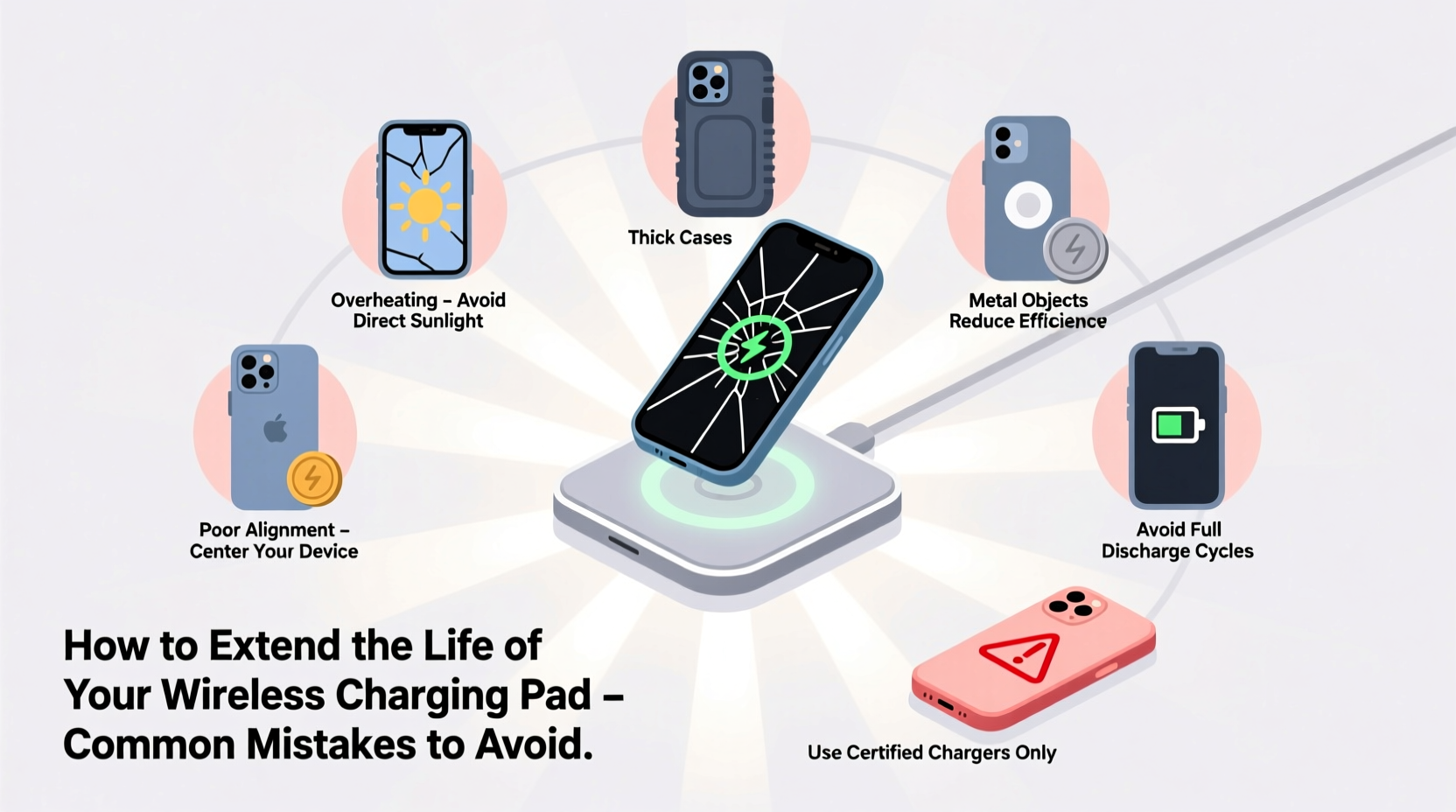
Heat is one of the biggest enemies of electronic components, including those inside your wireless charging pad. When the internal circuitry or coil overheats, it can degrade insulation, weaken solder joints, and reduce efficiency. Most wireless chargers generate heat during use due to energy transfer via electromagnetic induction, but excessive temperatures accelerate damage.
Placing your charger on top of warm surfaces—like near a radiator, under direct sunlight, or on a laptop—is a frequent mistake. Similarly, leaving your phone on the pad after it’s fully charged traps residual heat, especially if ventilation is poor.
A 2022 study by the Battery University Research Group found that sustained operating temperatures above 35°C (95°F) reduced the functional lifespan of charging coils by up to 40%. To mitigate this, place the pad on a cool, hard surface like wood or ceramic, not fabric or plastic that insulates heat.
2. Prevent Physical Damage with Proper Placement
Where you position your wireless charging pad matters more than most realize. A common error is setting it at the edge of a nightstand or desk where it can be easily knocked off. Even a short fall onto a hardwood floor can crack the casing or misalign the internal coil, disrupting magnetic alignment and reducing charging efficiency.
Another overlooked issue is placing heavy objects on top of the pad when not in use. Some users stack books, remotes, or even coffee mugs on their chargers, assuming no harm is done. However, prolonged pressure can deform the coil or damage capacitive sensors responsible for detecting foreign objects.
“Physical stress from drops or compression often causes microfractures in circuit boards that aren’t visible but lead to intermittent failures.” — Dr. Lena Park, Electronics Durability Engineer at TechReliability Labs
For optimal protection, install your charging pad in a stable, central location—ideally on a nightstand shelf or dedicated docking station. If you travel frequently, consider a padded carrying case specifically designed for wireless chargers.
3. Clean Regularly to Maintain Efficiency
Dust, lint, and debris accumulate quickly on charging surfaces, especially in high-traffic areas. Over time, this grime forms an insulating layer between your phone and the charging coil, forcing the system to work harder and increasing heat output. Sticky residues from spilled drinks or oily fingerprints can also interfere with sensor functionality.
Many users never clean their charging pads, assuming they’re “sealed” or low-maintenance. In reality, routine cleaning is essential for maintaining peak efficiency and preventing long-term damage.
Step-by-Step Cleaning Guide
- Unplug the charger from the power source.
- Use a soft, lint-free cloth slightly dampened with isopropyl alcohol (70% concentration).
- Gently wipe the charging surface in circular motions to remove residue.
- Pay attention to edges and indicator lights where dust collects.
- Allow the pad to air dry completely before reconnecting.
Cleaning once every two weeks maintains performance and prevents buildup that could trigger thermal throttling or error signals.
4. Avoid Using Damaged Cables and Adapters
The charging pad itself is only as reliable as the power source it’s connected to. Yet many users plug their chargers into worn cables or underpowered USB adapters—sometimes salvaged from old devices. These substandard connections introduce voltage fluctuations, inconsistent current flow, and electromagnetic interference, all of which strain the charging circuitry.
A frayed cable increases electrical resistance, causing the adapter to compensate by drawing more power. This instability stresses the pad’s transformer and rectifier components, leading to early failure. Similarly, using a 5W phone charger instead of the recommended 10W or 15W adapter forces the system to operate inefficiently, generating excess heat.
| Power Source Type | Recommended? | Risk Level | Reason |
|---|---|---|---|
| Original OEM Adapter & Cable | Yes | Low | Matched voltage/current; stable output |
| Third-Party Fast-Charge Certified (e.g., MFi, Qi-certified) | Yes | Low-Moderate | Quality varies; look for certification labels |
| Generic No-Name Adapter | No | High | Unregulated output; risk of surge damage |
| Frayed or Bent Cable | No | High | Causes intermittent connection and heat spikes |
To protect your investment, always use the manufacturer-recommended power adapter and inspect cables monthly for kinks, exposed wires, or loose connectors.
5. Don't Charge Through Thick Cases or Metal Accessories
One of the most widespread misconceptions is that wireless charging works seamlessly through any phone case. While thin silicone or TPU cases usually pose no issue, thick leather covers, magnetic mounts, or metal-backed accessories create significant barriers.
Metal interferes directly with electromagnetic fields, reflecting energy and creating eddy currents that generate heat. This not only slows charging but can trigger the pad’s safety protocols, shutting it down prematurely. Magnetic phone holders or wallet attachments often contain iron or neodymium magnets that disrupt coil alignment, reducing efficiency by up to 60%, according to testing conducted by Consumer Electronics Safety Review (CESR).
“We’ve seen dozens of cases where users blamed their charger for slow performance, only to discover a metal ring in their car mount was blocking signal transmission.” — Mark Tran, Senior Technician at MobileFix Labs
If you use a protective case, ensure it’s less than 3mm thick and free of metallic elements. Remove credit card holders, pop sockets with metal plates, or magnetic car mounts before placing your phone on the pad.
Mini Case Study: The Nightstand Charger That Failed in 8 Months
Julie, a graphic designer from Portland, purchased a premium Qi2-certified wireless charger for her bedside table. Within eight months, it stopped working entirely. She assumed it was a manufacturing defect and filed a warranty claim, but the manufacturer returned it with a note: “No fault detected.” Confused, she reached out to a repair technician who discovered three key issues:
- The pad was placed directly under a sunlit window, exposing it to midday UV rays and raising surface temperature above 40°C daily.
- She used a third-party 5V/1A wall adapter originally meant for an old tablet, delivering insufficient power.
- Her phone had a dual-layer case with a built-in metal plate for a magnetic car mount, which she hadn’t removed during charging.
After switching to a shaded location, using the correct 15W adapter, and removing the metal plate, her replacement charger has worked flawlessly for over 14 months. This case illustrates how multiple small oversights compound into major failures.
Checklist: How to Extend Your Wireless Charging Pad’s Lifespan
Action Plan for Long-Term Charger Health:
- ✅ Place the pad on a cool, flat, non-metallic surface away from heat sources.
- ✅ Use only manufacturer-recommended or certified power adapters and cables.
- ✅ Clean the charging surface every two weeks with a soft, alcohol-dampened cloth.
- ✅ Remove phones immediately after reaching 100% charge.
- ✅ Avoid placing heavy objects on the pad when not in use.
- ✅ Remove metal-backed cases, magnetic accessories, or thick protective covers before charging.
- ✅ Inspect cables monthly for damage and replace if frayed or stiff.
- ✅ Store the charger in a dry, room-temperature environment if not used for extended periods.
FAQ: Common Questions About Wireless Charger Care
Can I leave my wireless charging pad plugged in all the time?
Yes, most modern pads enter standby mode when idle and consume minimal power. However, unplugging during prolonged non-use (e.g., vacations) reduces wear on capacitors and protects against rare power surges.
Why does my phone get so hot on the wireless charger?
Excessive heat typically results from poor alignment, thick/metal cases, or using fast charging without adequate ventilation. Try removing the case, ensuring centered placement, and avoiding use while charging intensive apps.
Do wireless chargers lose efficiency over time?
They can, especially if exposed to heat, physical stress, or dirty surfaces. However, with proper care, most quality pads retain over 90% efficiency for 3–5 years. A noticeable drop in speed may indicate underlying issues rather than natural aging.
Conclusion: Small Habits, Lasting Results
Your wireless charging pad is more than just a convenience—it’s a piece of precision electronics deserving of thoughtful care. By avoiding common pitfalls like overheating, improper power sources, and neglecting cleanliness, you significantly increase its longevity and reliability. These habits don’t require extra time or expense; they simply demand awareness and consistency.
Start today by auditing your current setup: Is your pad in direct sunlight? Are you using the right cable? Is dust clogging the surface? Addressing these details now can prevent frustration—and replacement costs—down the road.




 浙公网安备
33010002000092号
浙公网安备
33010002000092号 浙B2-20120091-4
Comments
No comments yet. Why don't you start the discussion?