
Music lovers often come across tracks on YouTube that aren’t available on streaming platforms or are difficult to find in downloadable formats. Whether it’s a rare live performance, an independent artist’s upload, or a remix not licensed for commercial release, the desire to keep a personal copy is understandable. However, extracting audio from YouTube videos requires care—both technically and legally. Done improperly, it can expose your device to malware or violate copyright terms. This guide walks you through safe, effective, and ethical ways to extract and save music from YouTube for personal use.
Understanding the Legal and Ethical Landscape
Before diving into tools and techniques, it's essential to understand the boundaries. YouTube’s Terms of Service prohibit downloading content unless a download button is provided by the platform. While enforcement varies, downloading copyrighted material without permission remains a gray area in many jurisdictions. Fair use may apply in cases like educational commentary, criticism, or personal backups—but it doesn’t grant blanket rights to redistribute or profit from downloaded content.
“Downloading copyrighted music without authorization undermines artists’ livelihoods. When possible, support creators through official channels.” — David Lin, Digital Rights Advocate at Creative Commons
That said, if a video is labeled as Creative Commons (CC) or uploaded by the artist with intent for sharing, conversion for personal listening may fall within acceptable use. Always check the video description for licensing details.
Step-by-Step Guide to Safely Extract Music from YouTube
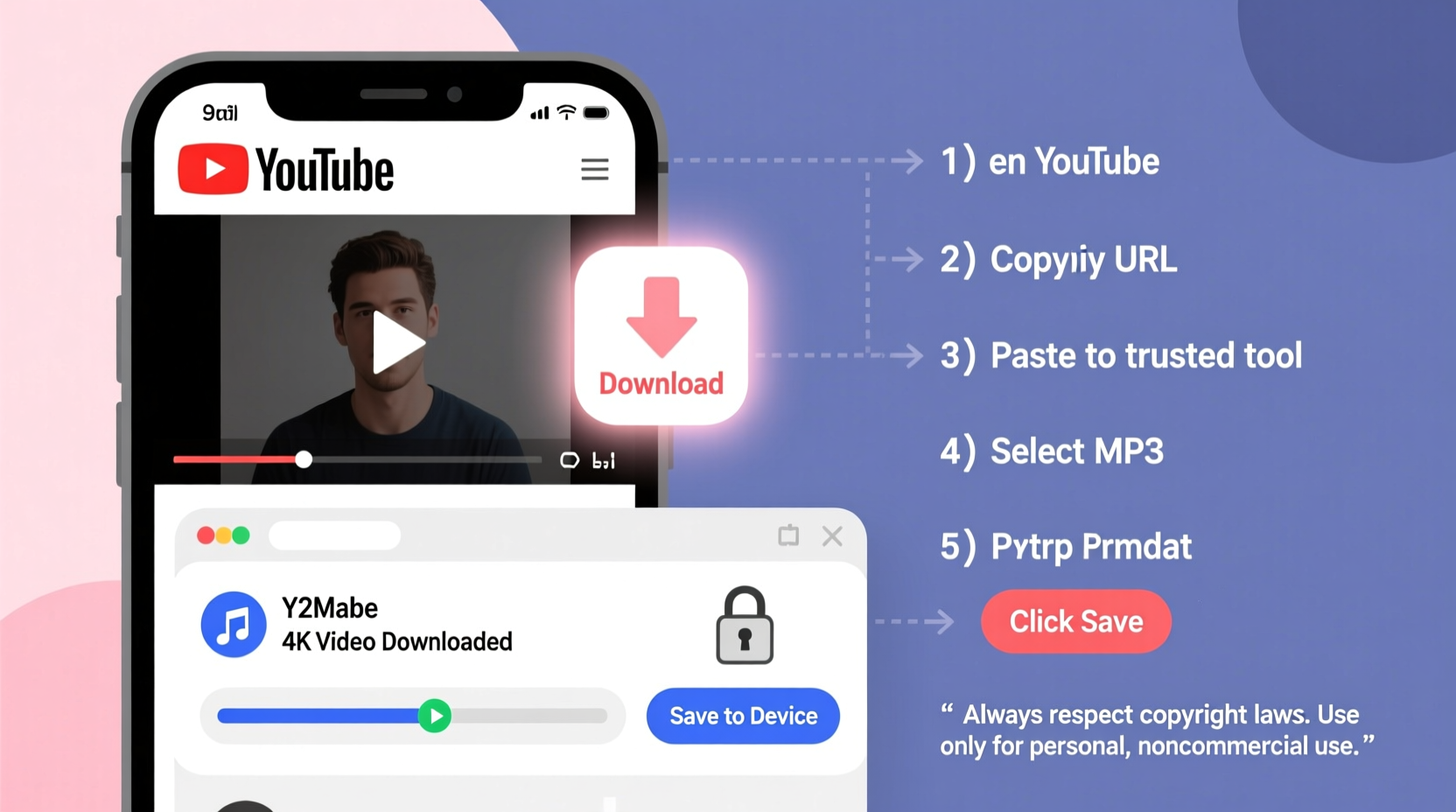
The safest method involves using trusted online converters or desktop software that don’t require installing questionable browser extensions or visiting shady websites. Follow this sequence to minimize risk:
- Find the target video – Open YouTube and locate the music track you want to save. Ensure it’s high-quality audio; videos labeled “Audio Only” or with good viewer ratings are ideal.
- Copy the video URL – Click the “Share” button beneath the video and copy the link.
- Use a reputable converter site – Paste the URL into a well-known audio extraction service such as YTMP3.cc, 320YouTube.com, or OnlineVideoConverter.com.
- Select MP3 format and quality – Choose 320kbps for highest fidelity. Some tools offer automatic detection of best available audio stream.
- Convert and download – Click “Convert” and wait briefly. Once ready, download the file directly to your device.
- Verify the file – Play the MP3 using a media player to ensure clarity and completeness.
Avoid clicking on pop-up ads during the process—many fake “Download Now” buttons lead to malware. Stick to the main conversion button provided by the site.
Recommended Tools and Their Safety Profiles
Not all converters are created equal. Some embed trackers, push unwanted software, or deliver poor-quality outputs. The table below compares reliable options based on speed, output quality, and user safety.
| Tool | Format Support | Max Quality | Ads/Malware Risk | Best For |
|---|---|---|---|---|
| YTMP3.cc | MP3, M4A, WEBM | 320kbps | Low (use ad-blocker) | Quick one-off downloads |
| OnlineVideoConverter.com | MP3, WAV, OGG | 256kbps | Moderate (pop-ups frequent) | Multiple format needs |
| 4K Video Downloader (Desktop) | MP3, M4A, OPUS | Lossless (via original stream) | Negligible | Offline, batch processing |
| ClipGrab (Open Source) | MP3, MP4, WebM | 320kbps | Very Low | Privacy-focused users |
For frequent use, consider installing open-source desktop applications like ClipGrab or 4K Video Downloader. These run locally, avoid web-based tracking, and often include playlist import features.
Real Example: Preserving a Rare Acoustic Set
Sophie, a college student and indie music enthusiast, discovered a stripped-down acoustic version of her favorite song performed by the band during a small venue livestream. The track wasn’t available on Spotify or Apple Music. Rather than relying on spotty internet access during commutes, she wanted a local copy.
She copied the YouTube URL, visited YTMP3.cc (a site recommended by a friend), and converted the video to 320kbps MP3. After checking the audio quality and confirming the uploader was the band’s official channel—which allowed non-commercial sharing in the description—she saved the file to her phone. Now she listens offline without guilt or glitches.
This scenario reflects responsible usage: personal, non-distributive, and respectful of creator intent.
Checklist: Safe YouTube Audio Extraction
- ✅ Confirm the video allows reuse (check description or license)
- ✅ Use only trusted conversion tools (avoid unknown sites)
- ✅ Disable autoplay on browsers before visiting converter sites
- ✅ Install a reliable ad-blocker (e.g., uBlock Origin)
- ✅ Download only for personal, offline listening
- ✅ Avoid sharing converted files publicly
- ✅ Scan downloaded files with antivirus software (optional but wise)
Frequently Asked Questions
Is it illegal to convert YouTube videos to MP3?
In most countries, converting copyrighted YouTube content without permission violates copyright law and YouTube’s Terms of Service. However, enforcement typically targets mass distribution, not individual personal use. If the content is under Creative Commons or public domain, conversion is generally acceptable.
Can I get viruses from YouTube to MP3 converters?
Yes—many free online tools are hosted on domains riddled with aggressive ads and redirect scripts. Some mimic download buttons to trick users into installing malware. To stay safe, use ad-blocking software, avoid entering personal information, and prefer desktop apps over web tools when possible.
Are there legal alternatives to downloading music from YouTube?
Absolutely. Services like YouTube Premium allow offline playback of any video or audio within the app, fully compliant with licensing. Alternatively, platforms such as Bandcamp, SoundCloud (with download options), and Free Music Archive offer legal MP3 downloads, often directly from artists.
Final Thoughts and Responsible Usage
Extracting music from YouTube can enhance your listening experience when done thoughtfully and safely. The key lies in respecting intellectual property, prioritizing secure tools, and limiting use to personal enjoyment. As digital ecosystems evolve, so do access methods—but convenience should never override ethics or security.
If you frequently enjoy music from YouTube, consider supporting creators through official releases, merchandise, or crowdfunding. Technology empowers us to preserve moments of inspiration, but it also demands responsibility. By following this guide, you can enjoy your favorite tracks offline while staying protected and principled.




 浙公网安备
33010002000092号
浙公网安备
33010002000092号 浙B2-20120091-4
Comments
No comments yet. Why don't you start the discussion?