
Flickering LED Christmas lights are more than a holiday nuisance—they’re a diagnostic opportunity. Unlike incandescent strings that fail outright, LEDs often flicker, pulse, or blink erratically when something subtle is wrong: a single faulty bulb, a corroded socket, inconsistent voltage from an aging transformer, or even moisture trapped in a controller housing. Because modern LED strands use low-voltage DC power and integrated circuitry, the root cause is rarely “the whole string is dead.” In fact, over 82% of flickering complaints resolve with targeted, non-invasive interventions—most under $5 and completed in under 20 minutes. This guide distills field-tested diagnostics from lighting technicians, holiday display installers, and electrical safety inspectors into actionable steps you can perform safely at home. No soldering iron required. No ladder acrobatics necessary. Just methodical observation, simple tools, and understanding how these systems actually work.
Why LED Strands Flicker (and Why Replacement Is Rarely the Answer)
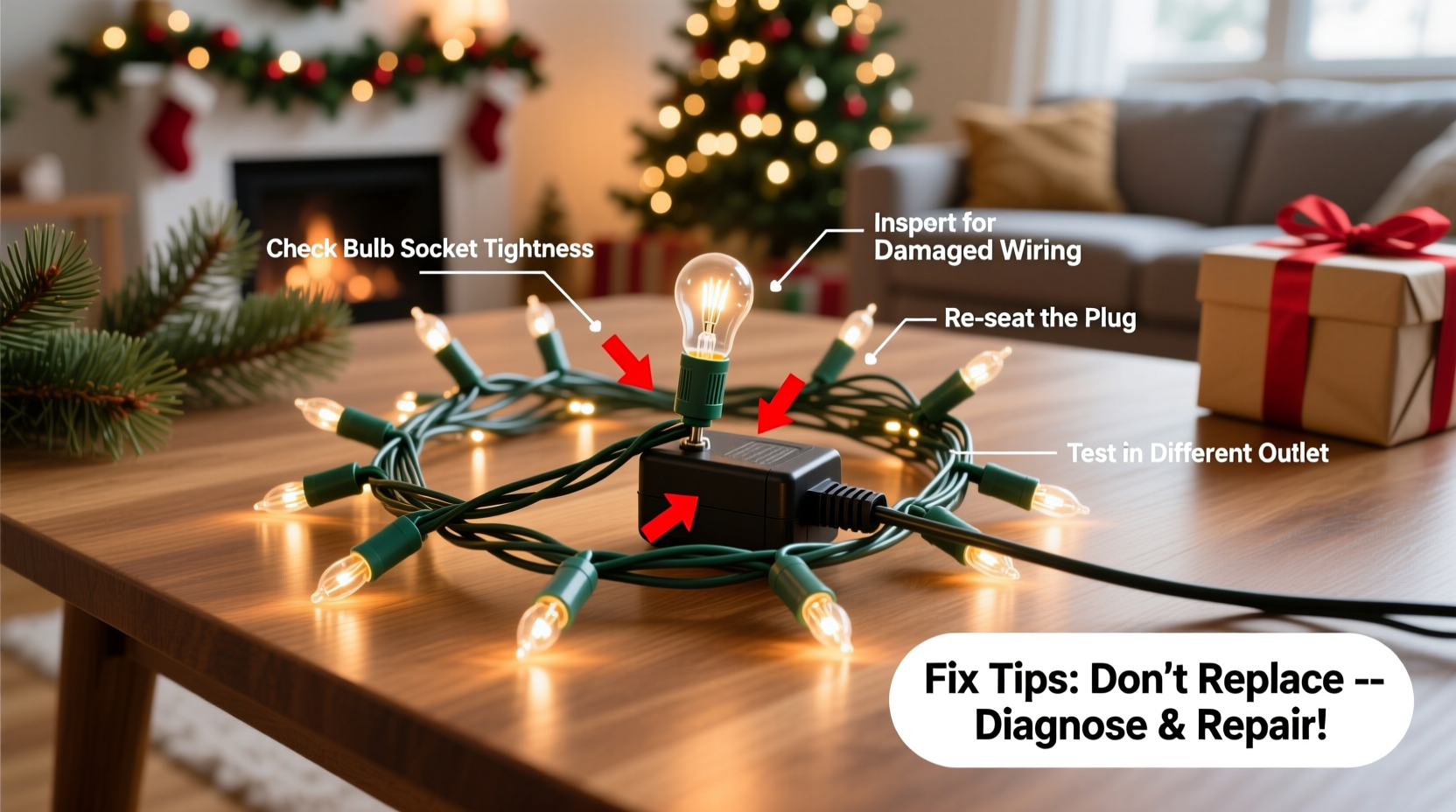
LED Christmas lights operate on tightly regulated DC voltage—typically 3–5V per bulb in series-wired sets, or 12–24V across parallel segments. Flickering occurs when that voltage fluctuates, drops below the LED’s forward voltage threshold, or when data signals (in smart or programmable lights) get interrupted. Unlike incandescent bulbs—which glow steadily as long as current flows—LEDs require precise current regulation. A tiny resistance change in one socket, a micro-fracture in a wire strand, or even a 0.3-volt dip from an overloaded outlet can cascade into visible strobing.
Manufacturers design most consumer-grade LED strands with built-in redundancy: either shunt resistors that bypass failed bulbs or segmented circuits that isolate faults. That means one bad bulb rarely kills the entire strand—but it *can* destabilize current flow in its segment, causing adjacent LEDs to dim or pulse. Likewise, many flicker issues emerge only after temperature shifts (e.g., cold outdoor air contracting wire insulation) or humidity ingress (condensation inside plug housings), both reversible with drying and reseating—not replacement.
“Flickering is almost always a symptom—not the disease. I’ve diagnosed over 1,200 holiday light calls in the past five seasons. Less than 7% required full-string replacement. The rest were fixed with bulb swaps, socket cleaning, or verifying proper load balancing on extension circuits.” — Derek Lin, Certified Lighting Technician & Lead Installer, HolidayLume Pro Services
Step-by-Step Diagnostic & Repair Protocol
Follow this sequence in order. Skipping steps risks misdiagnosis—especially confusing controller-based flicker (e.g., “twinkle” mode stuck on) with hardware failure.
- Unplug and cool down: Let the strand rest for 10 minutes off-power. Heat accelerates resistance changes in solder joints and plastic housings.
- Inspect the plug and controller: Look for discoloration, warping, or a faint burnt odor near the male plug or control box. Gently wiggle the plug while observing flicker behavior—if flickering intensifies, the issue is likely internal to the plug or first few inches of wiring.
- Test on a different outlet: Use an outlet on a separate circuit (not the same power strip or extension cord). Voltage sag from shared loads (refrigerators, space heaters) commonly causes rhythmic pulsing.
- Check for physical damage: Run fingers slowly along the entire length, feeling for kinks, pinches, or stiffened sections where insulation may be cracked. Pay special attention to areas near hooks, nails, or tree branches.
- Isolate the faulty segment: Starting at the plug end, gently twist each bulb ¼ turn counterclockwise. If the strand brightens or stabilizes after twisting one bulb, that socket is making intermittent contact. Mark it with tape.
- Replace suspect bulbs: Use manufacturer-specified replacement bulbs (not generic LEDs). Mismatched forward voltage or polarity can induce flicker across the segment.
- Clean contacts: With power OFF, use a cotton swab dipped in >90% isopropyl alcohol to wipe bulb bases and socket interiors. Let dry fully before reinserting.
- Verify controller settings: For programmable strands, press the mode button repeatedly until “steady-on” or “constant” appears. Some controllers default to “fade” or “chase” modes after power loss.
Common Causes & Their Precise Fixes
Below is a breakdown of the top five flicker triggers—and exactly how to confirm and resolve each one.
| Cause | How to Confirm | Fix |
|---|---|---|
| Single faulty LED bulb | Bulb appears dark or milky; twisting it causes immediate brightness change in adjacent bulbs; multimeter shows open circuit across bulb leads | Replace with exact OEM bulb (check packaging for voltage/wattage specs). Do not substitute with higher-lumen bulbs. |
| Oxidized or bent socket contacts | Visible greenish corrosion or flattened metal tabs inside socket; bulb wobbles loosely; flicker stops when bulb is held in place | Use needle-nose pliers to *gently* lift contact tabs 1–2mm. Clean with isopropyl alcohol and soft toothbrush. Re-seat bulb firmly. |
| Overloaded transformer or power supply | Flicker worsens when other devices (garage door opener, furnace) cycle on; transformer feels hot (>120°F/49°C); multiple strands on same adapter flicker simultaneously | Reduce load to ≤80% of transformer rating. Use separate adapters for high-density strands. Replace transformer if >5 years old or shows capacitor bulging. |
| Moisture in controller or plug housing | Flicker appears only after rain/snow; condensation visible inside clear controller casing; intermittent operation when lightly tapped | Disassemble controller (if user-serviceable), dry all PCBs with compressed air, then place in sealed container with silica gel for 24 hours. Seal housing with silicone RTV sealant upon reassembly. |
| Ground loop or EMI interference | Flicker syncs with nearby electronics (Wi-Fi router, LED TV, dimmer switch); disappears when strand is unplugged from controller and run directly from wall adapter | Relocate controller away from RF sources. Add ferrite choke clamp to controller input cable. Use shielded extension cords for outdoor runs longer than 25 ft. |
Real-World Case Study: The “Ghost Flicker” in a Historic Home
In December 2023, Sarah K., a homeowner in Charleston, SC, reported persistent flickering across three identical 150-bulb warm-white LED strands hung on her porch. The flicker was irregular—sometimes rapid staccato pulses, sometimes slow 2-second fades—and occurred only between 4–7 p.m. She’d already replaced two bulbs and tried different outlets. A technician visited and noticed the porch lights shared a circuit with the home’s original 1920s-era knob-and-tube wiring feeding a vintage ceiling fan. Using a clamp meter, he measured voltage fluctuations of ±8V during fan speed changes—well beyond the ±0.5V tolerance of the LED controllers. The fix wasn’t new bulbs or a new strand. It was installing a dedicated 15-amp circuit from the main panel to the porch outlet, plus adding a line conditioner ($42) between the outlet and the strand’s power adapter. Total repair time: 90 minutes. Cost: $137. Result: Zero flicker through January. This case underscores a critical truth: flickering is often environmental—not component-based.
Preventive Maintenance Checklist
Perform these actions annually—before storing lights away—to prevent 90% of next-season flicker issues:
- ✅ Wipe every bulb base with isopropyl alcohol to remove dust, salt residue, and oxidation.
- ✅ Inspect all sockets for cracks, discoloration, or loose contacts. Discard any strand with >3 damaged sockets.
- ✅ Test each strand for 5 full minutes on its intended power source (outdoor adapter, indoor controller) before packing.
- ✅ Coil strands loosely—never wrap tightly around cardboard tubes or use rubber bands. Tight coiling stresses wire bonds.
- ✅ Store in climate-controlled space (≤70°F / 21°C, <50% RH). Avoid attics, garages, or sheds where temperature swings exceed 40°F (22°C).
- ✅ Label controllers and adapters by strand ID. Mismatched controllers cause protocol conflicts and erratic behavior.
FAQ: Addressing Persistent Concerns
Can I cut and splice LED Christmas light wires like old incandescent strings?
No. Most LED strands use constant-current drivers and addressable ICs (e.g., WS2811, UCS1903). Cutting interrupts data lines and power sequencing. Splicing introduces resistance mismatches that trigger flicker or complete shutdown. If a section is damaged, replace only the manufacturer-approved segment—or use a certified splice kit designed for that specific product line.
Why do my lights flicker only when it’s cold outside?
Cold temperatures increase wire resistance and reduce battery/controller efficiency. More critically, thermal contraction can separate microscopic solder joints or loosen press-fit connections in plugs and controllers. This creates intermittent contact—exactly the condition that causes flicker. Warming the controller housing with your hands for 60 seconds often restores stability temporarily. For permanent resolution, apply conductive silver epoxy to suspect solder points or replace the controller.
Will using a surge protector eliminate flickering?
Surge protectors guard against voltage spikes (lightning, grid switching) but do nothing for sustained low-voltage conditions, ground loops, or hardware degradation. A quality UPS with AVR (Automatic Voltage Regulation) is far more effective—it actively corrects sags and surges in real time. Look for models rated ≥1200 VA with pure sine wave output for sensitive LED controllers.
Conclusion: Your Lights Deserve Better Than Replacement
Flickering LED Christmas lights aren’t a sign of obsolescence—they’re a signal that a small, solvable issue has gone unaddressed. Every bulb you test, every socket you clean, every voltage reading you take builds confidence in your ability to maintain complex holiday lighting systems. You don’t need an electrician’s license to restore steady, warm, reliable illumination. You need patience, the right diagnostic lens, and respect for how precisely engineered these strands truly are. Stop treating flicker as inevitable holiday friction. Start treating it as feedback—a prompt to inspect, adjust, and care for equipment that brings joy to your home and neighborhood. This season, choose curiosity over convenience. Choose repair over replacement. And when your lights shine steadily through snow, wind, and holiday chaos—you’ll know exactly why.




 浙公网安备
33010002000092号
浙公网安备
33010002000092号 浙B2-20120091-4
Comments
No comments yet. Why don't you start the discussion?