
A smooth, responsive touchscreen is essential for daily smartphone use. When your screen starts feeling tacky or sticky—especially after removing a screen protector—it's not just unpleasant; it can interfere with swiping, typing, and even cause inaccurate touch responses. This stickiness typically stems from leftover adhesive residue that bonds the screen protector to the glass. If not removed properly, this residue attracts dust, oils, and lint, worsening the sensation over time.
The good news: sticky screen residue is fixable without damaging your device. With the right tools and techniques, you can restore your screen to its original slick finish. This guide walks you through proven cleaning methods, preventive tips, and real-world insights to safely eliminate residue and protect your phone’s display long-term.
Understanding Screen Protector Residue
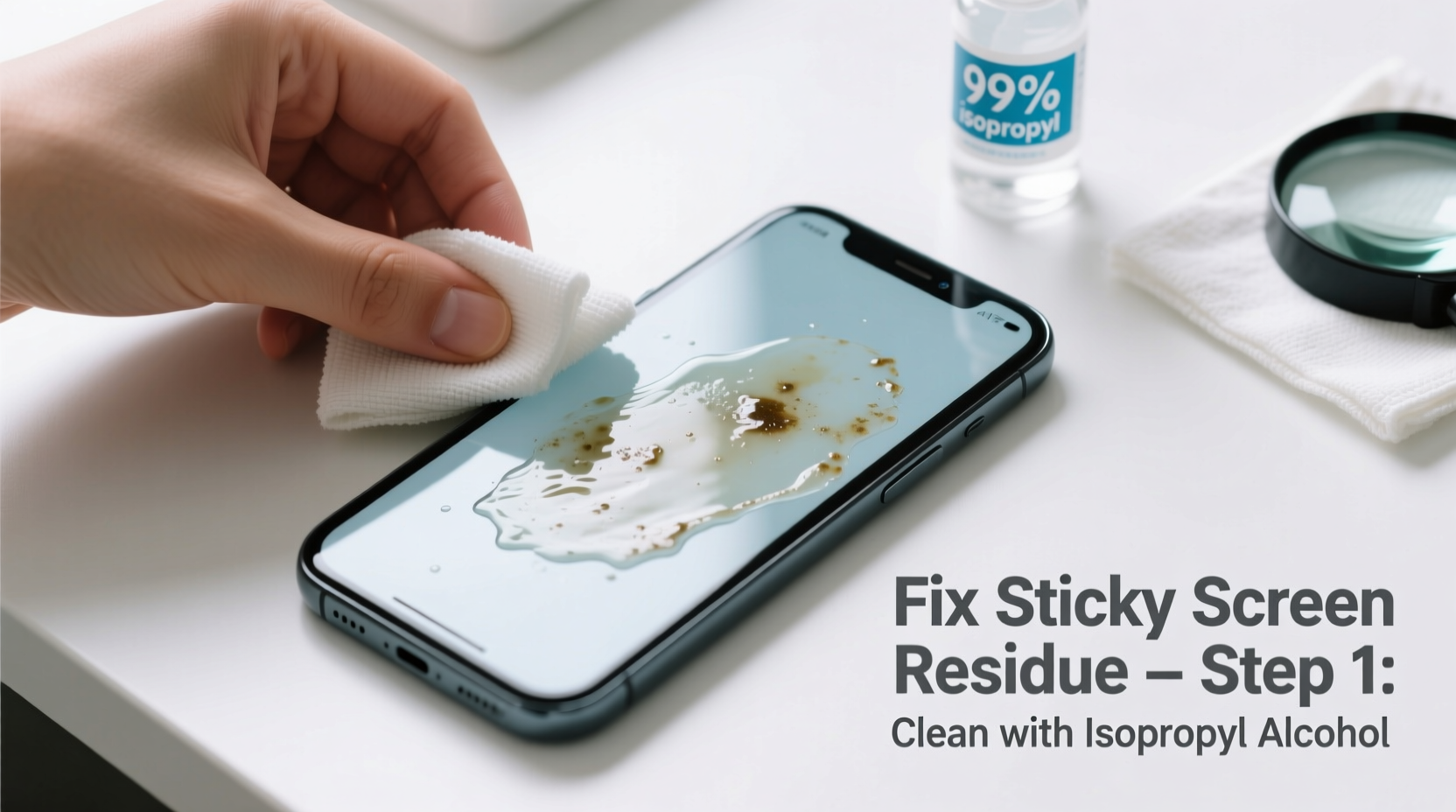
Most tempered glass and plastic screen protectors use a pressure-sensitive adhesive (PSA) layer to adhere securely to the phone’s surface. While this ensures bubble-free installation and strong hold, it also means some adhesive may remain behind when the protector is peeled off—especially if it’s been on the device for months or exposed to heat and humidity.
This residue isn’t just cosmetic. Sticky buildup can:
- Attract dirt and grime, creating a breeding ground for bacteria
- Interfere with new screen protector adhesion, leading to bubbles or lifting edges
- Reduce touch sensitivity and responsiveness
- Leave an oily film that smudges easily
It’s crucial to remove the residue completely before applying a new protector or continuing to use the bare screen. However, many people make the mistake of using harsh chemicals or abrasive materials, which can permanently damage anti-glare or oleophobic coatings on modern smartphones.
“Adhesive residue is common, but improper cleaning causes more harm than the stickiness itself. Always prioritize gentle solutions first.” — David Lin, Mobile Device Repair Technician, 10+ years in consumer electronics repair
Step-by-Step Guide to Remove Sticky Residue Safely
Follow this detailed process to clean your phone screen without risking scratches or chemical damage. The goal is to dissolve the adhesive gently while preserving the integrity of your display.
- Power Off Your Phone
Turn off the device completely. This prevents accidental inputs during cleaning and reduces the risk of liquid seepage into active ports. - Gather Safe Cleaning Supplies
You’ll need:- Microfiber cloth (lint-free, like those used for eyeglasses)
- Isopropyl alcohol (70% concentration or higher)
- Cotton swabs (preferably pointed-tip for precision)
- Distilled water (optional, for dilution)
- Plastic card (e.g., old credit card or gift card)
- Dampen, Don’t Soak
Mist a small amount of isopropyl alcohol onto the microfiber cloth—never spray directly on the screen. Excess liquid can penetrate speaker grills, charging ports, or under-display sensors. - Gently Rub the Affected Area
Using light pressure, wipe the sticky spots in circular motions. Focus on areas where residue clusters, such as corners or along the edges where the protector lifted. Avoid aggressive scrubbing. - Use Cotton Swabs for Precision
Dip a cotton swab lightly in alcohol and carefully clean tight spaces near buttons, cameras, or bezels. Replace swabs frequently to avoid redepositing gunk. - Remove Clumps with a Plastic Card
If residue has formed into thick patches, gently scrape with the edge of a plastic card at a low angle. Do not use metal objects like knives or keys—these will scratch the screen instantly. - Dry Thoroughly
After cleaning, use a dry section of the microfiber cloth to buff the screen until no moisture remains. Check under natural light to ensure all haze or film is gone. - Test Touch Response
Power on the phone and swipe across the screen, open apps, and type to confirm full functionality. If stickiness persists, repeat the process once more.
Alternative Cleaning Methods (When Alcohol Isn’t Enough)
In stubborn cases—especially with older protectors or high-adhesion films—alcohol alone may not fully dissolve the residue. These alternative approaches can help, but require extra caution.
Method 1: Adhesive Remover Wipes (Designed for Electronics)
Commercial adhesive removers like Zippo Lighter Fluid (naphtha-based) or specialized tech wipes (e.g., iKlear Adhesive Remover) are formulated to break down tough glues without harming glass. Apply sparingly to a cloth, not the screen, and wipe gently.
Method 2: Baking Soda Paste (For Extreme Buildup)
Create a paste using one part distilled water and two parts baking soda. Dip a cotton swab into the mixture and rub very lightly on the most affected area. Rinse immediately with a damp alcohol-moistened cloth and dry thoroughly. Use only as a last resort and avoid prolonged contact.
Method 3: Magic Eraser (With Major Caveats)
Some users report success with melamine foam (e.g., Mr. Clean Magic Eraser), but experts strongly advise against it. These sponges are micro-abrasive and can dull screen finishes, especially on matte or frosted displays. If attempted, use only a tiny corner, minimal pressure, and discontinue if any haze appears.
Do’s and Don’ts: What to Use and What to Avoid
| Action | Recommended? | Reason |
|---|---|---|
| Isopropyl alcohol (70–90%) | ✅ Yes | Effectively dissolves adhesive without damaging glass or coatings when used properly |
| Microfiber cloth | ✅ Yes | Non-abrasive and lint-free; ideal for delicate surfaces |
| Cotton swabs | ✅ Yes | Precise application and cleaning in tight spaces |
| Vinegar or citrus cleaners | ❌ No | Acidic content can erode anti-reflective layers |
| Household glass cleaners | ❌ No | Often contain ammonia, which damages OLED and LCD panels |
| Metal tools or razor blades | ❌ No | Guaranteed to scratch glass, even if invisible at first |
| Melamine foam (Magic Eraser) | ⚠️ Caution | Can micro-scratch surfaces; not suitable for frequent use |
Real Example: A Case of Long-Term Protector Buildup
Sarah had kept the same plastic screen protector on her iPhone for nearly two years. After finally replacing it due to multiple scratches, she noticed a persistent sticky film across the top half of the screen. Initial attempts with a damp tissue made it worse—spreading the residue into a cloudy smear.
She followed the alcohol-and-microfiber method described above, using 90% isopropyl alcohol and a fresh lens cloth. After three careful passes and targeted swabbing around the front camera cutout, the stickiness disappeared. She then applied a new tempered glass protector, which adhered smoothly without bubbles. Her takeaway? “I waited too long to change the protector, but fixing the residue was easier than I thought—once I stopped using random wipes.”
Checklist: How to Prevent Sticky Screens in the Future
To avoid recurring issues, adopt these habits as part of your phone maintenance routine:
- ✅ Replace screen protectors every 6–12 months, even if they appear intact
- ✅ Clean the screen thoroughly before installing a new protector
- ✅ Use high-quality protectors with reliable adhesive technology (look for brands like Spigen, Belkin, or ESR)
- ✅ Store phones away from extreme heat (e.g., dashboards, direct sunlight) which accelerates adhesive breakdown
- ✅ Wash hands before prolonged phone use to reduce oil transfer onto the screen
- ✅ Carry a microfiber cloth for quick cleanups when on the go
Frequently Asked Questions
Can sticky residue damage my phone screen permanently?
No, the residue itself won’t corrode or etch the glass. However, leaving it uncleaned can lead to long-term grime buildup, reduced touch accuracy, and poor adhesion of future protectors. Additionally, using abrasive tools or harsh chemicals during removal can cause irreversible scratches or coating loss.
Is it safe to use alcohol on OLED screens?
Yes, isopropyl alcohol is safe on OLED and AMOLED displays when used correctly. The key is to apply it to a cloth—not directly on the screen—and to avoid soaking the edges where moisture can enter. Modern phones have protective coatings that resist mild solvents, but repeated exposure to strong cleaners should still be avoided.
What if the stickiness comes back after cleaning?
Recurring stickiness usually means either incomplete initial cleaning or ongoing exposure to contaminants. Recheck the screen under bright light for any remaining film. Also consider environmental factors: storing your phone in a dusty bag, using greasy lotions, or placing it face-down on kitchen counters can reintroduce sticky substances. Regular microfiber wiping helps maintain a clean surface.
Final Thoughts: Protect Your Screen, Preserve Performance
A sticky phone screen is more than a nuisance—it’s a sign of underlying residue that can compromise both usability and hygiene. The solution lies not in aggressive scrubbing, but in careful, informed cleaning with the right materials. By understanding how screen protector adhesives work and respecting the fragility of modern display coatings, you can resolve stickiness effectively and prevent it from returning.
Smartphone screens are engineered for clarity and responsiveness, but they depend on proper care to perform as intended. Taking ten minutes to clean your screen properly can extend the life of your device, improve user experience, and save money on replacements or repairs.




 浙公网安备
33010002000092号
浙公网安备
33010002000092号 浙B2-20120091-4
Comments
No comments yet. Why don't you start the discussion?