
Having a dedicated phone number can elevate your personal organization or professional credibility without spending a dime. Google Voice offers a legitimate, no-cost way to obtain a U.S.-based phone number that works across devices, forwards calls, transcribes voicemails, and supports texting—all from your existing smartphone or computer. While Google Voice is the primary method, understanding its setup, limitations, and best practices ensures you maximize its value for both personal and business purposes.
Understanding Google Voice: What It Offers
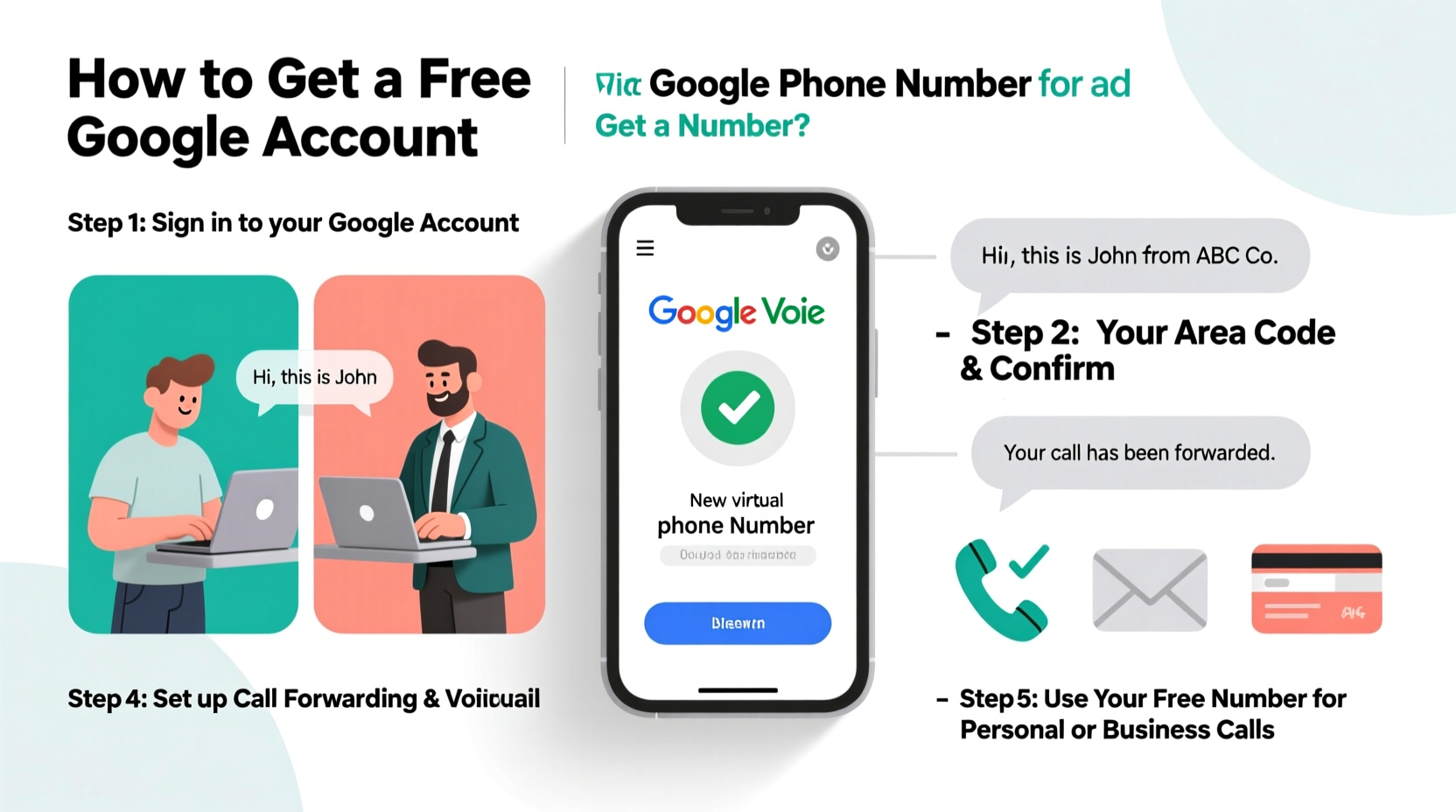
Google Voice is a telecommunications service integrated into Google’s ecosystem. Originally launched in 2009 and acquired from a third-party startup, it provides users with a virtual phone number linked to their Google account. This number can forward calls to one or more devices, send and receive SMS, and convert voicemails into text. For individuals, it's ideal for separating personal and secondary communications. For entrepreneurs or freelancers, it acts as a low-cost business line without exposing personal numbers.
The service remains free for basic use within the United States, including unlimited calling to U.S. numbers and texting to U.S. and Canadian contacts. International calling is available at competitive rates but not included in the free tier.
Step-by-Step Guide to Getting a Free Google Phone Number
- Create or log in to a Google Account – If you don’t already have one, go to accounts.google.com and sign up using your email or create a new Gmail address.
- Navigate to Google Voice – Visit voice.google.com and click “Sign in” using your Google credentials.
- Choose your Google Voice number – Enter your ZIP code to see available local numbers. You can also search for vanity numbers (e.g., 555-PET-CARE) if desired, though most are random.
- Verify an existing phone number – Google requires you to link a working mobile or landline number for initial verification. This number will be used to confirm your identity and route calls until you set preferences.
- Complete registration – After selecting your Google Voice number and verifying your current phone, confirm your choices. Your Google Voice number is now active.
- Configure settings – Go to Settings to manage call forwarding, voicemail greetings, spam filtering, and text notifications.
This entire process takes less than 15 minutes. Once complete, you can make and receive calls via the Google Voice app (iOS/Android), Chrome extension, or web interface.
Using Google Voice for Business: Practical Applications
Freelancers, solopreneurs, and small business owners benefit significantly from a free Google Voice number. It allows them to maintain professionalism without investing in a full VoIP system.
- Use a consistent number for marketing materials, websites, and social media profiles.
- Separate business inquiries from personal calls.
- Leverage automated voicemail greetings (“Thanks for calling [Business Name], we’ll return your message within 24 hours.”).
- Receive transcribed voicemails via email for quick follow-up.
- Send bulk texts to clients (within legal limits under TCPA).
“Virtual numbers like Google Voice level the playing field. A solo consultant can appear just as established as a mid-sized firm.” — Mark Tran, Small Business Tech Advisor
Mini Case Study: Freelance Photographer Builds Brand Trust
Jamila, a freelance photographer in Austin, used her personal cell number for client outreach. As her business grew, she faced issues: missed calls during shoots, difficulty tracking business messages, and clients hesitant to call a personal number. She created a Google Voice number with a local Austin area code, added it to her website and Instagram bio, and set up a custom voicemail. Within two months, response rates improved by 30%, and she reported feeling more organized and professional. The entire setup cost nothing.
Do’s and Don’ts of Using a Free Google Number
| Do’s | Don’ts |
|---|---|
| Use a real, verifiable location when signing up | Don’t use Google Voice for high-volume cold calling or spam |
| Enable spam filtering to reduce unwanted texts | Don’t rely solely on Wi-Fi for critical calls without backup |
| Back up your text history regularly | Don’t assume international calling is free |
| Integrate with Google Workspace for team access (paid upgrade) | Don’t use temporary or burner phones for verification |
Tips for Maximizing Your Google Voice Experience
- Sync across devices: Install the Google Voice app on all devices where you want to receive calls and texts.
- Customize greetings: Set different voicemail messages for business hours and after-hours.
- Block unwanted numbers: Easily block spammers directly from the app or website.
- Use labels and search: Organize conversations with labels and search by keyword when retrieving past messages.
- Forward selectively: Choose which linked devices ring based on time of day or caller ID.
Frequently Asked Questions
Can I keep my existing number when getting a Google Voice number?
Yes. During setup, you must verify an existing number, but you don’t give it up. That number simply acts as your initial point of contact. You can later remove it if you have alternative 2FA methods enabled.
Is Google Voice really free forever?
For individual use within the U.S., yes. Google has maintained the free tier for over a decade. However, Google reserves the right to change pricing. Businesses needing advanced features (like multiple users or custom hold music) may consider Google Voice for Google Workspace, which starts at $10/user/month.
Can I use Google Voice outside the United States?
Registration requires a U.S. phone number and IP address. While you can use Google Voice abroad after setup, receiving calls may incur data charges, and number availability is limited to U.S. regions. Porting a Google Voice number internationally is not permitted.
Checklist: Setting Up Your Free Google Number
- ✅ Have a Google account ready
- ✅ Access to a U.S.-based phone number for verification
- ✅ Stable internet connection
- ✅ Decide on a local or toll-free number
- ✅ Download the Google Voice app (optional but recommended)
- ✅ Set up voicemail greeting and forwarding preferences
- ✅ Test the number with a friend or secondary device
- ✅ Add the number to your email signature, website, or business cards
Final Thoughts and Next Steps
A free Google phone number is more than a convenience—it’s a tool for privacy, professionalism, and efficiency. Whether you're launching a side hustle, managing real estate leads, or organizing family logistics, Google Voice delivers enterprise-grade functionality at zero cost. The key is consistency: treat your Google Voice number like any business asset. Keep it updated, monitor messages promptly, and integrate it into your daily workflow.




 浙公网安备
33010002000092号
浙公网安备
33010002000092号 浙B2-20120091-4
Comments
No comments yet. Why don't you start the discussion?