
The cloud is no longer the future—it's the present. From startups to Fortune 500 companies, organizations rely on cloud infrastructure to scale, innovate, and reduce costs. If you're new to tech or looking to pivot your career, cloud technology offers one of the most accessible and rewarding entry points in modern IT. The good news? You don’t need a computer science degree to begin. What you do need is direction, consistency, and a clear plan.
Why Cloud Technology Matters Today
Cloud computing powers everything from streaming services and e-commerce platforms to AI models and remote work tools. According to Gartner, global public cloud revenue is projected to exceed $600 billion by 2024. This growth creates high demand for skilled professionals who can deploy, manage, and secure cloud environments.
Unlike traditional IT roles that require physical hardware management, cloud jobs are often location-flexible, future-proof, and well-compensated. Entry-level cloud roles like Cloud Support Associate or Junior DevOps Engineer can pay upwards of $60,000 annually in the U.S., with experienced engineers earning six figures.
“The cloud has democratized access to enterprise-grade technology. Now, anyone with curiosity and persistence can build systems at scale.” — Raj Patel, Senior Cloud Architect at AWS
Step-by-Step: Building Your Cloud Foundation
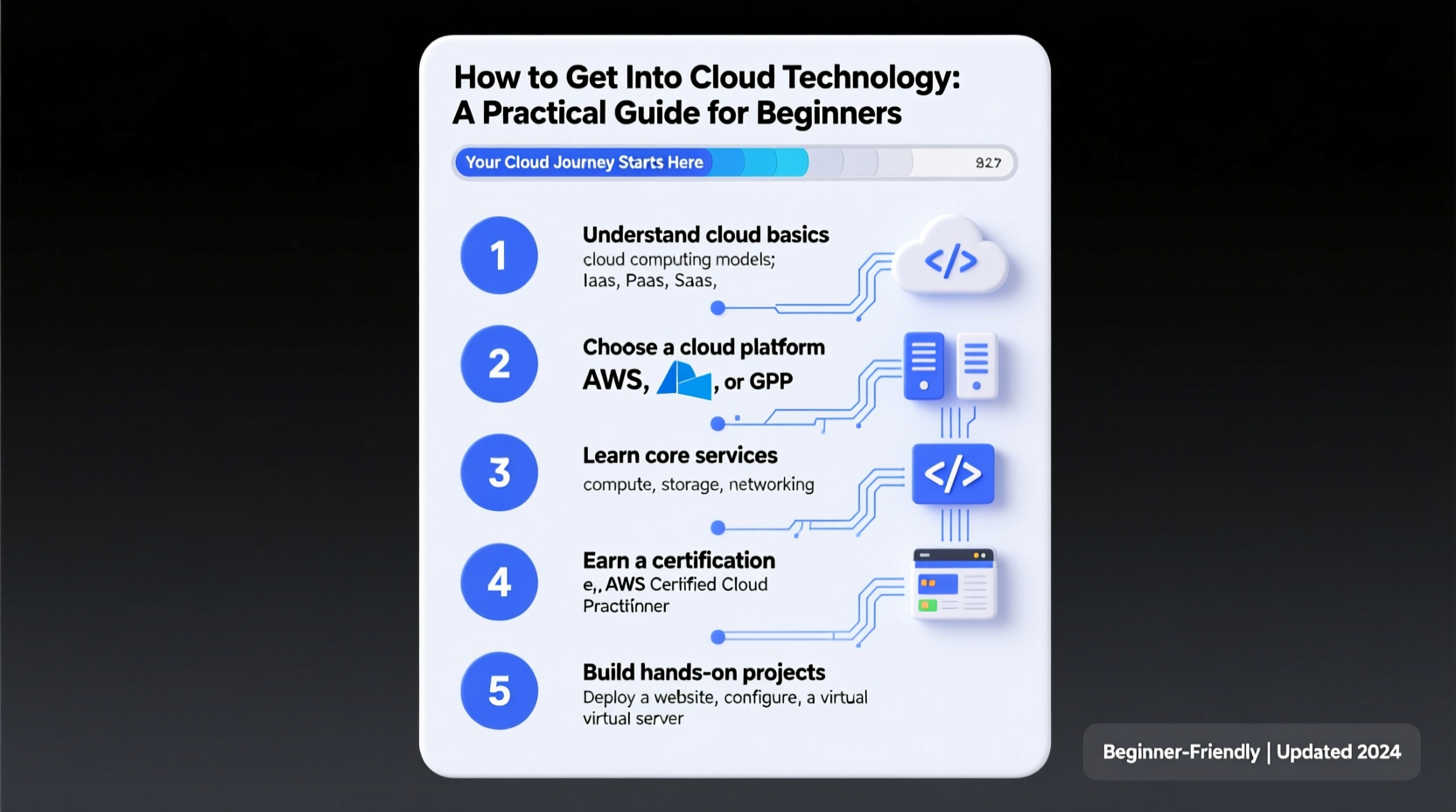
Entering the cloud space doesn’t require jumping straight into complex architecture. Start small, build knowledge systematically, and gain hands-on experience as you go.
- Understand the Basics of Computing: Refresh your knowledge of networking, operating systems (especially Linux), and basic command-line usage. These are foundational to all cloud operations.
- Learn What the Cloud Actually Is: Understand core concepts like virtualization, storage types (object, block, file), and service models—Infrastructure-as-a-Service (IaaS), Platform-as-a-Service (PaaS), and Software-as-a-Service (SaaS).
- Pick a Major Cloud Provider: Focus on one platform first. Amazon Web Services (AWS), Microsoft Azure, and Google Cloud Platform (GCP) dominate the market. AWS holds the largest share, making it ideal for beginners due to abundant learning resources.
- Set Up a Free Tier Account: All three providers offer free-tier accounts with limited resources. Use these to experiment without cost. For example, AWS Free Tier gives you 12 months of select services plus always-free offerings like Lambda and S3.
- Complete an Introductory Course: Platforms like Coursera, A Cloud Guru, or freeCodeCamp offer beginner-friendly paths. Aim to finish at least one structured course before moving on.
Essential Skills to Develop
Beyond knowing where to click in a dashboard, employers look for practical abilities. Focus on building these competencies early:
- Command-Line Proficiency: Learn to use AWS CLI or Azure CLI. Scripting tasks here translates directly to automation later.
- Basic Scripting: Pick up Python or Bash. Automating repetitive tasks is a hallmark of effective cloud engineers.
- Understanding Security Fundamentals: Learn about Identity and Access Management (IAM), firewalls, encryption, and compliance basics (e.g., GDPR, HIPAA).
- Familiarity with DevOps Concepts: Even if not working in DevOps, understanding CI/CD pipelines, version control (Git), and infrastructure-as-code (IaC) tools like Terraform gives you an edge.
Do’s and Don’ts When Learning Cloud Technology
| Do | Don't |
|---|---|
| Use free tiers responsibly to avoid surprise bills | Leave test instances running 24/7 |
| Follow along with labs and tutorials hands-on | Just watch videos without practicing |
| Document your projects and share them on GitHub | Assume theory alone is enough for job readiness |
| Join cloud communities (Reddit, Discord, LinkedIn groups) | Isolate yourself—ask questions and engage |
Real Example: How Maria Broke Into Cloud in 6 Months
Maria worked in retail administration but wanted a career shift. She dedicated two hours every evening to learning cloud fundamentals. Her plan was simple:
- Weeks 1–4: Completed Google’s “IT Support Certificate” on Coursera to refresh her technical base.
- Weeks 5–8: Took the AWS Cloud Practitioner Essentials course and passed the certification exam.
- Months 3–4: Built a personal portfolio project—a static website hosted on S3 with CloudFront delivery and Route 53 domain routing.
- Months 5–6: Learned Python basics and automated backups using Lambda functions triggered by events.
She shared her project on LinkedIn and joined a local tech mentorship group. By month seven, she landed a remote cloud support role at a mid-sized SaaS company. Her advice? “Start building something—even if it seems small. Employers want to see initiative.”
Your First Cloud Certification Roadmap
Certifications validate your knowledge and help you stand out. Here’s a realistic timeline for earning your first industry-recognized credential:
Recommended Path: AWS Certified Cloud Practitioner (6–8 Weeks)
- Week 1–2: Study cloud concepts, AWS core services, security & compliance, and pricing models. Use AWS’s official free training videos.
- Week 3–4: Set up your AWS account. Launch an EC2 instance, create an S3 bucket, and explore IAM roles.
- Week 5–6: Take practice exams (Jon Bonso/Tutorials Dojo are excellent). Review weak areas.
- Week 7–8: Schedule and pass the exam. Cost: ~$100, but students may qualify for discounts via AWS Educate.
After this, consider advancing to role-based certifications like AWS Solutions Architect – Associate or Azure Administrator.
Frequently Asked Questions
Do I need coding experience to start in cloud?
No. While coding becomes important later, beginners can focus on configuration, navigation, and understanding services. Basic scripting comes naturally with time.
How much does it cost to learn cloud technology?
Very little. Most learning platforms offer free courses. Exam vouchers can be expensive (~$100–$160), but many providers offer credits for students or through training programs like AWS Educate or Microsoft Learn.
Can I get a cloud job without prior IT experience?
Yes, but you’ll need to demonstrate competence. Build projects, earn certifications, and document your learning journey. Entry-level roles like Cloud Support Technician or Help Desk with cloud exposure are common starting points.
Final Checklist: Your 30-Day Kickstart Plan
- ✅ Choose a cloud provider (AWS recommended for beginners)
- ✅ Create a free-tier account
- ✅ Complete an introductory course (e.g., AWS Cloud Practitioner Essentials)
- ✅ Launch your first virtual server (EC2 or VM)
- ✅ Store a file in cloud storage (S3 or Blob)
- ✅ Set up basic user permissions using IAM
- ✅ Join a cloud community forum or Discord group
- ✅ Document one mini-project on GitHub or a blog
Take the First Step Today
The cloud isn’t reserved for elite coders or tech giants. It’s built for problem-solvers, learners, and those willing to take consistent action. You don’t need permission to begin. Open a browser, sign up for a free account, and launch your first resource. Every expert was once a beginner staring at a dashboard, unsure what to click. The difference? They clicked anyway.




 浙公网安备
33010002000092号
浙公网安备
33010002000092号 浙B2-20120091-4
Comments
No comments yet. Why don't you start the discussion?