
Water exposure is one of the most common causes of temporary phone malfunction—especially when it comes to speakers. Whether you dropped your phone in a sink, got caught in the rain, or accidentally left it near a pool, moisture trapped in the speaker can cause muffled sound, distortion, or complete audio failure. While modern smartphones often come with some degree of water resistance, they are rarely fully waterproof. And even IP67 or IP68-rated devices can suffer from internal condensation or liquid buildup in speaker grilles.
One increasingly popular method for resolving this issue involves using specific sound frequencies through dedicated apps to vibrate water out of the speaker. But does it work? And more importantly, is it safe? This guide explores how sound-based solutions function, which tools to use, and how to apply them correctly—without risking further damage to your device.
How Water Affects Phone Speakers
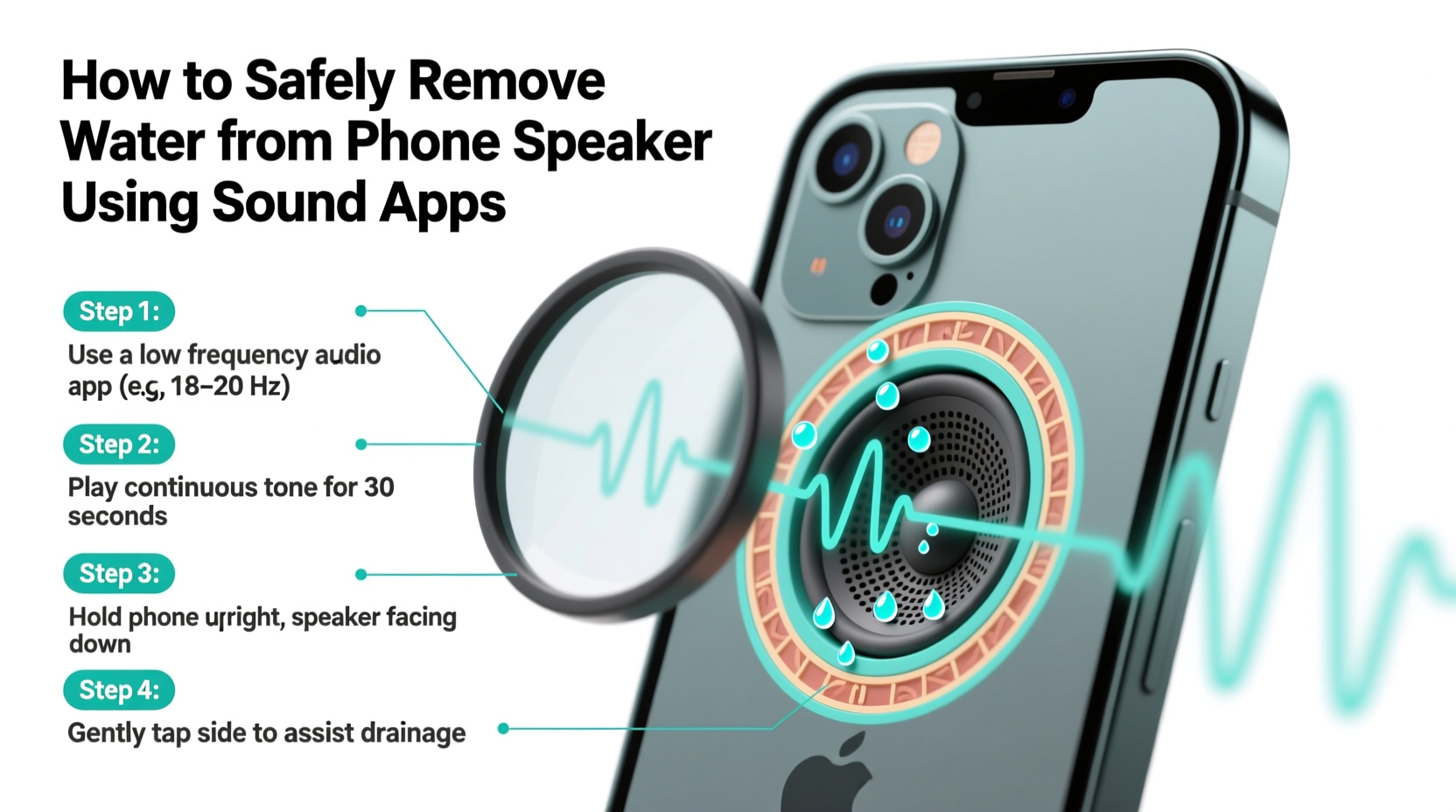
When liquid enters a phone’s speaker, it doesn’t just sit passively—it interferes with the diaphragm’s ability to vibrate properly. The speaker relies on rapid oscillations to produce sound, and any obstruction dampens those movements. Even a small droplet can create noticeable muffling or static.
The issue isn’t always visible moisture. Sometimes, humidity or condensation forms inside the enclosure after temperature shifts—like moving from a cold outdoor environment into a warm room. This invisible moisture can still impair performance.
Traditional drying methods like rice or silica gel aim to absorb moisture over time, but they do nothing to dislodge water already stuck against the speaker mesh or within narrow acoustic channels. That’s where active removal techniques, including sound vibration, come into play.
How Sound Apps Help Remove Water from Speakers
Sound-based water removal works on a simple principle: vibration. When a speaker plays low-frequency tones (typically between 100 Hz and 500 Hz), its diaphragm moves rapidly back and forth. If water is present, these vibrations can help dislodge droplets by creating enough kinetic energy to propel them outward through the speaker grille.
This technique mimics the self-cleaning mechanisms found in some newer phones. For example, certain Samsung and Google Pixel models automatically run a “speaker cleaning” routine after detecting moisture. These built-in functions use sweeping bass tones to clear obstructions—proving that sound-driven ejection is both effective and manufacturer-approved.
Third-party apps replicate this process manually. They generate controlled audio signals designed to maximize vibration while minimizing risk to the hardware. Used correctly, they offer a non-invasive, immediate response to waterlogged speakers.
What Frequencies Work Best?
Low frequencies produce larger physical displacements in the speaker cone, making them more effective at moving water. Most experts recommend starting around 150 Hz and gradually increasing to 400 Hz. Sweeping across this range ensures multiple resonance points are hit, improving the chances of freeing trapped moisture.
Higher frequencies (above 1 kHz) are less useful because they create smaller vibrations and may stress tweeters or earpiece speakers unnecessarily.
“Using targeted low-frequency sound waves is a legitimate way to assist in removing moisture from compact speaker enclosures.” — Dr. Alan Reyes, Acoustic Engineer at MobileTech Labs
Step-by-Step Guide to Using Sound Apps Safely
Following a structured approach ensures maximum effectiveness and minimizes potential harm. Never skip preparation steps—even minor oversights can lead to permanent damage.
- Power off the device immediately if it was submerged or exposed to large amounts of liquid. If only splashed, turn off audio playback and disable any active Bluetooth connections.
- Dry the exterior thoroughly with a soft, lint-free cloth. Tilt the phone with the speaker facing down to encourage natural drainage.
- Wait 5–10 minutes before proceeding. This allows surface water to settle and reduces short-circuit risks.
- Boot the phone and install a trusted sound app such as Speaker Cleaner, Aqua Clean, or Earphone Speaker Cleaner (available on both iOS and Android).
- Set volume to 70–80%. Full volume increases strain; too low won’t generate sufficient vibration.
- Start the frequency sweep. Most apps begin at lower tones and slowly rise. Let the full cycle play (usually 30–90 seconds).
- Pause and inspect. After each round, listen for improvements in clarity. Repeat up to three times if needed.
- Allow rest periods between cycles to prevent overheating.
Recommended Sound Apps and Their Features
Not all sound apps are created equal. Some include misleading claims or poorly calibrated frequencies. Below is a comparison of reliable options known for safety and efficacy.
| App Name | Platform | Key Feature | Safety Rating |
|---|---|---|---|
| Speaker Cleaner | Android | Automated sweep from 100–500 Hz | ★★★★☆ |
| Aqua Clean – Remove Water from Phone | iOS, Android | Visual feedback with animated wave display | ★★★★★ |
| Earphone Speaker Cleaner | Android | Includes earpiece-specific mode | ★★★★☆ |
| Fix My Speaker | iOS | Short burst sequences for quick attempts | ★★★☆☆ |
Note: Avoid apps that promise instant results or claim to “repair hardware.” These are often misleading. The goal is to assist natural drying—not replace it.
Do’s and Don’ts of Water Removal from Phone Speakers
To prevent worsening the situation, follow best practices grounded in engineering principles and technician experience.
| Do’s | Don’ts |
|---|---|
| Use gentle sound frequencies (100–500 Hz) | Play high-volume white noise or static for extended periods |
| Keep the speaker facing downward during treatment | Insert objects like toothpicks or paper towels into the grille |
| Combine sound treatment with passive drying (e.g., silica gel) | Use heat sources like hairdryers or microwaves |
| Limit sessions to 2–3 repetitions with breaks | Run continuous sound for over 5 minutes |
| Test speaker function gradually after treatment | Charge the phone immediately after exposure without drying first |
Real-World Example: Recovering a Wet iPhone After Beach Use
Consider the case of Mark, a photographer who took underwater shots near a reef using a waterproof case. Upon removing his iPhone 13 (rated IP68) for a quick photo above water, a wave splashed directly onto the device. Though he dried the surface quickly, the bottom speaker produced distorted sound during video playback.
Instead of panicking, Mark followed a careful protocol:
- He powered down the phone and wiped it with a microfiber towel.
- After 15 minutes of air drying, he installed Aqua Clean from the App Store.
- He ran two 60-second cycles at 75% volume, holding the phone with the speaker port facing the floor.
- Between cycles, he gently tapped the side of the phone to loosen residual droplets.
By the third test, audio returned to normal. He placed the phone in a sealed container with silica gel packets overnight as a precaution. No lasting issues occurred, and the speaker performed flawlessly weeks later.
This scenario illustrates that even water-resistant phones benefit from proactive care—and that sound apps, when used responsibly, can be part of an effective recovery strategy.
Complementary Drying Techniques
Sound vibration should not stand alone. It works best when combined with other passive drying methods. Think of it as accelerating a natural process rather than replacing it entirely.
Effective complementary strategies include:
- Silica gel desiccants: Far superior to rice, silica absorbs moisture efficiently without introducing dust or starch.
- Warm airflow (indirect): Placing the phone near—not on—a fan helps evaporate internal moisture without overheating.
- Time: Patience remains key. Allow at least 24 hours for full recovery, especially after significant exposure.
Frequently Asked Questions
Can sound apps damage my phone speaker?
When used responsibly—moderate volume, limited duration, proper frequency ranges—sound apps pose minimal risk. However, prolonged use at maximum volume may fatigue the speaker coil or diaphragm over time. Stick to recommended settings and avoid excessive repetition.
Will this method work on completely submerged phones?
It depends on the extent of exposure. If water entered internal circuitry, no amount of sound will fix electrical corrosion. However, if only the speaker mesh is affected, sound-assisted drying can still help. Always prioritize professional inspection for deeply submerged devices.
Are there any built-in speaker cleaning features in smartphones?
Yes. Some Samsung Galaxy models (e.g., S21 and later) have a “Detect Water” feature that triggers automatic speaker diagnostics and cleaning tones. Similarly, Google Pixel phones occasionally run maintenance routines post-exposure. Check your device settings under Accessibility or Sound menus for related options.
Final Checklist: What to Do When Your Phone Speaker Gets Wet
- Turn off the phone if heavily exposed
- Wipe exterior moisture with a soft cloth
- Position the phone speaker-down for drainage
- Wait 5–10 minutes before powering on
- Install a reputable sound app (e.g., Aqua Clean or Speaker Cleaner)
- Run 1–3 low-frequency cycles at 70–80% volume
- Combine with silica gel storage for 12–24 hours
- Test audio output gradually and monitor for improvement
Conclusion
Dealing with a waterlogged phone speaker doesn’t require expensive repairs or risky DIY hacks. With the right knowledge and tools, you can safely restore audio clarity using scientifically sound methods. Sound-based apps leverage physics to vibrate moisture out of tight spaces—offering a fast, accessible solution backed by real-world results and even manufacturer-inspired design.
The key lies in balance: combining technology with caution. Respect your device’s limits, avoid aggressive tactics, and integrate sound treatment into a broader drying strategy. Most importantly, act quickly—but thoughtfully—when liquid strikes.




 浙公网安备
33010002000092号
浙公网安备
33010002000092号 浙B2-20120091-4
Comments
No comments yet. Why don't you start the discussion?