
A tangle of cords behind your desk, TV stand, or bedside table isn’t just unsightly—it’s a tripping hazard and a dust magnet. While cable management systems can cost dozens of dollars, most people don’t need to spend a cent to achieve a clean, clutter-free setup. With a bit of creativity and common household items, you can conceal and organize cables effectively. This guide reveals practical, no-cost or low-cost methods that deliver professional-looking results.
Why Cable Clutter Matters More Than You Think
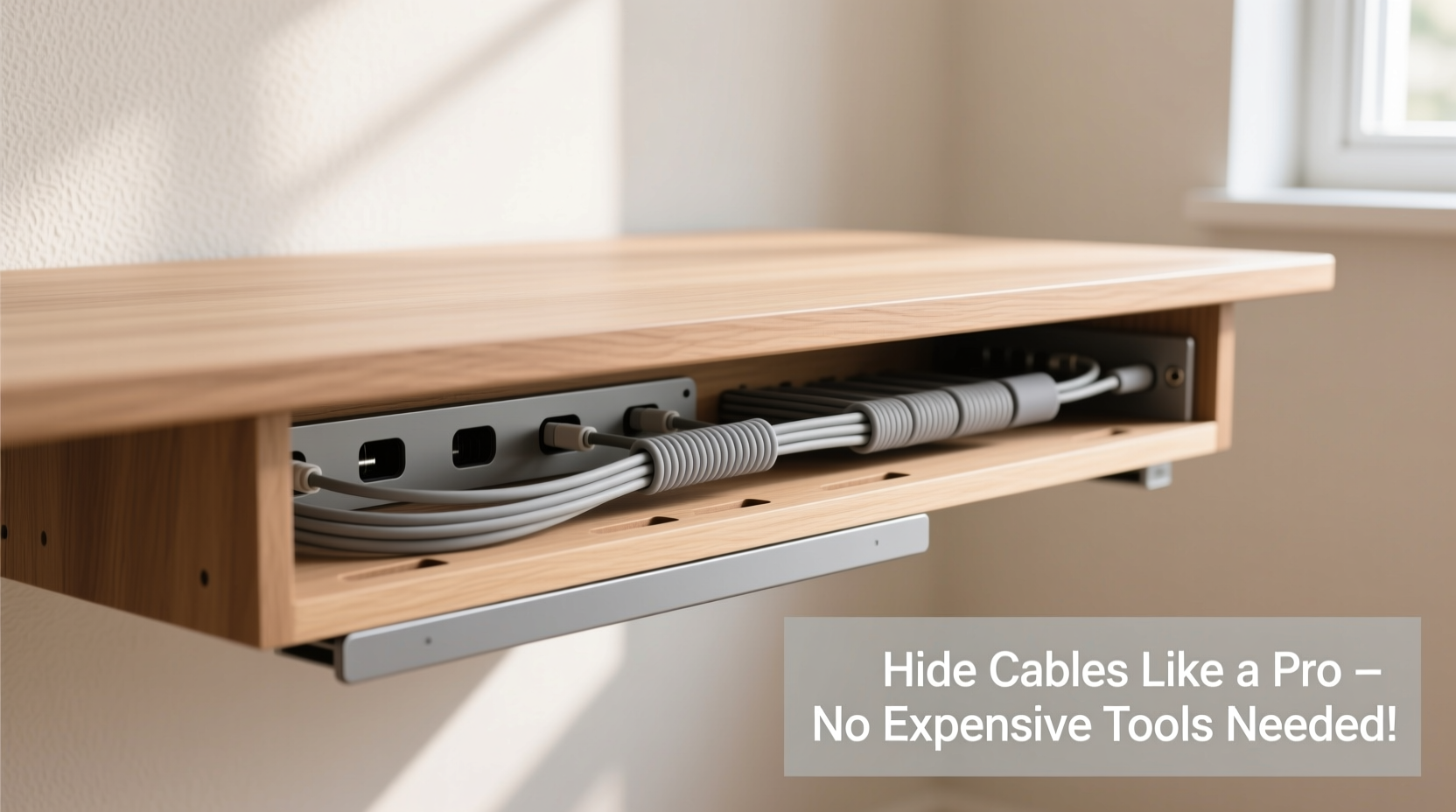
Disorganized cables do more than look messy—they reduce productivity, make troubleshooting harder, and increase wear on cords from constant tugging and twisting. According to the National Fire Protection Association, damaged or poorly managed cords are a leading cause of electrical fires in homes. Beyond safety, studies in environmental psychology show that visual clutter increases stress and reduces focus. A tidy workspace with hidden cables supports mental clarity and efficiency.
“Good cable management isn’t about aesthetics alone—it’s a functional necessity for both safety and performance.” — David Lin, Electrical Systems Consultant
The good news? You don’t need specialty clips, raceways, or branded kits to fix it. Most solutions can be made from items already in your home or purchased for under $5.
Everyday Household Items That Double as Cable Organizers
You likely already own tools that work better than store-bought organizers. The key is repurposing them strategically.
- Toilet paper or paper towel tubes: Cut lengthwise and tape them behind furniture to bundle cords running vertically. Paint or wrap them to match your decor.
- Binder clips: Clip them to desks or shelves to hold multiple cords in place. Larger sizes work well for thick power strips.
- Velcro strips from old electronics: Reuse them to wrap and secure bundled cables. They’re reusable and adjustable.
- Clothespins: Attach to the edge of a desk or shelf to hold lighter cords like USB or headphone cables.
- Yogurt or margarine tubs: Cut holes in the bottom, mount upside-down under a desk, and feed cords through. Use as a hidden hub for power strips.
These items are not only free but often more flexible than rigid plastic organizers. For example, a cardboard tube can be flattened slightly to fit tight spaces where a metal raceway won’t go.
Step-by-Step Guide: Conceal Cables Like a Pro (No Tools Needed)
Follow this sequence to transform any chaotic cable zone into a streamlined setup using only household supplies.
- Unplug and assess: Turn off devices and unplug all cables. Lay them out to see what you’re working with. Label each cord with masking tape if needed.
- Group by function: Bundle cords serving the same device (e.g., monitor, laptop charger, speakers) together. Use rubber bands or twist ties to keep them grouped.
- Create vertical runs: Use a cardboard tube taped to the back of a desk or entertainment center to channel multiple cords down to the floor neatly.
- Anchor with binder clips: Place large binder clips along the desk edge. Thread bundles through the metal arms to prevent slipping.
- Hide the base: Place a reused plastic container under the desk. Cut small slits in the sides for cords to enter and exit. Tuck power strips inside.
- Route along walls: Use painter’s tape (low-adhesion) to gently secure cords along baseboards or behind furniture. Avoid direct wall contact if possible to allow airflow.
- Final check: Plug everything back in. Ensure no cords are stretched, pinched, or coiled tightly, which can cause overheating.
This method takes under 30 minutes and costs nothing if you reuse materials. It’s especially effective for home offices, gaming setups, and entertainment centers.
Smart Routing Techniques for Different Rooms
The best hiding strategy depends on your room layout and furniture type. Here’s how to adapt these techniques across common spaces.
Home Office Desk Setup
Desks often have limited clearance, making cable tangles unavoidable. Instead of buying under-desk trays, use a combination of binder clips and a repurposed cereal box. Cut the box into a long trough, paint it black, and tape it under the desk. Feed all cords through it, then use binder clips at the front edge to separate mouse, keyboard, and monitor cables.
Entertainment Center Behind the TV
TVs accumulate HDMI, power, streaming sticks, soundbars, and game consoles. Stack equipment neatly and use old shoelaces or fabric strips to tie cords together every 6 inches. Run the bundle down the back of the stand and along the baseboard using clear tape. If your TV is mounted, thread cords through an empty paper towel roll attached to the wall behind the mount.
Bedside Charging Station
Phones, lamps, and tablets create nightly clutter. Place a small wooden box or decorative tin on the nightstand. Drill or punch two small holes in the back. Feed all charging cords through, plug them into a single outlet, and store adapters inside the box. This hides bulk while keeping devices within reach.
| Room | Best Hiding Method | Avoid |
|---|---|---|
| Home Office | Cardboard trough + binder clips | Daisy-chaining power strips |
| Living Room | Paper tube wall channel + fabric ties | Running cords across walkways |
| Bedroom | Decorative box with cord exits | Coiling cords tightly around chargers |
| Kitchen | Under-cabinet tape routing | Using water-damaged boxes near sinks |
Real Example: How Sarah Transformed Her Home Office for $0
Sarah, a freelance writer in Portland, struggled with a web of cords behind her IKEA desk. Her laptop charger, lamp, external hard drive, and Wi-Fi extender all plugged into different outlets, creating a mess she’d hide with a bedsheet. After reading about DIY cable solutions, she spent one evening reorganizing.
She used an old shoebox cut into a U-shape and taped it under the desk. Binder clips held individual cords in place. A toilet paper roll, painted gray, ran vertically from the desk to the floor, bundling everything neatly. She routed the final stretch along the baseboard with removable adhesive hooks. Total cost: $0. Time invested: 25 minutes.
“I didn’t think something so simple could make such a difference,” she said. “Now I actually enjoy sitting at my desk. And when my internet cuts out, I can unplug the router in seconds instead of digging through a jungle of wires.”
DIY Alternatives to Store-Bought Organizers
Many commercial products have cheaper, equally effective homemade versions.
- Cable sleeves: Instead of buying braided nylon sleeves, wrap cords in old knit socks. Cut off the toe, slide over the bundle, and secure with a seam or stitch. Socks provide flexibility and mild insulation.
- Wall-mounted raceways: Use PVC pipe halves (available at hardware stores for less than $2) or cut plastic bottles lengthwise to create custom channels. Paint to match walls.
- Cable clips: Repurpose push pins or small nails with rubber bands looped around them to create tension-based holders on wood surfaces.
- Label tags: Write device names on folded pieces of cardstock tied to cords with string. Color-code with markers for faster identification.
These alternatives are customizable, eco-friendly, and often more durable than flimsy plastic organizers that crack over time.
Frequently Asked Questions
Can I use duct tape to secure cables?
Use duct tape sparingly and never directly on cords. Over time, the adhesive can degrade rubber insulation, especially in heat. Instead, use painter’s tape or masking tape for temporary holds, or wrap tape around a piece of cardboard first to create a non-stick anchor point.
How do I prevent pets from chewing cables?
Cover exposed sections with corrugated cardboard tubing or old garden hose segments cut lengthwise. The texture deters chewing. Alternatively, route cords through high-traffic areas pets avoid, like behind heavy furniture. Bitter apple spray also works as a deterrent but needs reapplication.
Is it safe to bundle many cords together?
Yes, as long as they aren’t compressed or coiled tightly. Heat buildup is minimal with modern insulated cables. However, never bundle power cords with data cables (like Ethernet) over long distances, as electromagnetic interference can occur. Keep them separated by at least 6 inches when running parallel.
Checklist: Quick Actions to Hide Cables Today
- ✅ Unplug and untangle all cords in one area
- ✅ Group cables by device or function
- ✅ Use binder clips or clothespins to anchor cords
- ✅ Wrap bundles with old shoelaces, Velcro, or fabric strips
- ✅ Route cords along baseboards using removable tape
- ✅ Hide power strips in reused plastic containers
- ✅ Test all connections after reassembly
- ✅ Schedule a monthly 5-minute cable check to prevent regrowth of tangles
Final Thoughts: Neatness Doesn’t Require a Budget
Hiding cables neatly isn’t about having the latest organizer—it’s about consistency, creativity, and a few smart habits. The methods outlined here cost little to nothing and deliver lasting results. Whether you’re managing a home office, entertainment system, or nursery, the principles remain the same: group, anchor, conceal, and maintain.
You don’t need permission to start. Grab a cardboard tube, a binder clip, and five minutes today. The difference will be immediate. A cleaner space leads to clearer thinking, fewer frustrations, and a safer environment for everyone in your home.




 浙公网安备
33010002000092号
浙公网安备
33010002000092号 浙B2-20120091-4
Comments
No comments yet. Why don't you start the discussion?