
A sleek, modern entertainment setup should look as good as it performs. Yet, no matter how high-end your TV or gaming console, a tangle of exposed cords can instantly ruin the aesthetic. Beyond visual clutter, loose cables pose tripping hazards, collect dust, and make troubleshooting frustrating. The solution? A thoughtful, organized approach to concealing your cords. With the right tools and techniques, you can transform a chaotic mess into a clean, streamlined setup that enhances both function and form.
Why Cable Management Matters
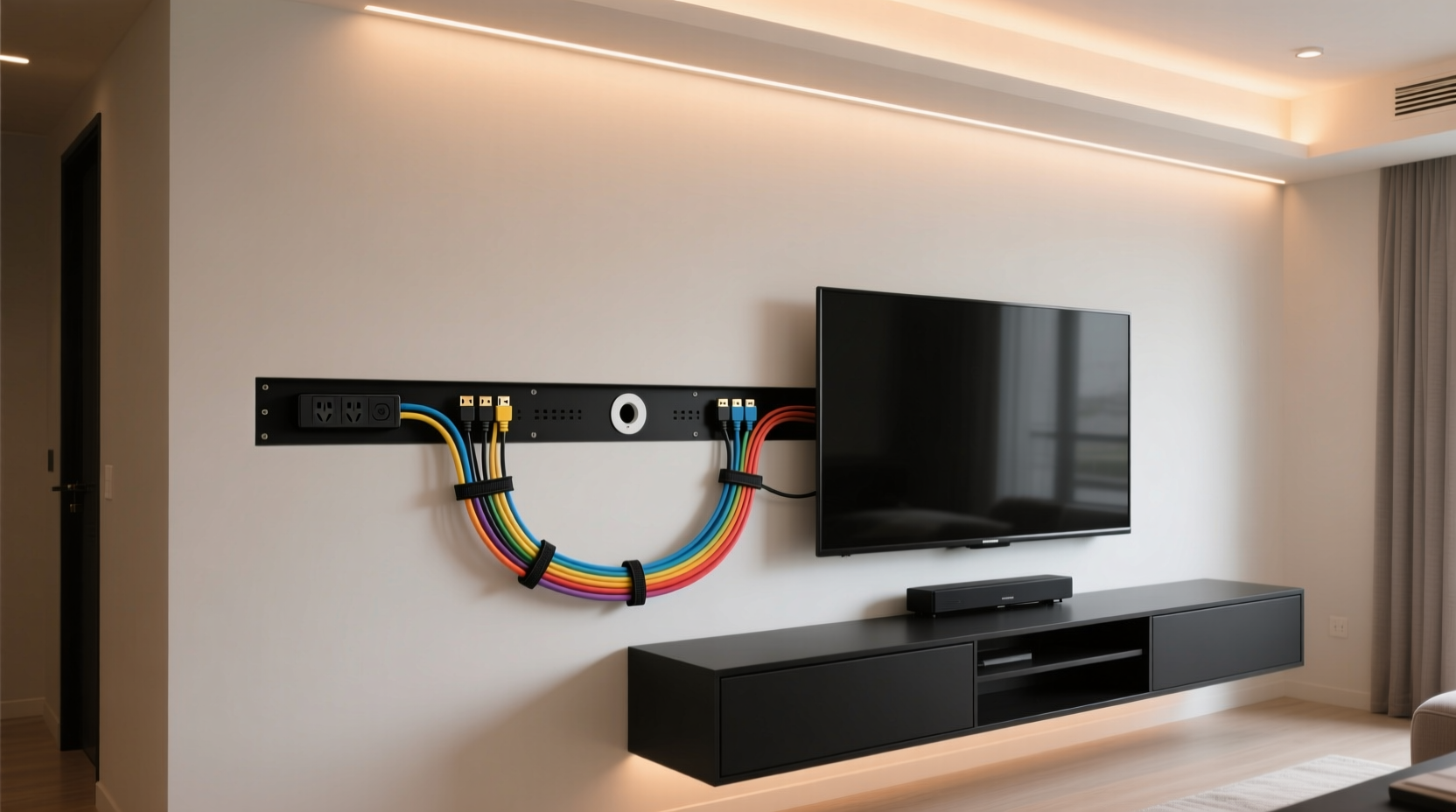
Cable clutter isn’t just unsightly—it impacts your daily life. Tangled wires behind your TV make it difficult to unplug devices, upgrade equipment, or troubleshoot connection issues. Dust accumulates faster on disorganized bundles, requiring more frequent cleaning. Additionally, pets and children may pull at loose cords, risking damage to expensive electronics or even safety hazards.
Proper cable management improves airflow around electronics, reducing overheating risks. It also makes your space feel more intentional and less chaotic. According to interior designer Marcus Tran, “A well-managed entertainment center elevates the entire room. It signals attention to detail and respect for design.” Whether you’re setting up a new home theater or tidying an existing one, investing time in hiding cords pays off in both appearance and functionality.
Essential Tools for Neat Cord Concealment
Effective cable management starts with the right supplies. You don’t need expensive gear—just a few smart tools designed for organization and concealment. Here’s what you’ll typically need:
- Cable ties or Velcro straps: Reusable and adjustable, ideal for grouping cords without damaging them.
- Cable raceways: Plastic channels that mount to walls or furniture, hiding multiple cords in a low-profile track.
- Cord sleeves or braided wraps: Flexible tubing that bundles cables into a single, neat line.
- Adhesive clips or mounts: Small holders that secure cables along edges of walls, desks, or TV stands.
- Power strip with mounting options: Choose one with built-in brackets or slots for wall or underside mounting.
- Label maker or tags: For identifying which cord connects to which device.
For those mounting their TV on the wall, consider in-wall cable management kits that include fish tapes and low-voltage boxes to route cords safely inside the wall (check local electrical codes first).
Step-by-Step Guide to Hiding Cords Behind Your TV and Console
Follow this practical sequence to achieve a clean, professional-looking setup in under an hour.
- Unplug and remove all devices from the entertainment center. Place them on a soft surface to avoid scratches. Take photos of current connections for reference.
- Sort and identify each cable. Separate HDMI, power, audio, USB, and Ethernet lines. Label both ends using tape or labels.
- Determine the optimal layout. Decide whether your TV is wall-mounted or on a stand. Position your console, soundbar, streaming box, and other components logically to minimize cable stretch.
- Group similar cables together. Use Velcro straps to bundle HDMI cords; keep power cables separate if possible to reduce electromagnetic interference.
- Install a cable raceway or sleeve. If your TV is on a stand, attach a raceway vertically from the back of the stand to the floor. For wall-mounted TVs, use a corner-mount raceway or in-wall solutions.
- Route cables through the chosen system. Feed grouped cords into the raceway or sleeve, ensuring bends are gradual to prevent damage.
- Mount your power strip strategically. Attach it to the back of the TV stand or underneath a shelf using adhesive or screws. Plug all devices into it for centralized access.
- Secure loose runs with adhesive clips. Along baseboards or furniture edges, use clips to guide cords discreetly toward outlets.
- Reconnect everything and test. Power on each device to confirm all connections work properly.
- Finalize concealment. Close raceway covers, tuck excess cable into loops secured with straps, and vacuum any debris.
Comparison: Cable Management Solutions
| Solution | Best For | Pros | Cons |
|---|---|---|---|
| Cable Raceway | Wall-mounted TVs, visible cable paths | Discreet, paintable, holds many cables | Requires drilling, not removable without marks |
| Braided Cord Sleeve | Short distances, flexible bundling | Aesthetic, stretchable, no tools needed | Not ideal for thick bundles or long runs |
| Adhesive Clips | Furniture edges, baseboards | Inexpensive, easy to install | May peel over time; limited capacity |
| In-Wall Kit | Permanent setups, new installations | Completely hidden, professional finish | Requires drywall work; not DIY-friendly for all |
| Under-Shelf Mounts | TV stands, media consoles | Keeps power strip out of sight | Needs accessible underside space |
“Most people underestimate how much difference organized cabling makes—not just visually, but in terms of device longevity and ease of maintenance.” — Jordan Lee, Home Theater Technician with 15 years of experience
Real Example: From Cluttered to Clean in One Afternoon
Consider Sarah, a remote worker and avid gamer who recently upgraded her living room with a 75-inch OLED TV and surround sound system. Her previous setup included a PlayStation, Apple TV, soundbar, and laptop dock—all connected with a spaghetti-like knot of wires dangling behind the cabinet. Every time she moved the console for cleaning, a cable would come unplugged, disrupting her workflow.
She decided to reorganize during a weekend. Using a combination of a white plastic raceway mounted from the TV stand to the floor, Velcro straps, and an under-shelf power strip, she routed all cables neatly. She labeled each HDMI line and used a cloth-wrapped cord sleeve for the audio jack running to her subwoofer. The result? A minimalist look that matched her Scandinavian decor—and no more accidental disconnections. Friends now compliment her setup, and she finds it easier to switch between work presentations and gaming sessions.
Checklist: Achieve a Tidy Entertainment Center
Use this checklist to ensure every step is covered before, during, and after your cable organization project:
- ☐ Unplug all devices and take inventory of cables
- ☐ Label each cable at both ends
- ☐ Choose a primary cable management method (raceway, sleeve, clips)
- ☐ Select a central power solution (mounted power strip preferred)
- ☐ Plan cable routes from devices to outlets
- ☐ Group like cables using Velcro or ties
- ☐ Install raceways, clips, or mounts securely
- ☐ Route cables through concealment system
- ☐ Test all connections post-installation
- ☐ Tidy excess length with coiled loops and fasteners
- ☐ Vacuum and wipe down surfaces
- ☐ Take a final photo for future reference
Frequently Asked Questions
Can I run cables behind drywall safely?
Yes—but only if you follow safety guidelines. Use UL-rated in-wall rated cables (CL2 or CL3) for video and audio. Do not run standard power cords inside walls; instead, extend outlets or use surface-mounted raceways. Always consult a licensed electrician if integrating with home wiring.
How do I manage cables if my TV is wall-mounted?
For wall-mounted TVs, use a recessed in-wall box kit. These include a low-voltage outlet behind the TV and a channel to feed cables down to a floor or outlet level. Alternatively, use a corner cable cover that blends with the wall edge. Ensure your mount allows enough space between the TV and wall for cable bending radius.
What’s the best way to hide cords on a TV stand?
Use a vertical cable raceway attached to the back panel of the stand. Combine this with adhesive clips along the baseboard to guide cords to the outlet. Mount the power strip underneath the shelf using brackets, and use fabric sleeves to bundle HDMI and audio cables for a polished look.
Final Thoughts and Next Steps
Hiding cords behind your TV and console isn’t just about aesthetics—it’s about creating a smarter, safer, and more functional living space. The effort you invest today saves time tomorrow when adding new devices, cleaning, or rearranging furniture. Whether you opt for simple Velcro straps or a full in-wall solution, the key is consistency and planning.
Start small if needed. Even bundling loose cables and mounting your power strip can dramatically improve your setup. As technology evolves and more devices enter your home, maintaining a disciplined cable management routine ensures your entertainment center remains a source of pride, not frustration.




 浙公网安备
33010002000092号
浙公网安备
33010002000092号 浙B2-20120091-4
Comments
No comments yet. Why don't you start the discussion?