
Mounting a TV on the wall creates a sleek, modern look—but exposed power, HDMI, and audio cables can ruin the clean aesthetic. Fortunately, hiding cords behind a floating TV mount doesn’t require professional installation or expensive materials. With the right approach, you can conceal all cables neatly, maintain accessibility for future changes, and keep costs low. This guide walks through practical, tested methods that deliver professional results without the high price tag.
Why Cord Management Matters
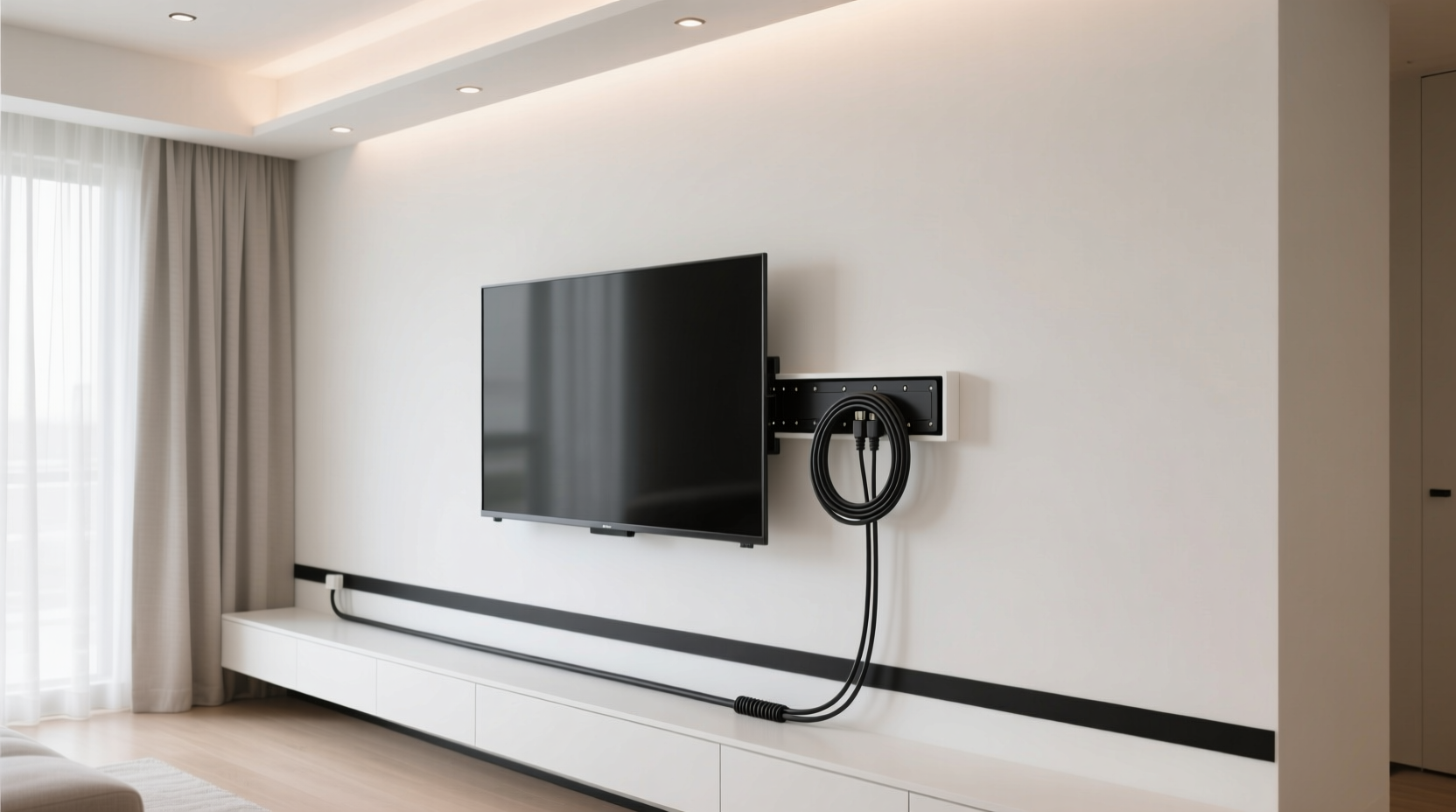
A cluttered bundle of cords dangling from your wall-mounted TV detracts from an otherwise polished entertainment setup. Beyond aesthetics, unmanaged cables pose tripping hazards, collect dust, and are more susceptible to accidental damage. Proper cord management enhances safety, simplifies cleaning, and supports long-term device maintenance. Whether you're setting up a living room centerpiece or optimizing a bedroom media wall, a clean cable solution is essential.
“Clean cable routing isn't just about looks—it's about creating a sustainable, safe, and functional space.” — Daniel Ruiz, AV Installation Specialist with 15+ years in home theater design
Step-by-Step Guide: Concealing Cords Behind a Floating Mount
Floating TV mounts attach directly to the wall with minimal clearance, making behind-the-TV cable access limited. The goal is to route wires from the outlet or media source to the back of the TV while keeping them invisible from the front view. Follow this logical sequence to achieve a tidy result.
- Plan Your Cable Route: Before mounting the TV, identify where your power outlet, router, soundbar, and streaming devices are located. Determine whether cables will run vertically down the wall, horizontally across, or through adjacent furniture.
- Measure and Cut Cables to Size: Avoid excess slack by measuring the distance from each device to the TV input. Use pre-terminated HDMI cables in standard lengths (3 ft, 6 ft, etc.) or custom-cut and terminate your own if experienced.
- Install the Mount and Test Positioning: Secure the floating mount to wall studs using appropriate hardware. Temporarily hang the TV to verify alignment and ensure enough rear clearance for cable bundling.
- Route Wires Through Wall or Along Surface: Decide whether to surface-mount raceways or install in-wall conduit. For renters or temporary setups, surface solutions are ideal. Homeowners may prefer in-wall concealment.
- Bundle and Secure Cables: Use Velcro straps or reusable zip ties to group cords together. Avoid metal ties that can damage insulation over time.
- Attach Final Covering: Apply paintable raceway covers, adhesive cord channels, or fabric sleeves depending on your chosen method.
- Reattach TV and Test Connections: Once wiring is secure and hidden, remount the TV and test all inputs and power sources.
Budget-Friendly Cord-Hiding Solutions Compared
Not all cord concealment methods cost the same. Some require tools and drywall work; others use off-the-shelf products. Below is a comparison of five affordable options suitable for floating mounts.
| Solution | Avg. Cost | Installation Time | Visibility After Install | Best For |
|---|---|---|---|---|
| Adhesive Cord Raceway (Paintable) | $8–$15 | 15–30 minutes | Nearly invisible when painted | Renters, quick fixes |
| Fabric Cable Sleeve (Braided) | $7–$12 | 10 minutes | Visible but tidy | Short drops, decorative walls |
| Baseboard Cord Clip System | $5–$10 | 20 minutes | Low profile, follows edges | Running cords to floor outlets |
| In-Wall Conduit Kit (with Fish Tape) | $25–$40 | 1–2 hours | Completely hidden | Homeowners, permanent installs |
| Magnetic Cable Clips (for Metal Mounts) | $6–$9 | 5 minutes | Minimal visibility | Securing cords behind TV only |
The adhesive raceway and in-wall conduit offer the cleanest finishes, though the latter requires drilling and patching skills. For most users, combining a braided sleeve behind the TV with a slim raceway down the wall provides optimal balance between cost, effort, and appearance.
Real Example: Sarah’s Living Room Upgrade
Sarah rented a downtown apartment and wanted a minimalist TV setup without damaging walls. She installed a floating mount on her concrete wall using masonry anchors. To hide cords, she used a two-part strategy: first, she bundled HDMI, power, and optical audio cables with a black braided sleeve attached behind the TV using magnetic clips. Then, she ran the bundle down the wall inside a white adhesive raceway, painting it to match her accent wall. Total cost: $18. Installation took under 40 minutes. Her friends assumed a professional handled the job—proof that smart, low-cost solutions can yield high-end results.
Essential Tools and Materials Checklist
Before starting, gather these commonly available items to streamline the process:
- Measuring tape
- Level and stud finder
- Drill and appropriate bits (masonry or wood, depending on wall type)
- Velcro straps or reusable zip ties
- Cord raceway or cable sleeve
- Pre-terminated HDMI and power cables (correct lengths)
- Label maker or masking tape and pen
- Paint and brush (if using paintable raceway)
- Fish tape (for in-wall routing)
- Drywall saw (only if cutting access holes)
Do’s and Don’ts of Floating Mount Cord Management
| Do’s | Don’ts |
|---|---|
| Use strain relief at connection points to prevent cable wear | Over-tighten zip ties, which can compress wire insulation |
| Leave service loops (small bends) near the TV for flexibility | Run Ethernet or coaxial cables near power lines without shielding (risk of interference) |
| Test all connections before final concealment | Forget local electrical codes when modifying outlets or installing in-wall systems |
| Choose flat cables when possible—they’re easier to conceal | Ignore heat buildup; ensure airflow around bundled cords |
| Anchor raceways every 12–16 inches for durability | Assume all walls are hollow—always check for pipes or wires before drilling |
Advanced Option: In-Wall Cable Routing (For Permanent Setups)
If you own your home and want a completely seamless look, consider routing cables inside the wall. This involves running a low-voltage conduit from behind the TV down to a nearby outlet or media cabinet. While more involved, it eliminates visible cords entirely.
Start by cutting a small hole behind the TV location using a drywall saw. Install a low-voltage bracket or old-work box to protect the wall edges. Feed a fish tape down from the hole to the baseboard or floor level. Attach your cables to the fish tape and pull them back up. Seal gaps with fire-rated caulk if passing between floors. Finally, patch and paint the drywall. Use UL-listed in-wall rated cables (especially for power) to meet safety standards.
“In-wall installations should never include standard power cords unless enclosed in approved conduit. Safety comes before aesthetics.” — Mark Lin, Residential Electrician and NEC Code Advisor
Note: Many building codes prohibit running AC power cables inside walls unless done by a licensed electrician. For this reason, most DIYers opt to bring power via surface raceway while routing signal cables (HDMI, Ethernet) in-wall using CL2 or CL3 rated variants.
Frequently Asked Questions
Can I hide cords without drilling holes?
Yes. Adhesive cord raceways, braided sleeves, and baseboard clips require no drilling and are ideal for renters. These solutions stick directly to the wall surface and can be removed without damage when needed.
What’s the best way to hide multiple cords behind a slim TV?
Use a combination of magnetic cable clips and a narrow fabric sleeve. Most floating-mounted TVs have less than 2 inches of rear clearance. Flat HDMI cables and organized bundling prevent bulk. Attach clips to the metal frame of the mount to hold the bundle flush.
Are there wireless alternatives to reduce cable clutter?
Yes. Wireless HDMI transmitters can send video signals from a streaming box to the TV without a physical cable. However, they may introduce latency and aren’t suitable for gaming or high-frame-rate content. Power remains necessary, so a single power cord will still need managing.
Final Tips for a Polished Finish
Attention to detail separates a good install from a great one. After securing all cables, take a step back and view the setup from your primary seating position. Adjust any visible sections and ensure transitions between components are smooth. If using a paintable raceway, blend it into the wall with matching paint—consider feathering the edges for a seamless effect.
Keep serviceability in mind. Avoid gluing cables permanently in place. Use removable fasteners so you can upgrade devices or troubleshoot issues later. A clean setup shouldn’t sacrifice functionality.
Conclusion: Achieve a Clean Look Without Breaking the Bank
Hiding cords behind a floating TV mount is a simple upgrade that dramatically improves your space’s visual appeal. With under $20 and less than an hour of effort, you can transform a messy setup into a streamlined focal point. Whether you choose adhesive raceways, fabric sleeves, or in-wall routing, the key is planning, proper tools, and attention to safety. Start with one method, apply the tips shared here, and enjoy a cleaner, more professional-looking entertainment area. Take the first step today—your eyes (and guests) will thank you.




 浙公网安备
33010002000092号
浙公网安备
33010002000092号 浙B2-20120091-4
Comments
No comments yet. Why don't you start the discussion?